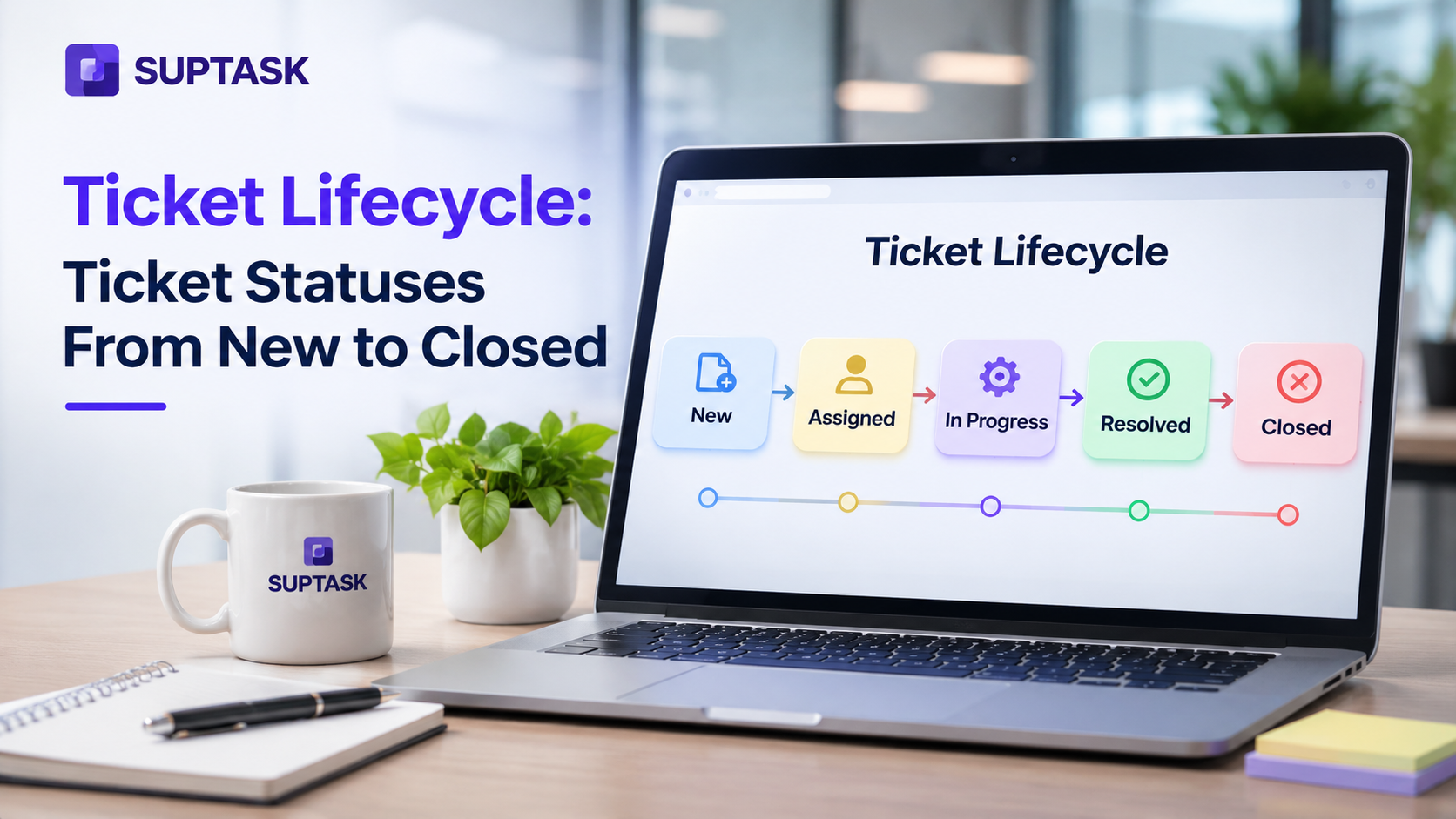
Ticket lifecycle is the path a ticket moves from the moment it is created to resolution. Each stage in the path shows the ticket status to keep the requester involved throughout the lifecycle.
A clear set of ticket statuses tells everyone whose move it is next. This is the whole job of a status. However, a status that two people read differently is not of much use for the queue.
In this guide, we will cover all the stages in the ticket lifecycle, and common statuses along with what each one means. How a ticket moves between them is next, along with the timers that can be set. We will also look at how four major tools name theirs. The best practices come at the end, and every support ticket follows the same path.
Key Takeaways
- The lifecycle starts when a request comes in. From there, it goes through triage, assignment, the work itself, resolution, and closure.
- Open, In progress, Waiting for customer, Closed. Each of these names one stage on that path, and the ticket status is what the requester actually sees.
- Whose move is it next? A status that cannot answer that question will not help the agent or the requester.
- Solve is used when the fix has been delivered. The requester can still reply to it, so Closed comes later, once the confirmation window has passed and the ticket is locked.
- Reminders, escalations, and auto-close run on a timer instead of a click. Tickets then do not go stale in a status nobody is watching.
What Is the Ticket Lifecycle?
The ticket lifecycle includes the full set of stages a request passes through in a help desk, from intake to closed and reviewed. Each stage has a status that gets recorded when it moves from one stage to another.
When the stages are named the same way for everyone, an agent and a requester read the same label on each ticket. Reporting also depends on it. The resolution time is also calculated from status changes, so the report is as accurate as the statuses behind it.
SLA measurement also works on the same record. An SLA that pauses on Waiting for customers measures the time the agent actually had on the ticket, and the waiting days are kept out of the calculation.
The ticket management process and ticketing system process flow are other names for the ticket lifecycle. Also, the stages behind them remain the same from one to another. Every stage change is stored by the tool, and that stored history is a large part of what a ticketing system is.
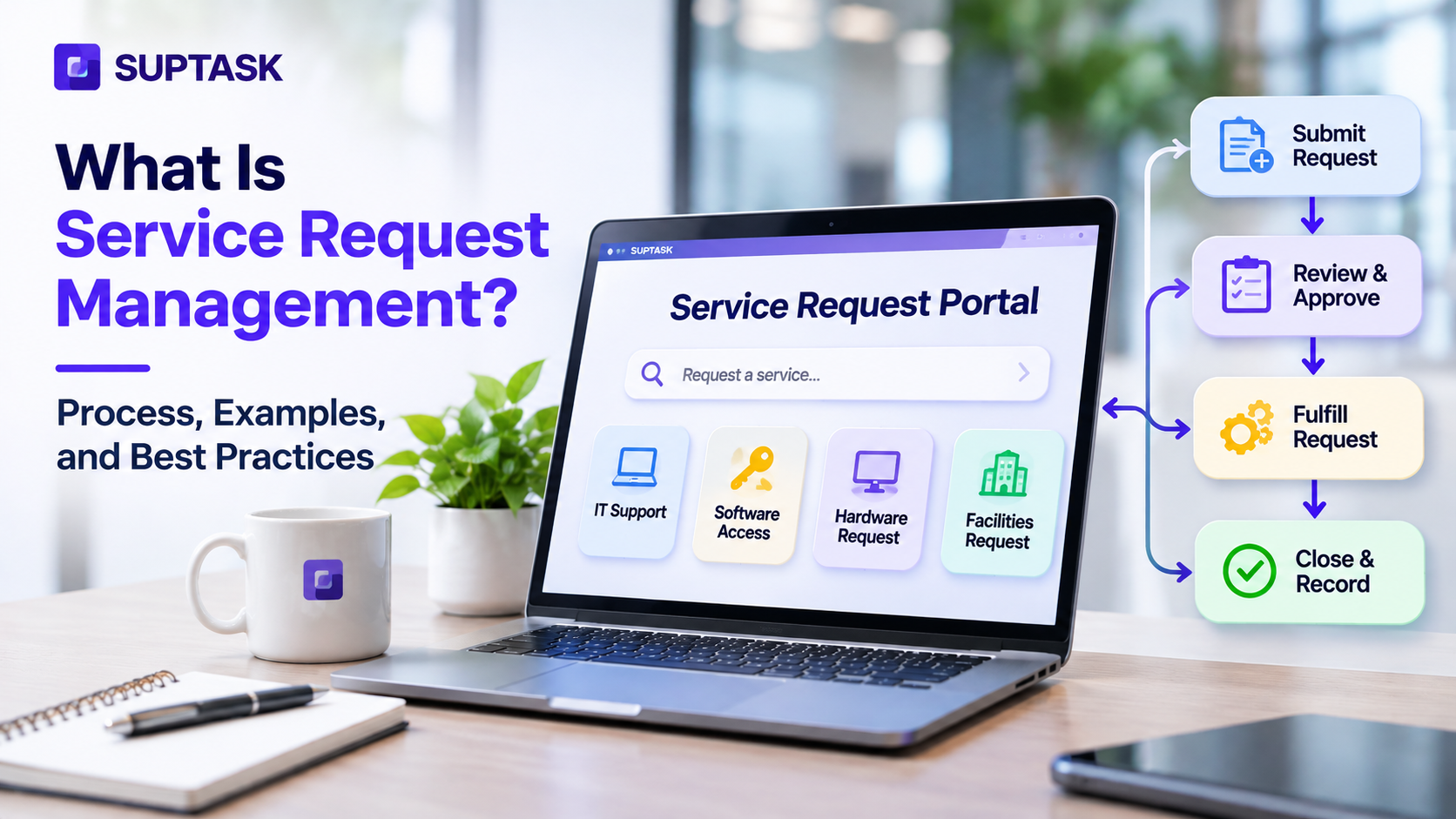
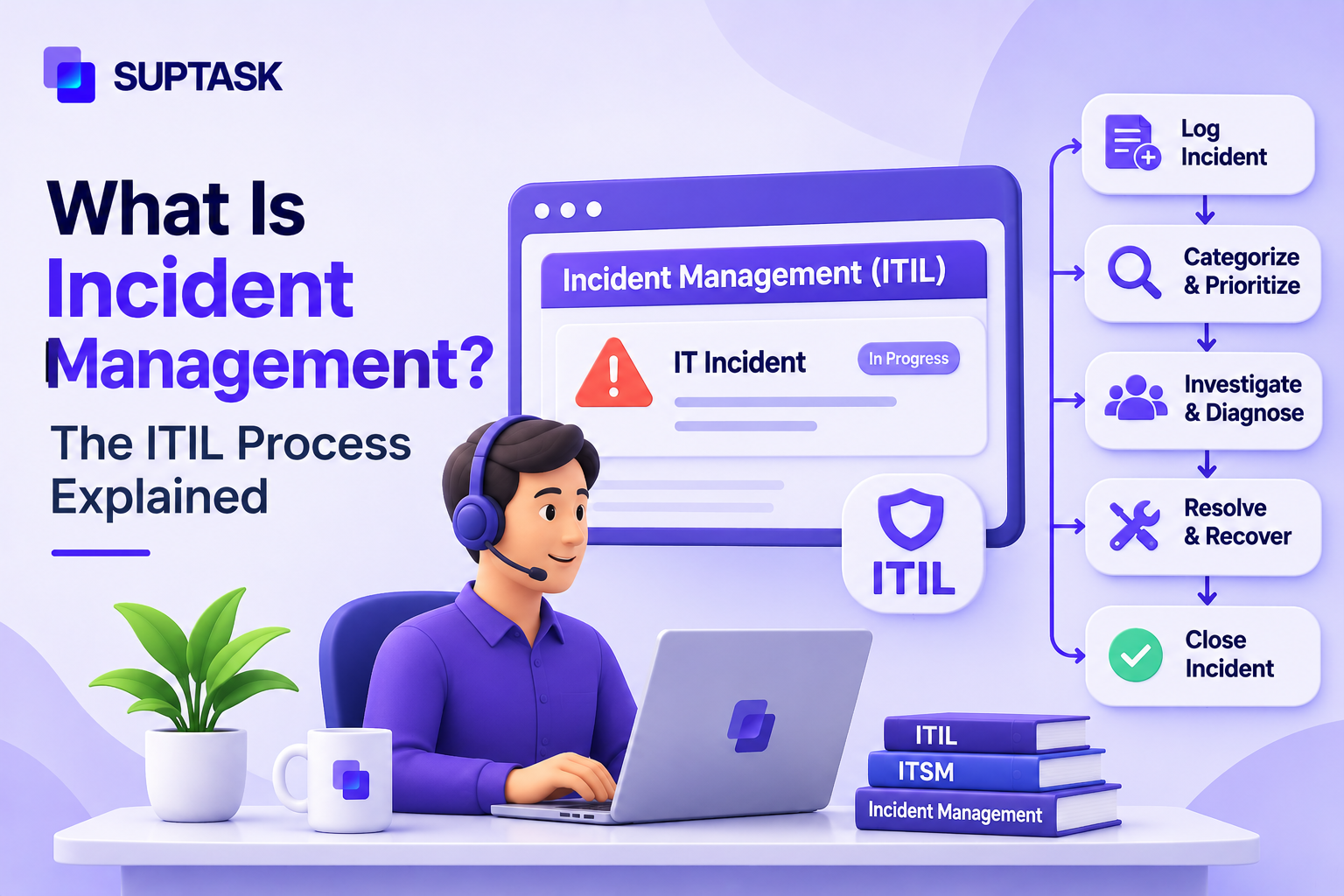
ITIL separates tickets by type. Incidents are handled under incident management, and service requests under service request management. Each type follows its own lifecycle.
The 7 Stages of the Ticket Lifecycle
The help desk ticketing process flow moves in seven stages, which apply to all requests from a password reset to a new laptop. The ITIL ticketing process follows the same stages, with incidents and service requests handled separately.
1. Creation
A request is turned into a ticket the moment it is logged and assigned an ID. The ID is what every ticket stage gets recorded against.
The ticket intake route can be a channel message, web form, email, or an alert from a monitoring tool. An email sent to the support address becomes an email ticket, which then follows the same statuses as everything else.
2. Triage and Categorization
The next stage is deciding the type of request and which team owns it. Triage answers both, and the answer sets the category on the ticket. A request for access to a shared drive is categorized as an access request, which routes it to whoever handles permissions.
3. Prioritization
Impact and urgency work together to set the priority. Impact counts how many people are held up by the request, while urgency is about how soon the ticket needs to be resolved. A prioritization matrix is the usual way of scoring the two, and it keeps the decision off the agent’s own judgment.
4. Assignment
The ticket assignment process gives each ticket an owner, and round-robin, workload, or skills routes the ticket to the right person. The assigned owner is the backbone of each ticket because the next status change is expected from that person.
5. Work and Communication
The assigned agent picks up the ticket, and its status is changed to In Progress. Updates are shared with the requester along with the status to keep them informed. An escalation process brings another team on the ticket, and an update is sent to the requester.
6. Resolution
The ticket moves to resolution stages when the fix has been delivered, and the requester confirms the same. For an access request, that means the permission is granted, and the requester has received it. Resolution is not the end of the lifecycle, and tickets still remain open to apply.
7. Closure and Review
The ticket gets closed once the confirmation window has passed, and the ticket is locked at that point for further replies from the requester. The same kind of requests, along with fixes, are updated in knowledge base articles.

Common Ticket Statuses and What They Mean
Ticket statuses mostly remain universal across all the tools. The table below gives the meaning of each status, the person who is expected to act next, and whether the SLA clock is running on the ticket in that status.
The tracking SLA time for each status is a policy decision, but should be documented to make it easier for agents to follow it.
The first response time is measured when the ticket moves out of Open. A ticket is kept in Open when an owner has accepted it but has not started yet. In progress is used from the point the agent is actually working on it. A queue running on Open alone cannot show the difference.
Who is being waited on? Pending and On hold are answering that question in different ways. Pending, which is also named Waiting for customer, is used for a question that has gone to the requester. On hold is for cases where a vendor, an approval, or a part on order is holding the ticket up. The SLA rule on each one is set separately, and that is why both of them are kept.
Resolve is applied by the agent after the fix has gone out, and the requester is still able to reply to it. Closed comes at the end of the confirmation window. The ticket gets locked after that. Many tools close solved tickets on their own, and the length of it is a setting in the tool.
Custom Ticket Statuses: When to Add One
The default list of statuses cannot be applied to every team. A status like Waiting for approval is added to requests in which approval is needed from a manager. Teams that send bugs out of the help desk use Escalated to Engineering for that handoff. Scheduled is another one, for planned work that already has a date on it.
A new status is worth adding only when it changes whose move it is or when it changes how the SLA clock is running. Anything else is a label, and labels belong in the category field or in a tag.
Most tools are grouping statuses into categories on which reporting runs. A custom status that is put in the wrong category will show up wrong in the reports later.
The ideal count for statuses ranges between six and eight, a longer list is harder to apply the same way across the team and reporting.
How a Ticket Moves Through the Ticketing System Process Flow
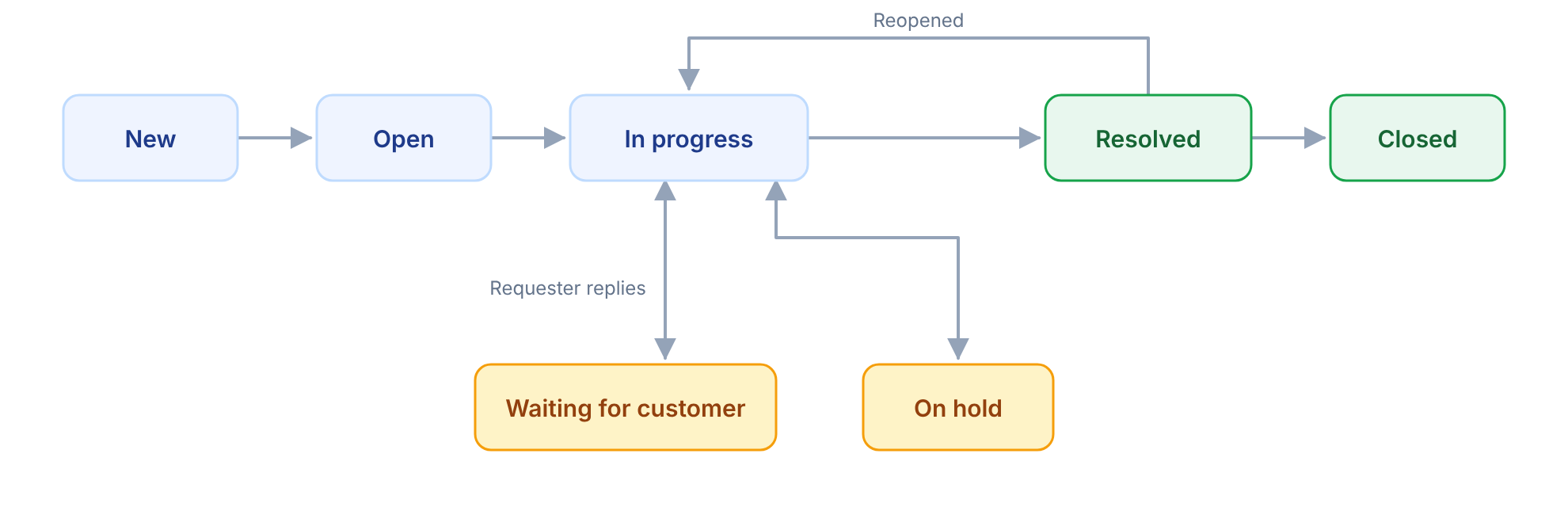
The support ticket workflow follows a set of moves between those statuses. Each move is triggered by something, either an action from the agent or a reply from the requester.
- New → Open: An owner is assigned to the ticket.
- Open → In progress: Work starts.
- In progress → Waiting for customer: A question is sent to the requester, and the agent is waiting for an answer to come back. The reply moves it back to In progress on its own in most tools.
- In progress → On hold: A vendor, a part on order, or an approval is holding things up.
- In progress → Resolved: The fix has been delivered.
- Resolved → Closed: Nothing came back inside the confirmation window.
- Resolved → Reopened: The requester has replied to say the problem is still there, and the clock starts running again.
Not every queue runs all seven moves. Help desk workflow examples differ by the type of request, and an approval step or a second-level queue adds its own moves to the list.
Timers and Automations for Each Status
Some status changes do not need a person, a timer on the status does the move instead. Below are some of the rules timers and automations can follow for each status.
The timers above are examples and each one should be set against the SLA targets already in place. A reminder is worth setting before the target is reached, because the point of it is to prevent the breach. Most of this is standard in automated ticketing, where the rule engine is checking time in status along with the other conditions.
Set these timers once and let them run. In Suptask, time-in-status rules follow up, escalate, or close tickets on their own. Every status change is visible to the requester in the Slack thread.
See help desk workflows in Slack
Ticket Statuses in Zendesk, Jira, Freshdesk, and ServiceNow
The name of ticket statuses changes from tool to another. Jira ticket statuses are not the same as Zendesk, and a team working on both of them has to map one onto the other.
Jira is the outlier in a software project, where To Do, In Progress, and Done are the only statuses that ship. Waiting states get added by the team, and Jira Service Management comes with its own set instead. Freshdesk has no separate New, so Open is covering both the unassigned ticket and the one being worked on. In Zendesk the On-hold status is deactivated by default and an admin has to turn it on. Every one of these tools allows custom statuses, which is why two companies on the same tool can still have different lists.
A ticket which lives in two tools needs the statuses kept in sync between them. Suptask’s Jira integration keeps the linked ticket’s status in step. Its Zendesk integration does the same.
Every status name in that table is verified against vendor documentation today, which was the brief’s §10 instruction. What I found that the brief did not have:
- Zendesk’s On-hold is deactivated by default, so describing all six as standard would overstate it. That is now a line in the prose.
- Jira Service Management’s default IT support workflow is Waiting for Triage, Waiting for Support, Waiting for Customer, and Resolved. It is not To Do, In Progress, and Done with extras bolted on, which affects the Jira FAQ answer in §6 when we get there.
- Freshdesk genuinely has no New status. Open does both jobs.
- Zendesk publishes no fixed interval for its automatic close, so no number for it appears anywhere in this post.
Ticket Statuses When Tickets Start in Slack
Chat is one of most places for request intake, along with the form and the support address. The problem with a request stays a message is the record. An answer goes back in the thread, and nothing on it says whether the work is finished.
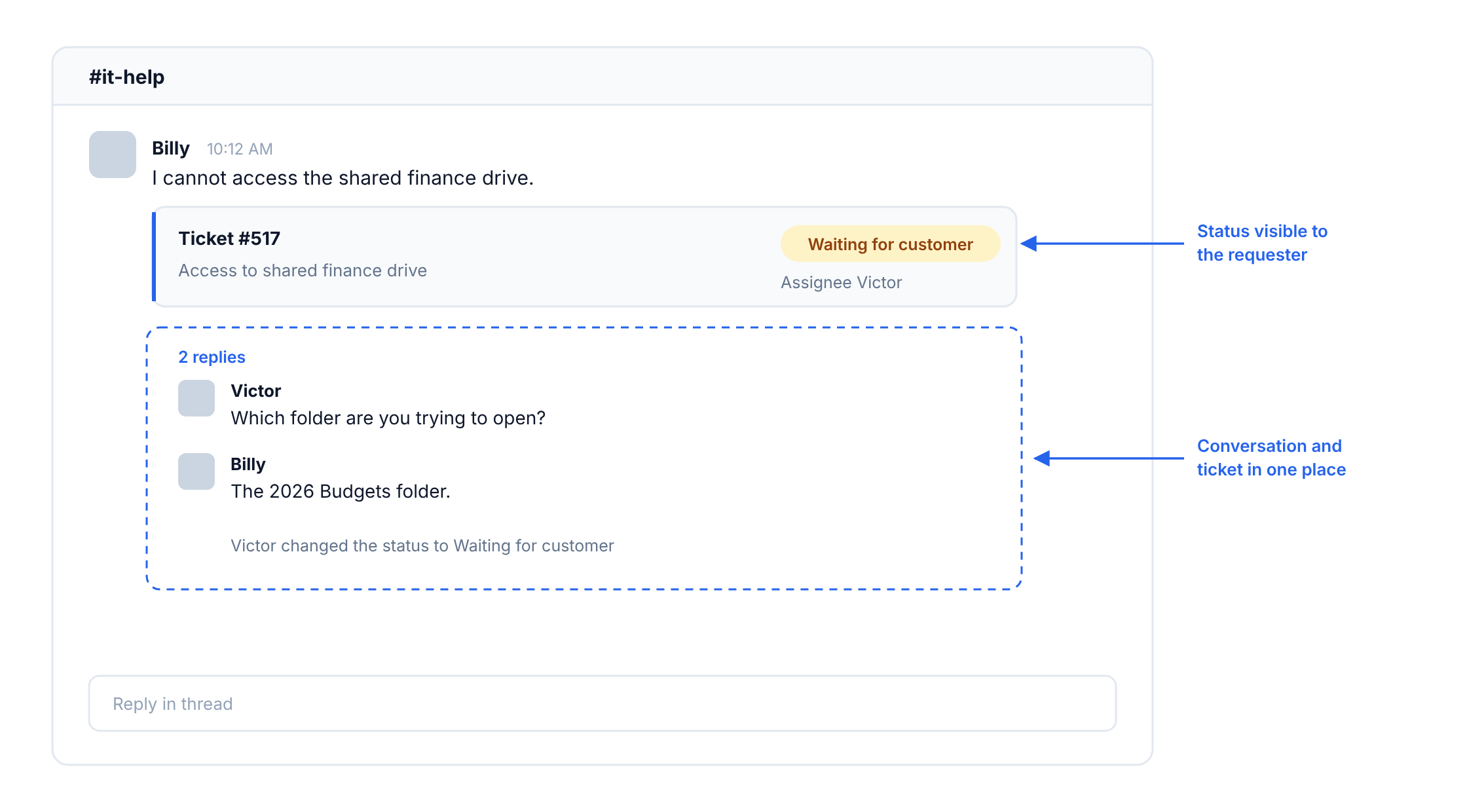
The fix is to turn the message into a ticket at the time it arrives. The conversation stays in the channel where it started and status is updated on the ticket in the same thread requester is in.
In a Slack ticketing system like Suptask, a ticket created from a Slack message is carrying its status in the thread. The default set of ticket statuses and automations in Slack covers Open, In-progress, Escalated, Waiting for customer, On-hold, and Closed. Time-in-status rules are able to follow up, escalate, or close the tickets without an agent doing it.
Ticket Lifecycle Best Practices
A status list works only as well as the habits around it, and the practices below are the common ones.
- Put one name on every ticket. A ticket with two owners has no one who is expected to make the next move.
- A status change on its own tells the requester so a short note should be sent with it.
- Closing is done after the confirmation window has run. The length of that window is set by the team.
- Once a week, the queue must be reviewed. A ticket queue management process catches the ones that have been in the status for a long period of time.
- Time in status is worth measuring along with time to close, because the total does not show which status held the ticket up.
- The custom statuses stay few.
- A problem which comes back is reopened on the original ticket, which keeps the history in one place.
Help desk ticket examples show the same statuses applied across different request types. Most ticket handling best practices are built on the first rule in this list, that one ticket has one owner.
How to Set Up Your Ticket Statuses This Week
You can set up ticket statuses by following these steps:
- Open the admin screen and write down every status that exists on the list today.
- Any status which does not change whose move it is, or how the SLA clock runs, gets deleted or merged into another one.
- Each surviving status needs one line against it, saying what it means and who is expected to act.
- Set two timers to begin with. A reminder on Waiting for customers, and an auto-close after it.
- After a month, pull the time-in-status report and see which status is holding the tickets.
Teams comparing tools at this point can work from a list of the best ticketing systems before settling on one. If your requests already start in Slack, a ticketing system that runs in Slack keeps the status in the thread where the request was made.
Frequently Asked Questions
What does ticket status mean?
Ticket status shows the progress made on it and who should act on it. Put simply, it is a label. For example, if the status is Waiting for a customer then the requester owes a reply and the agent cannot do much till that comes. Closed means the work has finished and the ticket is locked after. Some tools will still let you write on a closed ticket, it does not change anything though.
What is the life cycle of a ticket in Jira?
In a default Jira software project there are only three statuses, To Do, In Progress, and Done. Most teams will add a few more to this, In Review and Blocked are the common ones. Jira Service Management is a separate product and the workflow there is different. The default statuses are Waiting for Triage, Waiting for Support, Waiting for Customer, and Resolved. All of these names can be renamed by an admin.
What is the difference between solved and closed?
Solved is the status an agent puts when the fix has been given to the requester. The ticket is not finished at that stage, the requester can come back on it and the reply will reopen the ticket. Closed comes later, after the confirmation window is over. At that point the ticket is locked. Many of the tools are set to close the solved tickets on their own after the window, so the agent does not have to do it.
Can a closed ticket be reopened?
In most of the tools, no. Once a ticket gets closed it is locked, so whatever comes after has to be raised as a new ticket and then linked back to the old one. Teams are keeping the tickets in Solved for a few days first for this reason. The reopen option is there during those days.