


The Support Desk Built Into Slack
Catch every customer message across multiple channels without leaving Slack.


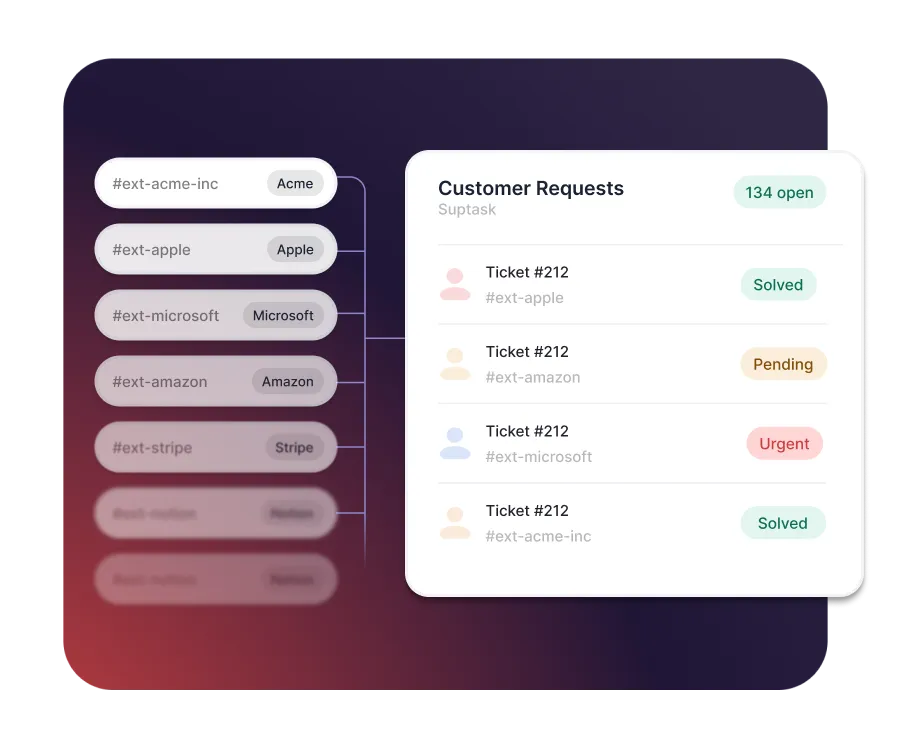











Everything your support team needs, built into Slack

Easy for customers
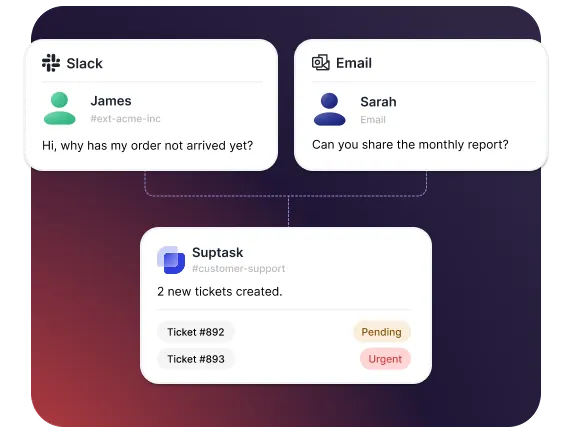
Customers get help in their own Slack channel or by email - no portal to log into.

Control for your team
Every message becomes a tracked ticket, so nothing slips through a busy channel.

Proof it's working
Track response times, SLA compliance, and CSAT from built-in dashboards.
Capture every customer request
- Turn any message or email into a tracked ticket
- Pick up a ticket with the 🎫 emoji, right in the channel
- Create tickets automatically so nothing slips
Handle hundreds of channels at scale
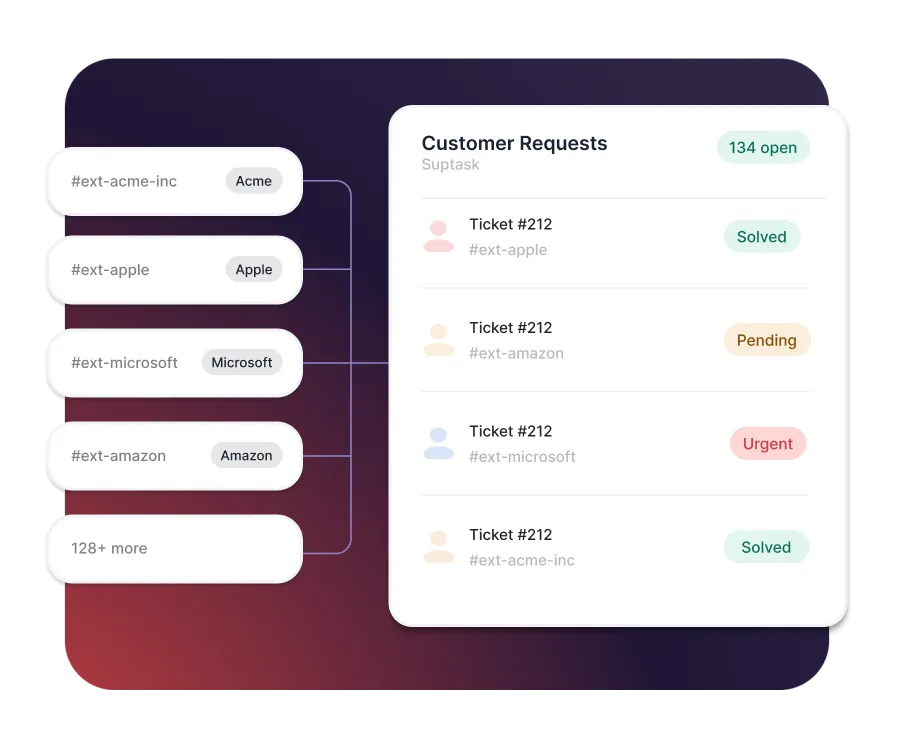
- Give every customer their own Slack channel
- Track every request across all channels in one overview
- Support hundreds of customers without dropping a message
Stay on top with Slack-native SLAs
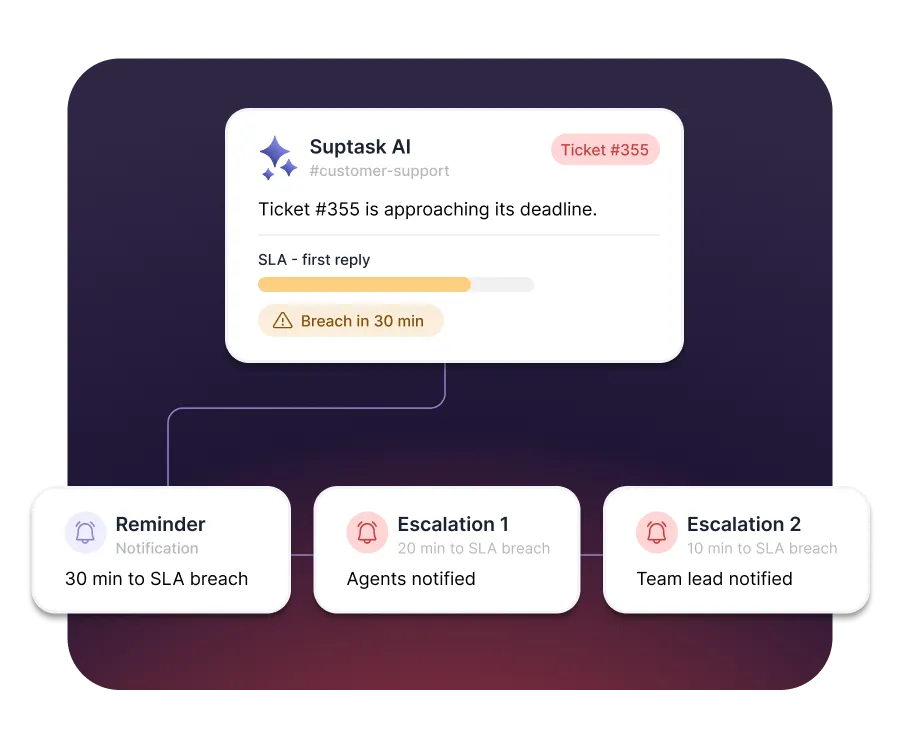
- Set reply and resolution targets by priority
- Get SLA reminders as native Slack notifications
- Escalate breaches to managers right in the channel
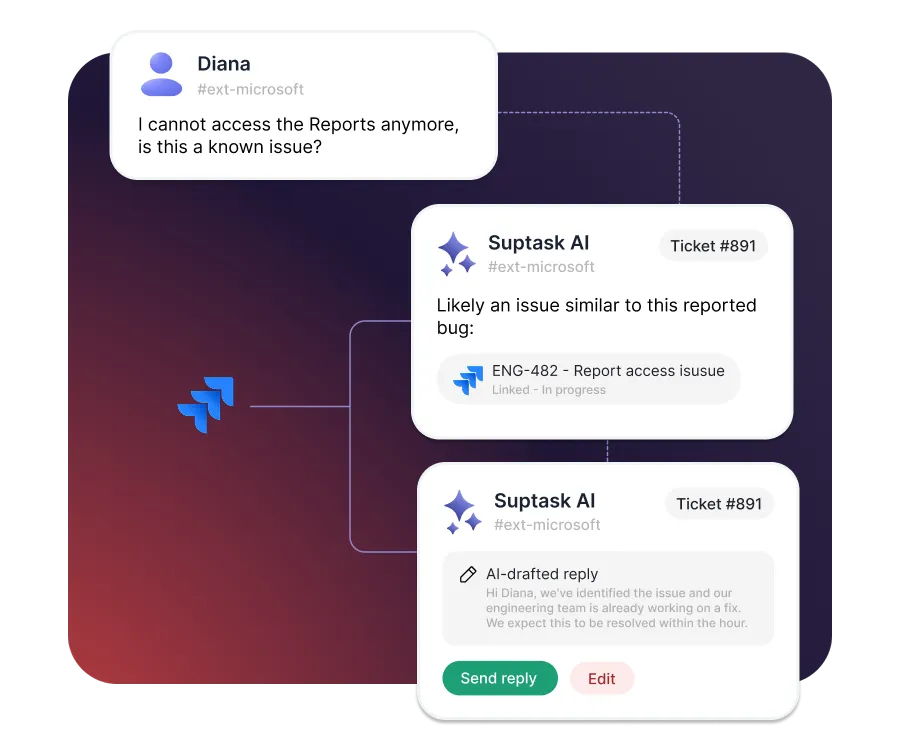
Resolve every ticket faster with AI
- AI replies to recurring questions
- Triage and escalate across teams with multiple inboxes
- Connect with external tools such as Jira and GitHub


Built for different teams
For IT teams


For Finance teams

Turn Slack into a help desk your team will actually use
Frequently asked Questions
What is the difference between a shared inbox and a support ticketing system?
A shared inbox gives several people access to the same email address. A ticketing system adds an owner, a status, and a response target to each request. Suptask adds those in Slack, which is where most B2B support conversations already happen.
Shorten the path between the customer asking and a human seeing it. Requests in a channel the team already watches get picked up faster than emailed ones. Suptask turns those messages into tickets and flags any approaching its response target.
Triage means deciding what a request is, how urgent it is, and who owns it. Sort by impact first, then by how long the customer has waited. Suptask can apply that step automatically using keywords, the channel, or a form field.
Look at what repeats before adding staff. A small number of question types usually drives most of the volume in a B2B queue. Suptask analytics show which ones, and its AI can draft the answers your team approves.
Most support teams treat 80 percent or higher as healthy on a CSAT scale. B2B teams with named accounts often run higher, because the relationship is ongoing. Suptask reports resolution times per account, so you can see what drives the score.
It fits best when you support a defined set of accounts rather than a high-volume consumer base. Suptask gives each customer their own Slack Connect channel, run from one queue. Customers who do not use Slack still reach you by email, in the same queue.



