


Ecommerce Help Desk for the Team Behind the Customer Desk
Leave, payroll, and onboarding questions as private tickets, answered from your HR policies with a record of each one.












Ticketing for Ecommerce Ops, Wholesale, and Retail Teams

DTC brands
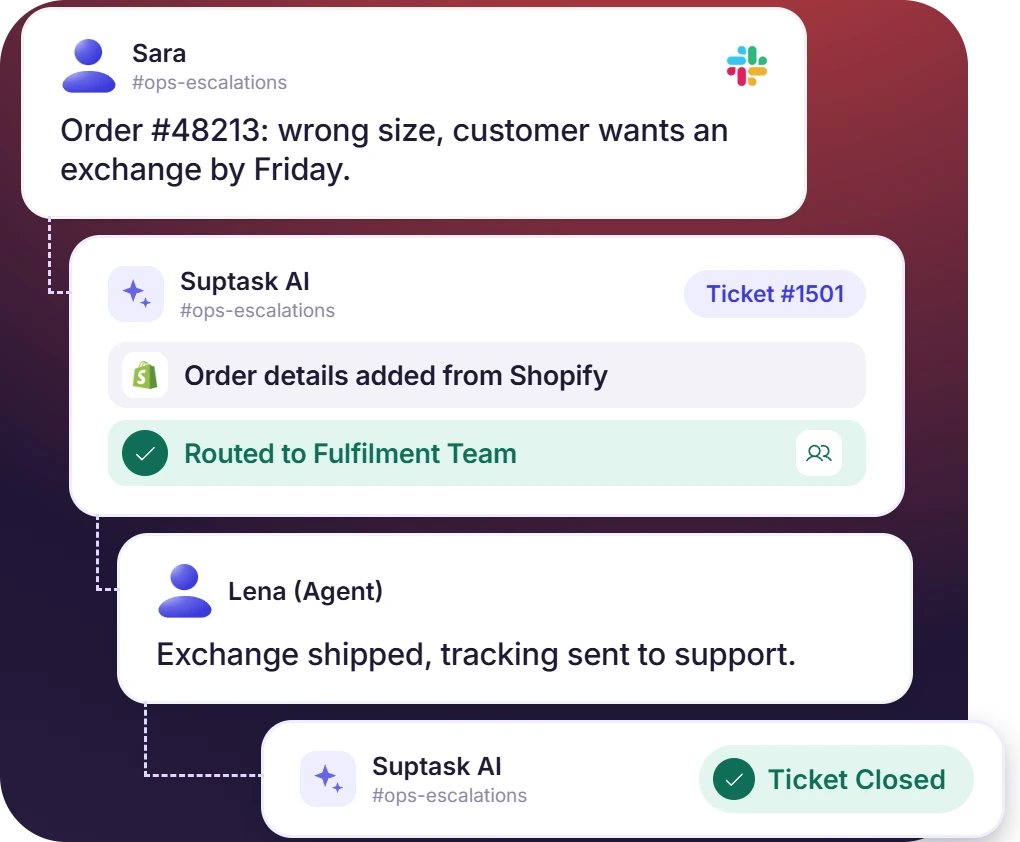
A direct-to-consumer brand hands off the cases its desk cannot close. Fulfillment, finance, and engineering pick them up as tickets. Each ticket has an owner and a status.

Partner accounts
Wholesale buyers, distributors, and 3PLs raise requests in their own Slack Connect channels. The retail ticketing system tracks each account separately, with an SLA on the reply.

Store teams
Store and warehouse staff raise stock, systems, and facilities requests in Slack. The retail help desk routes each one to the team that handles it.
Zendesk, Intercom, and Email Escalations Become Tickets
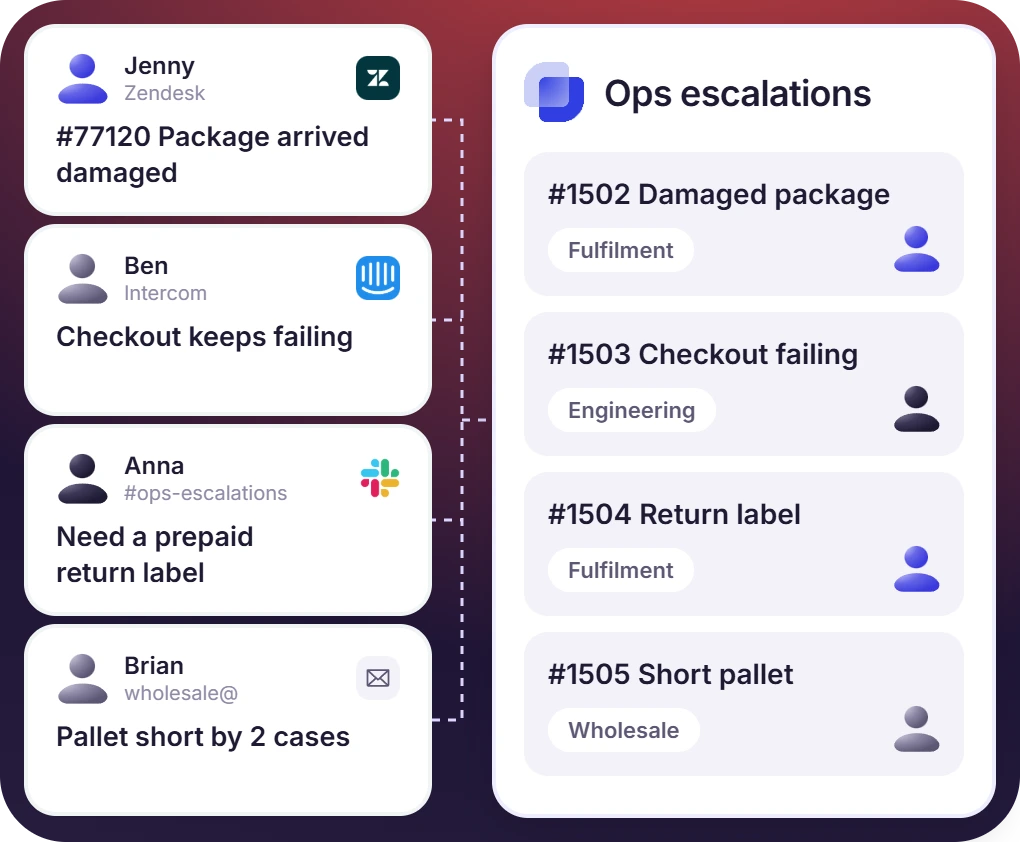
- Zendesk or Intercom integration opens the ticket. Other desks escalate by posting in #ops-escalations or forwarding the mail to ops@
- The form asks for the order number, the channel, the amount, and the deadline before the ticket opens
- Fulfillment, finance, engineering, and wholesale each work from their own Inbox, like the internal queues other departments use
Approval for Refunds and Credits Happens on the Ticket
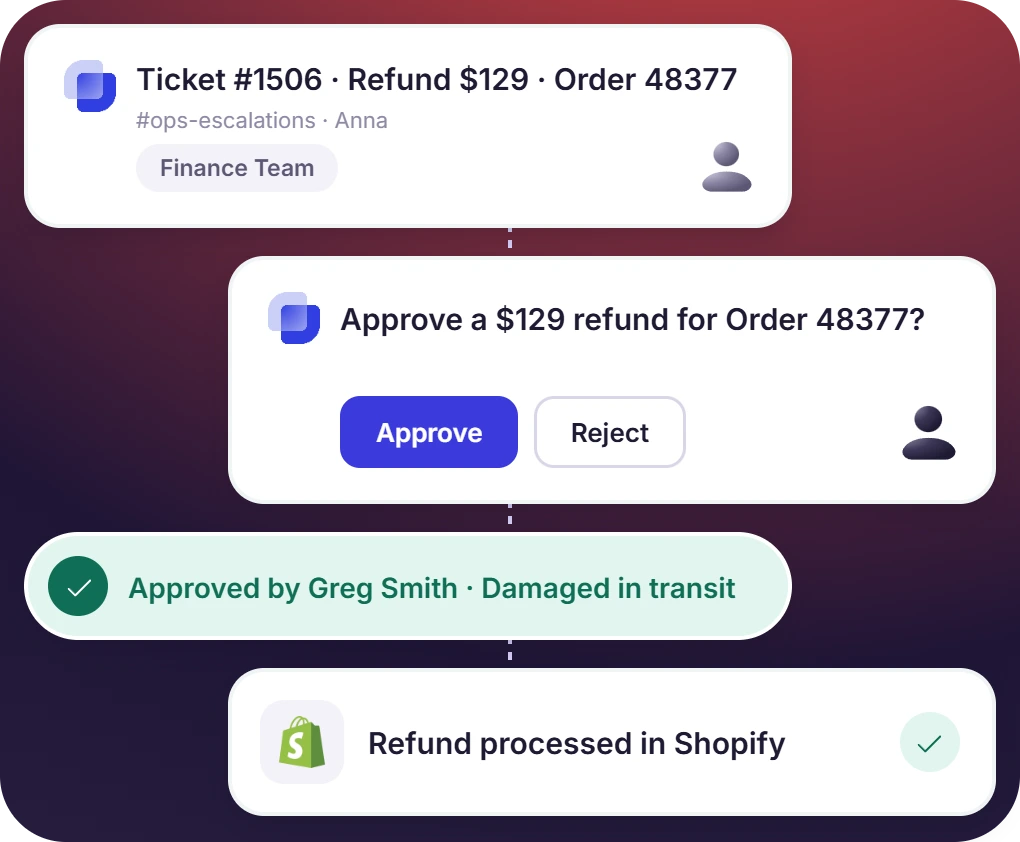
- The approver answers in Slack, and the approval is marked granted or declined on the ticket
- A threshold on the amount sets which refunds need a sign-off and which ones the agent clears alone
- Suptask records who approved the credit and why. Finance reads it from the ticket, and the money moves in the store or payment platform
The numbers speak for themselves.
Each Partner Account Has Its Own Channel and SLA
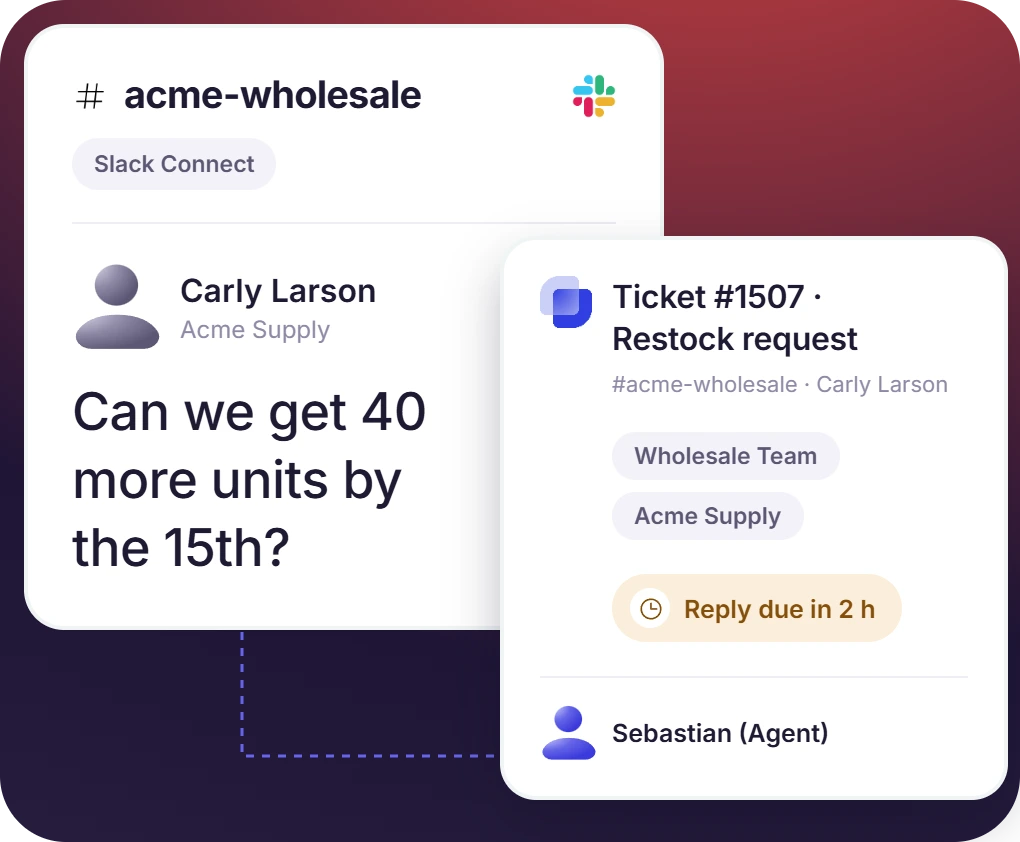
- A Slack Connect channel is shared with each account, and the buyer raises requests from their own workspace
- Reply and resolution targets are set per account, so a key distributor can carry a tighter SLA than a small reseller
- Partners not on Slack send email, and the ticket opens in the same Inbox. From there, it escalates to fulfillment or finance like any other case
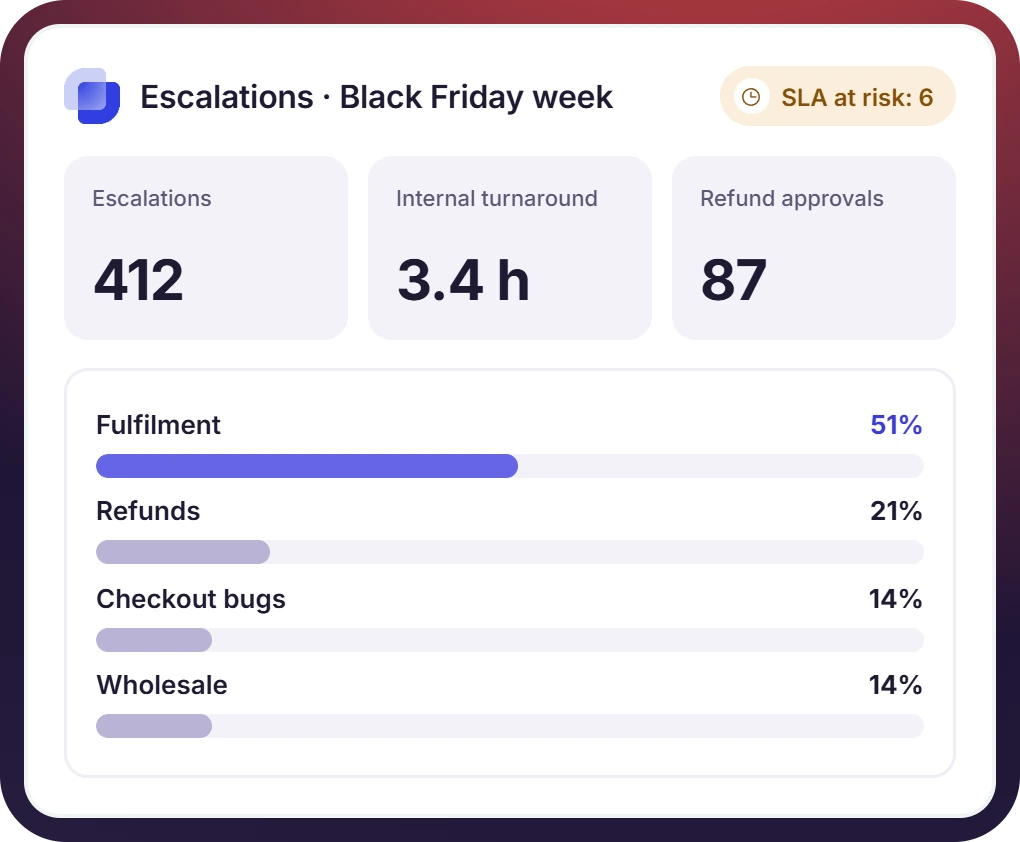
Escalations, Approvals, and Turnaround Time, Measured
- The report shows what was escalated and where the order came from, web, marketplace, or wholesale
- The time an escalation takes inside the company is measured, and so is the volume of refund approvals
- Peak weeks are covered by an SLA on the internal reply. The repeat questions go to Suptask AI, which answers from your policy documents


What Suptask Changes About Ecommerce Help Desk Software
How an Ecommerce Ticketing System Works in Slack
Escalate
Route and approve
Act and update
Connect Your Customer Desk and Tools to the Operations Queue
Frequently Asked Questions
Is Suptask an ecommerce help desk for shoppers?
No, it is not for shoppers. Suptask is used by the teams that work behind the customer desk, the fulfillment people, finance, engineering, and they pick up the cases support is not able to close on its own. It is not e-commerce customer support software. There is no chat widget in it. Order lookup is also not there, and the social inbox and the returns portal are things you will not get here. The shopper keeps talking to the desk you are running to.
Zendesk and Intercom have an integration with Suptask, and with that, the case gets escalated into a ticket. That one is on the Custom plan. Gorgias does not have the integration, so what the agent does there is post in the Slack channel, or the email is forwarded to the ops address, and the ticket opens anyway. The status of the ticket can be seen by the agent while the internal team is working on it. The shopper hears back from your desk only.
Yes, the approval can be requested on the ticket itself. The person who has the authority answers in Slack, and the reason also gets recorded with it. Thresholds on the amount come with the Growth plan, so the smaller credits the agent is allowed to clear without any approval. The refund is not issued by Suptask. It happens in your store or in the payment platform, Suptask is only keeping the decision and the reason for it.
No. Shopify integration is not available, and the order data does not come onto the ticket by itself. A Shopify ticketing system will normally read the orders, refunds, and fulfillment status straight from the store. Suptask is not doing that part. What happens instead is the support agent puts the order number and the amount on the form at the time of escalating. The team that acts on it is working in Shopify or in the warehouse system, same as before.
Yes, this is how the wholesale accounts get handled. A Slack Connect channel is shared with each account from your own workspace, and the buyers, the distributors, and the 3PLs are raising their requests inside that channel. Partners who are not on Slack will send an email instead and it becomes the same ticket. SLA per account is available on Growth. It is the same model that B2B [customer support] runs on.
The pricing is per agent, and an agent means the person who answers the tickets. Requesters do not cost anything. There is no limit on them either, so your support agents, the warehouse staff, the partners- all of them are free on every plan. Starter is $15 per agent per month on the annual billing. Professional is $24, and with that you get the Inbox per team, approvals, Slack Connect, and email intake. Growth is $38, SLA management and the approval thresholds come in that one. Zendesk and Intercom integrations are on the Custom plan, there is a fee per integration. The Suptask pricing page has the full details.
Give your customer desk a team that answers in Slack



