


The Finance Service Desk Built Into Slack
Handle payroll, expenses, and approvals in one place, while your colleagues just ask in Slack.


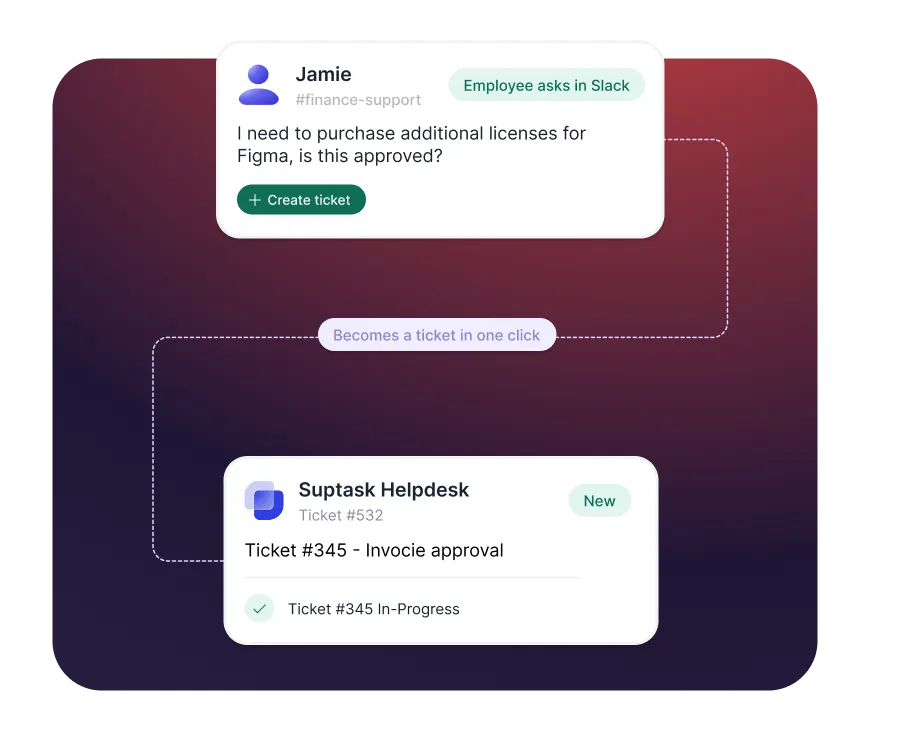











Structured Finance support, built directly into Slack

Easy for the business
Colleagues send finance requests in Slack, where they already are.

Control for finance teams
Every request arrives structured, routed, and assigned, so nothing is missed.

Better support operations
All approvals and updates are tracked and visible on the ticket.
Turn scattered requests into structured tickets
- Capture finance requests from any Slack message or DM
- Manage sensitive requests through private DMs
- Route each request to the right person automatically
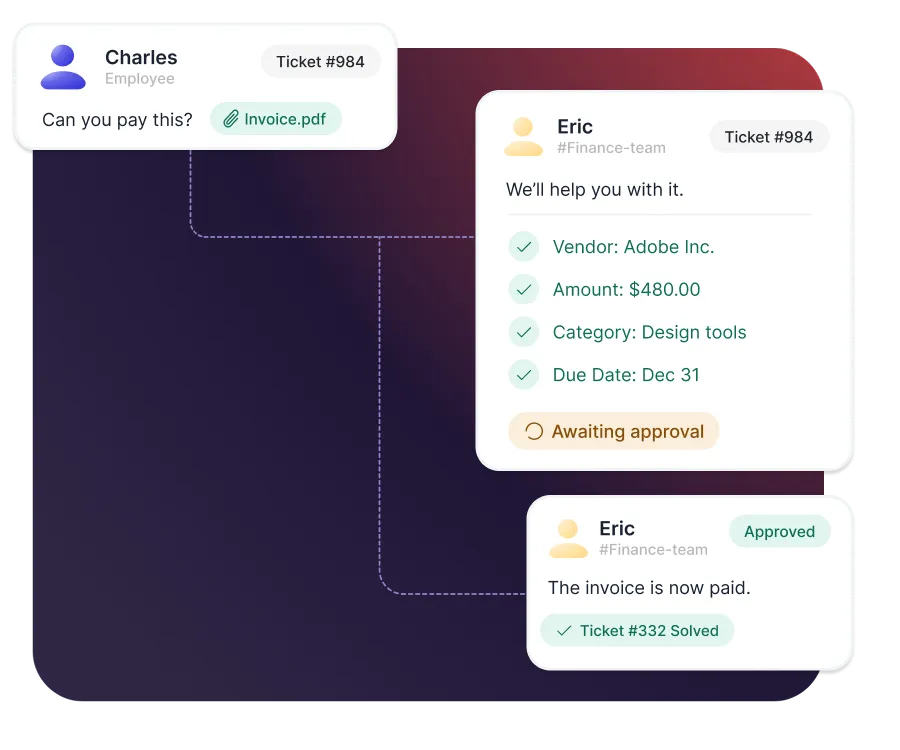
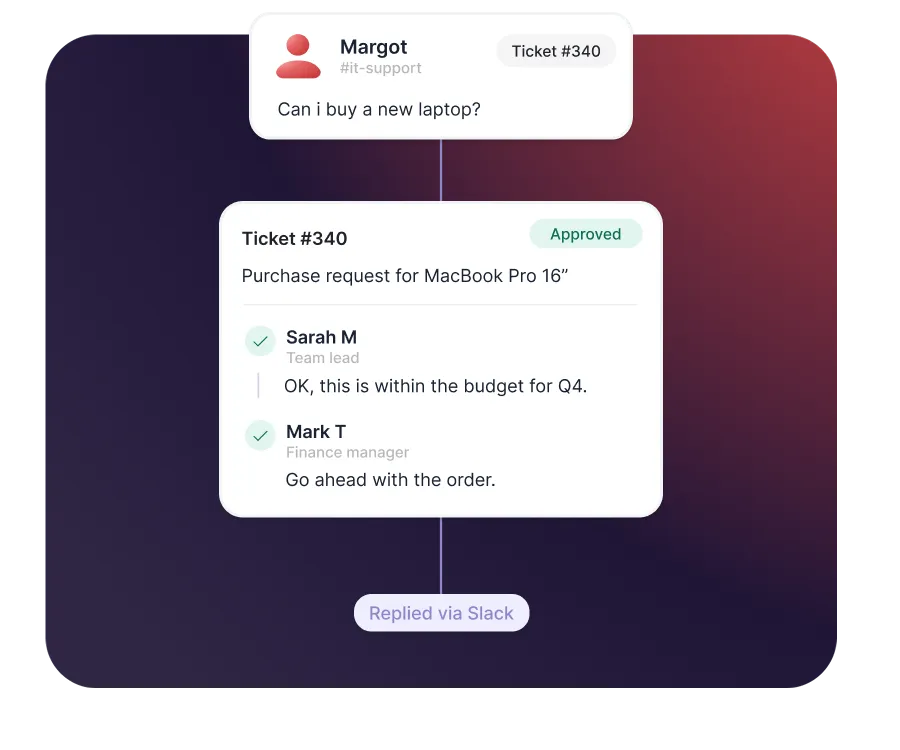
Run approvals with a clear audit trail
- Approve invoices, expenses, and purchases inside Slack
- Automate multi-step approvals across budget owners
- Keep a record of who approved what, and when
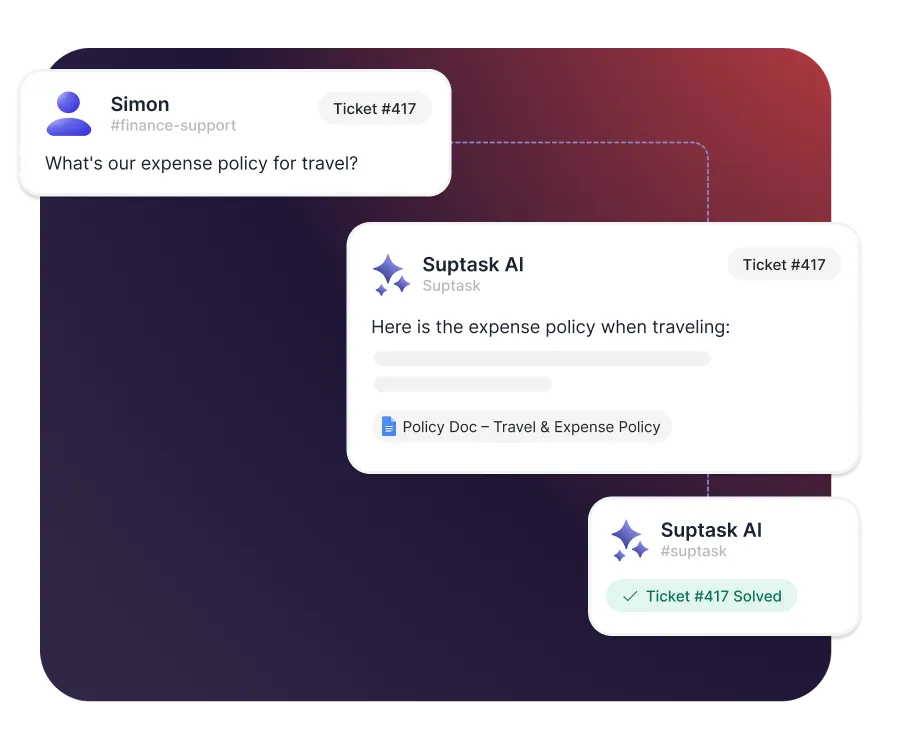
Answer recurring questions with AI
- Answer common questions automatically from your documents
- Use Suptask AI as your co-worker - ask it about your knowledge.
- Keep a human in control of every answer
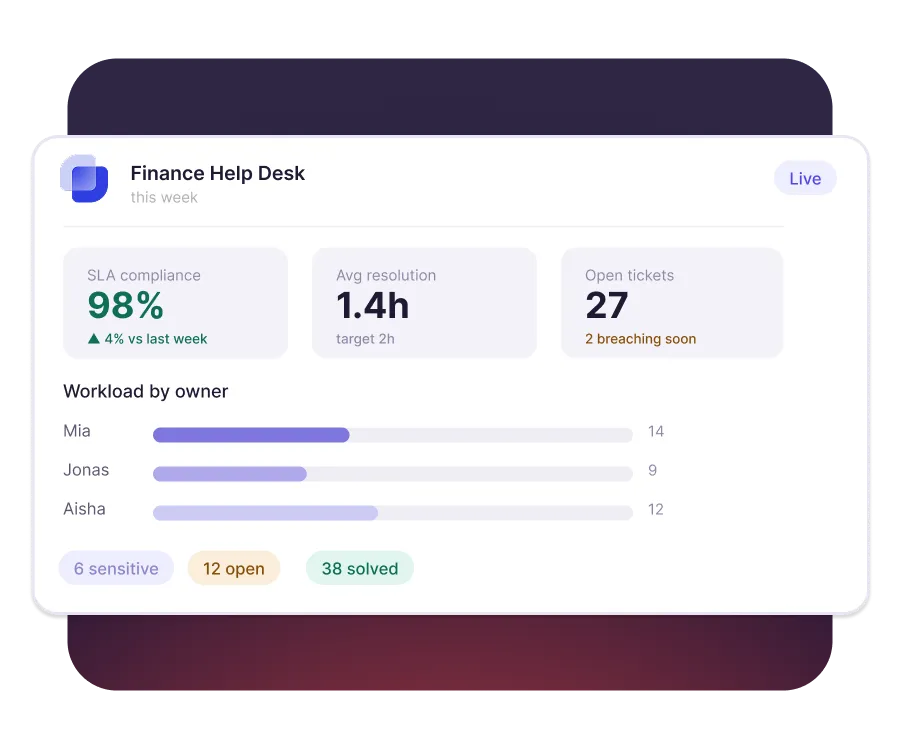
Reporting and SLA visibility
- Set SLAs so approvals and payments never stall
- See workload, ownership, and status at a glance
- Report on recurring request volumes from built-in dashboards


Built for different teams
For IT teams


For Finance teams

Turn Slack into a help desk your team will actually use
Frequently asked Questions
What is a finance service desk?
A finance service desk is one intake point for every finance request in the business. Employees send expense, invoice, payroll, and purchasing questions there instead of emailing individuals. Each request becomes a tracked ticket with an owner and a due date.
Yes. Adding Suptask to Slack turns any message into a tracked finance ticket. Requesters stay in Slack, and the finance team gets routing, ownership, and status in one queue. No separate portal is needed for the people asking.
An invoice approval workflow is the sequence an invoice follows before it gets paid. It typically covers receipt, coding, a check against the purchase order, and budget-owner sign-off. Routing each step automatically removes the delay of chasing approvals by email.
To use Slack as a help desk using Suptask, Sign up and install Suptask, then simply ask for help in a designated channel (e.g., #support) or add a ticket emoji to any message.
Start with a form that captures amount, category, and business reason up front. Send anything above a threshold to the budget owner, and route the rest automatically. Record each decision on the ticket so the approval history stays with the request.
No. Suptask handles the requests and approvals around finance work, not the ledger itself. Your ERP or accounting platform still records transactions and produces the statements. The two sit side by side, with Suptask managing the conversation and the sign-off.



