One Ticketing System for Every Team

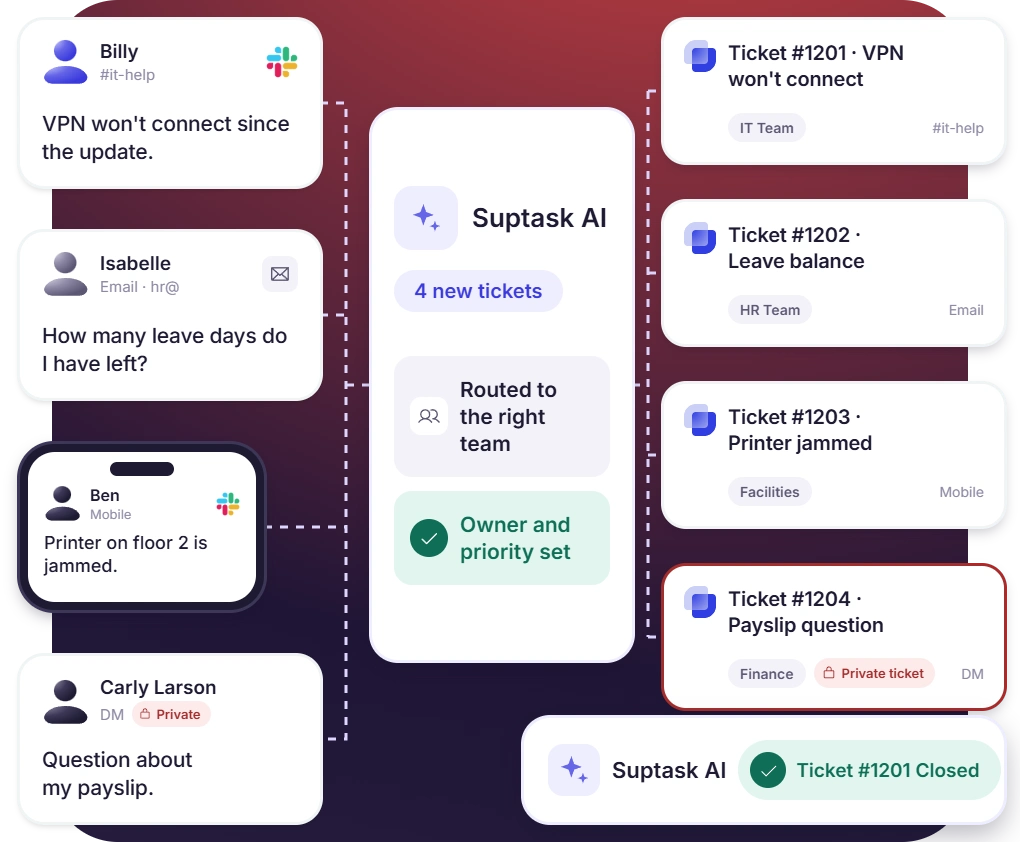
Suptask is a ticketing system for IT, HR, finance, support, and every team in between. Requests become tickets from any Slack message, form, or email, each with an owner, a status, and a priority. Your team resolves them inside Slack, where the work already happens.

Trusted by 1700+ teams
14-day free trial
No credit card required

Ticketing System, Help Desk, or Service Desk?

A ticketing system turns each request into a ticket with an owner, a status, and a record. Nothing gets lost in a chat or an inbox. Help desks and service desks are built on one, and Suptask runs all three in Slack.

Ticketing System

The engine underneath: every request becomes a ticket with an owner, a priority, and a full history. A helpdesk ticketing system is what lets a team answer at volume without losing track.
Read the guide

Help Desk

The team and practice that answers employees or customers, most often for IT or support. Help desk software gives that team one queue, clear ownership, and response times it can measure.
Read about help desks

Service Desk

A broader, ITIL-shaped model that handles incidents, service requests, and approvals across the business. Service desk software adds categories, SLAs, and workflows on top of the tickets.
Learn about service desks

Help Desk Ticketing for Every Team

IT, HR, finance, and support each get their own queue, forms, and workflow, inside one help desk ticketing system.

IT & ITSM Ticketing

An IT ticketing system for employee requests, incidents, and access approvals, built on ITIL practices without a portal.

HR Ticketing

Leave, payroll, and onboarding questions as private tickets, answered from your HR policies with a record of each one.

Finance Ticketing

Expense, purchase, and invoice requests arrive on the right form, with an approval on the ticket and a record finance can audit.

Marketing Ticketing

Briefs, design requests, and copy reviews arrive with the details marketing needs, triaged into one queue.

Customer Support Ticketing

A support ticketing system for B2B customers in shared Slack channels and email, with an owner and an SLA per account.

Internal Help Desk

One place to ask IT, HR, facilities, and operations for help, with an internal ticketing system for each team.

DevOps Ticketing

Requests to engineering arrive triaged by product area and severity, and the ones that need code go to Jira or GitHub.

14-Day Free Trial

Try the full product for 14 days with no credit card, then choose a plan or stop.

Ticketing Tools for Every Way of Working

Take requests by email, answer them with AI, approve them by rule, or work them from your phone.

Incident Management

Many reports of one outage become a single incident ticket, and everyone who reported it can follow the status.

Email Ticketing

Emails to support@ or helpdesk@ become tickets in Slack, and replies from the thread reach the sender as email.

AI Ticketing

Suptask AI answers from your own knowledge, summarizes long threads, and acts in connected tools with a person approving.

Conversational Ticketing

The Slack thread is the ticket: the request, the replies, and every status change stay in one conversation.

Workflow Ticketing

Routing, approvals, reminders, and escalations run by rule, so tickets move without anyone chasing them.

Mobile Ticketing

Raise, assign, and answer tickets from the Slack mobile app, with the same forms and buttons as on desktop.

The Same Ticketing System Software, Whichever Path You Pick

Start with one team’s queue, then add the next team on the same ticketing software, with nothing new to learn.
Ask From Anywhere in Slack

Any message, emoji reaction, slash command, or form becomes a ticket, and email lands in the same queue.

Routed, Owned, and on the Clock

Rules assign each ticket to the right team and person, and SLA timers warn before a reply is late.

AI With a Person in Control

Suptask AI answers from your own knowledge sources and summarizes long threads. Your data is never used to train models.

Private When It Needs to Be

Move a sensitive ticket from a channel to a private DM, and keep internal notes away from the requester.

From Request to Resolved, Inside Slack

A ticket management system that lives where your team already talks, so nobody learns a new tool.
[1] Capture
Employees or customers ask in a channel, a DM, a form, or by email. Suptask turns the request into a ticket.
[2] Route
Rules or Suptask AI set the team, the owner, and the priority. Common questions get answered from your knowledge base.
[3] Resolve
The agent works the ticket in its Slack thread, and the requester sees each update until it closes.

Built for Your Kind of Organization

From a 10-person startup to a school district, the same help desk fits how you’re set up.

MSP Ticketing

A Slack Connect channel per client, one queue for your technicians, and an SLA for each client contract.

Small Business

Start with one queue in Slack, pay per agent, and let everyone who asks raise tickets at no cost.

SaaS & Cloud

Support each customer account in a shared channel, escalate to engineering, and host nothing yourself.

Ecommerce

The team behind your customer desk: escalations, refund approvals, and Shopify order details in Slack.

Education

Teachers, staff, and students ask in Slack, and IT and facilities answer from one queue.

Nonprofit

Staff, volunteers, and board members ask at no cost, and only the people who answer are billed.

What teams improve with Suptask

76%
Faster Response Times
3x
Increase in User Satisfaction
85%
Auto-resolved by AI

Already trusted by fast-moving support teams.

"Suptask has helped us create a seamless, best-in-classticketing experience for our end users. By integrating across multiple workspaces, it has streamlined our workflows and empowered our entire organization."
Chris Tucker
Director of Strategic Technology
“Suptask has become an integral part of multiple departments within our organization, and the impact has been transformative. The platform has streamlined our ticketing workflow, leading to significant efficiency gains and saving our teams hundreds of hours each month”
Prathamesh Borkar
Director of Operations
"With Suptask, Product Managers and Engineers work hand-in-hand in Slack. By keeping everything in Slack, Engineers and Product Managers can easily collaborate on tickets while maintaining private threads for technical discussions. It’s boosted our overall responsiveness against our clients."
Simona Cossidente
Head of Product & Process
"Suptask transformed the way we manage support by bringing full ticketing workflows into Slack. With its powerful AI features, we handle requests faster, stay organized effortlessly, and deliver a smoother experience for both our team and our customers. It’s truly made support feel natural and efficient on Slack."
Charles Mellin
Chief Operations Officer
"The biggest impact Suptask has made on our team is that we now have an organized way to process questions and requests from our employees. All communication for a request stays within Slack and the Suptask ticket - which was an impossible feat in the past."
Jean
People Enablement Coordinator

Connect Your Ticketing System to the Tools Your Teams Use
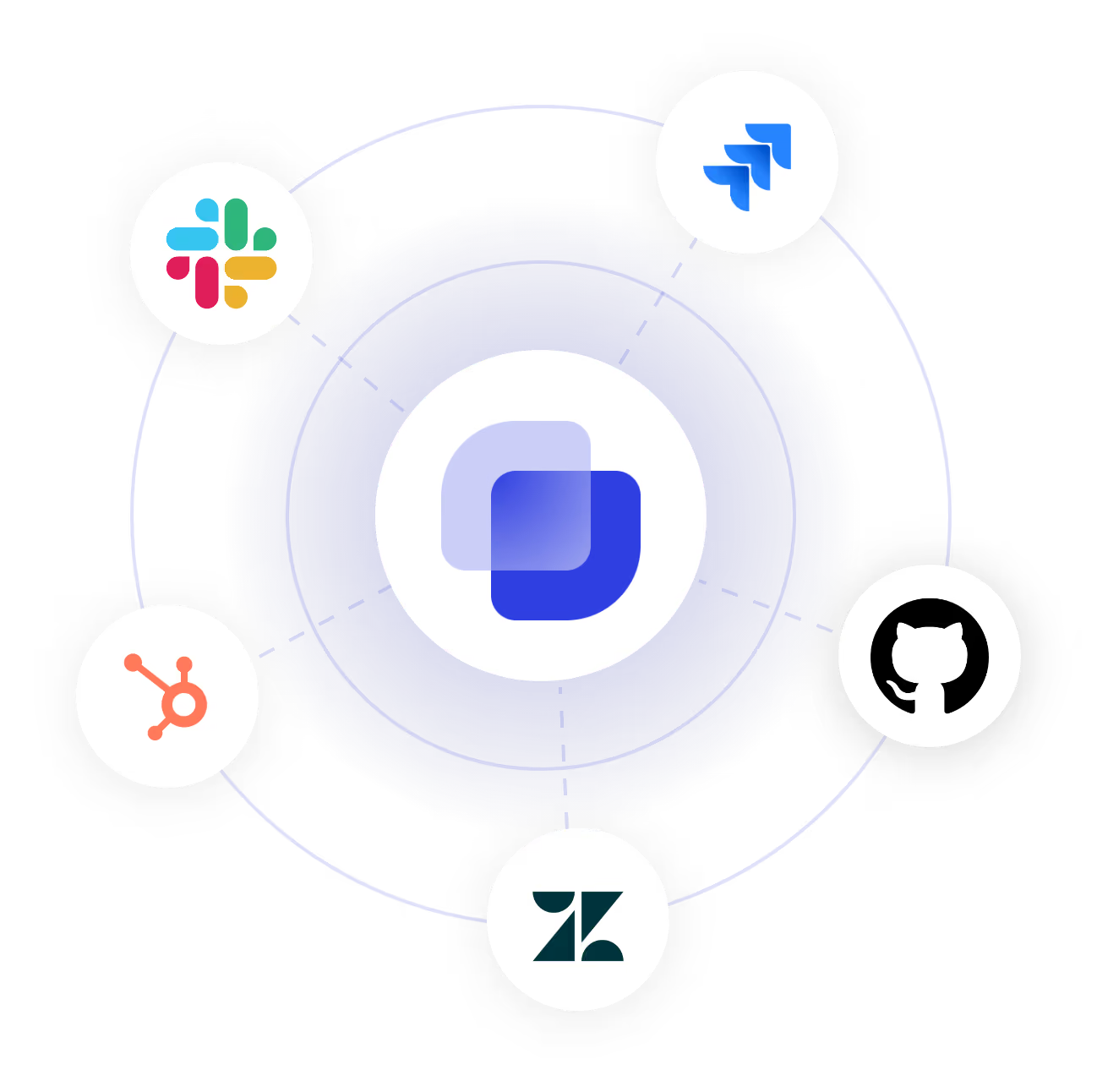
Answer from Notion, Confluence, and Google Drive, and escalate to Jira, GitHub, or GitLab. Bring in context from Okta, Microsoft Entra, BambooHR, HubSpot, and Salesforce.

Turn Slack into a help desk your team will actually use

Frequently Asked Questions

Which ticketing system is right for my team?

Start with the team that handles the most requests. IT, HR, finance, and customer support each get their own queue and forms. Email, AI answers, and incident handling work across all of them. It’s one ticketing system, so the next team joins without a new tool.

‍

What’s the difference between a ticketing system, a help desk, and a service desk?

A ticketing system is the tool that records each request as a ticket with an owner and a status. A help desk is the team that answers questions with it. A service desk is a broader IT model that also handles incidents, service requests, and changes. Suptask runs all three from the same queue.

What are the main types of ticketing systems?

The common types are an IT ticketing system for tech requests and a support ticketing system for customers. An internal ticketing system covers HR, finance, and operations. Email, incident, and AI ticketing describe how tickets arrive or get handled. Our help desk ticket examples show each in practice.

What are the key features of a ticketing system?

Look for easy intake, routing and assignment, statuses and priorities, SLA tracking, private tickets, and reporting. Good ticketing tools also connect to your knowledge base and issue tracker, so agents answer with context. Our guide to ticketing system features covers each one.

Do I need a ticketing system?

If requests arrive in DMs, channels, and inboxes and nobody can tell what’s open or who owns it, yes. A ticketing system gives every request an owner and a status, and shows how fast your team responds. Most teams feel the need once more than one person answers requests.

Can I run a ticketing system inside Slack, and what does it cost?

Yes. Suptask is a Slack ticketing system: requests, replies, and approvals happen in Slack, with a web app for overviews and settings. Plans are per agent per month, billed annually: Starter $15, Professional $24, Growth $38, and Custom. Requesters are free on every plan. See pricing for what each plan includes.