<script type="application/ld+json"> { "@context": "https://schema.org", "@graph": [ { "@type": "WebPage", "@id": "https://www.suptask.com/ticketing/non-profit#webpage", "url": "https://www.suptask.com/ticketing/non-profit", "name": "Nonprofit Help Desk Built for Slack Teams", "description": "A help desk for nonprofits in Slack. Staff and volunteers ask in the workspace you already have, a small team answers from one queue, and requesters are free.", "inLanguage": "en-US", "isPartOf": { "@type": "WebSite", "@id": "https://www.suptask.com/#website", "url": "https://www.suptask.com/", "name": "Suptask" }, "breadcrumb": { "@id": "https://www.suptask.com/ticketing/non-profit#breadcrumb" }, "about": { "@type": "SoftwareApplication", "name": "Suptask", "applicationCategory": "BusinessApplication", "operatingSystem": "Web, Slack" } }, { "@type": "BreadcrumbList", "@id": "https://www.suptask.com/ticketing/non-profit#breadcrumb", "itemListElement": [ { "@type": "ListItem", "position": 1, "name": "Home", "item": "https://www.suptask.com/" }, { "@type": "ListItem", "position": 2, "name": "Ticketing", "item": "https://www.suptask.com/ticketing/" }, { "@type": "ListItem", "position": 3, "name": "Nonprofit", "item": "https://www.suptask.com/ticketing/non-profit" } ] }, { "@type": "FAQPage", "@id": "https://www.suptask.com/ticketing/non-profit#faq", "mainEntity": [ { "@type": "Question", "name": "Is Suptask an event ticketing system for nonprofits?", "acceptedAnswer": { "@type": "Answer", "text": "No. An internal ticketing system for nonprofits handles the requests that staff and volunteers send to the people who answer them, such as a laptop problem or a room that needs booking. Event registration, donations, and volunteer scheduling are handled by other products built for those jobs. Suptask does not sell tickets to an event." } }, { "@type": "Question", "name": "Can a nonprofit run its help desk in Slack?", "acceptedAnswer": { "@type": "Answer", "text": "Yes. The messages people already send in a channel or a DM are turned into tickets, and behind those messages there is a queue with an owner and a status on every item. Slack Pro is free for eligible nonprofits under Slack's own program, which is covered in the post on Slack for nonprofits. Suptask installs into that workspace." } }, { "@type": "Question", "name": "Do volunteers need a license?", "acceptedAnswer": { "@type": "Answer", "text": "Volunteers are not licensed users. Only the people answering the tickets are billed, so a volunteer can raise a request and follow it without a seat on the plan. Board members and program staff are treated the same way. The number of requesters does not change the bill." } }, { "@type": "Question", "name": "Can we keep HR and sensitive requests private?", "acceptedAnswer": { "@type": "Answer", "text": "Private ticket forms are there for that. The ticket opens as a direct message between the person asking and the staff member assigned to it, and internal notes stay with the agents. Only the agents in that Inbox can see its tickets, and Suptask is covered for SOC 2 Type II and for GDPR with a data processing agreement in place." } }, { "@type": "Question", "name": "Does Suptask work with Microsoft Teams or Google Chat?", "acceptedAnswer": { "@type": "Answer", "text": "No, Suptask works in Slack only. A nonprofit that runs its day-to-day on Microsoft Teams or Google Chat will not be able to use it. People outside Slack can still reach the help desk by email or through a web form." } }, { "@type": "Question", "name": "Is there a free ticketing system for nonprofits, and what does Suptask cost?", "acceptedAnswer": { "@type": "Answer", "text": "Suptask does not have a free plan. There is a 14-day trial with no card needed, and the standard prices apply after that. On annual billing, they are Starter at $15 per agent per month, Professional at $24, Growth at $38, plus a custom plan billed per agent. Requesters are free on every plan, so the cost is counted for the two or three people answering, and the current details are on the pricing page." } } ] } ] } </script>
Trusted by 1700+ teams
14-day free trial
No credit card required

Nonprofit Help Desk Built for Staff and Volunteers

Suptask is a help desk for nonprofits in Slack, running on the workspace the organization already has. Requests from staff, volunteers, and board members are turned into tickets with an owner and a status. The two or three people who answer work from one queue.

A Help Desk for Nonprofit IT, Operations, and People Teams

Requests about hardware, buildings, or volunteer onboarding reach different people in a nonprofit, and Suptask tracks all of them the same way.

IT

The IT lead runs a nonprofit IT help desk for laptops, logins, and donated equipment. Each request has an owner and a status.

Operations and facilities

Requests are sent for room bookings, supplies, vehicles, or keys. Staff and volunteers use the same form, and operations answers from one queue.

People and volunteers

Onboarding is handled for each new volunteer cohort, along with HR questions from staff. Sensitive issues are handled as private tickets.

Every Staff Member and Volunteer Can Raise a Request at No Cost

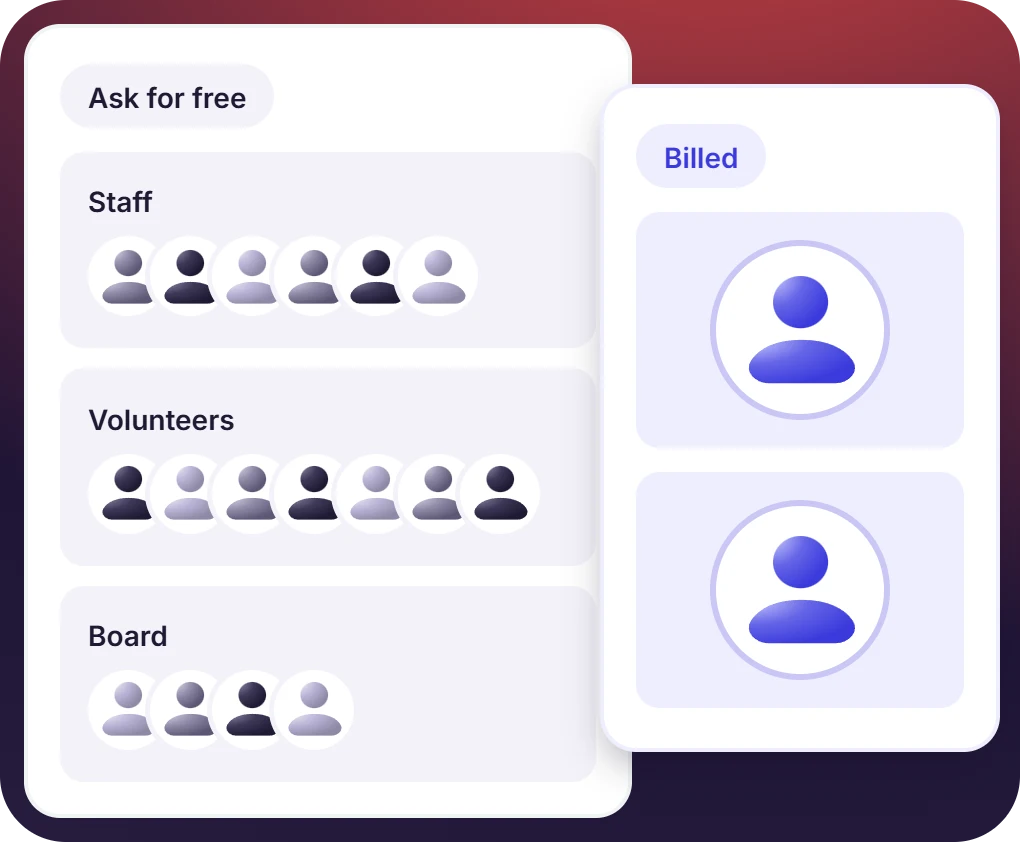
Suptask bills only the people answering tickets. Anyone raising the request is free.
  • Paid staff, volunteers, and board members all raise requests without a license on any plan
  • Tickets are created from a Slack message, and requests from people outside Slack arrive by email
  • One to three responders is what a small nonprofit pays for
One Workspace to Start, With Chapters Connected as the Nonprofit Grows

Suptask is added as an app to the workspace a nonprofit runs on Slack Pro, without a separate system to set up.
  • Slack Pro is available at no cost for an eligible nonprofit through Slack's program
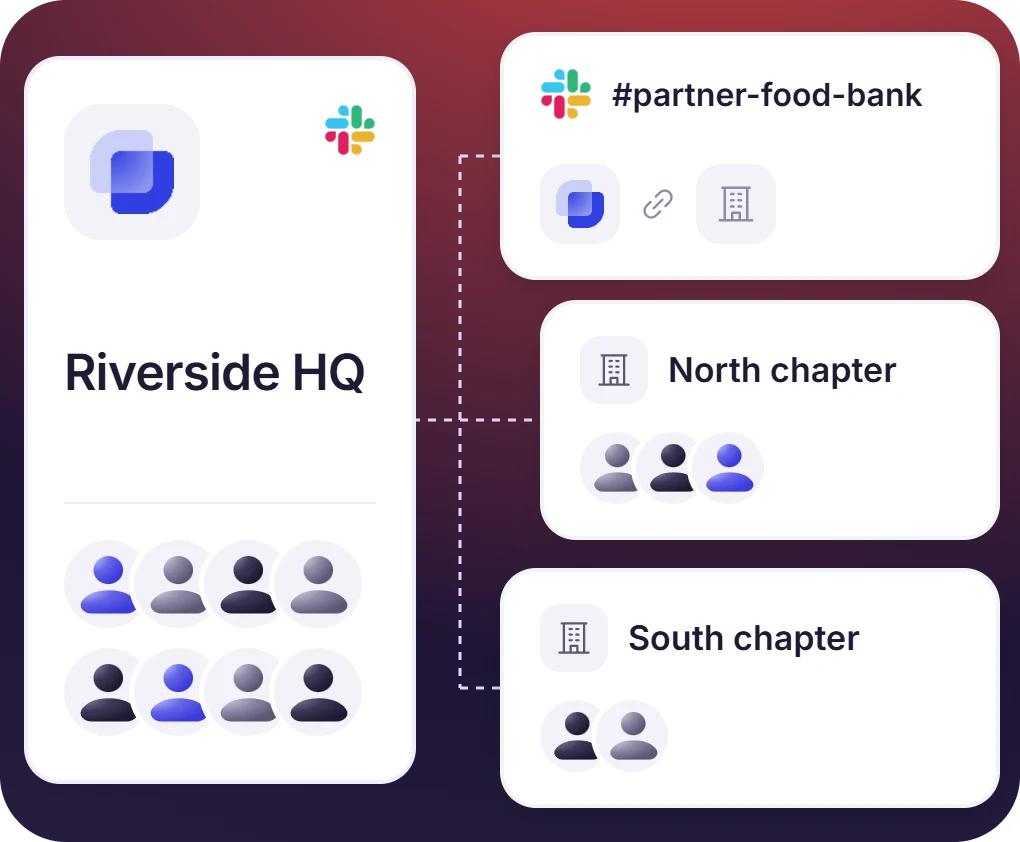
  • Slack Connect channels bring a partner organization into the same help desk available with the Professional plan
  • Chapters running their own Slack workspaces are connected with the multiple workspace support on the Custom plan

The numbers speak for themselves.

76%
Faster Response Times
85%
Auto-resolved by AI
3x
Increase in User Satisfaction

Who Sees a Ticket Is Decided by the Inbox It Is In

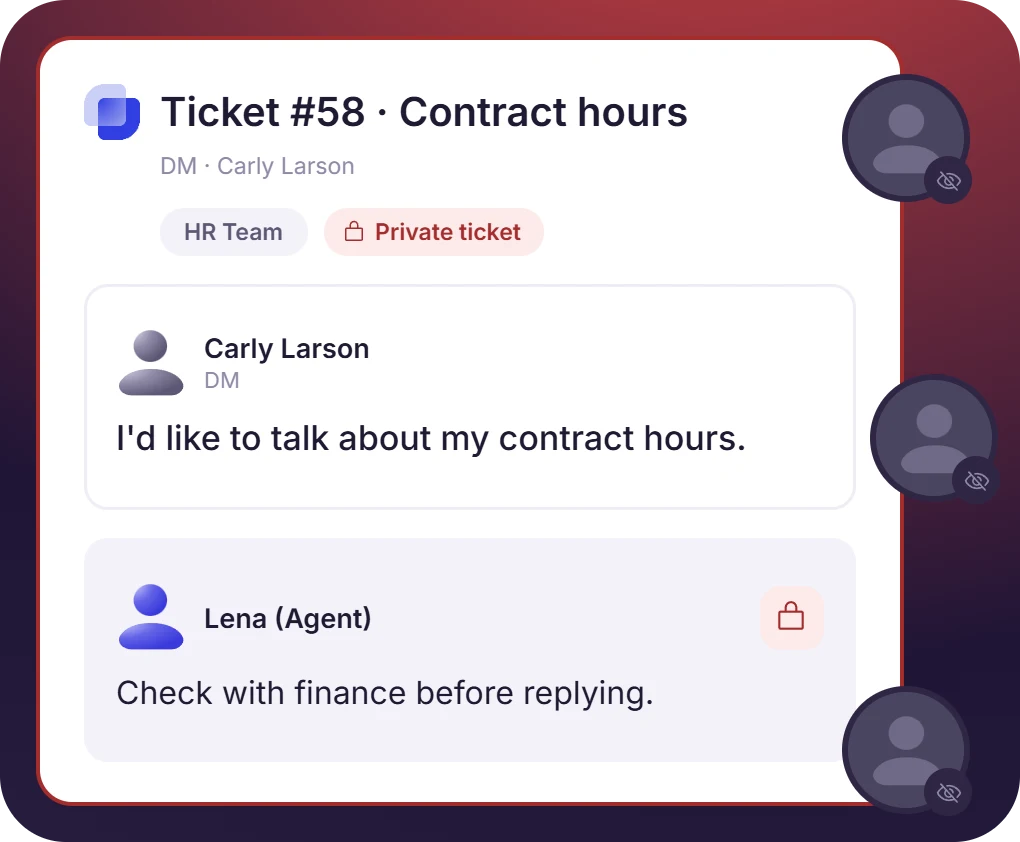
A private form opens the ticket as a direct message between the requester and the staff member assigned to it.
  • Only the agents assigned to an Inbox open the tickets in it, and internal notes they add are kept for them only
  • Suptask is covered for SOC 2 Type II and for GDPR with a data processing agreement in place
  • AI features are not used on sensitive personal data categories, and the AI policy states which ones
Start With One Queue, Add Teams Without a Migration

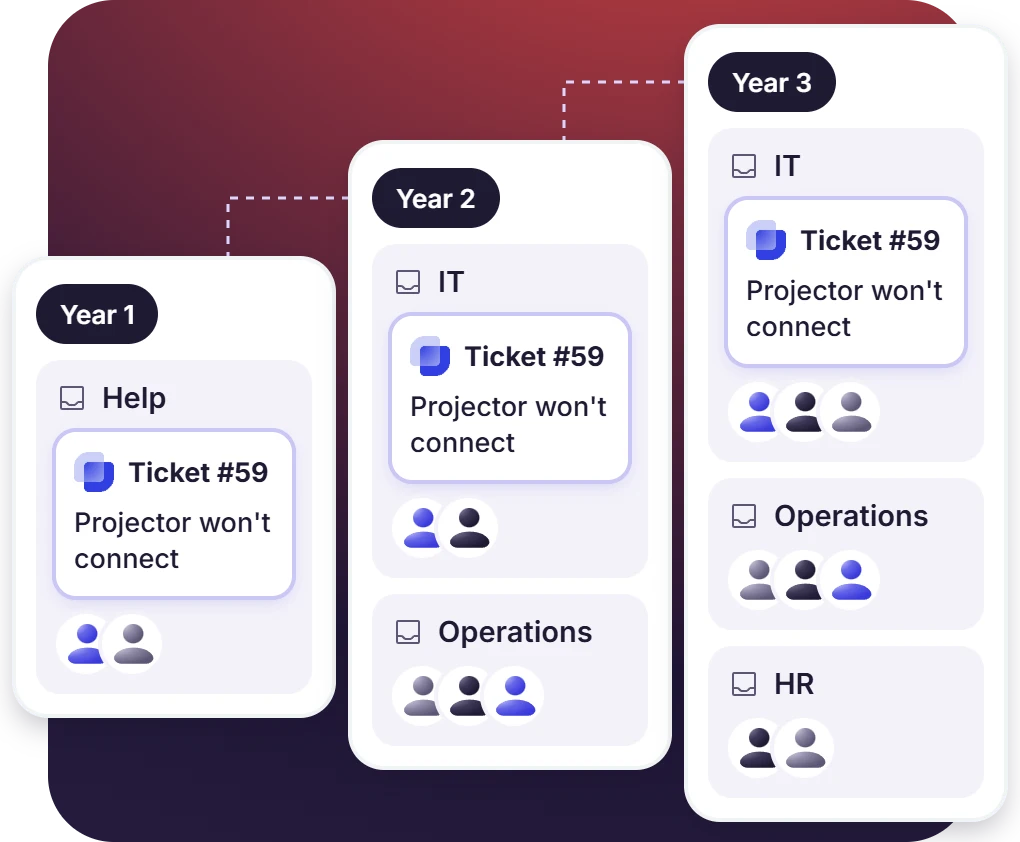
A nonprofit service desk keeps the same ticket, the same owner, and the same status whether one team answers or four do.
  • A nonprofit on the Starter Plan is able to run everything through a single Inbox
  • On a Professional plan, internal requests split into team queues, with routing rules, approvals for purchases and reimbursements, canned replies for new volunteers
  • SLAs are set on the ticket, and AI answers are drawn from the volunteer handbook

“Suptask has become an integral part of multiple departments within our organization, and the impact has been transformative."
Prathamesh Borkar
Director of Operations

What Suptask Changes About Help Desk Software for Nonprofits

Help desk software for nonprofits is sold per user and opened in a portal. Suptask counts the responders and runs in Slack.
Volunteers ask for free
Requesters are free on every plan, and that includes the volunteers, the board, and program staff.
No portal to learn
The request is sent in Slack, so teams do not need to learn an additional tool to submit requests.
One tool, three teams
IT questions, facilities questions, and HR questions are all handled in the same tool.
Slack admin installs it
The setup is done by whoever administers Slack in the organization. No IT contractor is needed.
Private tickets for HR
Requests about HR matters are kept in private tickets, and the data policy covers the sensitive categories.
Not event ticketing
Suptask is used for internal ticketing, which means requests from staff and volunteers. Event registration and donation tools are separate products.

How the Ticketing System for Nonprofits Works in Slack

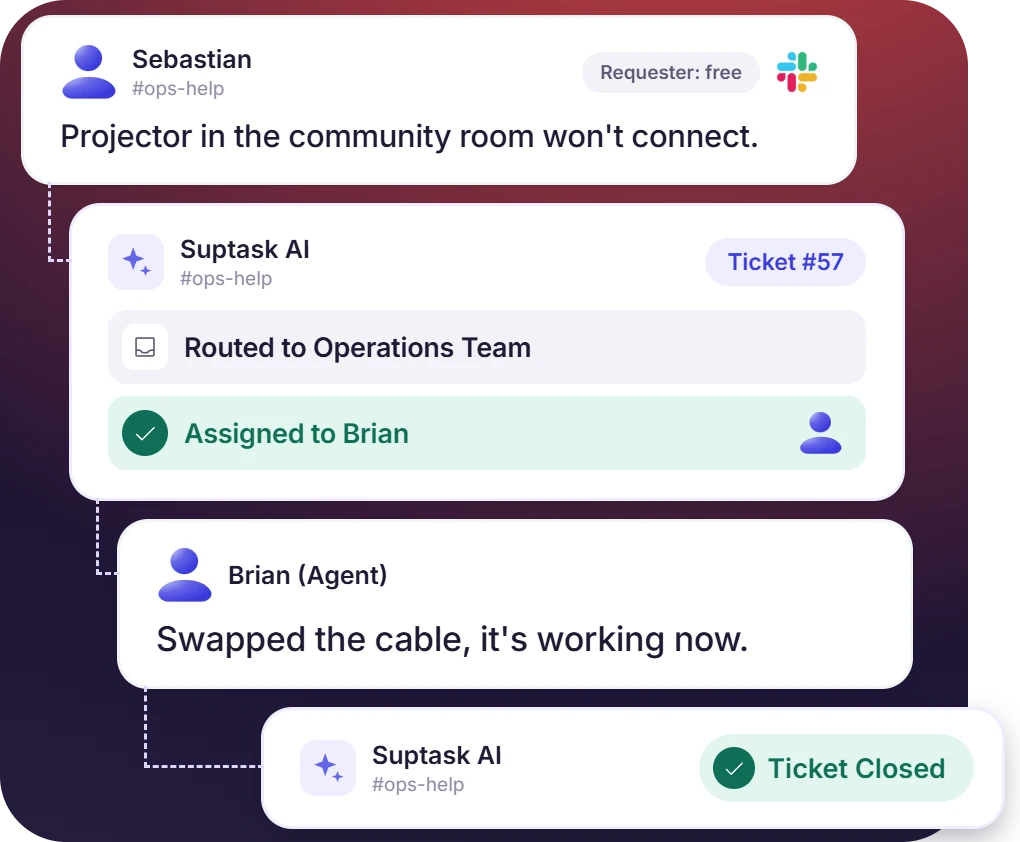
See how a request from a staff member or a volunteer becomes a tracked ticket in Slack.

Ask

A staff member or a volunteer writes the request in Slack. It can be a channel message, a thread reply, or a direct message.

Track

Suptask creates a ticket from that message, with an owner and a status on it. The ops lead works it from the queue along with everything else that came in.

Resolve

The reply goes back in the same thread until the request is closed. Ticket volume and resolution times are read from the reporting afterward.

Connect Email, Documents, and Workflows to the Nonprofit Help Desk

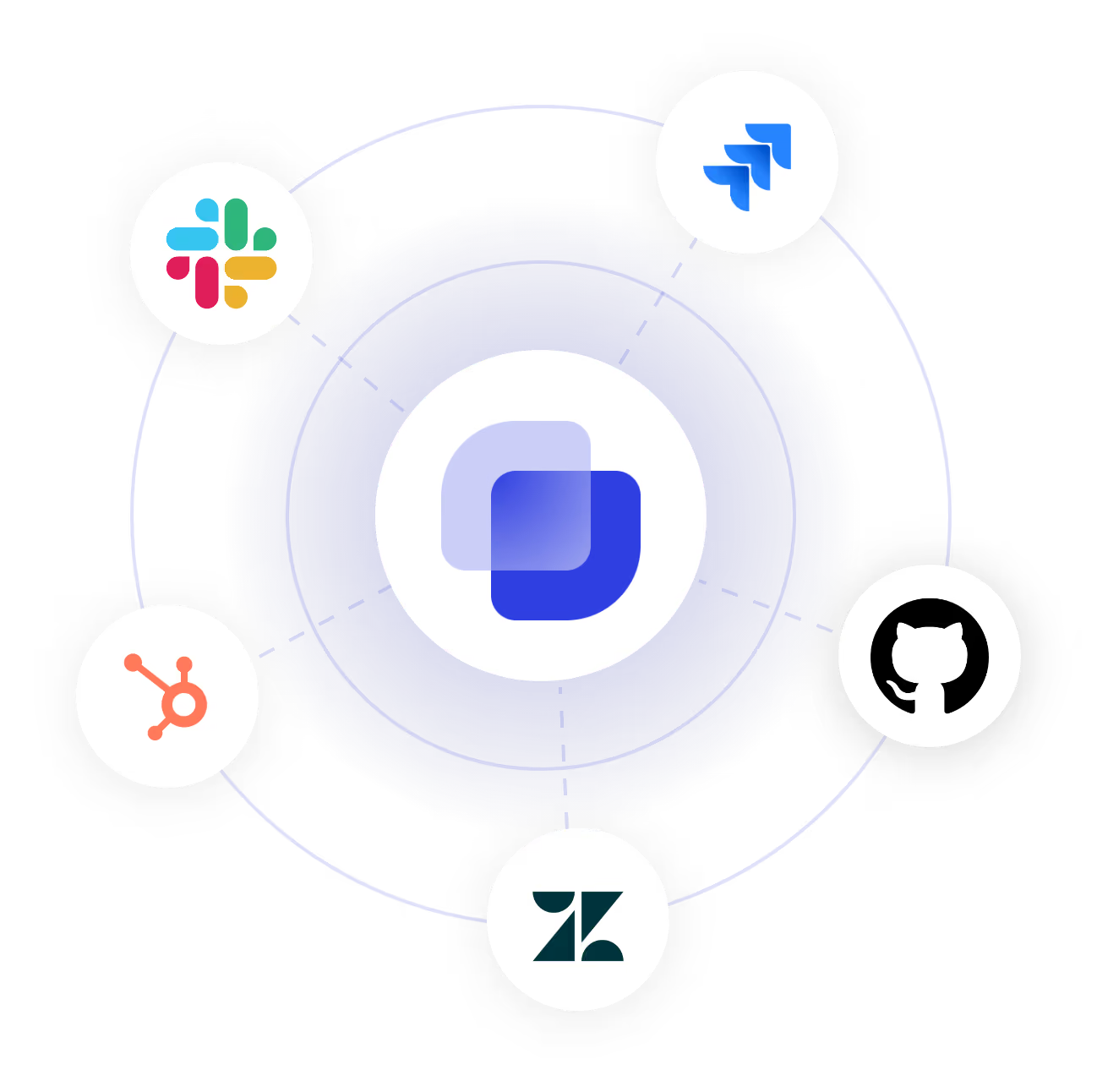
Requests sent by email arrive through Google Workspace or Outlook. AI answers are drawn from documents kept in Google Drive or Notion, and Slack Workflows handle the rest.

Frequently asked Questions

Is Suptask an event ticketing system for nonprofits?

No. An internal ticketing system for nonprofits handles the requests that staff and volunteers send to the people who answer them, such as a laptop problem or a room that needs booking. Event registration, donations, and volunteer scheduling are handled by other products built for those jobs. Suptask does not sell tickets to an event.

Can a nonprofit run its help desk in Slack?

Yes. The messages people already send in a channel or a DM are turned into tickets, and behind those messages there is a queue with an owner and a status on every item. Slack Pro is free for eligible nonprofits under Slack's own program, which is covered in the post on Slack for nonprofits. Suptask installs into that workspace.

Do volunteers need a license?

Volunteers are not licensed users. Only the people answering the tickets are billed, so a volunteer can raise a request and follow it without a seat on the plan. Board members and program staff are treated the same way. The number of requesters does not change the bill.

Can we keep HR and sensitive requests private?

Private ticket forms are there for that. The ticket opens as a direct message between the person asking and the staff member assigned to it, and internal notes stay with the agents. Only the agents in that Inbox can see its tickets, and Suptask is covered for SOC 2 Type II and for GDPR with a data processing agreement in place.

Does Suptask work with Microsoft Teams or Google Chat?

No, Suptask works in Slack only. A nonprofit that runs its day-to-day on Microsoft Teams or Google Chat will not be able to use it. People outside Slack can still reach the help desk by email or through a web form.

Is there a free ticketing system for nonprofits, and what does Suptask cost?

Suptask does not have a free plan. There is a 14-day trial with no card needed, and the standard prices apply after that. On annual billing, they are Starter at $15 per agent per month, Professional at $24, Growth at $38, plus a custom plan billed per agent. Requesters are free on every plan, so the cost is counted for the two or three people answering, and the current details are on the pricing page.

Answer staff and vbolunteer requests from one queue in Slack