Service request management is how an IT team handles routine requests for something new, like access, equipment, software, or information. A new laptop, a license for a design tool, access to a shared folder, all of these come in as service requests. Most of these requests repeat every week, which is why they get a defined process, instead of a reply from whoever saw the message first.
IT service request management is the practice that covers every step, right up to the closing of the ticket. So this guide covers what counts as a service request, examples by team, the process, the service catalog, best practices, and how requests get handled when they start in chat.
Key Takeaways
- Service request management is used for routine requests that are predefined, which cover access to a system, a piece of equipment, a software license, or information somebody needs for their work.
- Asking for something new is what makes it a service request. An incident gets raised when something that was working has stopped.
- Each request goes through the same steps, submission, logging, an approval where one is needed, fulfillment work, then the closure and a review of how it went.
- A service catalog is the list people pick from. Each item on it should carry a form, an approver where approval applies, and a target time.
- You do not need a full catalog on day one. Ten requests standardized, the ones that make up most of the week, and the rare ones can stay as free text.
What Is Service Request Management?
Service request management is the practice of handling the requests that are defined in advance. The request is known, the steps to deliver it are known, and that is what makes the work repeatable.
IT often defines it as a practice. The requests in it are user-initiated, in which a person asks for something the service provider has already put on the list. The purpose of service request management is to ensure the routine requests get fulfilled in the same way every time.
Service request management comes under IT service management. Incident management is the one handling the breakages, and change management comes in when a service or a system has to be modified. Some teams call this IT request management, which means the same thing.
What Is a Service Request?
A service request is a formal request from a user asking for something to be provided. What gets asked for comes from a list that was agreed beforehand, so the team already has a set process for delivering it.
The requests get grouped into five types:
- Access is a common example in which a user asks for access to a shared drive or a folder that they do not have access to
- A request for new equipment, like a laptop
- An approval request for a software license
- Information requests are delivered without needing any provisioning. A user asking how the VPN is set up expects the answer as the delivery.
- The standard change is the fifth one, adding a printer, for instance. The risk of it is low, and approval for that kind of work was given in advance.
A password reset is also counted as a service request by many service desks because the action being asked for is the standard one.
Service Request Examples by Team
Service request examples look different by team, and the handling of them does not change much.
The above-mentioned three examples per team are just a brief, the list gets longer as the service catalog gets expanded. The IT rows overlap with the general help desk ticket examples that any service desk logs. HR and finance handling requests this way is what enterprise service management means, the same practice carried outside the IT team.
Service Requests vs Incidents vs Changes
A service request vs. an incident both work differently because each one has different priority and target time. The restoration of service that is not working or has degraded quality belongs to incident management, and change requests go to change management, where the risk is assessed before release.
The Service Request Management Process
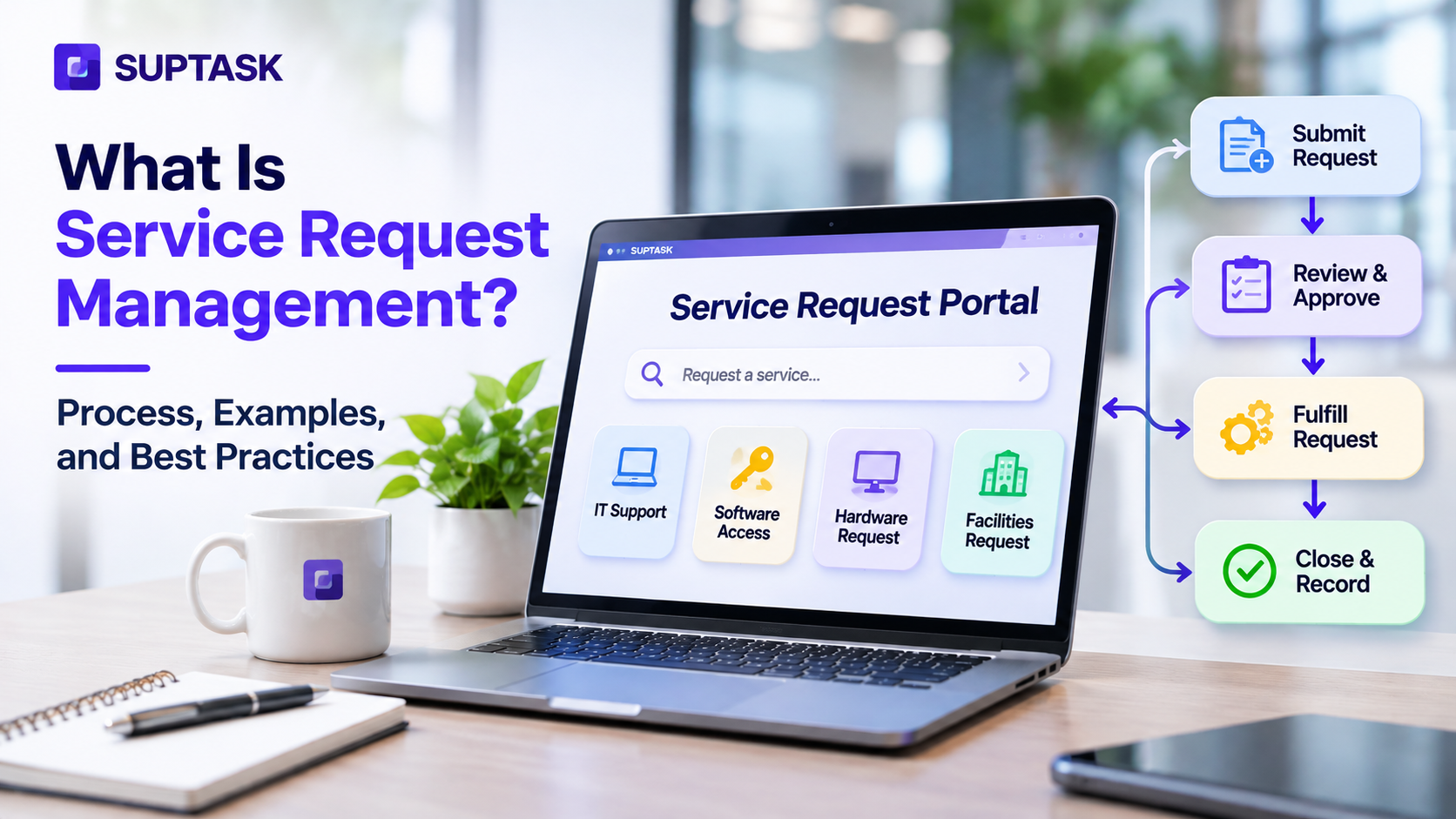
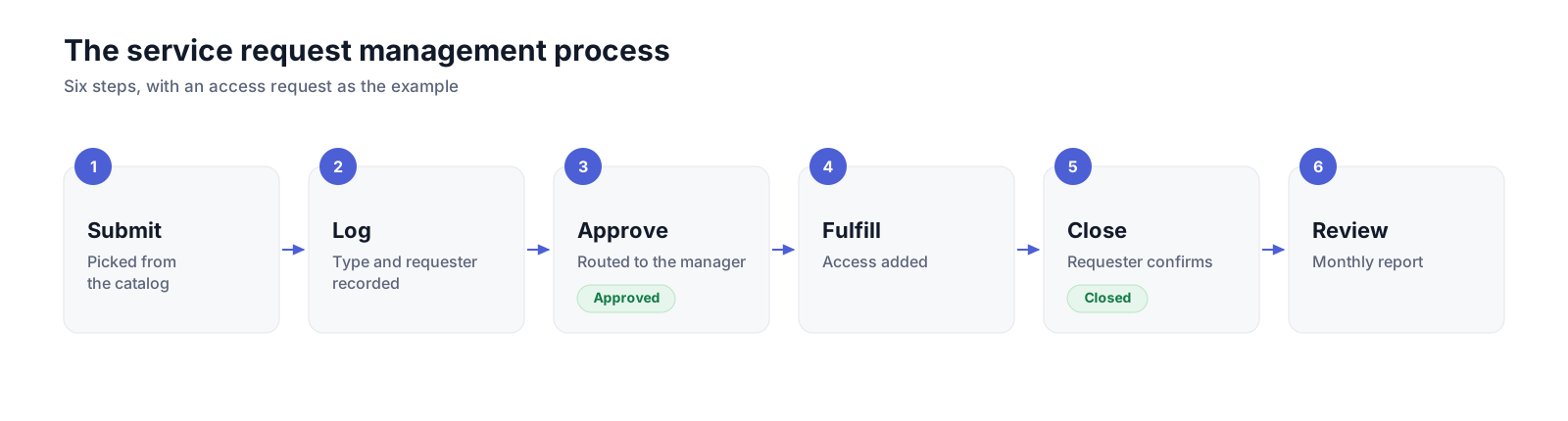
The service request management process has six steps that apply to all sorts of requests, from access to equipment or information.
- Submit: The request starts when a user picks up an item from the catalogue or describes what is needed when nothing on the list fits. Picking that item and filling in its fields is all there is to how to raise a ticket from the user’s side.
- Log and categorize: At this step, the request gets recorded against a type and a request. The categorization is done based on the form field.
- Approve: Not every request needs approval, however, the one that needs it is routed to a decision-making authority for review and approval.
- Fulfill: At this step, a fulfilment team does the work, and large requests are broken into several tasks with different owners. ITIL request fulfillment is the older name for this part.
- Close: No request can be closed until the requester confirms that the service requested is delivered.
- Review: Reviewing comes after, on the whole set of requests from the month. Volume by type, the time taken to fulfill, and the satisfaction scores show which catalog items need a better form or a shorter approval.
Your First 10 Service Requests: Fields, Approvals, and Targets
You can begin by standardizing these ten services first, because the same forms and approvers get reused every week. The rare ones can stay on a free-text “Other” form, which keeps the catalog short enough that somebody can maintain it.
Turn these 10 requests into Slack forms. In Suptask, each request gets its own form and team. It is approved in Slack before anyone starts work. See IT request handling in Slack
The Service Catalog: What People Can Request
A service catalog is the list of items people are allowed to request. Each item has a form behind it and a target for delivery.
Each entry is called a catalog item. The item holds the fields the requester fills in, and the team that does the work. Approval rules are also set on each one, so routing rules are set before any request arrives.
A small team does not need many items. They can begin with 10 to 15 items that cover what repeats, and more can be added in response to the volume of requests that are coming in as free text.
The description of each item in the service catalogue should match what the requester would call it. A catalog written this way is what self-service runs on, where the requester picks the item, and the ticket is raised from it.
ITIL 4 Service Request Management
ITIL 4 is a commonly used service request management practice. The purpose of it is to support the agreed quality of service delivered by following a structured practice that is effective and user-friendly.
In the older version, ITIL 3, the same practice was named request fulfillment and was written as a process. ITIL 4 made it a practice, with expectations that are predefined for each request, so the fulfilment steps.
The practice also connects with others. For example, request intake happens through the service desk, and the list of the items that can be asked for comes from a service catalog. The targets for each request are measured against and are set in service level management. Change enablement takes anything that modifies a service, though a standard change that is pre-approved already can be handled as a service request.
ITIL service request management has its own practice guide, and PeopleCert runs the ITIL 4 Practitioner certification for service request management on top of it.
Roles in Service Request Management
In a small team, one person can work across multiple roles at once, so the coordination falls to the form and approval rules.
Automating Service Requests
A service request management system automates the parts of the process that repeat the same way every time a similar request is raised. The following are the first things that can be automated.
- Routing is the first step that can be automated for each request type to ensure they are with no manual effort needed.
- Approval requests go out on their own once the form is submitted.
- The requesters get updates when the status of the request changes.
- Reminders for requests that have waited for an approver past the target.
- Closing can run after the confirmation comes back, or after a set number of days with no reply.
AI can answer the how-to requests from the knowledge base, and it can prepare a routine change that then goes through the approval workflow.
In Suptask, approvals run ad hoc, automatically, or as part of AI workflows, and each one is recorded on the ticket.
When Service Requests Start in Slack
A company working in Slack receives the requests as a message first. Users ask for access to a system in a channel or DM to whoever they think owns it.
A message for a request has a record behind it with no owner assigned to act on it. Additionally, the approval happens verbally, and requests go out of view once new requests come in.
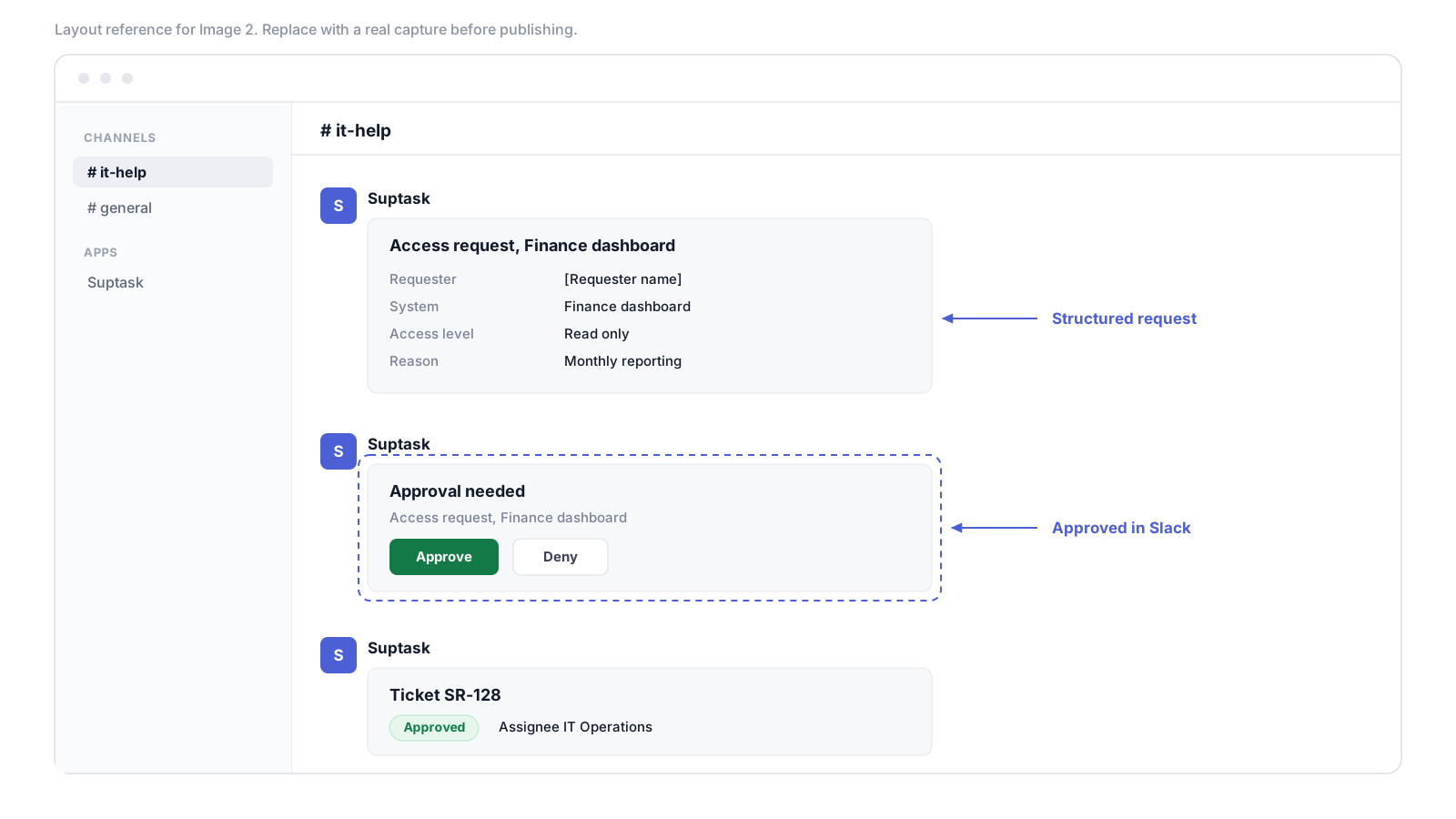
A structured form is the answer for the team in Slack that can turn a message into a tracked request. The request keeps the fields it needs and an owner. The approval happens in the same thread, and requesters stay informed about the progress without following up.
Suptask works as a Slack help desk, so people submit requests from a channel, a DM, or the app through a form that carries your own fields. The form routes to the team that owns that request type, and the approver approves in Slack. Requests that need discretion, the HR and finance ones, can stay in a DM. Everything needed to submit and approve service requests in Slack happens in the thread the request started in.
Service Request Management Best Practices
You can follow the best practices mentioned below to ensure everything works as expected once it is live:
- Document what a request needs before it is added to the catalog, like the fields, approver, and which team fulfills it, and the target.
- The form should only ask for the fields that change what the fulfiller does. A reason box on a password reset adds information that is not needed.
- Standard approvals can be automated by keeping a record of each change.
- Targets get published per request type, and the requester sees the target on the item before submitting anything.
- How-to answers belong in a knowledge base. A request that turns out to be a question gets closed with a link to the article, and the article is what the next person finds.
- Review the top requests every month, sorted by volume.
- Catalog items nobody uses can be retired at that review, which keeps the list short enough for people to find things in.
Service Request Management Metrics
Every team has different needs, so do the metrics that matter to them. You can begin with six metrics that will help you with monthly reviews.
- Request volume by type will help you understand which catalogue items are requested most.
- Measuring fulfillment time from submission to close, while keeping the time spent on approval, should be kept out of it.
- SLA compliance on the target side ensures that requests are fulfilled within the one set for them.
- Closures that were not confirmed by the requester will result in increased reopen rates.
- A short survey at the close gives the requester a satisfaction score.
How to Start Managing Service Requests This Week
You can start managing service requests in a week by following the five steps mentioned below:
- Collect all the requests that came in last month from all the channels, like the inbox or DMs.
- Choose ten requests that are repetitive and coming up again and again.
- Each request gets a form, an approver, and a target documented for it.
- One intake point for all of them, so nothing arrives by a route that leaves no ticket.
- Thirty days later, check what the volume and the fulfillment time look like, and fix the forms that needed a follow-up question before anyone could start.
If your requests already start in Slack, request workflows with approvals in Slack keep the form and the approval in the place the request was raised.
Frequently Asked Questions
What is request fulfillment?
Request fulfillment was the name ITIL used before for the same work of taking a service request in and getting it completed. ITIL 4 changed the name to service request management and made it a practice. The steps did not change with the rename. A request still gets logged, approved where an approval applies, fulfilled by whoever owns that work, and closed at the end.
What is the difference between a service request and a change request?
A service request is for something that was predefined already, access to a system or a new laptop being the common ones, and the risk carried on it is low. A change request asks for a service or a system to be modified, so it goes through a change assessment and its own approval before any work starts. The overlap between them is the standard change. A change that is routine and pre-approved can be handled as a service request, which is how printers and software installs end up in the catalog.
Is a password reset a service request or an incident?
A password reset gets handled as a service request in most service desks. What the user asks for is a standard action, and the service itself has not failed. The answer changes when a login system goes down for a group of people. An outage like that is an incident, because something that was working has stopped working.
What is a service catalog?
A service catalog is where the requestable services are listed, the IT ones, along with the ones other teams take. Each item on it carries a form, an approver where one is needed, and a target for the delivery. For the requester, it answers two things, what can be asked for and how long the thing takes.