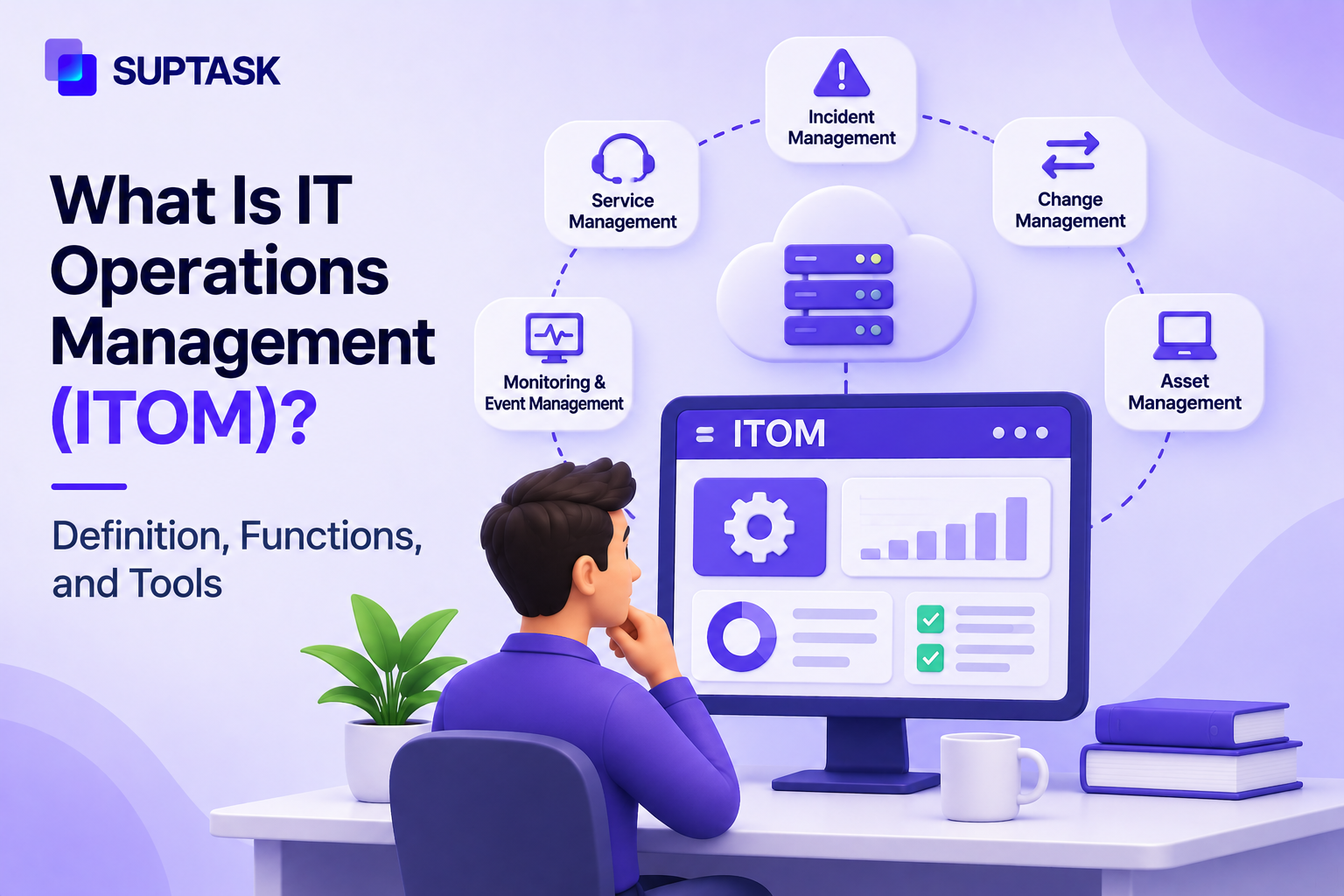
IT operations management (ITOM) is the practice of keeping an organization’s infrastructure running. This means servers, networks, devices, cloud services, and applications on top of them. It covers provisioning, monitoring, capacity, performance, and availability, so problems are caught and fixed before users notice.
Most ITOM work is small and routine. A disk that is filling up or a patch that did not apply to some of the machines. These issues need to be caught and reported. However, an issue without an owner assigned to it keeps waiting for the fix.
This guide covers what ITOM means, the functions it includes, how it differs from ITSM, the tool categories, and what a lean IT team needs to run it.
Key Takeaways
- IT operations management is the management of IT infrastructure and operations, which covers provisioning, monitoring, capacity, performance, and availability.
- Three core areas make up most of the work. These areas are network management, server and device management, then computer operations, which includes the help desk.
- ITSM is also part of the help desk. ITSM is responsible for delivering services to users, and ITOM keeps the technology behind those services operational.
- The tooling behind all of it falls into categories like monitoring and event management, discovery, automation, and AIOps.
- A small IT team can run ITOM without buying all of that. Basic monitoring, an owner named for each alert, and a ticket raised for the alerts that are actionable.
What Is IT Operations Management (ITOM)?
IT operations management is a function responsible for the infrastructure a business runs on, along with the services running on top of it. The core job is putting in new infrastructure, monitoring how it behaves, and stepping in when it stops working as expected.
The infrastructure can be on-premises, in a cloud account, or spread across both in a hybrid setup. Operations management in IT refers to the day-to-day running of all of it.
Strategy and budget decisions are separate decisions, ITOM works on keeping what is already operational in a company. Gartner’s IT management glossary entry groups IT management into operations services for the infrastructure, application management, and help desk management. ITOM is the operations services part.
ITOM Meaning in Plain Terms
The ITOM meaning can be understood with the example of a building. Facilities keep the power on, water running, and elevators serviced. ITOM does the same job for the technology a company works with.
ITSM is the front desk that captures the request and tells people what is happening with it. The two are separate teams in a building, and they are separate functions in IT also.
ITOM vs IT Operations (ITOps)
ITOps is the team that handles the everyday tasks like patching, backups, access requests, and the on-call rota. ITOM is a wider practice around that team, which includes the process they follow and the tools they are given. These two terms get used interchangeably, but can exist separately. A company can have an IT operations team without using the word ITOM anywhere.
What Does ITOM Cover?
IT operations management functions are grouped into the following areas. A small IT team often handles several of these tasks with the same people
- Network management: Connectivity, bandwidth, firewalls, and Wi-Fi are part of network management. ITOM handles the network to ensure the business remains connected.
- Server and device management: It covers physical servers, virtual ones, laptops, phones, along with patching.
- Cloud and infrastructure management: The work includes provisioning new resources, managing their cost, and keeping their configuration healthy across all cloud accounts and on-premises.
- Monitoring and event management: Signals are collected from the infrastructure, and the ones that matter are turned into alerts.
- Capacity and performance management: Ensuring there is enough compute, storage, and bandwidth before they run out.
- Availability management: Critical services are kept running at a level the business has agreed to. The target comes from an agreement, where service level agreement best practices decide how it is written.
- Configuration management and discovery: Knowing what the company runs, along with how the pieces connect to each other. This record is kept in a CMDB.
- Automation and job scheduling: Scheduled jobs handle the backups, patch windows, and routine fixes that do not need a person to start them.
The help desk is where these functions of ITOM meet the users.
How ITOM Works: From Signal to Fix
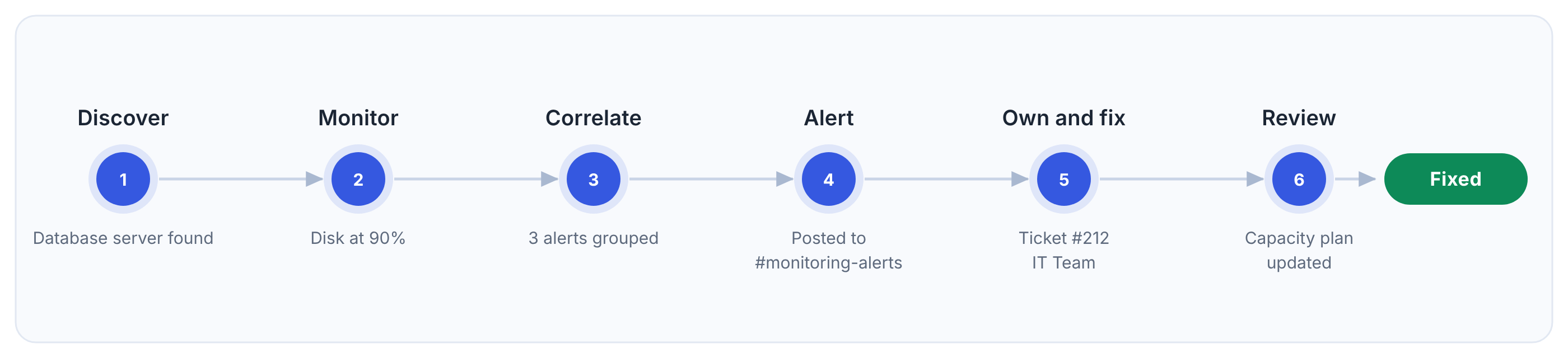
ITOM works to collect the signals from the infrastructure and turns them into actions with named owners. The sequence below shows how ITOM works from signal to fix:
- Discover: An asset has to be identified before tracking happens. A database server not recorded does not get monitored.
- Monitor: Metrics, logs, and event data are collected from the asset, along with disk usage.
- Detect and correlate: Correlation decides which signals matter. The duplicate signals are grouped into one, and disk warnings are not reported multiple times.
- Alert: Routing rules send the alert to a channel or to the person on the call.
- Own and fix: A ticket is created with an owner, priority, and a deadline. The ticket moves through the stages of the incident management lifecycle, which ends at resolution and closure.
- Review: Capacity planning takes in what happened. The runbook gets updated also, so the next warning of the same kind is handled without working it out again.
ITOM vs ITSM
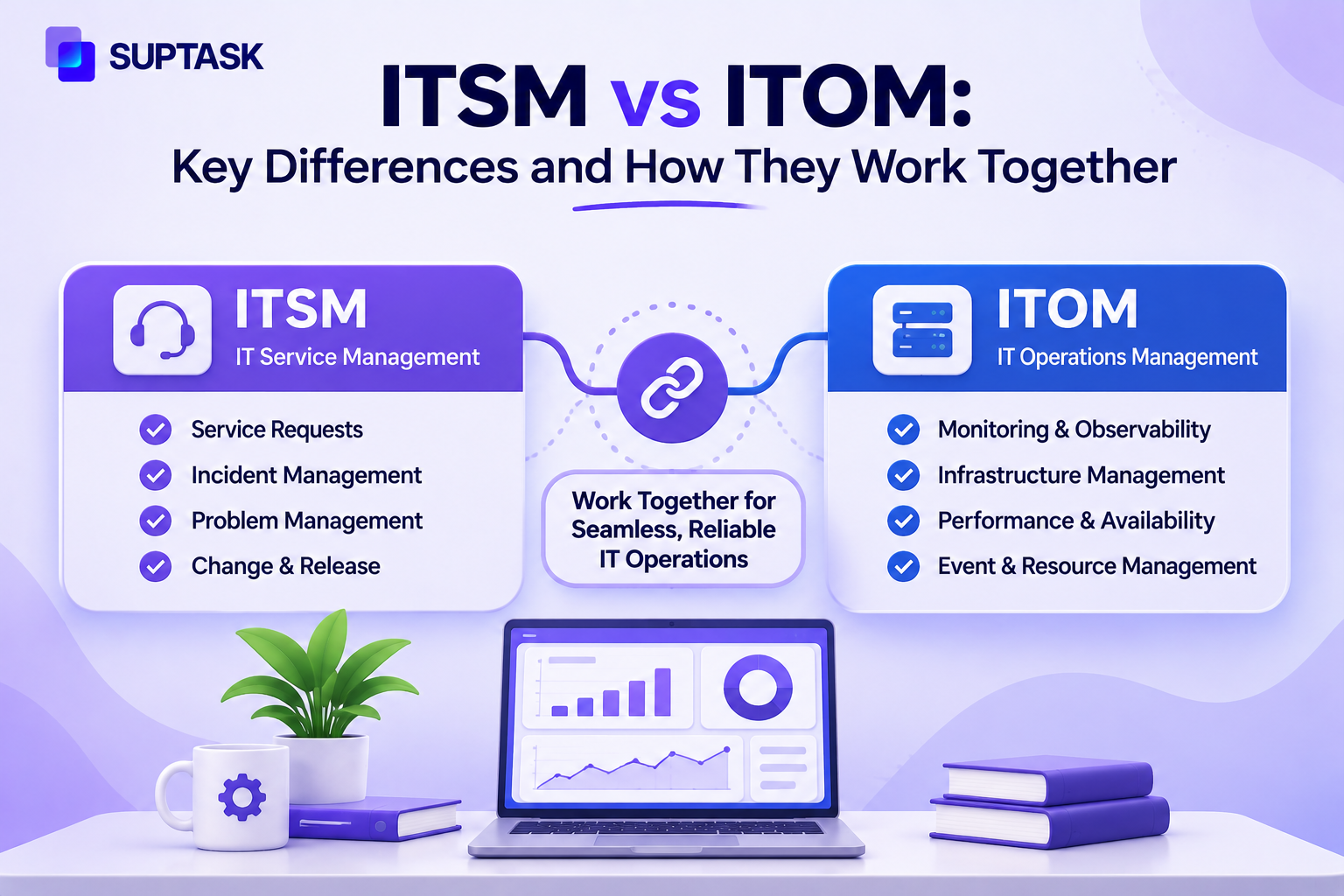
The core difference between ITOM vs ITSM is what it covers. ITSM is responsible for how IT services are delivered to users, while ITOM covers the infrastructure side on which services run.
IT service management is the practice that delivers those services to the users through a service desk, catalog, and defined processes for incidents. Users are not the concern on the ITOM side, it works on servers, networks, and cloud resources.
ITSM and ITOM both work together in incident management. An alert raised by ITOM becomes a ticket on ITSM with a named person assigned and a deadline. The ticket is handled in an ITSM ticketing system, which holds the queue and the record of what was done.
ITOM Tools by Category
ITOM tools fall into a handful of categories, and most of them use several of them.
- Infrastructure and network monitoring: Servers, switches, and networks are linked to monitor whether they are up.
- Application performance monitoring: APM tools track response times and errors inside the application itself, which is the layer infrastructure monitoring tools lack at.
- Log management: It collects the logs from servers and applications in one place, so they can be retrieved later.
- Event correlation and AIOps: Correlation reduces raw events to a smaller number of incidents worth acting on. AIOps refers to the practice of using machine learning to do the correlation.
- Discovery and CMDB: Discovery can find the assets automatically, and the CMDB holds the record of the dependencies between them.
- Endpoint and patch management: Patches for laptops, phones, and servers are pushed from here following compliance reporting.
- Automation and orchestration: Runbooks and scripts run the routine fixes on their own.
- On-call and incident response: Rotas, escalation paths, paging.
- Service desk for the human side: The ticket, owner, status, and communication back to whoever reported it.
IT operations management software can be purchased as single-category tools or as a full suite.
ServiceNow ITOM as an Example
ServiceNow offers ITOM as a set of capabilities instead of one product. Dynamic Discovery finds all the assets and records their dependencies. Service Mapping links the identified assets to services they support. Event Intelligence handles the alerts coming off the infrastructure, and Predictive AIOps is listed separately for the correlation and prediction work. Agentic AI Remediation, Service Availability, and Change Impact Analysis are the other capabilities offered by ServiceNow. ServiceNow describes ITOM as integrating natively with its ITSM product.
AIOps and Automation in ITOM
AIOps (artificial intelligence for IT operations) refers to using machine learning for operational data. It works on the metrics, logs, and events that are already collected by ITOM.
Correlation is one use case of AIOps. A simple failure can throw off a large number of events across monitoring tools, and correlation groups them into one incident with a possible reason attached. Pattern detection is the other part, where a metric moving outside its normal range is flagged before a threshold gets crossed.
Production changes are the part that doesn’t get handed over. A model can recommend restarting a service or rolling back a release, and the decision stays recorded with a named person. Vendors now sell agentic AI for operations work, where the software carries out the step instead of recommending it. Approval gates are kept in place for the changes that carry risk.
Benefits of IT Operations Management
The benefit of IT operations management is identifying the issue earlier and giving each one of them an owner.
- Monitoring services the business depends on helps to identify the problem while it is still in an earlier stage and users haven’t experienced an outage from it.
- Routing rules ensure each alert reaches the right person who has expertise to act on it.
- Capacity is planned based on the usage data that the monitoring tool has already collected. The additional storage or compute power can be added at a point where the data shows it is needed.
- The ticket record holds what changed, who approved it, and what the result was.
ITOM for Lean IT Teams
A small team doesn’t need to start with an enterprise suite. The best practice is to start with services that matter, alerts reaching an owner, and a record to fix.
Monitoring is first to get started with a handful of services the company cannot operate without. Uptime checks on those services, along with disk, CPU, and memory on the servers behind them. Alerting is next, with a rule that sends each alert to a channel or to the person on call. A ticket for each actionable alert comes after that, and work is then assigned to an owner. Patch management for the laptops and the servers can be added once those three are working. An asset list can stay in a spreadsheet until the estate gets large enough to need discovery. Runbooks for the alerts that repeat are the last addition.
Monitoring tools that already post their alerts in a Slack channel can have those alerts picked up as tickets. Suptask is a Slack help desk, so the ticket is created in the channel where the alert arrived. A form on that channel can turn each alert into a ticket automatically, with an owner and a status on it. Automatic creation from channel messages is on the Professional plan and above.
IT operations management services are also sold as a managed arrangement, where a managed service provider runs the monitoring and the patching for a company without the staff for it in-house.
How to Get Started With IT Operations Management
IT operations management best practices come down to a few things that should be put in place in order, like:
- A list of what the company runs should be made first, with a named owner against each item on it.
- You should monitor the five things that would stop the business if they went down, and the rest can wait.
- Routing is the next decision, who gets which alert and when.
- Each actionable alert gets a ticket with an owner.
- A runbook should be written for the three most common alerts, so the next person handling one of them does not have to work it out again.
- Capacity and the alerts that keep repeating should be reviewed once a month.
Suptask gives IT teams a Slack-native service desk where alerts, requests, and incidents land in one queue.
Book a demo || See incident management in Slack
Frequently Asked Questions
What is the difference between ITIL and ITOM?
ITIL is a framework of best practices that is used for managing IT services. ITOM is the operational work itself, which is keeping infrastructure in a running state. The two do not compete. ITIL 4 describes a good part of ITOM work inside its own practices. Monitoring and event management is one of those, capacity and performance management is another. Infrastructure and platform management is in the technical management group, and it covers much of the same ground.
What is ITOM in ServiceNow?
ServiceNow ITOM is the name ServiceNow gives to its own set of IT operations management products. Dynamic Discovery is one of them, which finds the assets and records what depends on them. Service Mapping links those assets to the business services they support. Event Intelligence is used for alerts, with Predictive AIOps listed separately for the correlation work. ServiceNow describes ITOM as integrating natively with its ITSM product.
What are the three primary areas of IT operations management?
The three areas named in most descriptions are network infrastructure management, computer operations with the help desk, and server and device management. Network infrastructure management covers connectivity. Computer operations is the daily running of the systems, and the help desk is counted inside it because that is where the users come in. Server and device management is for the hardware, the operating systems, and the patching on top of them.
What does an IT operations manager do?
An IT operations manager is responsible for keeping the organization’s infrastructure available and performing. Monitoring, patching, backups, capacity, incident response, all of that is overseen from that role. Making sure each critical alert has an owner is part of the job also. In a smaller company, the same person runs the help desk too, so the role covers both the infrastructure side and the user side.
Does ITOM replace a network operations center (NOC)?
No, it does not replace it. A NOC is a team of people, and in many companies that team is staffed around the clock to watch the network and respond when something breaks. ITOM is the wider discipline, along with the tooling that supports the work. A NOC can use ITOM. An IT team without a NOC can use it also. A managed service provider running the monitoring on contract uses the same discipline.