Zendesk Alternative Built Inside Slack
Looking for Zendesk alternatives? Suptask is added to Slack, and agents can start assigning tasks. No seperate portal for the people requesters or responders.

Compare Zendesk vs Suptask Feature by Feature

Suptask
Zendesk
In Slack, Suptask Does What Zendesk Does Not
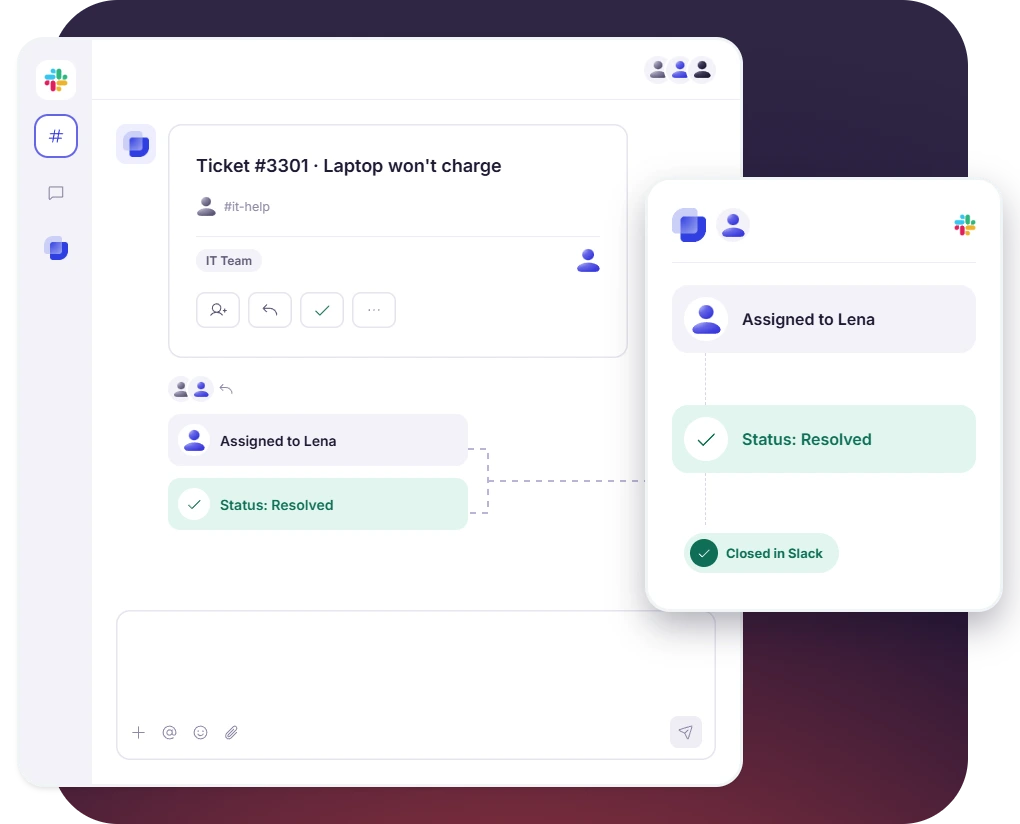
Agents Reply and Close the Ticket in Slack
 A ticket is assigned to a named person, who then changes its status and closes it
- Agents filter the full queue in the Suptask Dashboard in Slack or web-view
- Sensitive tickets are moved from a channel to a private conversation
One Thread Holds the Approval and the Customer Reply
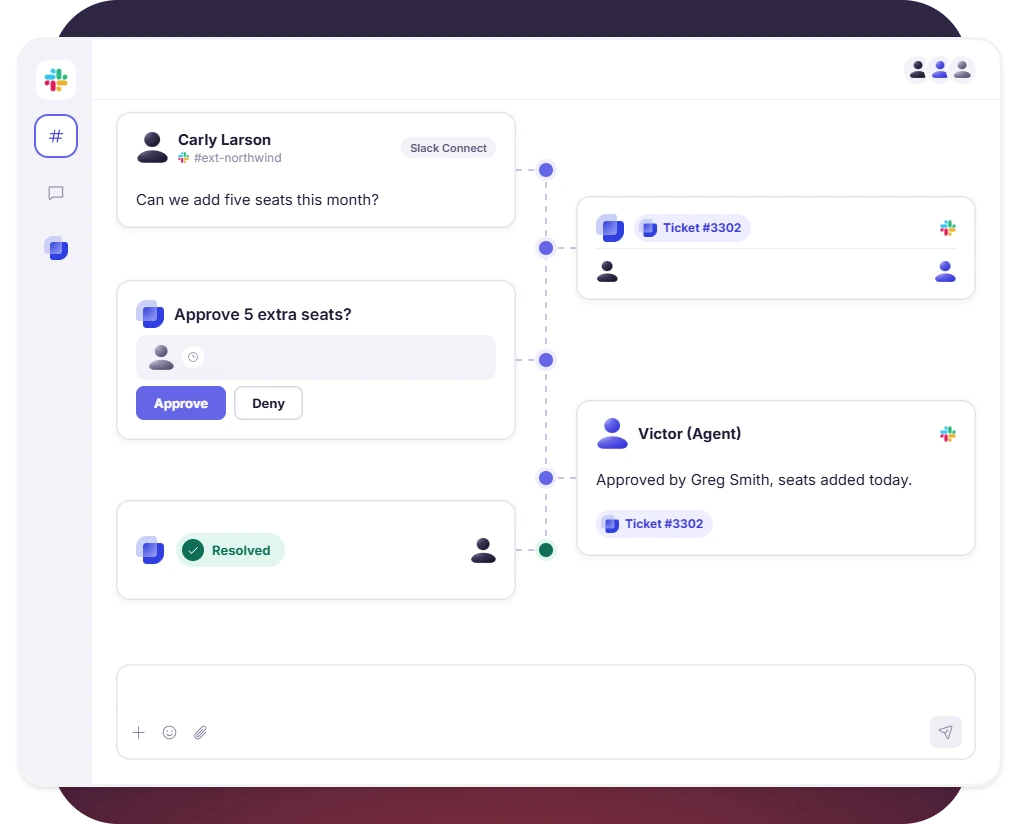
- Approvals can be requested on the ticket either from one approver or a multi-step sequence
- Tracking a ticket in Slack Connect needs no install from the customer
- Approvals and replies are kept on the same ticket
Turn Slack into a help desk your team will actually use

Replace the Zendesk Suite With a Slack Inbox

No portal, requester-free
Employees and customers ask in Slack, and everyone who asks is free on every Suptask plan.

Assign and resolve in Slack
From assigning and updating to resolving a ticket, everything happens in Slack without the need to switch to another workspace.

SLAs from $38, no upgrade
SLA management starts with Suptask’s Growth plan, priced at $38, with no additional suite needed to be purchased.

Submit and follow in Slack Connect
Customers keep using the shared Slack channel to submit and follow tickets they already use.
Pricing: Suptask vs Zendesk
Suptask
Suptask is priced per agent starting from $15 per agent per month when billed annually, with no minimum agent needed.
14 days free on Growth plan, no credit card needed
Every plan carries unlimited requesters and unlimited Slack Connect channels
AI Assistants, SLA management, and SSO from $38, with no AI add-on per seat
Zendesk
Zendesk pricing starts from $29 per agent per month for Employee Service, or $19 for Customer Service, billed annually.

Employee Service Growth at $59 adds the SLAs and the approvals
Copilot is a $50 per agent add-on, available from Professional
Zendesk sells employee service and customer service as two suites
Already trusted by fast-moving support teams.




Frequently asked Questions
What is the best Zendesk alternative for teams that work in Slack?
Suptask is a Zendesk alternative that is built inside Slack. The Suptask plans start from $15 per agent per month on annual billing. It is used by teams whose requests are already arriving there. The agents reply to the ticket, assign it, and can close it without going to another tool. A requester does not need a portal for any of it.
No. The Zendesk Help Center says that the tickets cannot currently be closed from Slack. The ticket fields cannot be edited there either. The Zendesk Slack integration also allows a ticket to be assigned only to a group, so a named person cannot be picked from Slack. In Suptask, all three of these are done from the ticket itself.
There is no free plan in Suptask. You can try the Growth plan free for 14 days, though. A credit card is not needed. If you are looking for a free Zendesk alternative with a permanent free tier, Suptask is not one of them. The requesters stay free on every plan, so you should only be paying for the agents who are answering the tickets.
Zendesk pricing starts at $29 per agent per month for Employee Service. Customer Service starts at $19. Both of those are annual. The SLAs are placed on the higher Zendesk tiers: $59 on Employee Service Growth and $115 on the Customer Service Suite Professional. Suptask starts at $15 per agent per month. SLA management is available from $38 on the Growth plan.
Yes, if the customers are reaching you in a Slack Connect channel, by email, or on WhatsApp. As an alternative to Zendesk for B2B support, Suptask keeps the requests inside Slack. The customers can follow their own tickets there. There is no phone or voice channel in Suptask, and Microsoft Teams is not supported. A team whose support is mostly on the phone should be looking at something else.
One team’s queue is moved into Slack first. The other queues follow once that one is running. Most of the teams are doing it in this order. Book a demo, and the move can be planned for your team.