


Conversational Ticketing: One Thread From the Ask to the Close
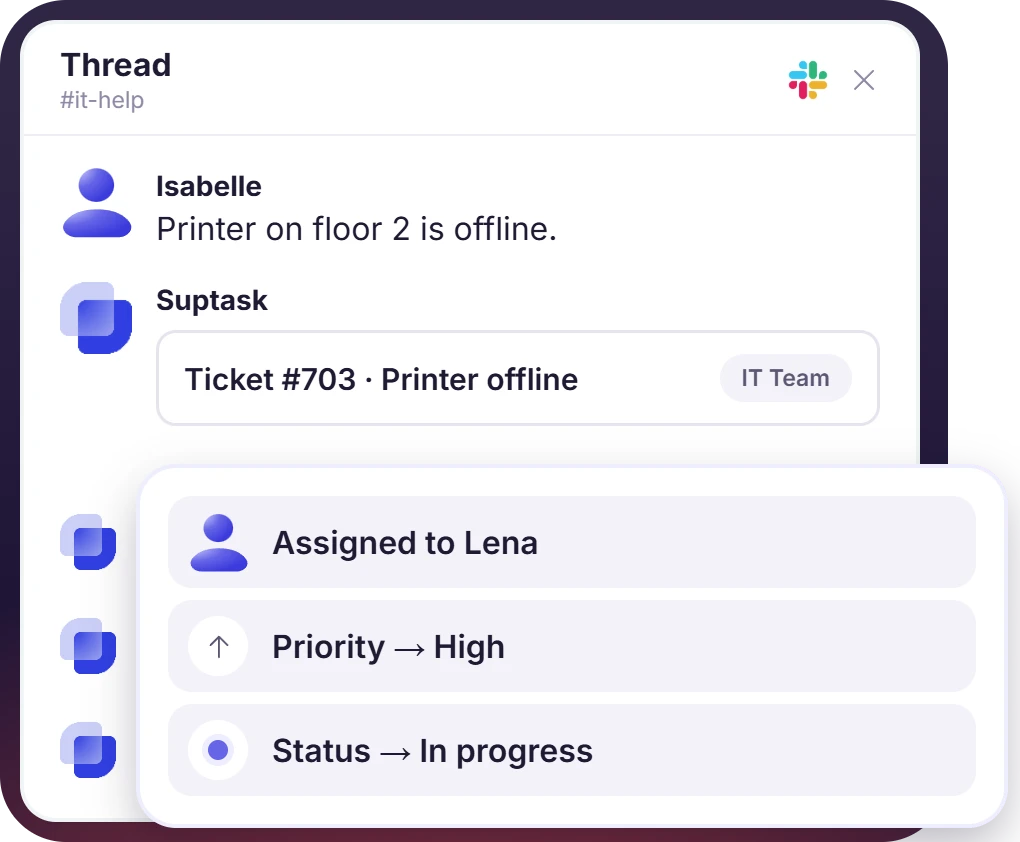
An employee asks IT for help in a Slack thread. Suptask records the ticket in that thread with an owner, status, and priority. Conversational ticketing in Slack keeps the request and the answer in one place, with no portal for the employee to open.

.webp)











Conversational Ticketing for IT, HR, and Customer Support Teams

Internal support teams
Employees write to IT or HR where they already work. Suptask turns the message into a ticket, and the conversational service desk runs from that same thread.

B2B customer support
Customers raise issues in the shared channel their account already uses. Conversational customer support runs from the agent's Inbox, while the customer sees only the thread.

Product and engineering triage
Support, product, and engineering agents handle one customer issue in a shared channel. The ticket holds the discussion and a private thread for the technical part.
A Conversational Ticketing System With No Second System Behind It
- A 🎫 reaction, the /suptask command, or a message in a dedicated support channel creates the ticket
- Owner, status, priority, and form fields are recorded on that thread, with each change posted back into it
- The requester reopens a closed ticket by replying to the same thread, with nothing to log into
A Conversational Ticketing Help Desk With a Real Queue Behind It
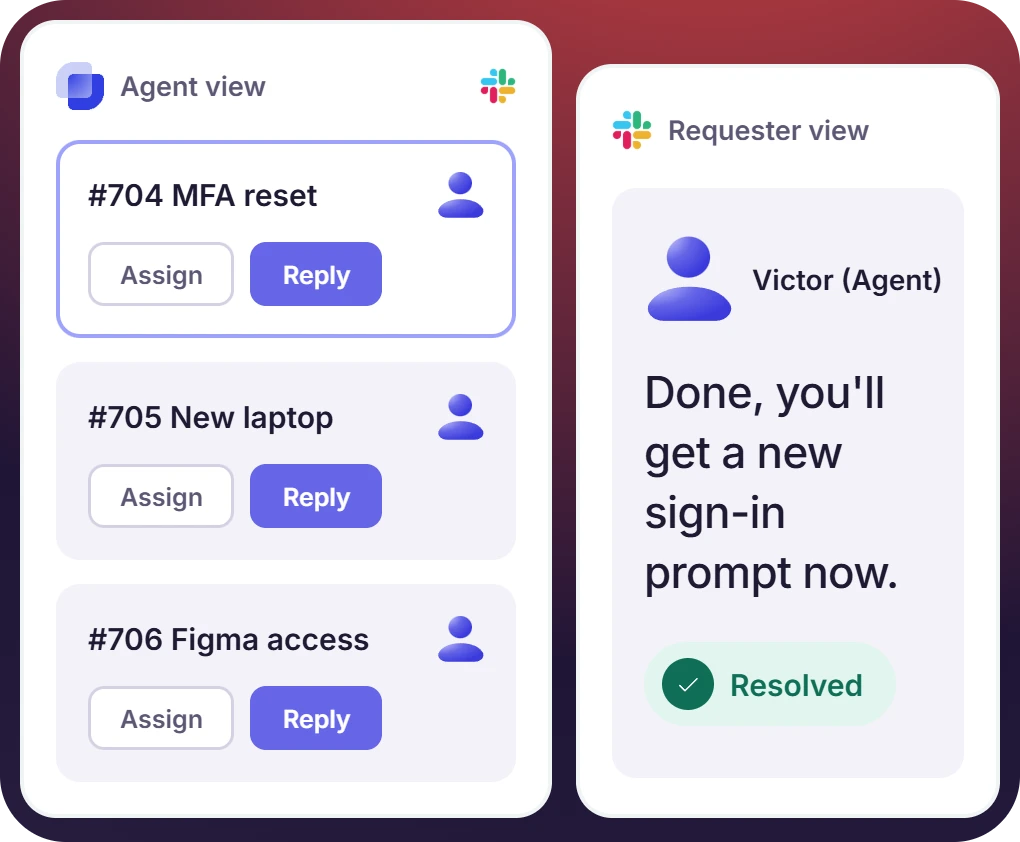
- Agents pick up a ticket in the Inbox's Responder channel, assign it, and answer from there. The reply lands in the requester's thread
- The reply goes out from the Responder channel and appears in the requester's thread under the agent's name
- Internal notes stay agent-only, canned replies answer the repeat questions, and duplicates merge into a single ticket.
The numbers speak for themselves.
Conversational Support With a Full Record Behind It
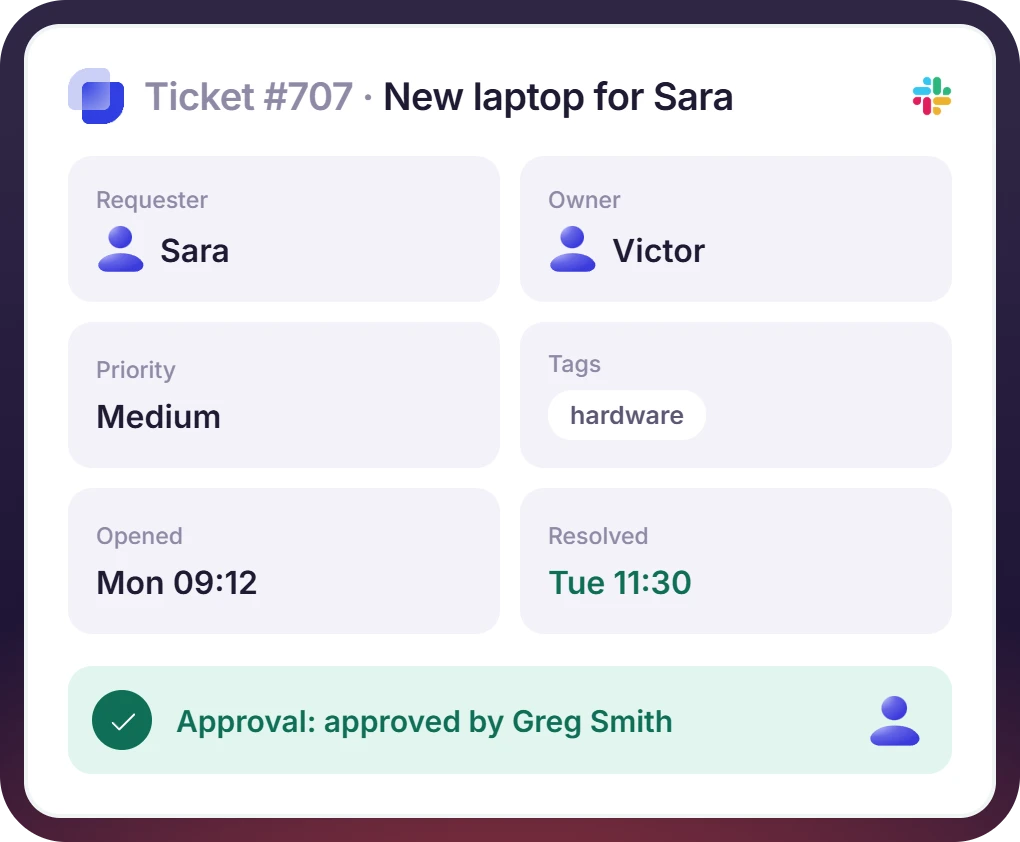
- Requester, owner, status, priority, tags, timestamps, and the full thread are recorded on one ticket. Reporting is read from it
- Approvals are requested on the ticket and answered in Slack. The answer is recorded with the ticket
- SLA thresholds are set by priority, with a reminder before a breach and an escalation to the team lead
Email, WhatsApp, and Web Forms Land in One Queue
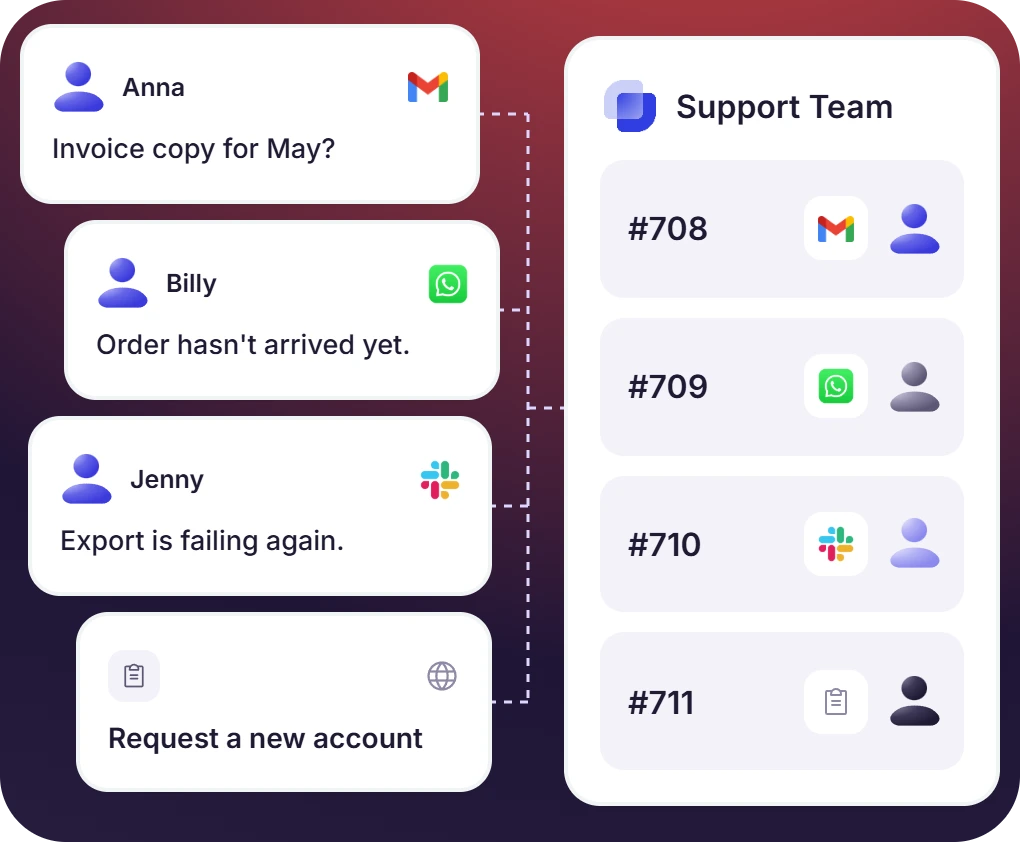
- Emails to the support address become tickets, and the reply written in the thread goes back by email
- WhatsApp groups and Slack Connect channels bring customers into the same Inbox. The agent handling does not change
- @Suptask answers questions about the ticket in the thread, and Suptask AI summarizes the problem and the solution


Where Suptask Differs From Other Conversational Support Software
How Conversational Ticketing Works in Slack
Ask
Work
Close
Connect Your Other Channels and Tools to Conversational Ticketing
Frequently Asked Questions
What is conversational ticketing?
Conversational ticketing is a term used for support tickets that are created and answered inside a chat thread. The requester writes a message in the chat. The message is then turned into a ticket. The answer is given in the same thread, so the requester does not have to go anywhere else for it. On the support side, the ticket has an owner, a status, a priority, and a record of the conversation. Suptask is used for conversational ticketing in Slack, and the ticket is kept in the Slack thread.
In traditional ticketing, there is a portal or an email form, and the requester has to go there first. A conversational ticketing system is different because it starts with the message that has already been sent. The structure is added behind it. Both of them record the same data. Owner, status, priority, SLA, and reporting are available in a conversational ticketing system too. Also, nobody has to be trained on how to submit a ticket. The full comparison is explained in what is conversational ticketing.
Conversational support software is a help desk that runs inside a messaging tool. It is used in place of a web portal. Many tools in this category are a chat layer, and the tickets themselves are kept in a regular ticketing backend behind it. Suptask is responsible for both parts. The tickets, the queue, and the reporting are all in the Slack workspace.
It is used for both. Customers who are in a Slack Connect channel can raise a ticket by writing in that channel. The support team answers it from its own queue, and the customer is not asked to open a separate tool. A Slack conversational ticketing system is also helpful for customers who are not on Slack, since email and WhatsApp come into the same queue. Slack Connect and email intake are part of the Professional plan. WhatsApp is available on the Custom plan.
No. Suptask is built for Slack, and it is available only there. However, a team that works in Slack can still reach customers or contractors who are somewhere else. Slack Connect, email, WhatsApp, and web forms are used for that. All of them come into the same Slack queue.
Suptask is priced per agent, and the people who ask for help are free on all the plans. A single team can start with the Starter plan, which is $15 per agent per month on annual billing. The monthly billing for it is $18. Professional is $24 per agent per month. It is used for Slack Connect, email intake, canned replies, and automation rules. Growth is $38. SLA targets and AI answers from a knowledge base are part of it. WhatsApp and multiple Slack workspaces are part of the Custom plan. The details are available on the pricing page.
Start conversational ticketing in your Slack workspace.



