


The Slack-Native HR Ticketing System for Employee Requests
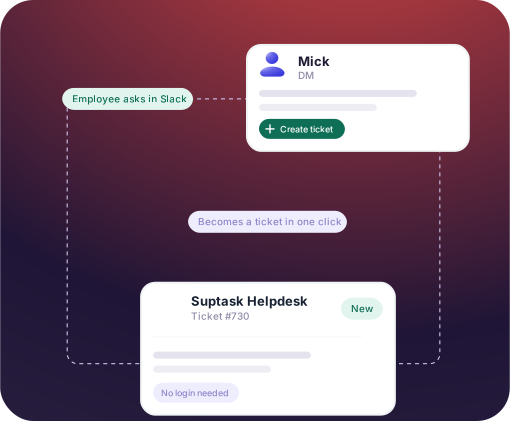
HR teams answer employee requests across DMs, channels, and email threads. Suptask turns them into tracked tickets in Slack, each with an owner, status, and record of what was answered.












HR Ticketing for People Ops, HR Generalists, and HR Business Partners

People ops teams
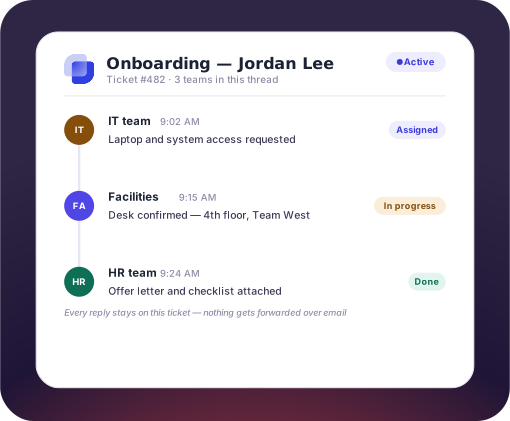
Each new hire needs accounts, equipment, and paperwork from more than one team. Every hire becomes one ticket that HR, IT, and Facilities work on together.

HR generalists at small companies
One or two people answer the leave, payroll, and policy questions that arrive by DM. Suptask gives each question an owner and a status, without a new tool for employees.

HR business partners and shared services
Sensitive cases and routine requests arrive in the same channel. Private forms keep pay and complaint tickets with the assigned partner only.
Suptask AI Answers Routine HR Questions From Your Handbook
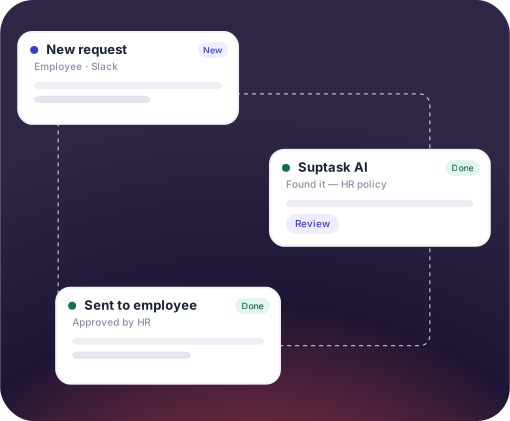
- Suptask AI answers common HR questions by reading the handbook and policy documents HR maintains, either automatically or as a draft that HR approves first
- Choose per request type whether the AI can answer on its own, only draft, or stay out of it
- With an HRIS integration, employee details like remaining leave and the reporting line are used in the answer too
Coordinate HR, IT, and Facilities in a Single Ticket Thread
- A new hire event from your HRIS opens the onboarding ticket in Slack on its own
- IT and facilities are added as followers on the same ticket, or it gets escalated to their inbox
- The ticket holds the onboarding steps as task lists, and Suptask AI carries them out on the Custom plan after HR approves
The numbers speak for themselves.
Track Ticket Volume and Resolution Time in One HR Dashboard
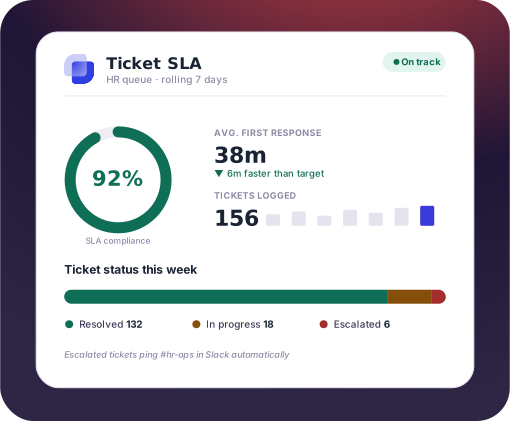
- One dashboard shows open tickets, resolution time, and workload by owner
- SLA targets apply to every HR ticket, and missed targets are marked
- Volume is broken down by category, such as benefits, onboarding, and policy questions
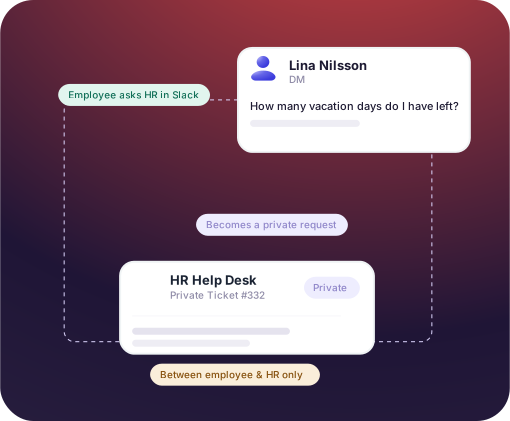
Keep Sensitive HR Requests Private in Slack
- A ticket opens as a private conversation between the employee and assigned HR member
- HR still records status, owner, and resolution on a private ticket
- Anonymous ticket submission is also available through Slack Workflows, for cases an employee does not want their name on


Why HR Teams Run Their HR Help Desk on Suptask
How the HR Ticketing System Works Inside Slack
[1] Ask
[2] Assign
[3] Close
Connect Your HRIS to the HR Ticketing System
Frequently Asked Questions
What is an HR ticketing system?
An HR ticketing system turns employee requests into tickets. Each ticket has an owner, a status, and a record of what was answered. Benefit questions, leave requests, and onboarding tasks stop living in DMs and shared inboxes. With Suptask, the ticket is the Slack thread the employee already started.
An email has no owner and no status. HR cannot see how many requests came in, how many are open, or how long they waited. A ticketing system for HR records all three. In Suptask, the employee still asks in Slack, and the tracking happens behind the message.
Slack alone cannot assign a request, track its status, or report on response time. Suptask adds those functions inside Slack, so employees ask HR the way they already do. Most HR service desk software is separate from Slack, so employees have to log in to it. Nothing new is rolled out to the company.
HR tickets are private by default. The ticket opens as a DM between the employee and the assigned HR member. Internal notes are never shown to the requester. Only agents in the HR inbox can see HR tickets, and reporting shows counts and categories rather than the content. Anonymous submission through Slack Workflows is available for complaints.
Yes. Integrations exist for BambooHR, HiBob, Personio, and HaileyHR. They bring employee details like the manager and the remaining leave onto the ticket. On the Custom plan, Suptask AI can also perform actions like onboarding and address changes from Slack. Suptask works on top of the HRIS and does not replace it. Integrations are priced per connection on top of your plan.
Suptask has four pricing plans, billed per agent per month, and per employee who submits a request is free. A single HR team can run its queue on the Starter plan. Running HR as its own queue next to IT, with routing, approvals, and automations, requires Professional. SLA targets and AI answers drawn from your handbook are offered in the Growth plan.
Every HR question in Slack, tracked as a ticket



