


DevOps Ticketing System for Engineering Requests
Try the full product for 14 days with no credit card, then choose a plan or stop.












DevOps Ticketing for Engineering, Platform, and Product Teams

Engineering teams
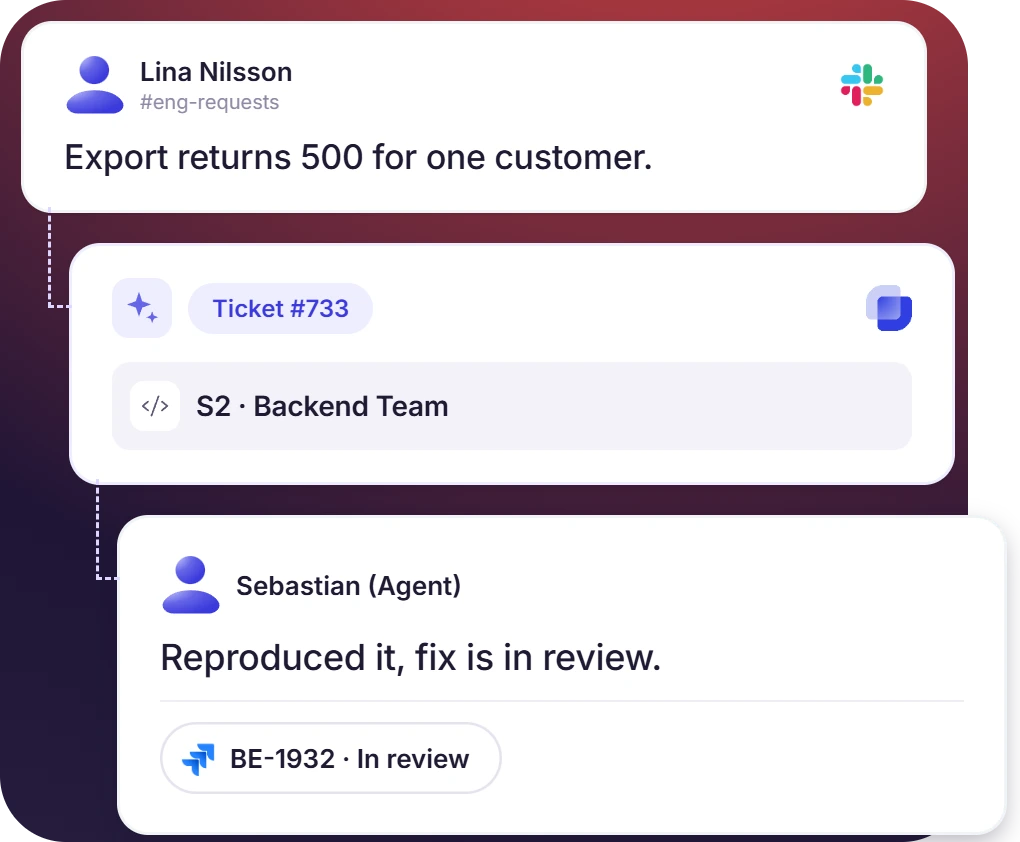
A customer bug reaches an engineering team as a direct message. Suptask records it as a ticket with severity, environment, and repro steps attached in the support channel already used.

Platform and DevOps teams
Platform and DevOps work is requested in the same way as a bug. An engineering help desk keeps repo access, environments, and build requests out of the product backlog.

Product and engineering triage
Incoming requests are assessed by PMs and engineers together, and the ticket holds what they decide. Only confirmed work becomes a Jira or GitHub issue.
Software Development Ticketing System Built Into Slack
- A message in #eng-requests, a 🎫 reaction on a customer report, or a DM becomes a ticket in a Slack thread
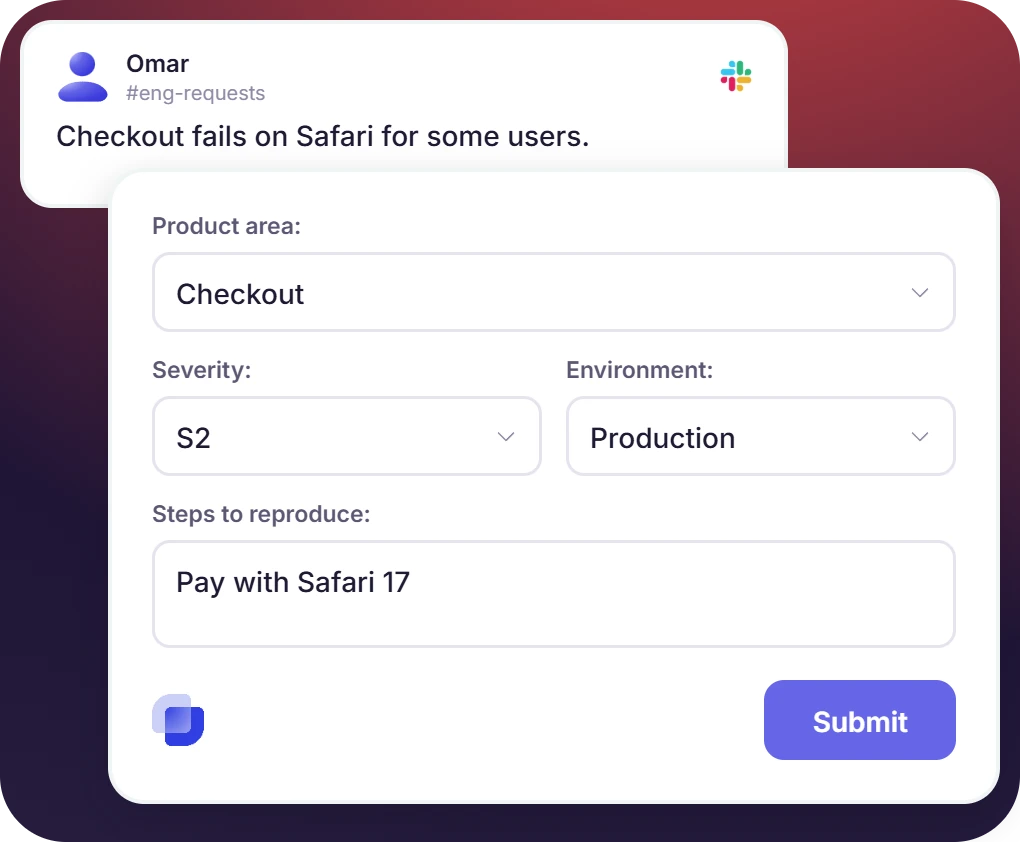
- What an engineer would ask for is already on the engineering request form: product area, severity, environment, and steps to reproduce
- Emails to the engineering support address and customer messages in Slack Connect channels reach the same queue
A DevOps Help Desk That Routes Each Request to the Right Team
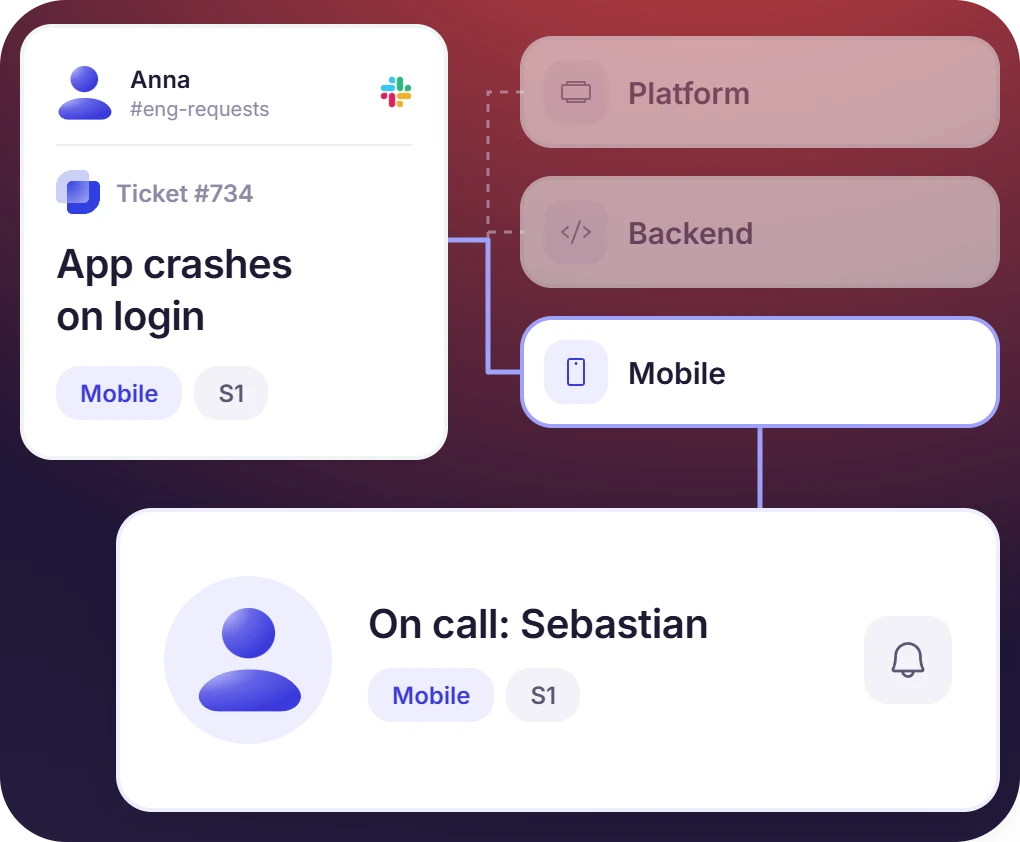
- Platform, Backend, and Mobile each run their own Inbox, with the product area deciding which queue the ticket lands in
- Severity sets priority, and the DevOps ticket is assigned round-robin, by load, or to the engineer on call
- Duplicate tickets are merged into one, and the same problem is worked in a single thread
The numbers speak for themselves.
Engineering Ticketing System Connected to Jira, GitHub, and GitLab
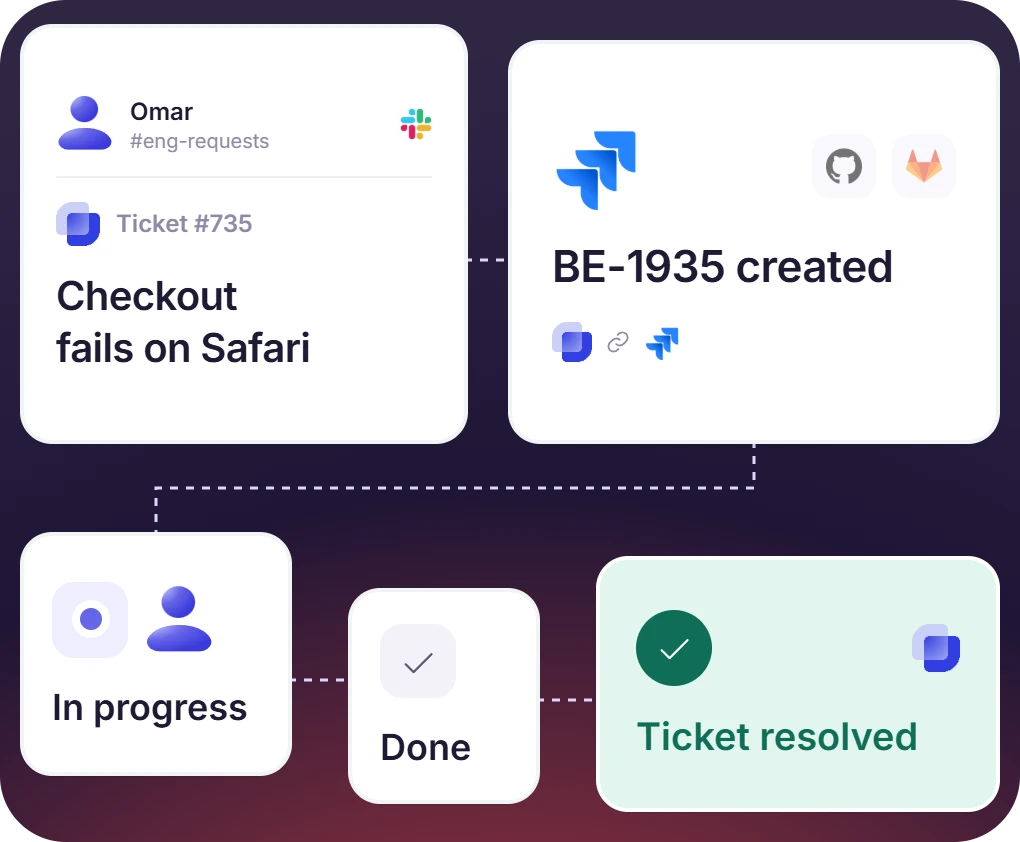
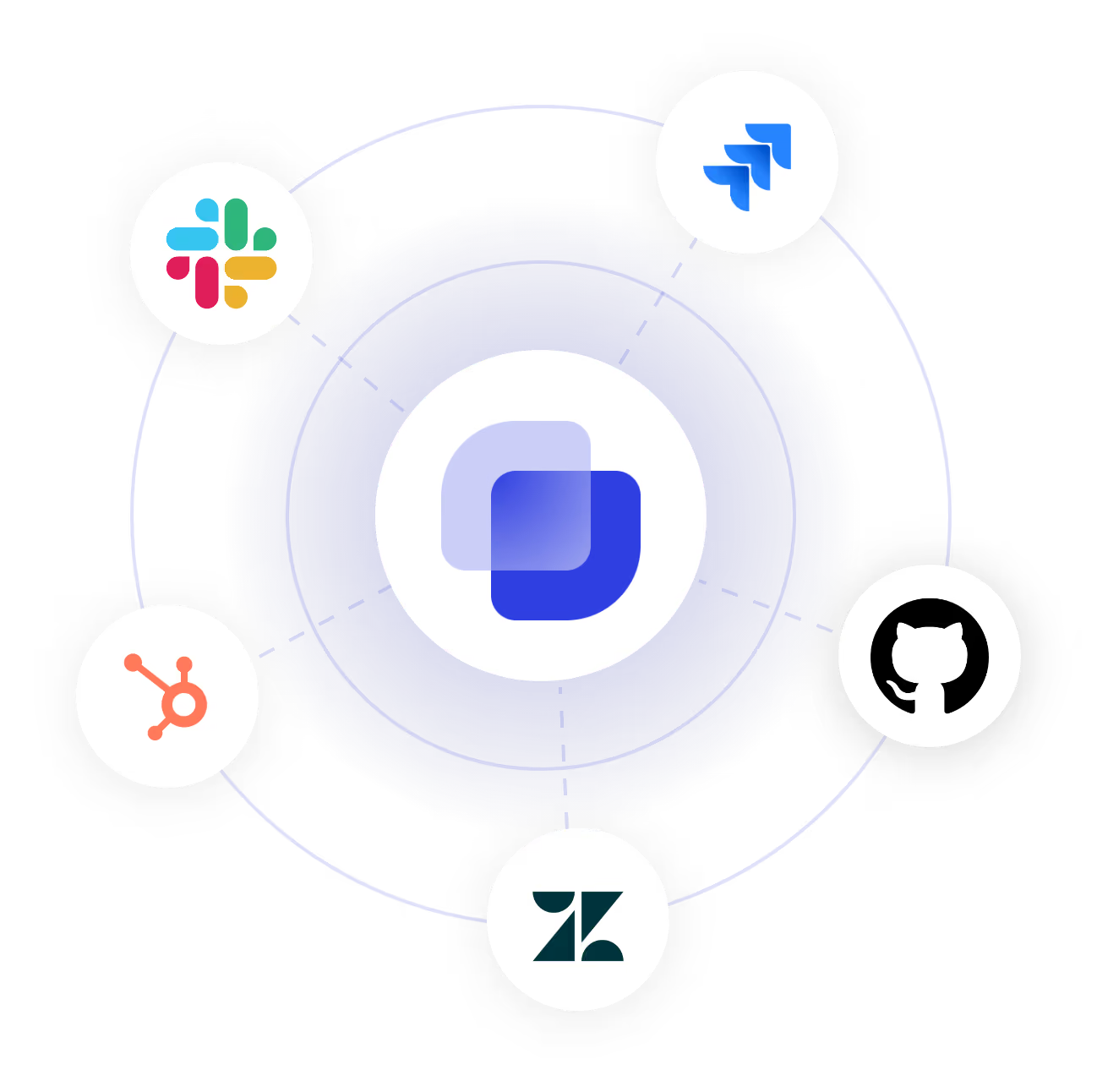
- A confirmed request becomes a Jira issue, a GitHub issue, or a GitLab work item, with the ticket's fields
- Suptask puts the issue key and its status on the ticket, so the requester can follow the work without a tracker license
- A request that is a question or a configuration change closes in Suptask, with no issue created in the tracker
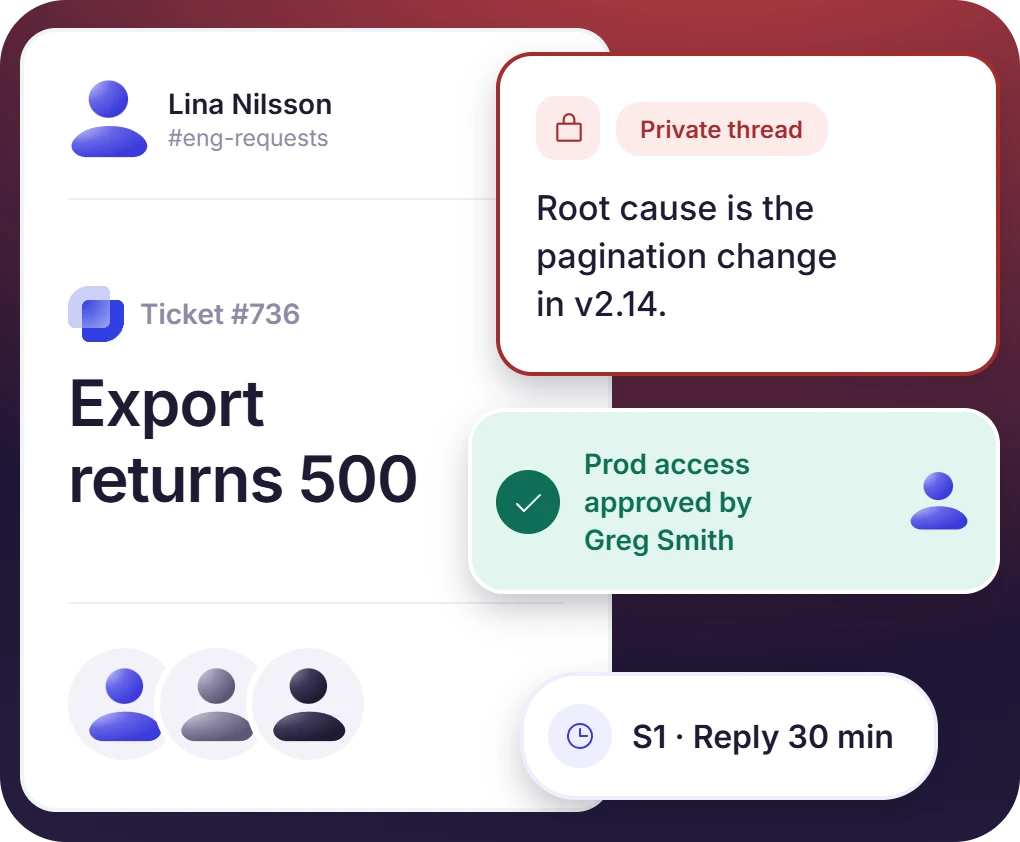
Private Threads, Approvals, and SLAs by Severity
- Engineers answer in the requester’s channel, with technical discussion in private ticket thread or Responder channel
- Requests that need approval, such as production access or infrastructure changes, are routed to a lead and recorded on the ticket
- Each severity has its own SLA thresholds for reply and resolution, with a reminder before breach, then escalation to the lead


What Suptask Changes About the DevOps Service Desk
How the DevOps Ticketing System Works in Slack
Request
Triage
Handoff and resolve
Connect Your Issue Tracker to the DevOps Ticketing System
Frequently Asked Questions
Can DevOps be used as a ticketing system?
Azure DevOps Boards and Jira are able to track requests as work items, and smaller teams do run them that way. These trackers are lacking in request intake. Everyone who has to file a request needs a license and has to learn the tool, so requests keep landing in Slack as direct messages with no owner, status, or priority.
Suptask takes the request where it was asked. A severity and an owner are added to it, and the issue in Jira, GitHub, or GitLab is created once the work is confirmed. Suptask does not integrate directly with Azure DevOps. Slack Workflows and webhooks are the bridge for that one.
A DevOps ticketing system is used for managing requests to an engineering team. Suptask is an example of a DevOps ticketing system in Slack. From capturing the request to assigning an owner, severity, and status. The requests that are approved move the ticket to an issue tracker like Jira or GitHub.
The most popular ticketing tools in DevOps are Jira, GitHub Issues, and GitLab. All of them are trackers that hold the problem. However, they have no process to handle requests coming from support, product, and other teams, because a ticketing system for software development also needs a front door that those people can use without a license. Suptask is used as that front door. It runs in Slack, and the tracker stays behind it.
Slack on its own has no owner, status, or severity on a message, so requests to engineering get lost in the channels. With Suptask, the same channels work as a real queue. Each engineering team can have its own Inbox, tickets are assigned by rule, and SLA thresholds run by severity. The technical discussion is kept between engineers, while the person who asked can still see the owner and the status. Slack becomes the DevOps service desk without a second application for anyone to open.
Yes. From a Suptask ticket, you can create a Jira issue, a GitHub issue, a GitLab work item, or a ClickUp task, and the issue key and its details are pulled back onto the ticket. These integrations are on the Custom plan and billed per integration. Other tools, Azure DevOps included, are connected through Slack Workflows and webhooks, which are available on every plan.
One engineering team can run its request queue on Starter, at $15 per agent per month billed annually, or $18 billed monthly. Everyone who files a request is free on every plan. Separate queues for each team, routing rules, approvals, Slack Connect, and email intake are part of Professional at $24. SLA by severity, on-call assignment, and conditional form fields are part of Growth at $38. The Jira, GitHub, and GitLab integrations are on the Custom plan, billed per integration. The pricing page has the full feature.
One place for the company to ask engineering in Slack, and one queue for engineering to answer from.



