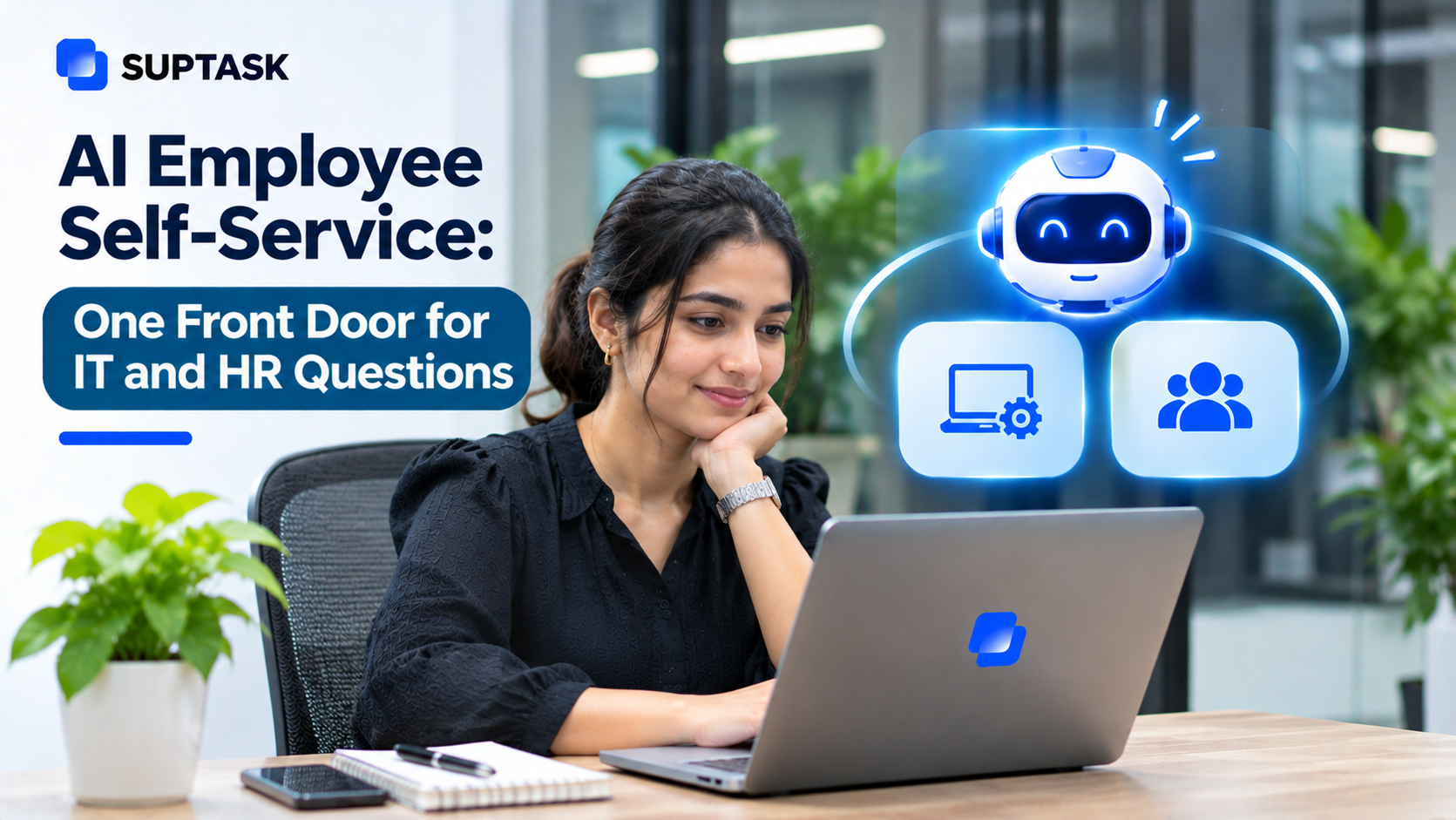
AI employee self-service lets employees get answers and simple requests done by asking an AI assistant, instead of waiting for HR or IT.
Most of what AI answers are the routine questions like vacation policy, password reset, or access to a folder. Your HR and IT people answer these routine requests again while the cases that need real judgment from them wait.
AI-powered employee support is used to clear that layer, and the questions that need a person still reach a person. In this guide, you get what an AI employee help desk covers for each team, how it works, what should still go to a person, how sensitive requests stay private, a 30-day setup, and the measures to watch.
Key Takeaways
- AI employee self-service answers the questions employees have for IT, HR, and the other internal teams, with the simple requests completed in the same conversation.
- One front door, with the routing behind it. Every request still reaches the team that owns the answer.
- Approved sources only. The handbook, the IT docs, whatever your teams keep current.
- Performance issues, complaints, medical information, employee relations, none of these are for an AI to answer. A person takes them.
- Start with the 20 questions that come in the most. Then measure how many of them get answered without a person.
What Is an AI Employee Help Desk?
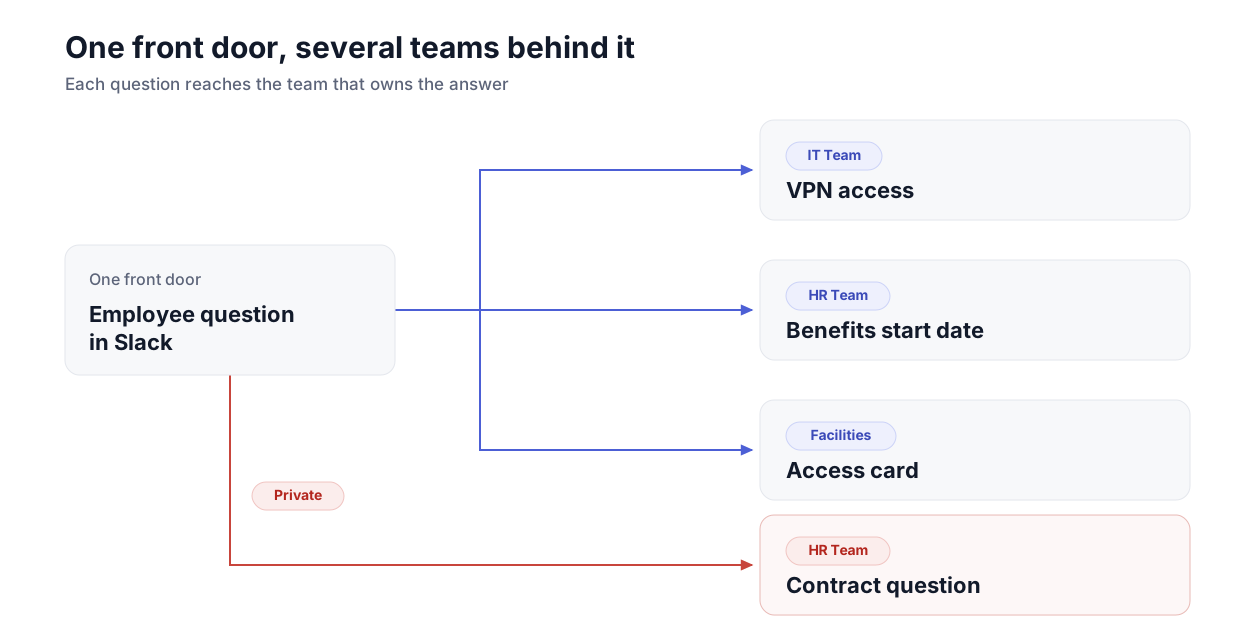
An AI employee help desk is one place where employees ask their internal questions, with an AI assistant answering first and the team taking the rest. The questions can be related to IT, HR, or facilities. Employees ask in one place, and the request lands with the team that owns it, which answers from its own documents.
A portal works a different way. You have to open it, pick a category, search for a relevant article, and fill out a form for someone to read later. Finding the right article in the knowledge base becomes the employee’s job. The AI help desk takes the question the way you would say it to a colleague, and the search runs on your approved documents.
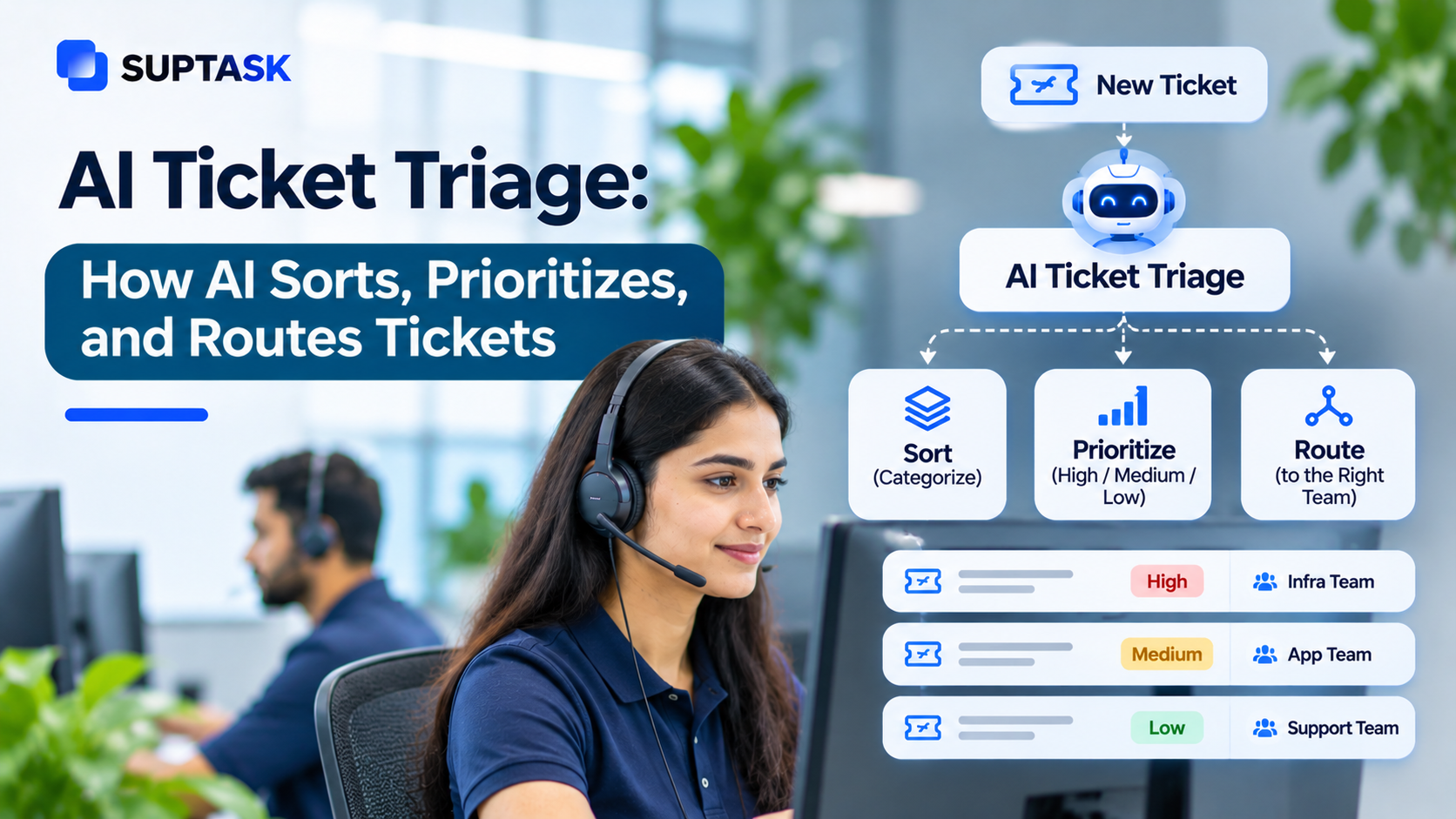
One front door for several internal teams is what enterprise service management describes, and the AI assistant is a newer layer on it. The routing and the retrieval behind it are standard pieces of AI in ITSM.
What Can AI Employee Self-Service Handle?
Your internal teams get questions that can be put into a few groups, and the group decides which team is going to answer. Some of them are just questions, while others have something to be done along with the answer, like an access request.
IT Questions
IT often gets the biggest share of questions, and most of them are repeating questions, such as:
- “How do I connect to the VPN?” should be answered directly from your IT documentation, because the steps are written there already and they do not change much.
- You can allow the assistant to take the password reset, though it should check who is asking before resetting through the identity provider.
- Access to a shared drive needs a change in the record, and the assistant can prepare that change in Okta, so the approval comes before the access.
- Software requests should be routed to the person who approves the purchase, along with the tool name and the employee’s reason.
- A new laptop is a ticket like any other ticket, and the manager's approval should be on it before IT orders anything.
HR Questions
HR often gets questions related to policies like “How many vacation days do I get?” The answer should be pulled from the leave policy document. When your HRIS is connected with an AI assistant, the balance can be shown along with policy answers.
Other HR requests, like benefits enrollment and parental leave policy, are answered from connected documents. An employee request can be routed to the HR inbox with the details already filled in. The onboarding checklist is used quite a lot too, and an HR help desk, which runs inside Slack, can give the new joiner the checklist with the tickets that go along with it.
AI agents for HR are used for the bigger workflows, the hiring part and the onboarding part, where answering is only one piece of it.
Facilities and Finance Requests
Facilities and finance have a low volume of questions. Desk booking is the most common one, then the building access card. Both of them need a person to do something at the end, so what helps here is the routing.
On the finance side, the expense policy question can be answered from the policy itself, with the link shown to the employee. A purchase request is logged first, then it goes to whoever is holding the budget for approval.
How Does AI Employee Self-Service Work?
AI employee self-service works in a simple way, in five steps, such as:
- Your employees ask questions in plain language, the way they would ask a colleague. No category has to be picked before raising a question.
- The team and intent are identified by the AI employee assistant by understanding wording only.
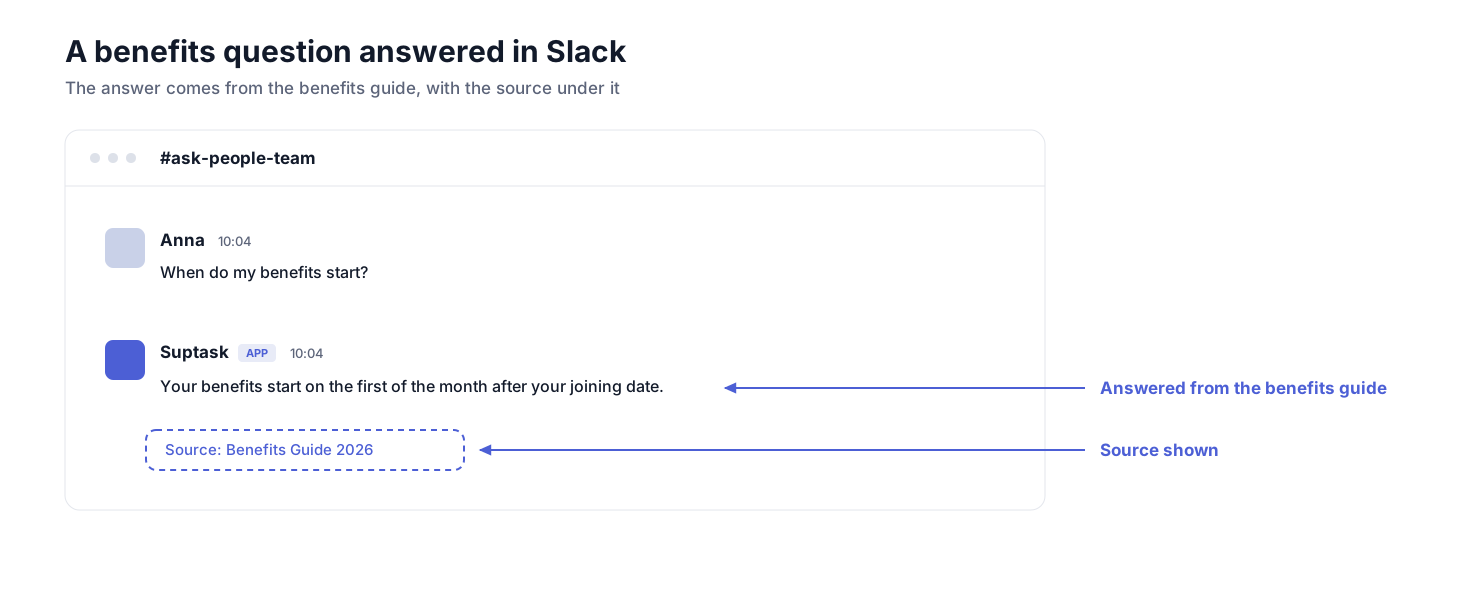
- The answer is written from approved sources, with links to the sources under it for employees to check themselves. If the documents do not cover the question, the assistant should say that.
- There are requests which need action also. Those can be prepared for approval, or a ticket can be opened for the team that owns it.
- The sensitive topics and the questions that it is not able to answer should be handed to a person. The conversation goes along with it, so your employee is not explaining the whole thing again.
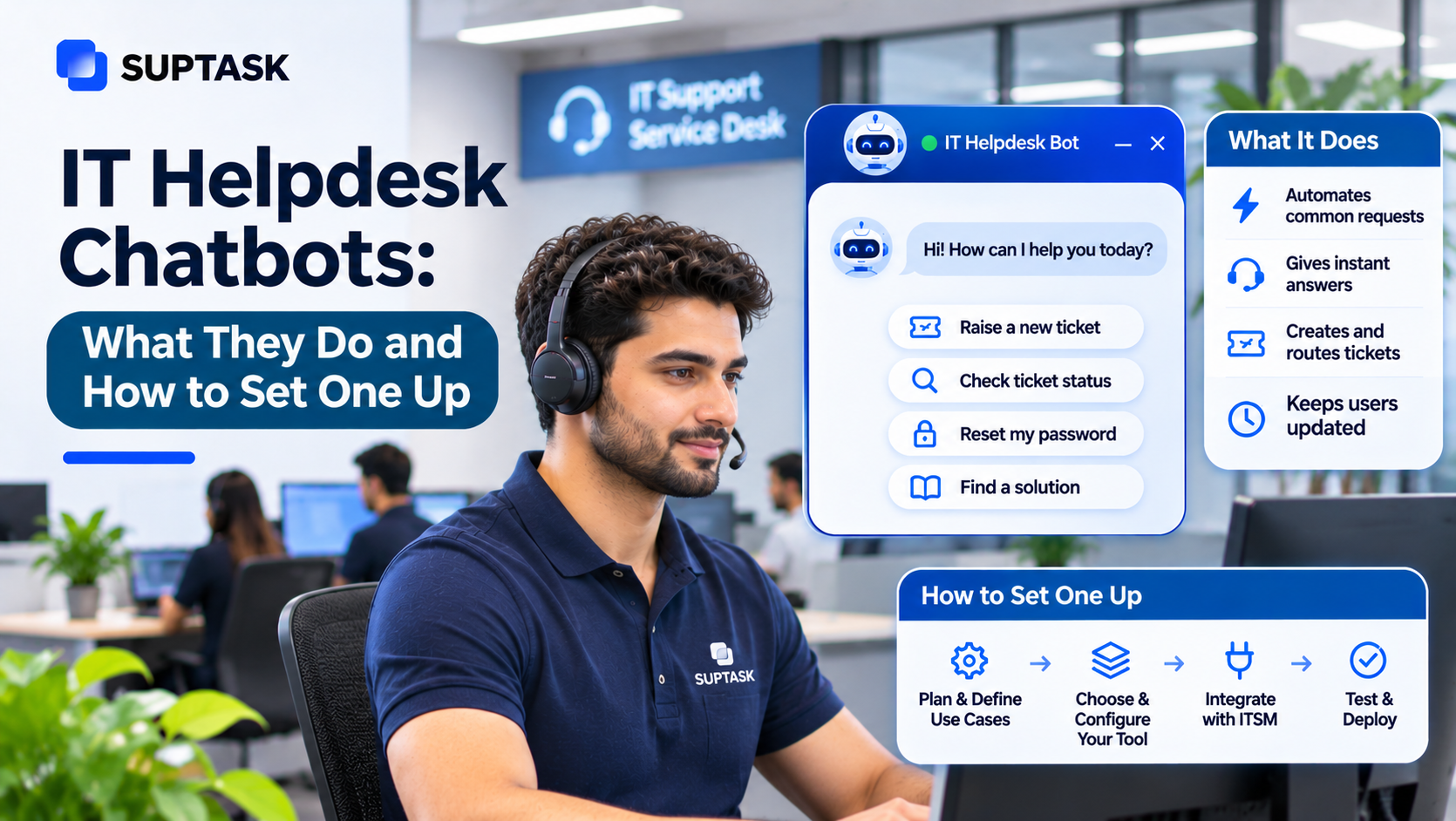
An IT helpdesk chatbot is doing the first three steps for IT questions only. In the employee version, the same steps are used for the other teams also.
What Should Always Go to a Person
Indeed, AI is improving and can answer most of the questions, but there are still some questions that should be passed to the right person quickly.
- Performance or conduct concerns are tied to the employee’s record, and the manager has to be part of that conversation.
- The employee making a complaint about a manager or a colleague should know who is reading it before they say anything.
- Harassment or discrimination cases often follow a defined procedure that should start with a named person.
- Medical information, along with the leave-of-absence requests, stays with the people who are meant to see it.
- Pay disputes need the payroll record to be checked first, so a line from the policy document does not settle them.
- Resignations and terminations carry notice periods and a final settlement, which have legal weight.
- Anything legal. Contracts, disputes, anything a lawyer should look at before HR answers.
Guidance on when a manager should bring an issue to HR covers much the same ground. The job of the assistant here is the routing, and it should happen quickly and privately.
Privacy and Trust
Trust in the setup can be achieved by following a few rules that are set before the assistant answers anything.
- Answers must be written from approved sources only, and they should use the updated version of the document.
- The source should be shown with the answer, so the employee can see where it came from.
- Sensitive requests are meant to be handled in a private conversation.
- Permissions matter here. The assistant should reach what the question needs, nothing beyond that.
- Every action the assistant takes should be logged, including the ones that were only prepared for approval.
- A person should stay reachable at any point.
In Suptask, a sensitive request can be raised as a private HR ticket in Slack through a DM, and a ticket that started in a public channel can be moved there when the topic turns personal.
One Front Door in Slack (or Teams)
Employees ask their colleagues in the chat before they ask anyone else. The question gets typed into a channel or a DM, because that window is already open. If a front door is placed somewhere else, then it has to be remembered.
In practice, the front door is one help desk channel, or a DM to the same place. Your employees ask in plain words, and the assistant writes the answer from the documents it is allowed to read, or it routes the request to the right person.
The front door remains the same for all the requests, and each team keeps its own queue of requests along with their documents.
In Suptask, the asking happens in Slack, and separate AI Assistants answer for IT and HR from each team’s own docs. The requests land in each team’s Inbox after that, so an internal help desk in Slack can serve several teams without mixing their queues. A Slack help desk keeps the question and the ticket in the same window, which is where your employee already is.
Example: A New Hire’s First Week
A new joiner asks a lot of questions in the first week, and those questions belong to different teams. Let’s understand them with the help of Billy. He joined on Monday, and his first week went like this:
- Monday, 09:05. “How do I get access to the design files?” The request is routed to IT, and his manager approves it in the same thread, which is how approvals in Slack are meant to work.
- Monday, 11:30. “When do benefits start?” The assistant answers from the benefits guide, and the source is shown under the answer.
- Tuesday, 14:00. “Where do I submit expenses?” The answer comes from the finance policy document, so nobody in finance has to be asked.
- Wednesday, 10:15. “Can I talk to someone about my contract?” There is no AI answer given for this one, and it is routed privately to HR.
- Thursday. The onboarding tasks are created from his HR record in BambooHR.
Four questions out of the five were handled without Billy waiting on anyone, and the fifth one went straight to a person.
How to Set Up AI Employee Self-Service in 30 Days
AI employee self-service can be set up in a month, and it is not required to have each document ready before you start.
The first week goes into listing the questions. The top 20 questions of each team should be pulled from the tickets and from the chat history also, because the volume is already available in both the places.
In the second week, one approved document is attached behind each of those questions. The handbook with the IT docs can be connected from Google Drive, and whatever is outdated should be updated before it becomes an answer.
The third week is for the routing and the limits. Which team receives what is decided by you, and the “always a person” list is also written in the same sitting, so the sensitive topics are not going to the assistant. The requests are structured by service request management, where an owner and a path are given to each request type.
The launch happens in the fourth week, and it should be done for one department first. At the end of that week, the wrong answers are reviewed, and the documents behind them are corrected.
What to Look for in an AI Employee Self-Service Tool
Most AI employee support tools look similar on their websites, and differences are showing up in a few places only.
- The answer should be written from your own documents, with citations shown under each one for verification.
- Separate knowledge with separate routing for each team, because the IT answers and the HR answers are not supposed to be in one pool.
- Sensitive requests need private handling, where the conversation is moved out of the public channel.
- Actions that the assistant prepares should be waiting for approval from a named person.
- It should work in the place where your employees are already asking, and a new login should not be required from them.
- The handover to a person should carry the conversation along with it, so nothing is explained twice.
- An audit trail is needed for every answer and every action, which is checked at the time of review.
If your team is comparing this with a self-service portal, then the same checklist can be used for both.
How to Measure AI Employee Self-Service
The reporting does not have to be heavy in the beginning, and six numbers are enough for the first few months.
- The share of questions that are answered without a person, counted separately for IT and for HR.
- Time for the first answer.
- How many handovers happened, along with the reason for each one.
- Wrong answer reports, which your employees should be able to raise in one click.
- The questions that repeat on the same topic because a document is missing behind them.
- Employee satisfaction, taken from a short rating after the ticket is closed.
These are the usual ITSM KPIs applied on the employee side, where the service desk measures are already defined.
Start With Your Top 20 Employee Questions
The starting point for every team remains identical, and it does not need a tool decision first.
Ask your IT and HR teams for the 20 questions that are asked the most. Each of those questions should be checked for one current answer that is approved, because an outdated document becomes a wrong answer later. The last part is the list of topics that always go to a person, and that list should be agreed upon before anything goes live.
AI for IT support is used for the same three steps on the IT side, with password resets and access requests coming first.
Frequently Asked Questions
What does employee self-service mean?
Employee self-service means your employees can find the answers and complete the simple requests on their own, without waiting for HR or IT. Checking a policy, requesting software, updating the personal details, these are the common examples of it. Earlier, it was done through a portal where the employee had to search, and with AI, the same thing happens in a conversation.
Can you give an example of employee self-service?
An employee asks how to connect to the office Wi-Fi, and the steps are given back from the IT guide. Another employee asks for access to a shared drive. That one is a request, so it goes to their manager for approval, and no ticket form has to be filled out.
What is the best employee self-service software?
The best option is the one that answers from your own policies along with the docs, and routes each request to the team that owns it. It should also work in the place where your employees are already asking for help. For the teams on Slack, a Slack-native help desk like Suptask keeps the self-service in the same window where the work is happening.
Which AI tool is best for HR?
For employee questions, the best AI tool for HR is the one that answers only from your approved policies, with the sources shown along with the answer. Sensitive topics like complaints or medical matters should be sent privately to a person, and no answer should be attempted on those.
How are AI agents for employee service different from HR chatbots?
An HR chatbot mainly answers HR questions. An AI agent for employee service is covering several teams, IT, HR, facilities, and it can take the actions also, such as routing a request or preparing an approval.