


The Okta Slack Integration for IT Help Desks
Suptask's Slack Okta integration connects your IT help desk to Okta. Look up accounts, reset passwords, grant access, and onboard or offboard people from the ticket in Slack.
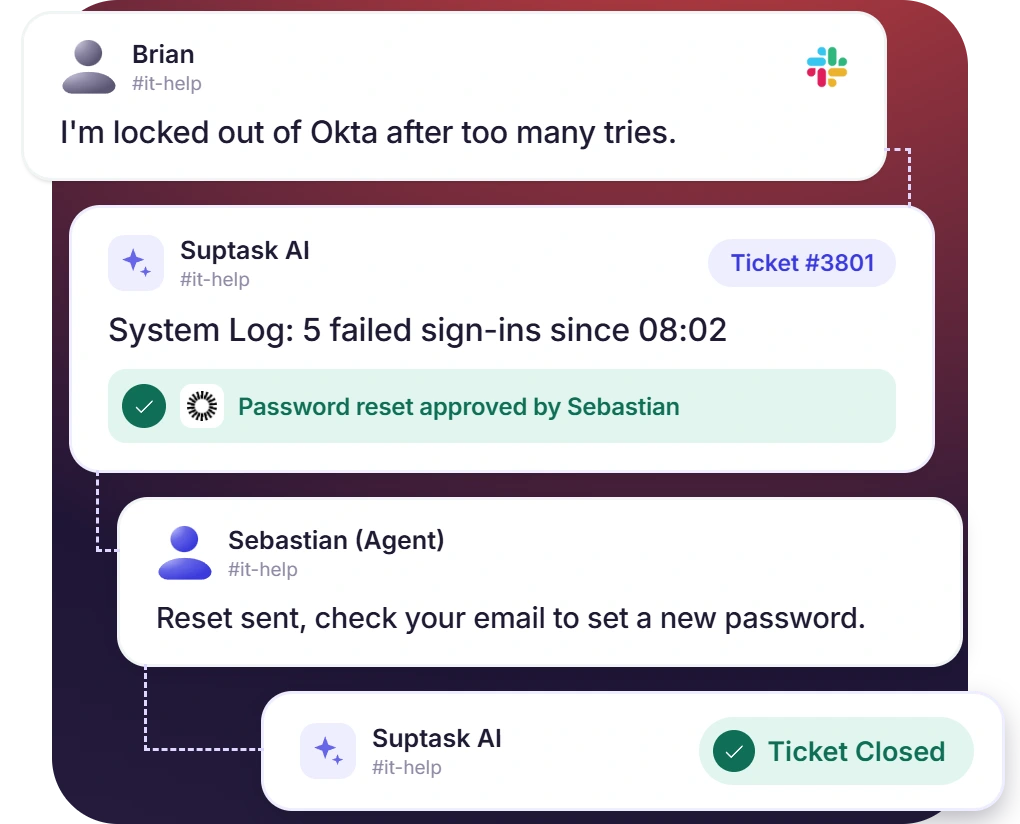











Sign-In Problems Solved From the Ticket
- The Assistant reads the user's recent sign-in events from the Okta System Log
- Reset or expire a password without switching to the Admin Console
- The requester's profile, status, and groups are posted for agents
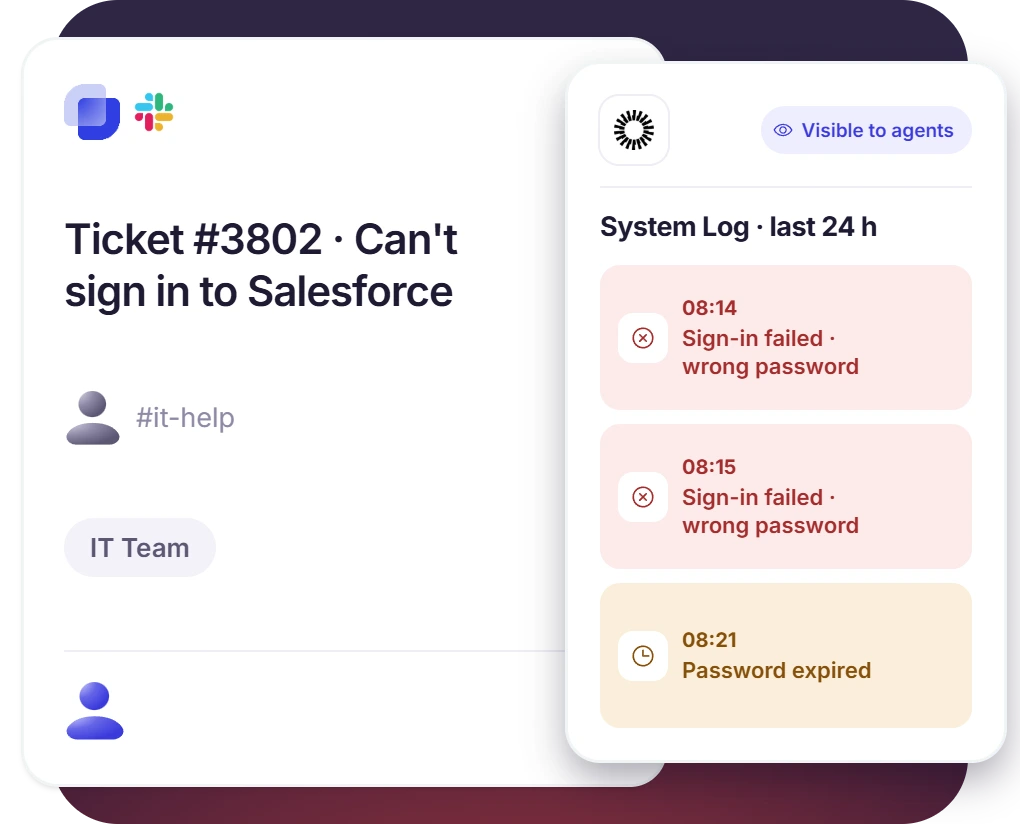
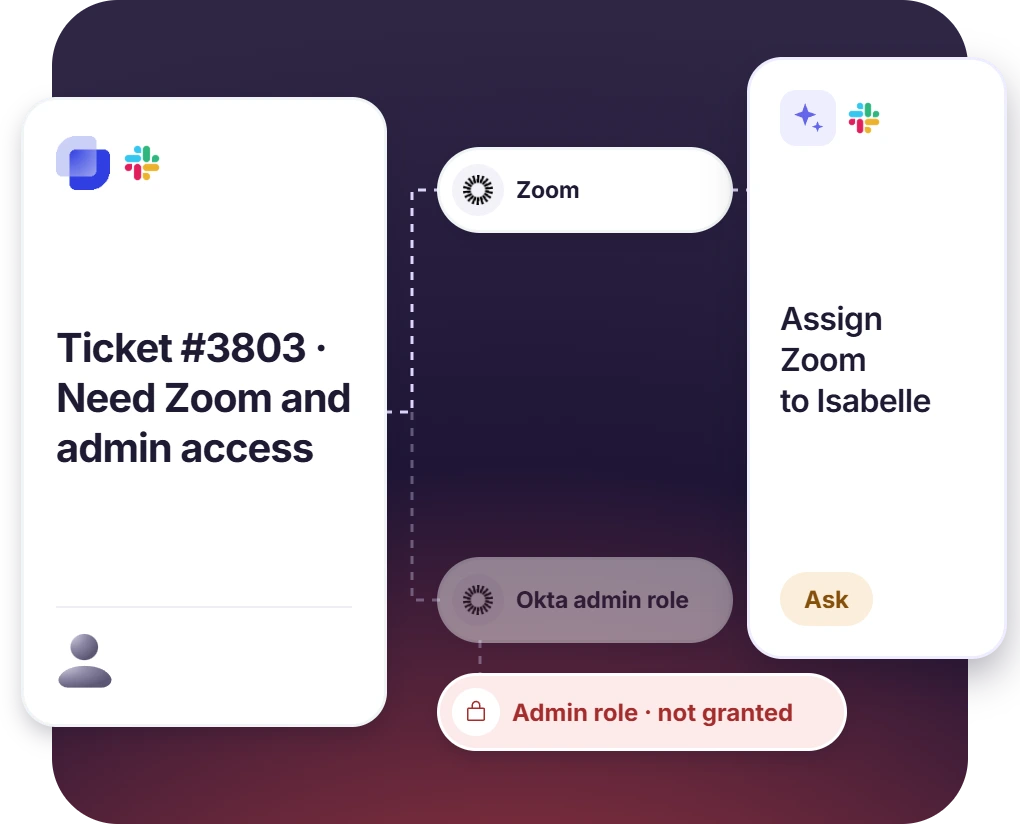
Access Requests for Groups and Apps
- Add a user to a group or assign an application after confirming their details
- The ready-made template checks existing access first and never grants admin roles
- Combine with Approvals when access needs a manager's sign-off
Onboarding and Offboarding From the Ticket
- Activate a new starter's account and add them to the right groups
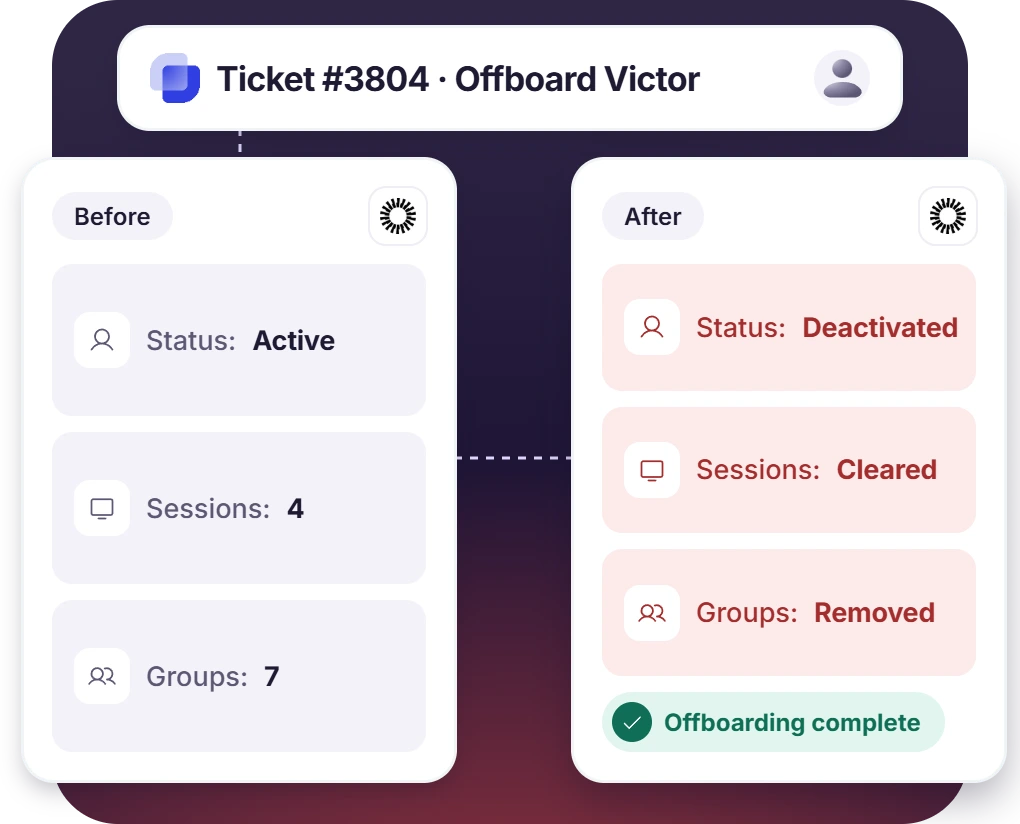
- Suspend or deactivate a leaver, clear their sessions, and remove group memberships
- The Assistant reports each step on the ticket as it goes
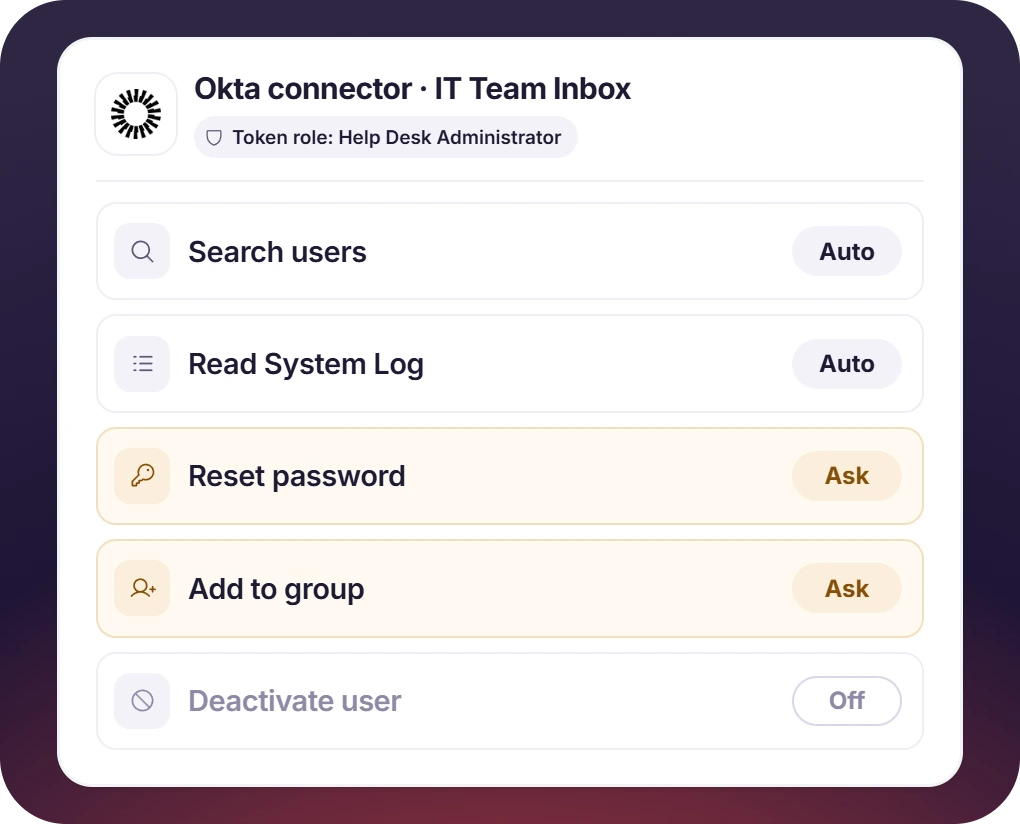
Every Directory Change on Your Terms
- The API token inherits its admin's role, so a read-only role means read-only access
- Each tool is set to Auto, Ask, or Off for each Assistant
- A common setup puts lookups and the System Log on Auto and every change on Ask
How the Okta Slack Integration Works
Setup
Ask
Resolve

What You Need to Connect Okta to Slack Tickets

A Dedicated Service Account
Create the token from an admin account used only for Suptask, with a stable role. If the creating account is deactivated, the token stops working.

The Least-Privileged Admin Role
The token has no settings of its own and inherits the admin role. A read-only admin role is enough for lookups.

An API Token and Org URL
Create the token under Security, API, Tokens, and copy your org URL, the domain your users sign in to.

The Custom Plan
Directory connectors such as Okta are on the Custom plan. Additional cost may apply.
What IT teams on Okta improve with Suptask
Built for Teams Who Manage Access in Okta
IT Help Desks

HR and People Teams

Teams Adopting AI Safely

Already trusted by fast-moving support teams.



Turn Slack into a help desk connected to the tools you already use
Frequently asked Questions
How do I connect Okta to Slack with Suptask?
Create an API token in the Okta Admin Console under Security, API, Tokens, ideally from a dedicated service account. Paste the token and your Okta org URL into the Okta connector in Suptask. Then choose which tools the Assistant may use.
Okta's Slack integration handles single sign-on and user provisioning for Slack. Okta Workflows for Slack runs Okta automations from Slack. Suptask's Okta Slack integration lets your Slack help desk manage Okta accounts from IT tickets. Changes can wait for an agent's approval.
Yes, if the token's admin role allows it. The Assistant can reset or expire a password from the ticket. Setting that tool to Ask means an agent approves it first.
It can search users, read profiles, status, and group memberships, and query the System Log for recent sign-in events. With the right admin role, it can also manage groups and app assignments. It can activate, suspend, or deactivate users and clear sessions.
Okta API tokens expire after 30 days without use. A token also stops working if the admin account that created it is deactivated. Create a new token from your service account and update it in Suptask.
Directory connectors such as Okta are on the Custom plan, and additional cost may apply. Book a demo to scope it for your team.



