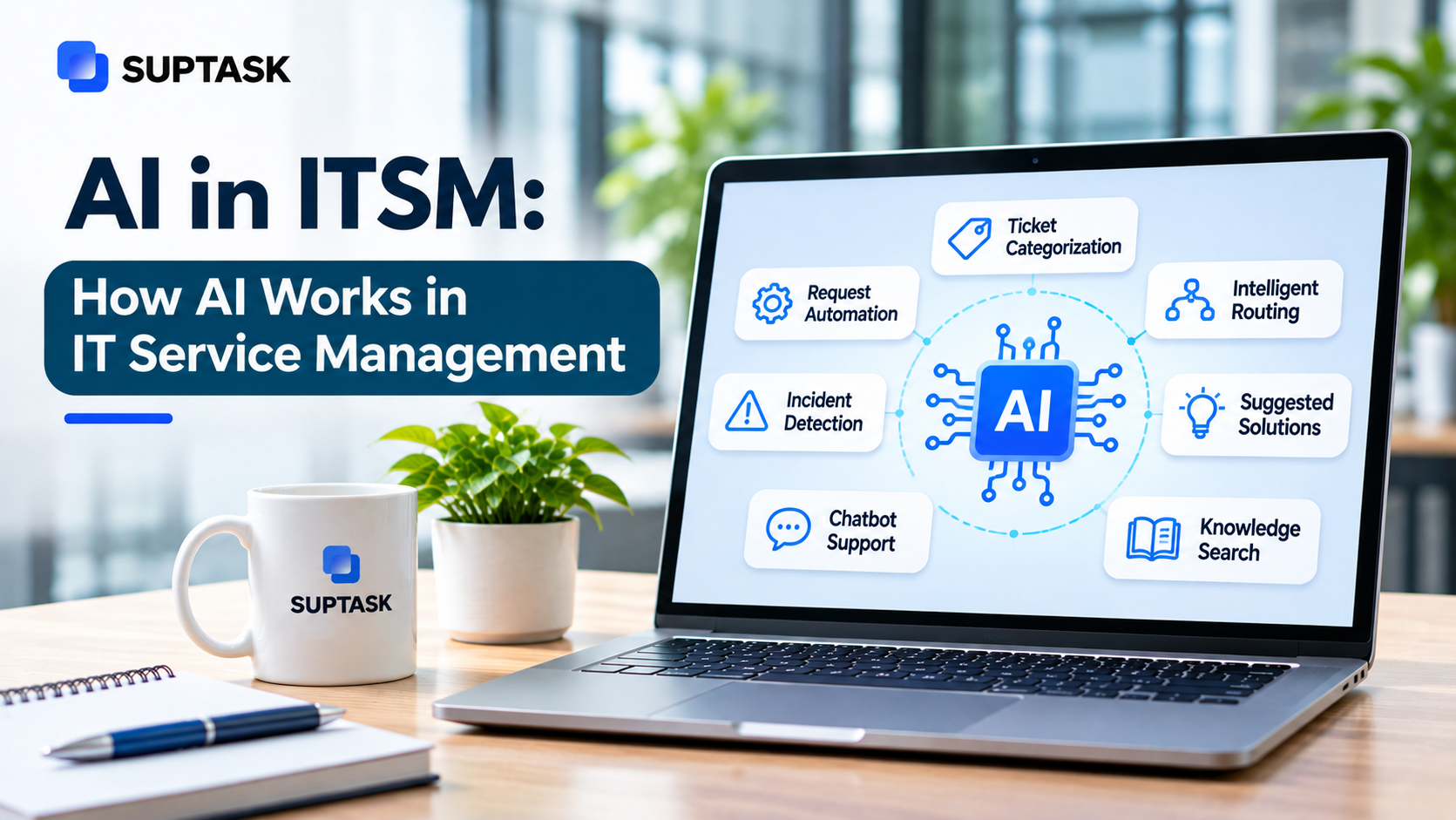
AI in ITSM means using artificial intelligence to answer, sort, and resolve IT requests faster. It also helps to identify problems before users report them. The term covers a lot of ground, though. A portal chatbot is called AI, a model that predicts a change failure is also called AI, and so is an agent that resets a user account. The three are at different levels of maturity.
The guide below covers all three. What ITSM AI is, types of AI in IT service management, use cases with a readiness rating for each, guardrails, measurement, and a 90-day plan to start.
Key Takeaways
- ITSM AI is built using machine learning, language models, and AI agents. The job stays the same, handling IT requests and identifying problems earlier.
- Among the trusted use cases of AI are writing answers from documentation, classifying and routing, and ticket summaries.
- A fix that is autonomous, or a change risk score, should be kept behind a review by a person.
- Approval before action is the simplest guardrail there is, and it gets set on each tool separately.
- Without the before-and-after numbers on self-service resolution rate, first response time, and reopen rate, there is no way to tell whether the AI is helping.
What Is AI in ITSM?
ITSM AI is a layer of artificial intelligence added to the tools an IT team already runs on. In most cases, it is available as a feature inside the service desk or the knowledge base. The same thing is called AI ITSM in a lot of the vendor materials.
AI is used across four operations of the work.
- The service desk is where incoming tickets get read, then assigned a category, priority, and a team.
- Answering questions from the knowledge base that a company has already written.
- Pattern detection on events and alerts is done on the monitoring data.
- Workflow layer where a step a person does manually is done automatically, like updating a record or opening a task in another system.
The practices themselves do not change. IT service management still runs on incident management, problem management, change enablement, and service request management the way the ITIL practices define them. The AI works inside those practices. A ticket still gets an owner and a status. What changes is the amount of work a person has to do at each step.
How Does AI Work in IT Service Management?
The working of AI in IT service management can be divided into three steps. The first one is the input, which is the text of a request, or the operational data coming out of the systems. A prediction or a response is then generated from it. A category, a priority, an answer, a draft reply, all of these are possible outputs. The third step is not the same in every tool. In some of them, the suggestion is only shown to the agent, and in the others, the action is performed by the AI on its own.
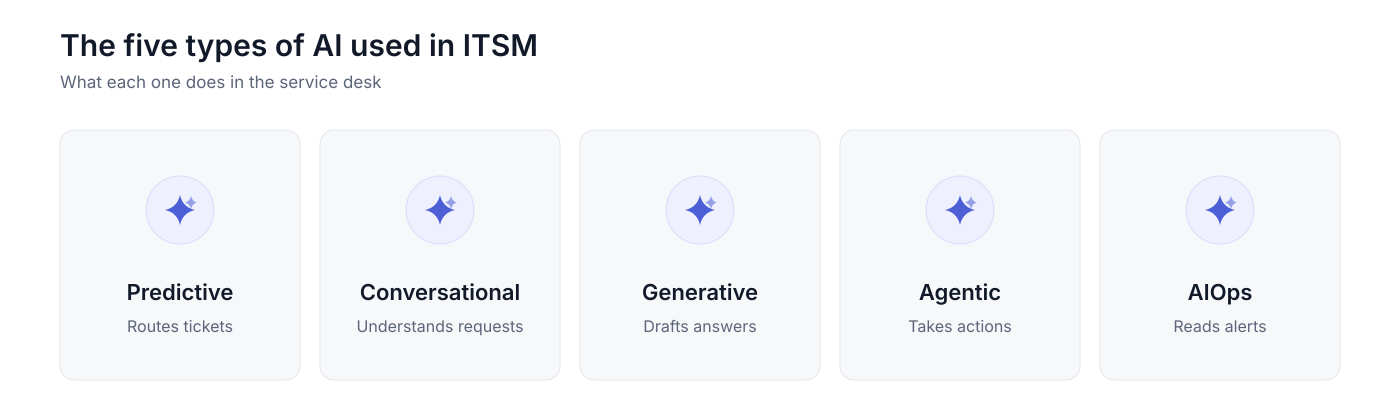
There are five types of AI that are used in ITSM, and the supervision needed for each type is not the same.
Machine Learning and Predictive AI
Machine learning works on identifying patterns from closed tickets. Once the model has collected enough data, a new ticket can be placed in a category, and routing to the right person is done by it.
The prediction of a trend, or of an SLA breach, works on the same history. The accuracy of machine learning depends on the quality of old data. If the old data is inconsistent in a team then the prediction will also be inconsistent.
Natural Language Processing and Conversational AI
The user can write queries in plain language, just like the way they talk, The user can write queries in plain language, just like the way they talk, without any form to fill out, and the system is able to understand it..
IT help desk chatbots and virtual agents are the most common examples of natural language processing and conversational AI. AI in Slack is also using it.
Generative AI
Generative AI in ITSM works on producing text. The most common use cases are writing answers to questions, summarizing a long ticket thread, and drafting a reply for an agent to approve from a knowledge base. A review is needed before any of it goes to the user. The model will give a confident answer even in cases where the source documents have nothing on it.
Agentic AI
The other type of AI that we have discussed so far stops at one step only. Agentic AI takes this further by automating the whole process. The most common example is account creation for a new starter, where the steps are planned and then run across multiple systems.
Agentic AI is dependent on permissions. For agentic AI in ITSM, anything which is changing a record should be kept behind an approval.
AIOps
AIOps doesn’t work on the ticket. It collects operational data like events, logs, and metrics coming from the infrastructure.
The main job of AIOps is correlation, which means a large number of alerts are grouped into one probable cause. It works in ITSM when an alert is turned into an incident ticket.
AI Use Cases in ITSM, by Practice
AI for ITSM is not one capability that gets applied everywhere the same way. The use cases of AI in ITSM are different for each practice, and readiness of each one is also different.
The table has the practice on the left, what the AI is doing in it, and how dependable that work is at the moment.
The service desk is the most common one to get started. A repetitive question that has an answer in the knowledge base is answered directly without an agent opening the ticket. Also, long ticket threads are summarized, making it easier for anyone to start working on them without spending much time.
An AI service desk is dependable for this kind of work, because the answer is coming out of a document someone has already written and approved.
Classification and routing are the most common use cases for incidents. The model reads the description, assigns a priority, and sends it to the team that handles that type of work. AI ticket triage is built on this. Grouping related incidents, or suggesting a fix from past tickets, needs more checking, and in AI incident management, the link between two incidents should be confirmed by an engineer.
A service request follows a known structure, which makes the collection of details easy to hand over. The questions are asked in a conversation, then the request is routed with everything filled in on the ticket. Fulfillment is a different matter. Access to a system can be granted by the AI, and that should happen only after a person has approved it.
Everything in this practice depends on the documents a company already keeps. The search runs across the pages in Confluence, and the docs in Notion are covered in the same way. The article that answers the question comes back with the source link on it. A new article can also be drafted out of a resolved ticket in an AI knowledge base, and the draft needs an owner to check it before it goes live.
The last four practices mentioned in the table above, problem management, change management, asset management, and service levels, cover a smaller part of the work.
Problem management can identify repetitive incidents, and the person still has to decide whether it is one problem or several. Asset management flags a device that is out of patch, or a record that does not match what is installed. SLA breach prediction works on the ticket history, and the number it gives should be treated as a warning. Change risk assessment is the one that is still early, because a single company does not have many failed changes for a model to learn from.
AI Where Requests Start
Most requests are starting as a message in Slack or Microsoft Teams. The request gets typed in the same channel where the rest of the work is being discussed.
The answer is also sent in the same channel where a request is raised or made.A question like “How do I connect to the office VPN?” can be answered inside the thread, with a link to the page in the IT handbook the answer came from. The thread is then the record, so the request, the answer, and whatever followed are all held together.
In a Slack help desk like Suptask, AI Assistants are answering in the thread itself, and the answer comes out of the documents a company has connected, like Confluence, Notion, or Google Drive. A separate portal or a new login is not needed for it. An AI help desk in Slack can also take an action through a connector, and the permission set on that tool decides whether it runs on its own.
Benefits of AI in ITSM
The following are some of the most obvious benefits of AI in ITSM.
- You should get the first response faster because the answer is prepared at the time the request is posted and the agent doesn’t have to open the queue for it. A question about the password policy can be replied to in the thread itself.
- The repetitive questions are answered from the knowledge base directly instead of each one reaching an agent.
- Categorization will be more consistent and routing also. A request that mentions a laptop should go to the hardware queue every time, even if two people describe the same issue in a different way.
- Answers can be given outside office hours also. The documentation does not have the working hours, so a request raised at night should still get something back without waiting till the morning.
- Your agents will be left with the work that actually needs them, like an access escalation or an incident that has to be investigated.
Risks and Guardrails
The risks with AI in ITSM are of three kinds. A wrong answer can be given out with full confidence, the access handed to the AI can be more than what you had intended, and the private data can reach a place where it was not supposed to go. The wrong answer is the one which gets noticed late, because on the screen it looks the same as the correct one.
There are a few guardrails which should be put in place for this, such as:
- Approval before action is the first one. Anything which changes a record should be prepared by the AI and then approved by the person before it runs.
- The permission on each tool should be set separatel: which is Off, or Ask, or Auto. An answer can be left on auto while an account change is kept on ask.
- Answers should come only from the sources which are approved and the link to that source page should be shown along with the answer so anybody can check where it came from.
- Every action taken by the AI should be logged on the ticket itself.
- The handoff should be clear. When the AI is not able to answer, the ticket should go to your queue and not keep the person waiting for a reply which is never coming.
An example of this is a group change in Okta. The AI Assistant prepares the change, the agent sees what is going to happen to the account, and the approval is given before anything moves in the directory.
AI that asks before it acts. In Suptask, each AI tool is set to Off, Ask, or Auto. Answers can go out on their own while account changes wait for an agent’s approval. See AI with approvals in Slack
How to Measure AI in ITSM
The measurement has to be done on the same KPIs before and after. A baseline should be taken in the weeks before the AI is turned on, otherwise there is nothing for the later numbers to be compared against.
Five numbers are enough for this, such as:
- Self-service resolution rate, which is the share of requests getting closed without an agent touching them at all.
- First response time should move first, because the answer is no longer waiting in a queue for somebody to pick it up.
- The reopen rate on the tickets which the AI answered will tell whether those answers were correct. A reopen rate which keeps climbing means the answers are not holding up.
- Escalations after an AI answer should be counted separately from your normal escalations, so the two do not get mixed in the same report.
- Requester satisfaction should be asked on the AI-answered tickets also, and not only on the ones which an agent handled.
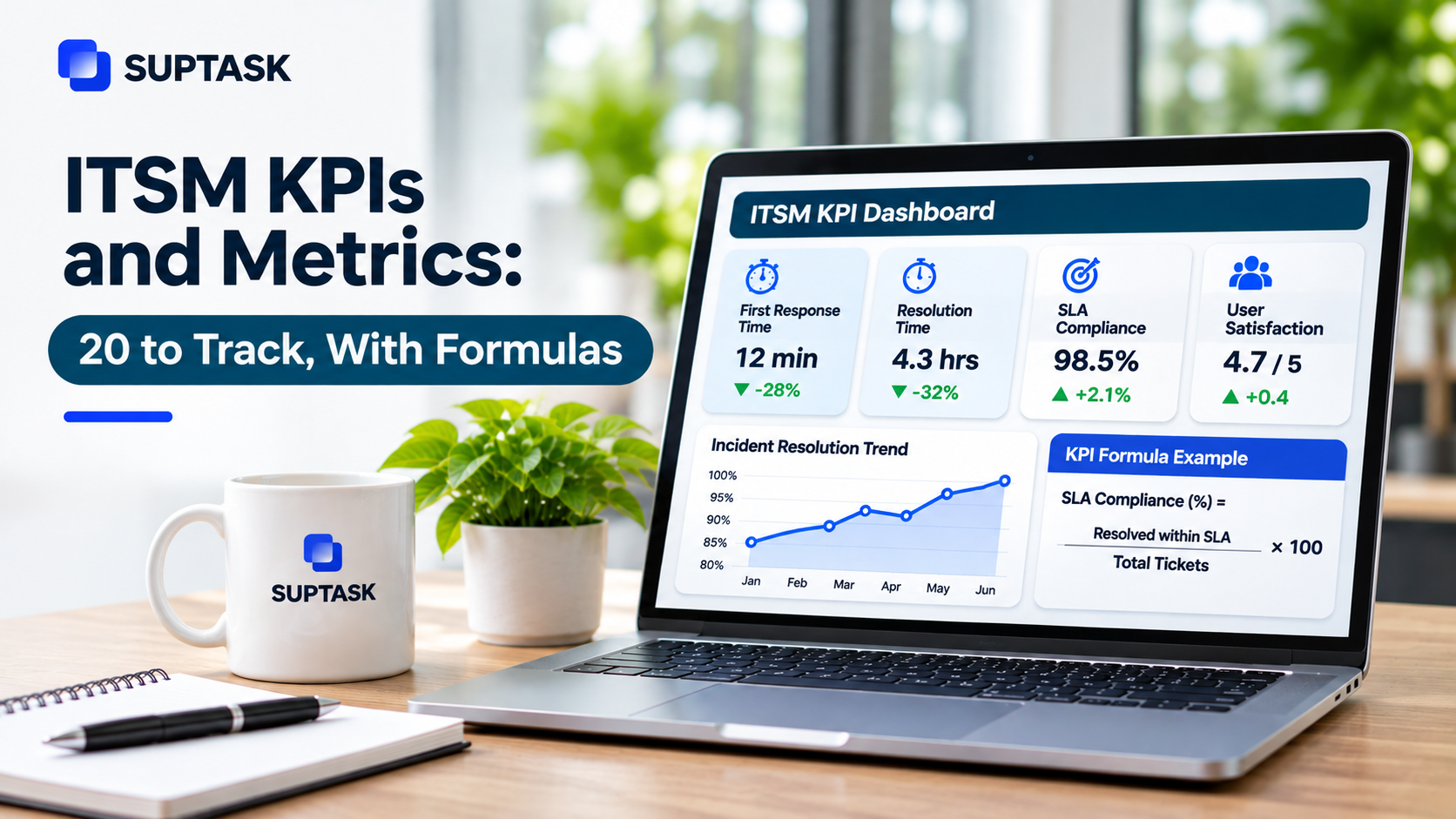
The ROI on AI-powered ITSM comes from the time these numbers free up. The ITSM KPIs which your team is already reporting should be used for this, because a separate set of AI metrics will only stay beside the old ones without telling anybody much.
How to Start Using AI in ITSM: A 90-Day Plan
In the first 30 days the work is on the documents. The top 20 articles which answer the most common questions should be cleaned up first, followed by turning on the AI answers for one team only. Every action should be kept on ask through this period, so nothing is running without an agent seeing it.
Days 31 to 60 are for the routing. Classification can be turned on at this point, and the tickets will start getting a category and a team on their own. A review of the wrong answers should be done every week, and whatever was wrong has to be fixed in the source document itself.
By day 61 one or two low risk actions can be moved to auto, like a status update on a ticket. The numbers are then compared against the baseline which was taken at the start, and anything which has not moved should be looked at before more actions are opened up.
The AI features to look for in ITSM platforms come down to five things.
- The answers should be coming out of your own documents, and the source link has to be given along with every answer.
- Permissions on each tool, which can be set to off, ask, or auto.
- Approvals should be possible without opening another tool for it.
- An audit trail, so every action the AI took is there on the ticket record.
- The whole thing should work where the requests are arriving, which is the chat tool for most teams now.
The best AI ITSM tools are the ones which cover all five of these together.
AI Beyond IT: AI Service Management
AI service management is the same set of patterns applied outside the IT team. An HR question on the leave policy, a finance question on an expense claim, a facilities request for a new desk, all of them are arriving the same way and most of them have an answer written down somewhere already.
The practices are the ones which enterprise service management already describes, which is a request, an owner, a status, and a record of what happened on it. AI in employee service works on the HR and finance queues in the same way as it does on IT. The guardrails should apply here also, because the HR documents are carrying personal data on them.
Where to Start With AI in Your IT Team This Week
The first thing to do this week is picking the ten questions your team is answering the most, and then checking that each one has a document which is still correct. The ones which are out of date should be fixed before anything gets turned on, because the AI will only repeat whatever the document says.
After that, one team should be chosen for the pilot, which can be the one with the most repeated requests coming in. The last decision is about the actions, and which of them will always need an approval no matter who is asking for it.
For anyone who wants formal training on this, the ITIL-aligned course providers are running AI in ITSM courses which go into the practices in more depth.
Frequently Asked Questions
Does AI in ITSM work in Slack or Microsoft Teams?
Yes. The AI answers are given inside the chat tool which the team is already using, and a separate portal is not needed for it. In a Slack help desk like Suptask, the answer comes back in the Slack thread itself, and it is coming out of the documents a company has connected. The request, the answer, and whatever followed after it stay together on the same thread.
Will AI replace IT service desk agents?
Not for most teams. The repetitive questions and the routing are the parts which get taken over first. Agents are left with the complex problems and with the people who actually need somebody to talk to. Somebody still has to own the knowledge base, check the answers which the AI is giving out, and handle the cases which do not fit any pattern.
What is AISM?
AISM stands for AI service management, which means artificial intelligence applied across the service management practices. The meaning is the same as AI in ITSM in most of the places where it is used. The one difference is that it covers the teams outside IT also, like HR and finance.
What is the difference between AI in ITSM and AIOps?
AI in ITSM works on the requests and the service desk, which is the answering, the routing, and the closing of tickets. AIOps works on the IT operations data instead, the events, the logs, and the metrics, and the job there is to catch an outage before it spreads. The two of them meet at the point where an AIOps alert is turned into an incident ticket.