


BambooHR Slack Integration for HR and IT Help Desks
Suptask’s Slack BambooHR integration lets AI answer time-off questions, add employee details to HR and IT tickets. With write access set to Off, Ask an agent for approval, or Auto per tool.
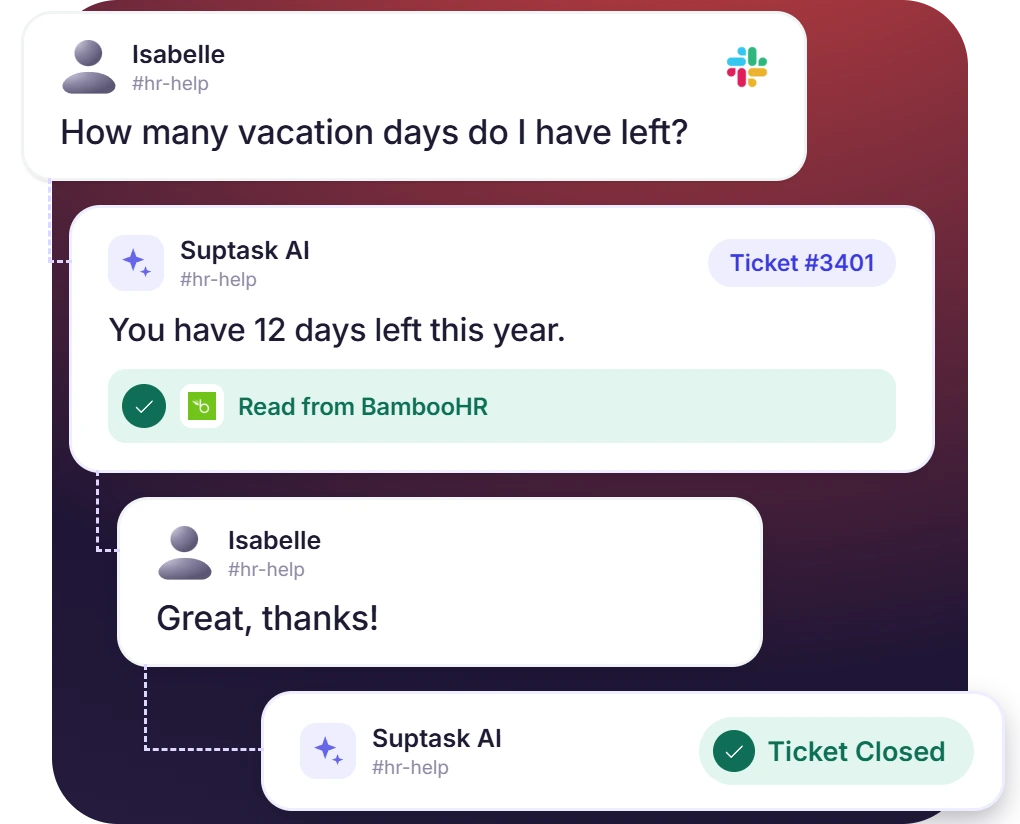











Time-Off Questions Answered Without a BambooHR Lookup
- Assistant fetches requester’s balance from BambooHR and answers on the ticket
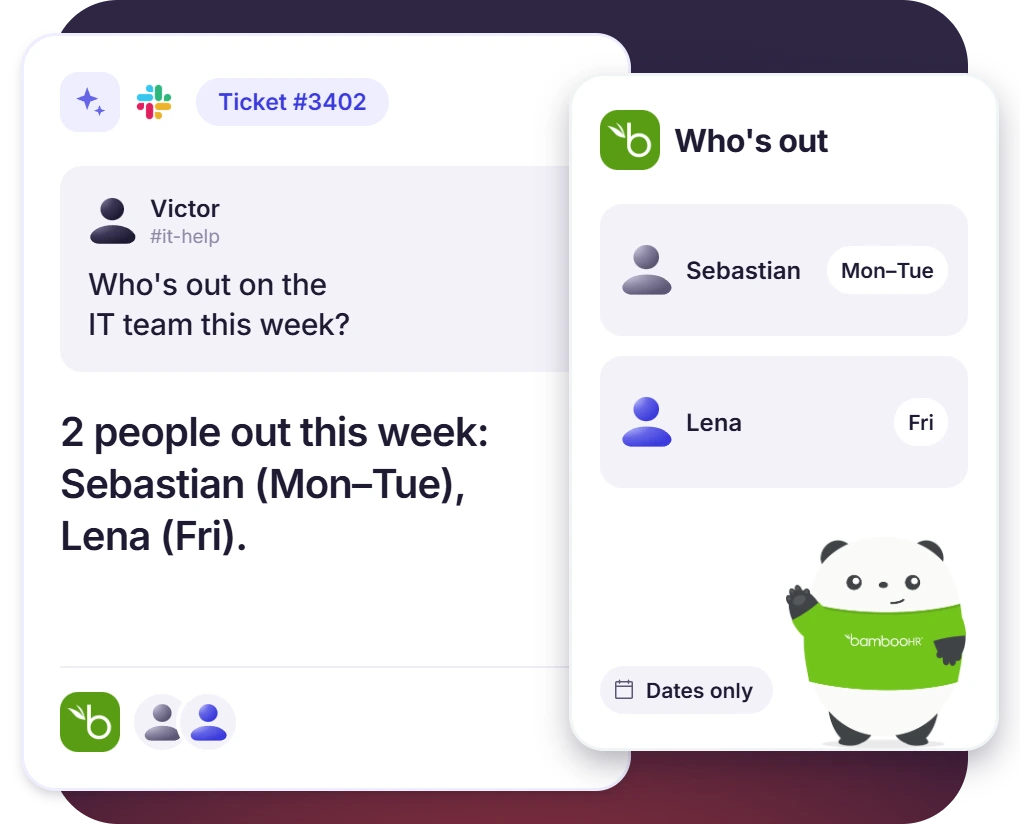
- See who is on leave today, or this week before you assign a ticket
- The HR templates give the dates someone is away and leave out the reason
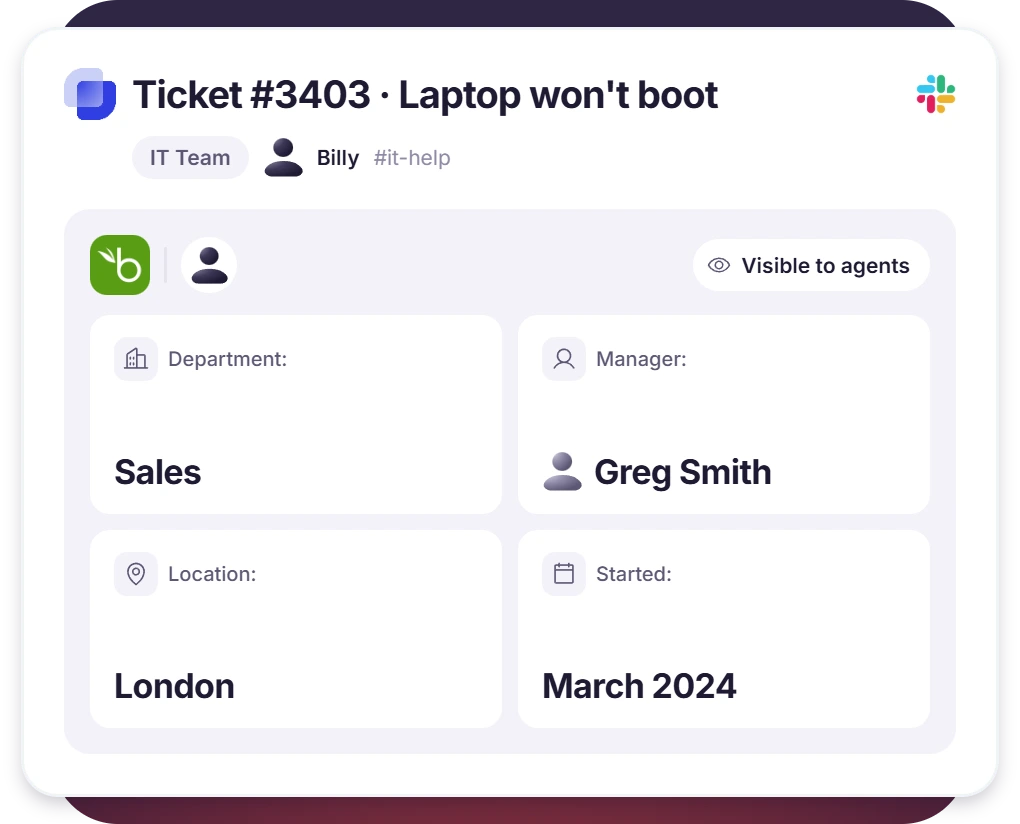
Employee Details on HR and IT Tickets
- From BambooHR, the requester’s department, manager, location, and start date are added to the ticket
- Agents know who they’re helping without opening BambooHR
- The IT Assistant can read employee details, and the HR Assistant is set up to change them
Events in BambooHR Open Tickets for the Right Team
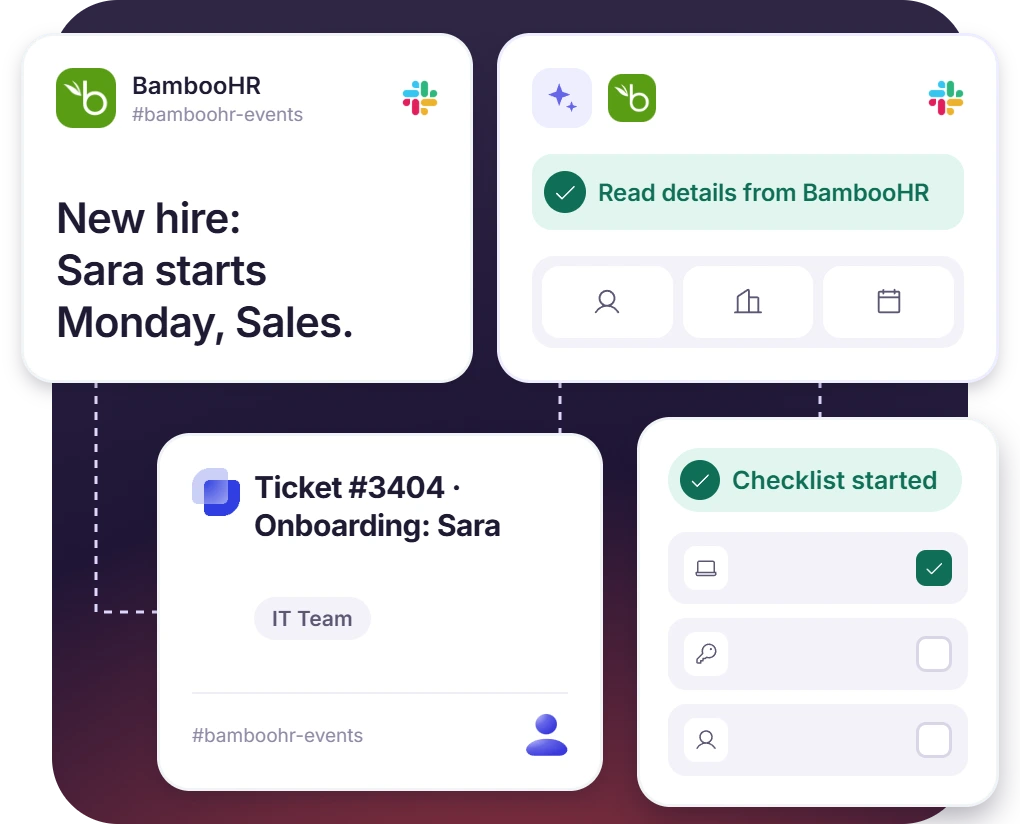
- BambooHR posts a new hire, role change, or last day, and Suptask makes a ticket
- Each event type is routed with its own channel and Form
- Assistant reads the employee’s details and works through the next steps on that ticket
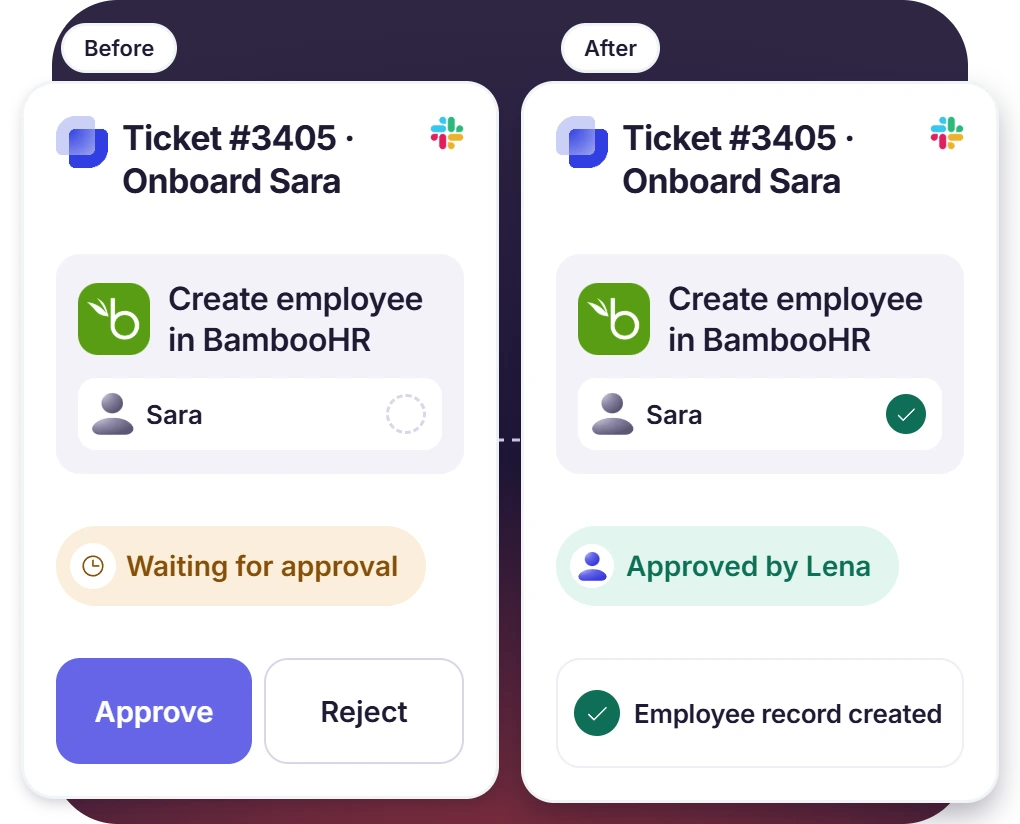
Agent Approves Before the Change Reaches BambooHR
- The new hire’s record gets created from the ticket
- Update an employee record or submit a time-off request on someone’s behalf
- Write tools set to Ask wait for an agent’s approval before any changes reach Bamboo HR
How BambooHR Slack Integration Works
Setup
Ask
Resolve

What You Need to Connect BambooHR to Slack

Custom access level
Create a custom access level for BambooHR for Suptask. View-only access is meant for lookups, and edit access allows the assistant to make changes in fields. So choose the access level accordingly.

Dedicated BambooHR user
Add a BambooHR user for Suptask, one that is not a real employee, and set it to that access level.

API key and company domain
Generate an API key for the BambooHR user and paste it into Suptask with your company domain before .bamboohr.com.

Suptask’s plan
BambooHR connector is available with AI workflows on the Custom plan. Tickets from BambooHR events are posted in Slack available from a professional plan.
What HR and IT teams on BambooHR improve with Suptask
Built for Teams Who Support Employees From BambooHR
HR and people teams

IT help desks

Internal operations

Already trusted by fast-moving support teams.



Turn Slack into a help desk connected to the tools you already use
Frequently asked Questions
How do I connect BambooHR to Slack with Suptask?
The setup is done in two places. In BambooHR, you should create a custom access level first, and then a dedicated user that is put on that level. The API key is generated for that user. In Suptask, the BambooHR connector is added to an Inbox, along with your company domain, which is the part before .bamboohr.com. Then you choose the tools the Assistant is allowed to use.
The app from BambooHR is made for the employees. It is used to check a time-off balance, to request time off, to see who’s out, and to look up a colleague. Suptask’s BambooHR Slack integration is for the help desk side of it. The tickets in your Slack help desk are carrying the employee’s details with them, and the Assistant is able to handle onboarding and the record changes, with an agent approving it.
Employee lookup, who’s out, the time-off balances, and the requests, these are the things it can read. For changes, you need Edit access at the access level, plus the tool turned on. Then an employee record can be created or updated by it. A time-off request can also be submitted or handled on behalf of the requester.
Yes, it can. BambooHR posts the event into a Slack channel for a new hire or someone’s last day, and Suptask makes a ticket out of that message. The message itself becomes the description on the ticket. For this one, the connector is not needed at all.
There are two levels of control on it. The access level in BambooHR decides what Suptask can ever reach, and this is the outer boundary. Inside that, every tool is set to Off, or to Ask, or to Auto, on each Assistant separately. Most teams should keep the lookups on Auto. The creation and updating of employees should be kept on Ask, so an agent approves it before it reaches BambooHR.
The connector is a part of the AI workflows, and that comes with the Custom plan. Additional cost might apply to it. The other direction is different. Tickets which are created from the BambooHR events posted in Slack are using automatic ticket creation, and that one is available from the Professional plan. The pricing page carries the full feature list for each plan.



