


Notion Slack Integration That Answers Help Desk Tickets
Suptask Slack-Notion integration lets you answer tickets from Notion pages. You can choose which pages Suptask can read, and each team answers from their docs only.
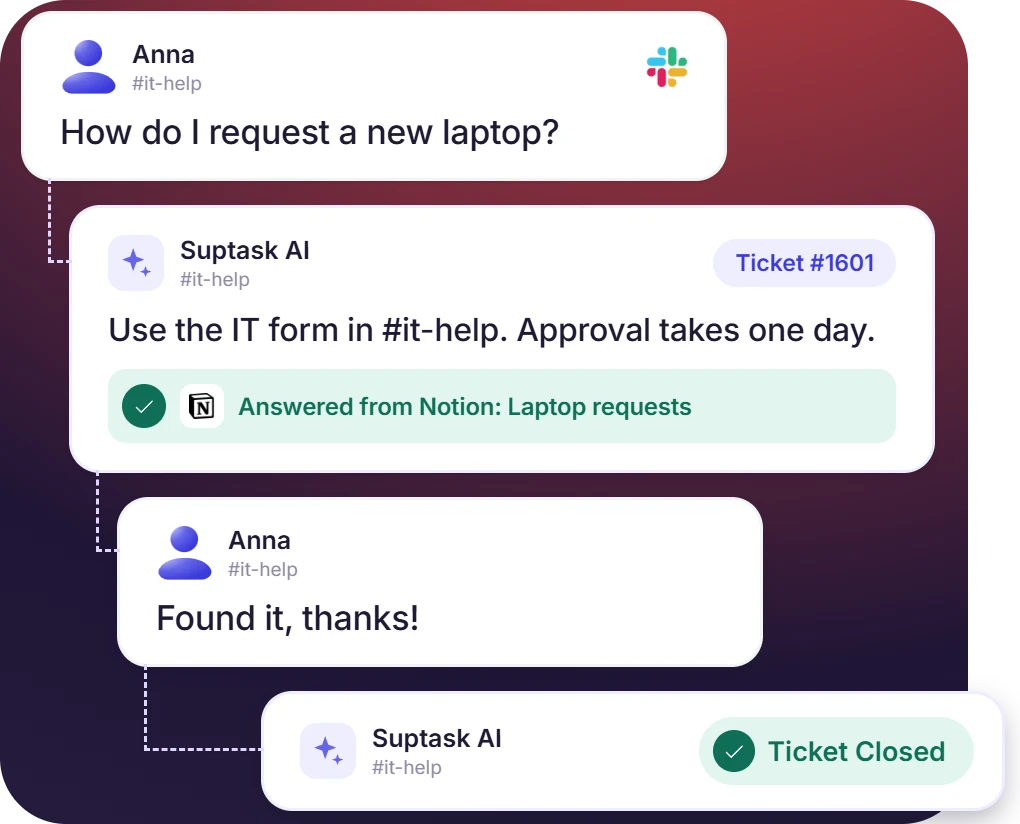











Answer Slack Tickets From Your Notion Pages
- Suptask AI learns from Notion pages and writes answers in Slack threads
- AI assistant can be configured to reply on its own, and when to leave a draft an agent has to approve
- Anything beyond Notion pages remains a ticket for the team to handle
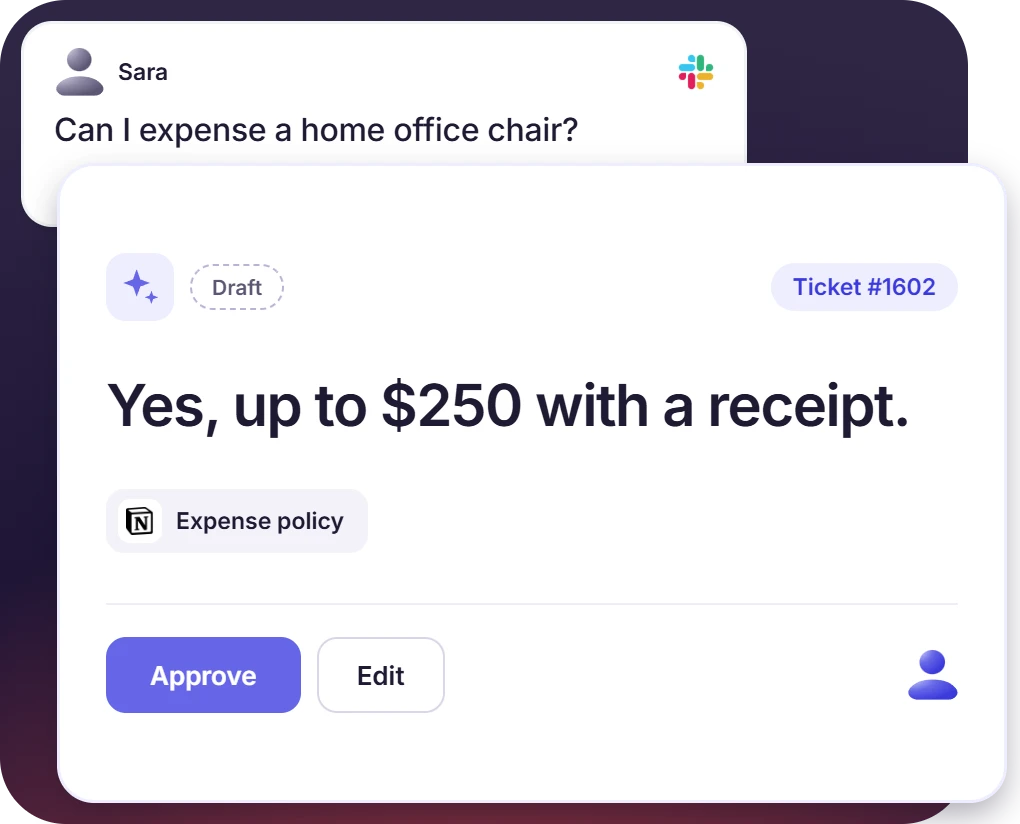
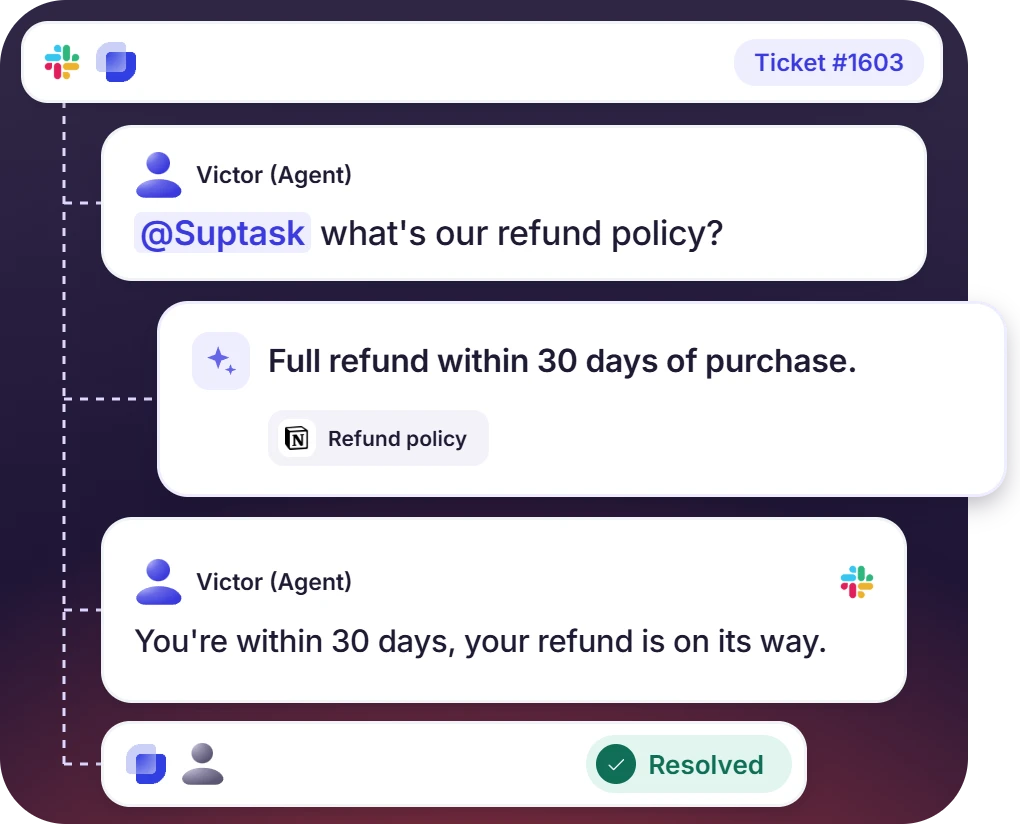
Agents Ask @Suptask and the Answer Comes From Notion
- Answers are posted in the Slack thread itself, with supporting internal pages the inbox has access to
- How-to pages from Notion are read in the ticket thread without switching the window
- Suptask suggests a Notion article that matches each request
Keep the Notion Knowledge of Each Team Separate
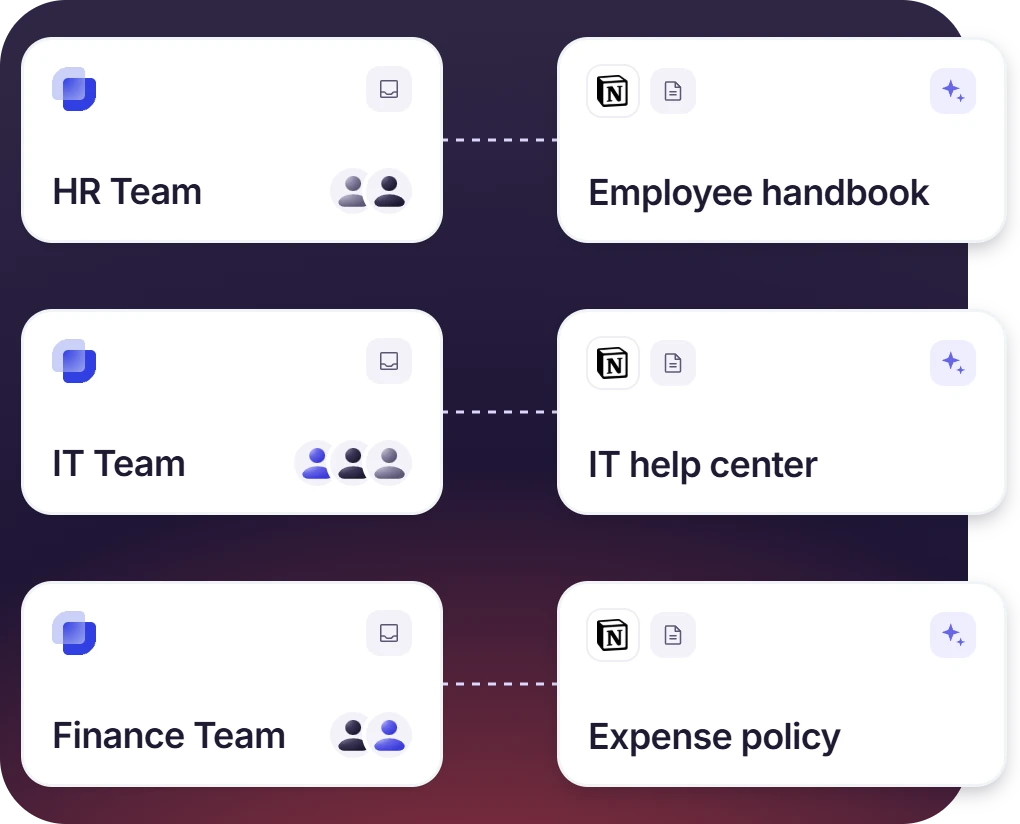
- Each inbox for HR, IT, and finance team has a dedicated Notion connector to ensure answers are written from their own pages
- A ticket raised in the HR inbox gets answered from HR pages only
- Each Inbox can also be connected with a Notion user of its own, which separates the access fully
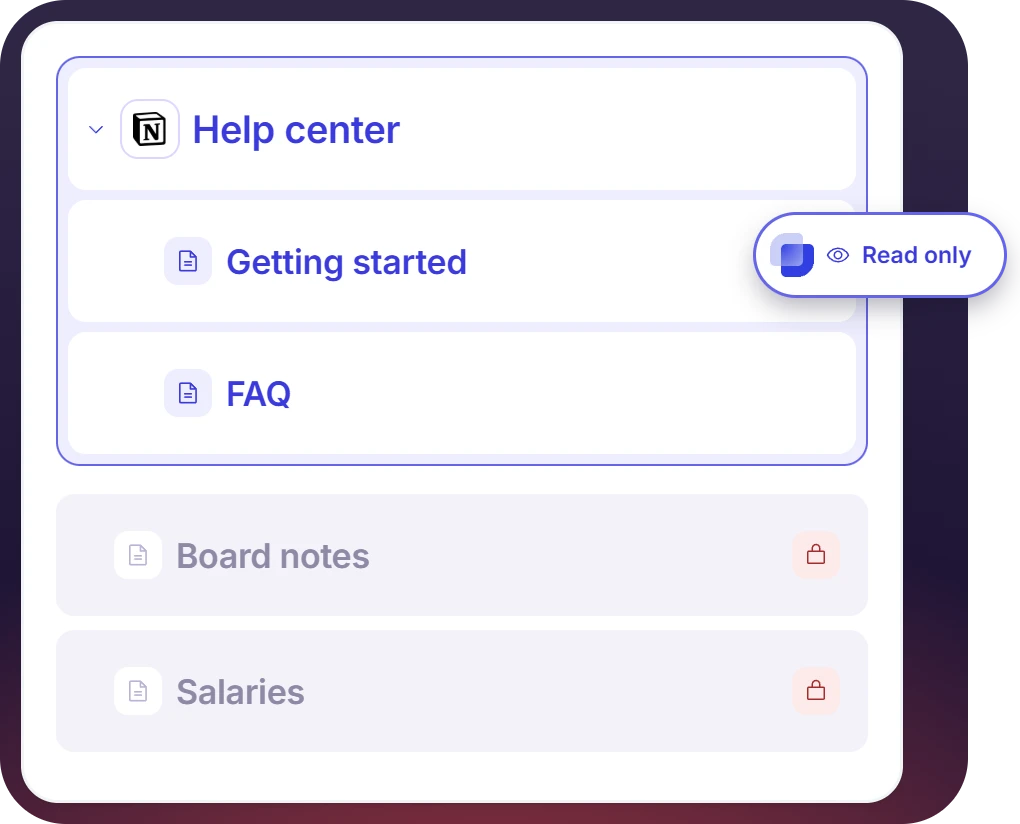
Suptask Reads Only the Pages That Are Shared
- Suptask is limited to what the connected Notion user can see and the workspace selected
- A dedicated Notion user that is shared on one parent page gets the sub-pages under it as well
- Each tool the connector provides has its own permission, so read access is given without edit access
How the Notion Slack Integration Works
Setup
Ask
Resolve

What You Need Before You Connect Notion to Slack

Admin rights in Suptask
A Suptask admin is needed to set up the Notion Connector in the Suptask web app. Agents and requesters keep working in Slack as they are already doing, with no setup needed for them.

The right Notion user
Suptask has access to whatever the connected Notion user can read. A dedicated user should be assigned to share only pages that are safer.

Workspace and page access
The workspaces are picked while connecting. Which pages Suptask can reach inside them is decided by the Notion user's permissions, and a new page under a shared parent counts too.

The right plan
The Growth plan allows answering tickets from Notion. Workflows that act in Notion, like updating a page, run as Agentic AI workflows on the Custom plan.
What teams answering from Notion improve with Suptask
Built for Help Desks Running on Notion Pages
IT help desk

HR and people team

Customer support teams

Already trusted by fast-moving support teams.



Turn Slack into a help desk connected to the tools you already use
Frequently asked Questions
How do I connect Notion to Slack with Suptask?
The setup is done from the Suptask web app, and an admin is the one who does it. You open the Inbox first. Then go to the Connectors of the AI Assistant, and Notion is added there. After that, you sign in with a Notion user, and you also select the workspaces that Suptask is allowed to access. The tickets raised in that Inbox can be answered from those Notion pages after this, and the answering happens in Slack.
No, it is not the same. Notion's own Slack app is a Notion product, and some people are searching for it as Notion for Slack also. What that app does is the sharing of page links, previews, and notifications between the two tools. A Notion AI Slack integration is from Notion's side as well. The Suptask Notion and Slack integration is used for a different purpose. Your Notion pages are used by it to answer the tickets in Suptask's Slack ticketing system, so the help desk can reply from the documentation that you are already keeping.
Only those pages that the connected Notion user is able to see. The workspaces you select at the time of connecting are also limited. If you want it to be a specific set of pages, then a dedicated Notion user can be created, and only those pages are shared with that user. One more thing, a parent page that is shared will share the sub-pages under it as well.
Yes, they can. Every Inbox has its own Notion connector, so HR, IT, and Finance are able to answer from their own pages. If access has to be separated fully, then each Inbox should be connected with its own Notion user.
Only if you are allowing it. The permissions here are set for each tool that the connector uses. The assistant can then be allowed to read your pages, and it will not be able to edit them. There are workflows which update the Notion content also, like the keeping of a knowledge base of ticket resolutions, and these ones run as Agentic AI workflows on the Custom plan.
The answering of tickets from your Notion pages is included in the Growth plan. For more advanced workflows that act in Notion, Agentic AI workflows are used, and these are on the Custom plan. The full comparison is given on the pricing page.



