Support teams tend to measure too many things and do little with them. Twenty indicators on a dashboard look very detailed, but they will hardly tell anyone what to do on Monday morning. No additional data is needed; instead, a framework should be used to select a set of customer service KPIs.
This manual will introduce 12 customer service KPIs to measure, divided into four levels: Customer Outcome, True Resolution, Accessibility, and Coaching Quality. The described set will provide an all-round view of customer support performance, regardless of whether your team works in a ticketing system, manages internal requests or exists in Slack.
What customer service KPIs are (and what they aren't)
A metric is anything you can measure: tickets closed, messages sent, time spent. A KPI is a metric that is aligned with a goal that you will take action upon. The number of tickets is a metric. First Contact Resolution rate, measured relative to a target and evaluated weekly, is a KPI.
This difference is important because support teams often conflate productivity with busyness. Collecting all the metrics possible is not a way out. Collecting only the right metrics and acting when they change is what works.
It does not matter whether the team is working within a traditional help desk platform or using a common Slack channel for collaboration. The format is different, but not the definition of KPIs.
Why a single best KPI doesn't exist
The inevitable question after reading any list of the best KPIs in customer service is: Which metric actually matters the most? The short answer is: there isn't one.
No single KPI can tell you the full story. Let’s unpack it through customer service KPI examples. A high CSAT score might look great on paper, but if your ticket reopen rate is also increasing, it could mean customers initially felt satisfied even though their issues weren't fully resolved. Likewise, a fast first response time paired with a slow resolution time doesn't necessarily improve the customer experience, it simply shifts the waiting time to a different stage of the support process.
That's why the most effective support teams don't rely on one number. Instead, they compare customer-facing metrics with operational metrics to understand what's really happening. A balanced KPI dashboard reveals patterns and trade-offs that individual metrics can easily miss.
Similarly, Morgan and Rego (2006) showed that customer satisfaction should be evaluated alongside business and operational performance metrics, since customer satisfaction alone does not provide a complete picture of organizational success.
Earlier research by Anderson et al.(2004) also supports this conclusion, emphasizing the relationship between customer satisfaction, service quality, and long-term business performance rather than relying on customer perception metrics in isolation.
The four layers of customer service KPIs
- Customer outcome: What the customer thought of the experience (CSAT, NPS, CES)
- True resolution: It was the problem really fixed (FCR, reopening rate, resolution time)
- Accessibility: How easy it was for the customer to get help (response time, abandonment rate, channel mix)
- Coaching quality: Is the team getting better over time (QA score)
Each level tells us something that the others don't. Leave one out, and you're driving blind.
12 customer service KPIs worth tracking
These are the key performance indicators examples for customer service that matter most across the customer outcome, resolution, accessibility, coaching, and business-impact layers of support:
Customer Satisfaction Score (CSAT)
Measures how satisfied customers are with a specific interaction, product, or support experience. It's one of the most widely used customer satisfaction KPIs because it's simple to collect and directly reflects customer sentiment, though it can be gamed easily through rapid, low-effort resolutions.
Formula
CSAT (%) = (Number of satisfied responses ÷ Total responses) × 100
Most companies define "satisfied" as customers selecting the top two ratings on a 5-point scale.
Framework layer
Customer outcome
What it reveals
- Immediate customer satisfaction after an interaction.
- Trends across support agents, channels, or issue types.
- The impact of process changes.
What it doesn't reveal
- Long-term customer loyalty.
- If the issues were permanently sorted out.
- The effort the customer put forth during the conversation.
Indicative benchmark
Since there is no benchmark for CSAT scores due to large variations across industries, customer expectations, and survey methods, you can compare yourself with your past performance trends or industry-specific benchmarks where applicable. See our customer service metrics guide for how CSAT fits alongside other KPIs.
Net Promoter Score (NPS)
It measures how likely your customers are to refer others to you. It is good for measuring overall loyalty, but too inaccurate for ticket-level usage.
NPS formula
NPS = % Promoters - % Detractors
Framework Layer
Customer outcome
What it reveals
- Overall level of customer loyalty and advocacy.
- Sentiment toward the brand on a long-term basis.
What it doesn't reveal
- Performance at the ticket level.
- Cause of the customer's NPS score.
Benchmark indication
No absolute benchmark; the ranges of NPS scores vary dramatically by industry, so it is better to use it as a trend over time.
Customer Effort Score (CES)
Indicates how hard or easy the transaction was for the consumer. Better at predicting churn than CSAT, since frustration indicates churn before dissatisfaction does.
Formula
CES = Average rating of customer effort (usually a 1 to 7 scale)
Framework layer
Customer outcome
What it reveals
- The amount of effort the consumer expended resolving his/her problem.
- Red flags indicating potential churn.
What it doesn't reveal
- Whether the customer was ultimately happy with the outcome.
- Long-term loyalty.
Indicative benchmark
There is no standard benchmark for this measure; rather, it is useful for trend analysis.
First Contact Resolution (FCR)
Percentage of tickets that were closed in one contact with no occurrence of the same problem over a specified time frame, depending on company and typically either 7, 14, or 30 days. High correlation with customer satisfaction, however, must always be used along with the reopen rate.
Formula
FCR(%) = (Tickets that were resolved in one contact ÷ Tickets) × 100
Framework layer
True resolution
What it reveals
- How effectively agents resolve issues without repeat contact.
- Strong correlation with customer satisfaction.
What it doesn't reveal
- Whether the resolution actually held (requires pairing with reopen rate).
Indicative benchmark
Contact center benchmarking literature puts the cross-industry FCR average around 70%, with 70–79% considered good and above 80% considered world-class (SQM Group).
Reopen Rate
Percentage of "closed" tickets that get reopened. This is the counter metric for FCR and the measure used to validate it, high FCR combined with a high reopen rate signals false resolution.
Formula
Reopen rate (%) = (Tickets reopened ÷ Total tickets closed) × 100
Framework layer
True resolution
What it reveals
- Whether resolutions reported under FCR were genuine.
- Recurring or improperly closed issues.
What it doesn't reveal
- The root cause of reopened tickets on its own.
Indicative benchmark
No universal benchmark; should always be reviewed alongside FCR rather than in isolation.
Average Resolution Time (TTR)
The period of time needed to solve the issue from first contact until resolution. This metric is most frequently the one associated with the service level agreement, therefore it may be useful to review SLA management best practices before setting a target.
Formula
TTR = Total resolution time / Number of resolved tickets
Framework layer
True resolution
What it reveals
- Speed of resolving issues from open to closed state.
- Measure used to define all SLAs.
What it doesn't reveal
Quality of resolution itself.
Indicative benchmark
Dependent on the particular SLA and nature of issue; usually defined internally.
First Response Time (FRT) / Average Speed to Answer (ASA)
FRT works for tickets and email, ASA for phone, and wait time for messages works for chat. It all depends on the communication channel, just as TTR, on which the SLA is based.
Formula
Channel-dependent: FRT (tickets and email), ASA (phone), wait time (messages)
Framework layer
Accessibility layer
What it reveals
The speed at which customers receive a first reply or contact.
What it doesn't reveal
The degree to which this first reply solved the problem.
Indicative benchmark
SLA-driven; standards are usually set for individual channels rather than a global benchmark.
Abandonment Rate
The percentage of customers who give up before connecting with an agent, whether by dropping off a call or leaving an unread chat message. It represents the customers your other metrics don't even see.
Formula
Abandonment rate (%) = (Customers who disconnected before contact ÷ Total customer attempts) × 100
Framework layer
Accessibility layer
What it reveals
- Customers lost due to wait times or staffing gaps before an agent ever engaged.
What it doesn't reveal
- Anything about the customers who did connect with an agent.
Indicative benchmark
No universal benchmark; monitor as a trend alongside staffing and volume levels.
Channel Mix / Volume by Channel
The channels where customers are really reaching out, and whether you're staffed appropriately for it.
Formula
Not applicable, a distribution metric rather than a calculated score.
Framework layer
Accessibility layer
What it reveals
- Actual customer channel preferences.
- Whether staffing matches real demand.
What it doesn't reveal
- Quality or outcome of interactions within each channel.
Indicative benchmark
No universal benchmark; compare against your own staffing model and channel strategy.
QA Score
An internal quality check is measured against a rubric. CSAT measures how the customer experienced the interaction; the QA score measures whether the agent did it right, which doesn't always coincide.
Formula
QA score = Rubric-based internal audit score (weighted average across evaluated criteria)
Framework layer
Coaching quality
What it reveals
- Whether agents followed process and quality standards.
- Coaching opportunities at the individual agent level.
What it doesn't reveal
- The customer's actual perception of the interaction.
Indicative benchmark
No universal benchmark; set internally based on your rubric and quality goals.
Customer Retention Rate
A lagging/business impact indicator. Useful as a proof metric for support's importance, but not as a steering metric.
Formula
Retention rate (%) = ((Customers at end of period − New customers acquired) ÷ Customers at start of period) × 100
Framework layer
Coaching quality
What it reveals
- Support's contribution to overall customer retention and business value.
What it doesn't reveal
- Day-to-day operational performance; it moves too slowly to guide real-time decisions.
Indicative benchmark
Varies significantly by industry and business model; best tracked as a long-term trend.
Cost per Resolution (or cost per contact)
An operational efficiency metric. Crucial for making the case for support resources, but risky if not balanced with a quality metric, cheap resolutions and quality resolutions aren't necessarily the same thing.
Formula
Cost per resolution = Total support costs ÷ Number of resolved tickets
Framework layer
Coaching quality
What it reveals
- The cost efficiency of your support operation.
- The basis for resourcing and budget decisions.
What it doesn't reveal
- Whether resolutions were actually high quality (must be paired with a quality metric like QA score or CSAT).
Indicative benchmark
No universal benchmark; varies by industry, ticket complexity, and support model.
Leading vs lagging indicators: Why both matter
Leading indicators provide insights into the future performance of the team: response time, abandonment ratio, QA rating. Lagging indicators show what already occurred: CSAT rating, churn, resolution time.
A scorecard that includes only lagging indicators reports on issues after they have already cost you customers. A scorecard that contains only leading indicators cannot prove that the efforts were worthwhile. You need both types of KPIs.
How to measure customer service KPIs
For any KPI to be measured accurately, there first needs to be clarity about where the data can be found. Response and resolution times are collected via helpdesk and ticketing systems.
Post-interaction surveys are used for CSAT, NPS, and CES and are automatically distributed right after each closed case, rather than several days later. Telephony systems provide information about ASA and abandonment rate.
Message wait time and individual thread responses are tracked through chat and Slack platforms.
Automated measurement is always preferred over manual measurement. A KPI, which requires someone to enter some data point into an Excel spreadsheet manually at some point of time, is doomed to be ignored as soon as the workload increases.
If a KPI on your list cannot be automatically calculated from any data source, it is not yet ready for measurement. Fix your data pipeline first.
How many KPIs to track
The majority of KPIs mentioned in most of such lists are twelve or more KPIs. This does not mean that a team should follow all of them at once. Choose up to six KPIs to track, and one KPI from each layer of the framework, and analyze them on a regular basis. Otherwise, a team will not take actions based on KPIs but will collect them.
KPI stacks by support model
There is no need for live chat support, a call queue, and a helpdesk to share the same scorecard. Which stack works best also depends on the team's structure. If you have customer support tiers in your business, including self-service, first-tier agents, and specialists, each of them will rely on a unique part of this list.
Each of the above stacks is incomplete on its own. A ticket-driven help desk can still use the abandonment rate in its intake form, while a phone queue may still need the resolution quality check regardless of whether it is the top metric. Use the above table as a weight base, not the barrier between the metrics.
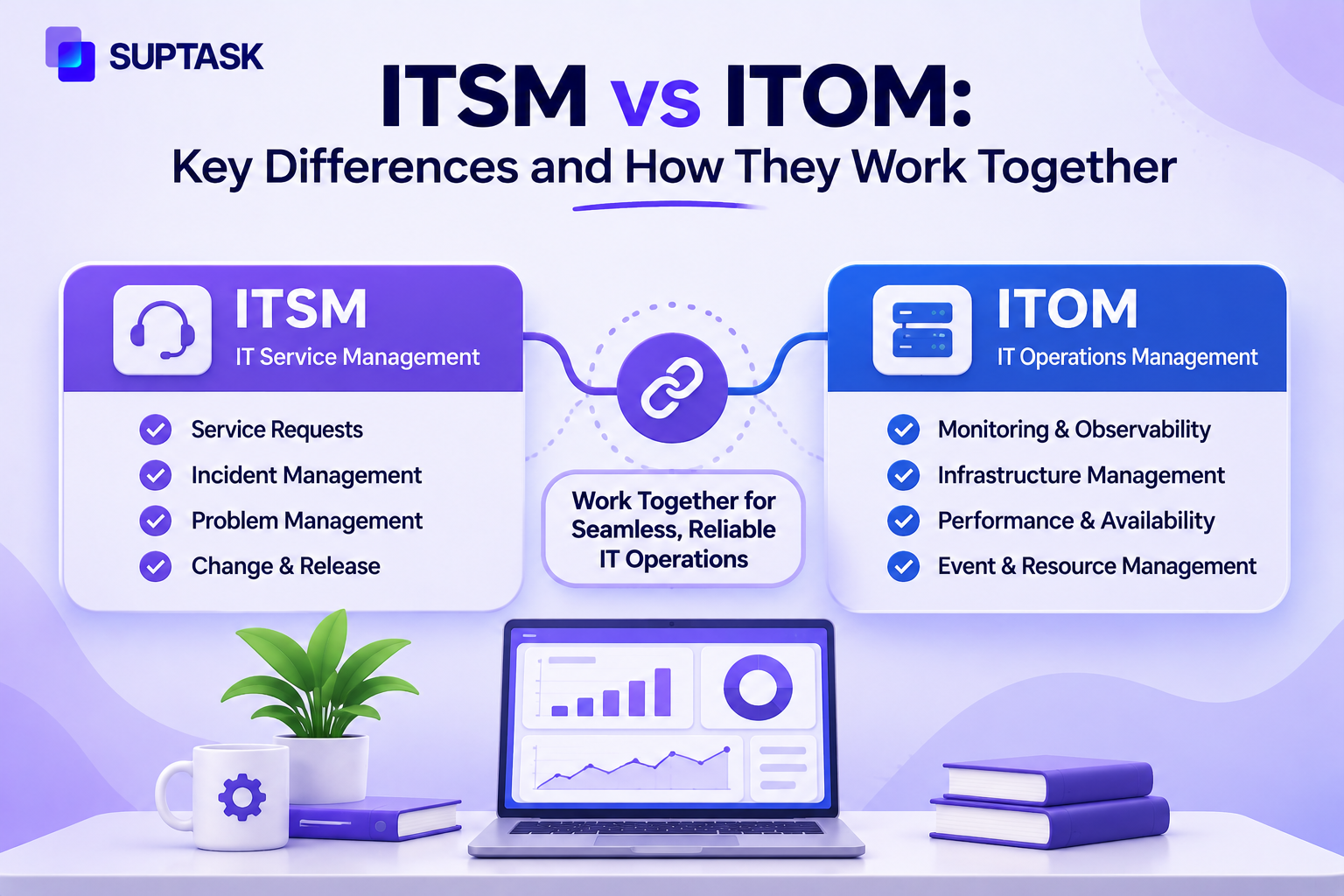
This is also the place where the dividing line between customer support and IT support tends to become blurred. All four metric levels described above will still work for both, but the weights are different: the internal help desk relies more on metrics such as TTR, FCR, and reopening rate rather than on CSAT and NPS, as the "customer" of the internal help desk is an employee, not a customer-account holder. If you need to create a scorecard for the internal help desk, take a look at our metrics description for the IT help desk.
Customer service KPIs in a chat-first / Slack-native workflow
This is precisely how most of the support infrastructure for the modern workplace misses the mark. Products like Zendesk, Freshdesk, ServiceNow, and HubSpot were all designed on the premise that support occurs in a separate portal, with a separate sign-in process, and outside the place where the actual work gets done.
This was reasonable thinking ten years ago. It is not any more, particularly for internal, employee-focused support, where the ticket often starts as an email to a colleague rather than a form.
When support takes place in Slack, KPIs follow suit. Response time is tracked conversation by conversation, not based on the portal's SLA timing. Escalations are inherently transparent because they occur in channels that have already been viewed, rather than in a status field accessible only to agents.
The channel mix shifts from email, chat, and phone to the Slack channel, where tickets are filed.
Suptask is built for this reality. Any message in Slack becomes a ticket in one click, with no separate portal and no new login for the employee or customer submitting it. That matters most for internal, employee-facing support (IT, HR, ops), where adoption lives or dies on how little friction there is to ask for help, but it applies to customer-facing teams working in shared or Slack Connect channels too.
For growing SMB and mid-market teams, and for enterprise teams standardizing on Slack, that's a materially different KPI story than a traditional ticketing system produces, because the tool doesn't create a second interface to measure around. If you want to see what a Slack ticketing system actually looks like day-to-day, it's worth a look before you finalize which KPIs you'll track and how.
Common KPI tracking mistakes
Some of the common KPI tracking mistakes are:
- Measuring too many KPIs. If a dashboard goes unviewed, it's not a KPI strategy.
- Confusing vanity measurements with valuable ones. Ticket volume and tickets per hour quantify activity but not results.
- Comparing KPIs among incompatible teams. A phone queue and escalation team will never be the same and shouldn't even try to be.
- Using KPIs without setting a baseline. Without a baseline, a target is just a guess, not a KPI.
Customer service KPIs vs. IT support KPIs
They have more in common than differences, as both are constructed out of the same four layers, yet the balance shifts somewhat. Customer support KPIs focus on the customer-outcome layer, CSAT, NPS, CES, as the company’s relationship with the customer depends on the experience they had.
IT and internal help desk KPIs focus on the true-resolution and accessibility layers, FCR, TTR, SLA compliance, as the “customer” is actually an employee who needs to be helped to get back to their work, and not a potential loyal client who might buy something. For a complete list of KPIs for the internal help desk, check the IT help desk metrics guide.
The bottom line
It was never the objective to measure all the metrics listed in this post. The idea is to select those metrics that give an honest picture of your team and motivate action based on that information. Start by choosing one metric per layer of the pyramid, add a counter-metric to guard against number manipulation, and continue refining your measurement framework over time.
If your customer support process already relies on Slack, whether for internal employee support or customer-facing conversations, it may be worth exploring a Slack ticketing system.
Suptask transforms Slack messages into trackable support tickets without requiring portals or additional sign-ups, making it easier to manage conversations while monitoring the KPIs discussed throughout this guide.
FAQs
How do you measure KPI for customer service?
Gather information from your helpdesk or ticketing system, post-interaction surveys, and telephony or chat logs. Wherever possible, automate, as manual KPIs are often not monitored during hectic periods.
What's the difference between metric and KPI?
A metric is anything that can be measured. A KPI is a metric associated with a target and actively managed.
What is the most important customer service KPI?
There is no overall champion for all businesses. If you need just one customer-facing KPI, it's post-contact CSAT. If you only need one operational truth metric, then FCR is the one to go for and then double check with repeat contact rate.
Which KPIs are leading vs lagging?
Leading: Response time, abandonment rate, and QA score; Lagging: CSAT, retention, and resolution time. A good scorecard should include both types of KPIs.
How many KPIs should a support team track?
There are 5-8 Key Performance Indicators (KPIs) which a support team must monitor, specifically in terms of speed, quality, and operational efficiency.