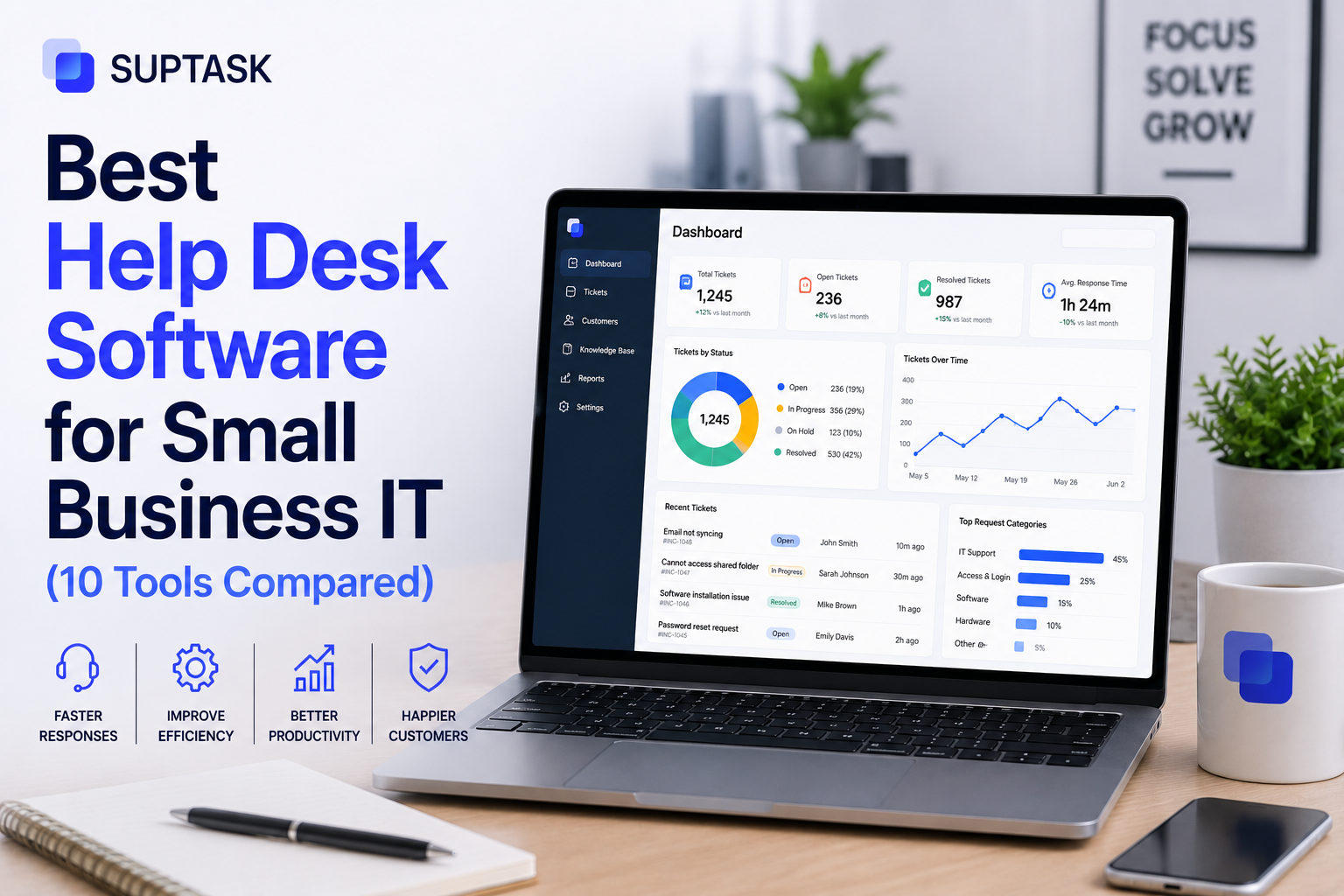
Choosing help desk software for small business IT needs is often a challenge. Enterprise tools like ServiceNow are often too expensive, making them out of reach for small businesses.
So, how do you find the best help desk software for small business IT? That is why we have covered the 10 best tools in this blog along with their features and pricing, so you can pick the one that fits your team.
So, let's get started.
How do we evaluate these tools?
There are a lot of help desk tools out there, so before listing the ten, here is how we narrowed it down. We did not just pick the most popular names, we evaluated them on how well they fit a small business IT team:
- Suited to teams under 250 employees, not built for large enterprises.
- Has a real IT support use case, not just a customer-facing one.
- Has a free tier, or at least an affordable starter plan under about $25 per user a month.
- Integrates with the tools small businesses actually use, like Slack, Teams, Google Workspace, and Microsoft 365.
- Easy to set up, in days rather than months.
That filter is what kept the list at ten. If your needs are broader, the best help desk software roundup covers the wider market. And if you think you will outgrow small-business tools soon, the ITSM software comparison is the tier above.
Best help desk software: Quick comparison table
Here are the ten at a glance before the details. Prices change often, and the "free" plans always come with limits, so treat the figures as a starting point and check the vendor.
10 best help desk software for small businesses
1. Freshservice: Best for all-around SMB IT support
Freshservice is one of the most popular help desk tools for small and mid-size IT teams. It offers both IT support and ITSM capabilities, so it can serve with your growth. Additionally, it is the right choice for a team looking to deploy help desk software.
Pricing: It starts from $19/agent/mo. No free tier, but there is a free trial.
Key features:
- Incident and request management.
- Freddy AI for triage and suggestions.
- Asset management.
- Self-service portal and knowledge base.
- Integrations with Slack, Teams, and the usual stack.
Pros: Quick to set up, easy to use, and it scales into ITSM later.
Cons: No free plan, and additional features are often offered on higher tiers.
Freshservice is the best choice for IT teams of around 10 to 100 that are looking for quick-to-deploy software.
2. Jira Service Management: Best for Atlassian-stack IT teams
If your team is already using Jira, then Jira Service Management would be the best choice to work along with dev tools, IT, and engineering. It works for businesses of all sizes, and the free entry tier makes it accessible to smaller teams too.
Pricing: Free for up to 3 agents, then about $20/agent/mo.
Key features:
- Incident, request, problem, and change management.
- Native Slack and Teams intake.
- Tight Jira and dev-tool integration.
- Automation and SLAs.
- Atlassian Intelligence AI.
Pros: Excellent for Atlassian users and a genuinely useful free tier.
Cons: It requires a configuration that might make it hard to adopt for small teams initially. Also, if you are using the Atlassian tools, then it might not be the right choice.
Best for a small IT team already living in Jira and Confluence.
3. Zoho Desk: Best for affordable, broad coverage
Zoho Desk is a low-cost help desk with a surprisingly broad feature set, especially if you already use other Zoho apps. It leans towards customer support but works for internal IT too.
Pricing: Free for up to 3 agents, paid from about $14/agent/mo.
Key features:
- Ticketing across email, chat, and more.
- Workflow automation.
- Zia AI assistant.
- Knowledge base and self-service.
- Deep Zoho ecosystem integration.
Pros: Cheap, feature-rich, and a real free tier.
Cons: It is customer-support-first, so the IT fit needs some setup, and it is at its best inside the Zoho world.
Best for a small team that wants a lot for a little, particularly existing Zoho users.
4. Freshdesk: Best for the simplest start
Freshdesk is Freshworks' lighter, ticketing-first tool. It is one of the best choices, purpose-built for small teams.
Pricing: Free for up to 2 agents, paid from about $15 to $19/agent/mo.
Key features:
- Email and multi-channel ticketing.
- Automation rules.
- Knowledge base.
- Basic AI.
- Integrations.
Pros: Very easy to use, with a free starter plan.
Cons: It is built for customer support, so IT-specific features like asset management are thin or missing.
Best for a very small team that mainly needs clean ticketing rather than full IT tooling.
5. SolarWinds Service Desk: Best for IT asset management
SolarWinds Service Desk is one of the best IT-focused tools, with an emphasis on asset management. Therefore, it is the right choice if you need a tool to keep track of hardware and software along with the tickets.
Pricing: From about $19/agent/mo, no free tier, with a free trial.
Key features:
- Incident and request management.
- Strong asset and inventory tracking.
- Service catalogue and self-service.
- AI resolution summaries on higher tiers.
- Integrations.
Pros: Genuinely IT-focused, with solid asset tracking.
Cons: No free plan, and the best features sit on pricier tiers.
Best for a small IT team that cares about knowing exactly what is on its network.
6. ManageEngine ServiceDesk Plus: Best for ITIL on a budget
ServiceDesk Plus is built on ITIL best practices and asset management at a lower cost. It is also one of the most preferred choices for Microsoft customers.
Pricing: A free edition for small teams, with paid plans from around $495 a year for a set number of technicians.
Key features:
- ITIL-aligned incident, problem, and change.
- IT asset management.
- Self-service and automation.
- AI features.
- Strong Microsoft integration.
Pros: A lot of ITIL capability for the money, plus a free edition.
Cons: The interface might seem outdated, and the pricing is also bundled rather than simple per-agent pricing.
ManageEngine is best for a small team that needs an ITIL-structured help desk software without enterprise pricing.
7. Spiceworks: Best for zero budget
Spiceworks is a free, ad-supported help desk tool that has been an IT staple for years. Therefore, if you are running low on budget, then Spiceworks might be the right choice to get started with.
Pricing: Free, funded by ads.
Key features:
- Ticketing.
- Basic asset and inventory tools.
- An active IT community.
- Email integration.
- Reporting.
Pros: Completely free and IT-focused.
Cons: The ads and the slower-moving, limited feature set hold it back, and it is not built to scale far.
Best for a small IT team or a one-person shop with no software budget.
8. GLPI: Best for open-source control
GLPI is a free, open-source IT service and asset management tool. Therefore, you can host and maintain this help desk software without paying any license cost.
Pricing: It is free to self-host, with paid cloud and support options.
Key features:
- Ticketing and request management.
- Strong asset and inventory management.
- ITIL-aligned features.
- Plugins for extra capability.
- Full control over your own data.
Pros: No licence cost and very capable for an open-source tool.
Cons: You have to host and maintain it yourself, and setup takes real effort.
Best for a technically confident IT team that wants control and no per-agent fees.
9. HESK: Best for a light, free ticketing tool
HESK is a simple, free PHP help desk that does the basics well. It is a good fit when you want straightforward ticketing without much else around it.
Pricing: Free to self-host, with a paid cloud version available.
Key features:
- Simple ticketing.
- Knowledge base.
- Categories and canned responses.
- Email integration.
- Low resource needs.
Pros: It is free, lightweight, and quick-to-start help desk software.
Cons: It has basic automation, integrations, and limited scalability features.
HESK is the right choice for a very small team that wants simple, free ticketing and nothing heavier.
10. Suptask: Best for Slack and Teams-native IT support
Suptask runs the help desk inside Slack or Teams, so tickets are created and handled in the channels your team already uses, with no separate portal to learn. For a chat-first small business, that is usually what makes people actually adopt it.
Pricing: From $15/agent/mo, with a free trial.
Key features:
- Tickets from Slack or Teams messages.
- Agents work in-thread.
- Routing and assignment.
- AI thread summaries and assisted replies.
- SLA tracking and integrations.
Pros: Almost no learning curve for a chat-based team, and fast to adopt.
Cons: It is built around Slack and Teams, so a portal-first team is a poorer fit, and it is not a full enterprise ITSM platform.
Best for a small, chat-first IT team that wants support to live where they already work.
How to choose: matching tools to your situation
The best practice to get started with the selection of help desk software is to know your requirements and map them to your requirements.
- You handle 5 to 20 IT tickets a week, and your team lives in Slack or Teams: A chat-native tool fits best, like Suptask, so support happens where people already are.
- You are growing into ITIL practices: You should choose a tool that can scale with your growth, like Freshservice or Jira Service Management, so you don’t have to switch to another tool.
- You need free for now: Spiceworks, GLPI, HESK, or Zoho Desk's free tier will get you going without a budget.
- You are in a regulated industry: Choose a tool with proper audit trails and compliance certifications, and check those before anything else.
Best help desk software free tier reality check
You might have seen that many of the help desk software tools also have a free tier; however, they have several limitations. So you should learn about those limitations so you plan accordingly, otherwise, you might have to upgrade within a week or two.
- Agent caps, often just 3 to 5 users.
- A monthly ticket limit.
- No automation.
- No SLA management.
- No integrations beyond email.
- Branding you cannot remove.
Indeed, free tiers are a great point to start, but you should have an understanding of their limitations. So, if you have an established small business IT team, then you should know about the paid tier you have to upgrade to. The best way is to consider the free tier as a starting point to test the capabilities, and upgrade when you are confident about the tool.
What to look for in small business IT help desk software?
Once you have a shortlist, a few things matter more for a small IT team, such as:
- Ease of setup: You want the software that can be deployed within the first week, rather than waiting for months.
- Where your users actually live: If your team works in Slack or Teams, a tool that lives there will get used. A portal nobody opens will not.
- Asset and identity integration: Check it connects with Google Workspace, Microsoft 365, and an identity provider like Okta, so you are not managing users by hand.
- Automation at the entry tier: See what automation you actually get on the plan you can afford, not just on the top tier.
- AI and triage: Whether the tool can categorise and route tickets on its own, which saves a small team real time.
- A scaling path: What happens when you outgrow the starter plan, so you don’t have to migrate to other tools later on.
These six factors should be considered by a small team first, but they are not the whole list. Your full help desk software requirements should also cover things like reporting, security, and who owns your data if you ever switch tools.
Trends in help desk software for 2026
Help desk software is going through a lot of changes in 2026, and you should know about them before making the selection.
- AI triage and routing are becoming the standard features. So it must be offered in the pricing plan you are choosing.
- Self-service deflection is also becoming common. The tool you choose must answer commonly asked questions before they even reach the agent.
- Slack and Teams-native ticketing tools are getting popular as people prefer to log tickets directly from chat. Suptask is one example, with the whole help desk running inside Slack or Teams rather than a portal.
- An entry-tier pricing plan often has limitations, so know about them in detail so you can plan when to upgrade.
Frequently asked questions
1. What's the cheapest reliable help desk software for a small IT team?
If you have a small budget, Zoho Desk is one of the cheapest reliable options at around $14 per agent a month, and Suptask starts at $15 if your team works in Slack or Teams. If you have no budget at all, Spiceworks is genuinely free, and the open-source tools GLPI and HESK cost nothing beyond hosting. Cheap and reliable are not at odds here, the entry tiers are usable.
2. Is free help desk software actually free?
Some of it genuinely is, and some of it is free only up to a point. Spiceworks, GLPI, and HESK are truly free, though the open-source ones need you to host and maintain them. The "free tiers" on paid tools like Zoho Desk or Freshdesk are real but limited, usually capped on agents, tickets, and features. They are fine for getting started, but most growing teams hit the limits and end up paying.
3. How long does it take to set up help desk software?
For a small team, not long. A simple or chat-native tool can be running in a day or two, since there is little to configure. Something more involved, with asset management, automation, and integrations, might take a week or so to set up properly. The self-hosted open-source tools take longer because you are standing up the software yourself.
4. Do small businesses need ITSM or just a help desk?
Most small businesses just need a help desk. ITSM platforms are built for the full scope of IT service management, with change, problem, and asset management on top, and that is usually more than a small team can use or wants to pay for. A help desk that handles incidents and requests well is enough until you are large enough to need the rest.
5. Can Slack alone work as a help desk?
For a very small team with a handful of requests, a Slack channel can work for a while. The trouble is that messages get lost, nothing is tracked, and you cannot tell what is still open. That is the point where a Slack-native help desk helps, since it keeps the conversation in Slack but turns it into proper tickets you can actually track.