ITSM software in 2026 is not the only thing. There are a plethora of ITSM software solutions available, and each of them varies in its scope, deployment time, and cost. One tool might be the right choice for enterprises, while the other one is meant for small businesses.
So, choosing the best ITSM software solutions is not an easy task. You have to pay attention to your requirements along with the best tools available in the market to map them precisely to your needs.
This is why we have put together this guide. It covers 9 ITSM platforms grouped by use case, with concrete pricing, realistic deployment timelines, ITIL practice coverage, an assessment of what the AI actually does, and honest pros and cons for each. The intent is to give IT directors and CIOs the depth they need to make a multi-year commitment.
What ITSM software covers?
ITSM software is a platform for managing the full scope of IT services across their lifecycle. It helps IT teams from delivering, supporting, to improving the services the business depends on, all from one place. An ITSM software usually covers the following:
- Coverage of ITIL practices: Incident management, problem management, change enablement, service request management, knowledge management, IT asset management, a service catalogue, a configuration management database (CMDB), and service level management.
- Workflow automation across the IT estate: From auto-routing, escalations, approval workflows, and integration with monitoring and alerting systems.
- Audit and compliance reporting: If you are in a regulated industry, then this is a non-negotiable feature.
- Multi-team service delivery: Brings together multiple teams beyond IT, such as HR, Facilities, Finance, and other functions, which is what people mean by Enterprise Service Management, or ESM.
You may also come across the five stages of ITSM, which are also called TIL v3's service lifecycle. These stages include Strategy, Design, Transition, Operation, and Continuous Service Improvement. The current version, ITIL 4, replaced that with the Service Value System. For the concept itself, what ITSM is covers the basics. The broader ITSM frameworks, like ITIL, COBIT, and ISO 20000, sit alongside it.
How did we evaulate ITSM tools?
We have evaluated each of the tools based on the following factors, so you can map them according to your needs.
- ITIL 4 alignment: Does the tool support 34 management practices or just incident or request management only?
- Deployment time: How quickly you can get the value out of it, so you can choose the one that aligns with your expectations.
- Integration depth: How well it connects with monitoring, CMDB sources, identity providers, communication platforms, and DevOps tools.
- AI and automation depth: AI is the mainstream, so we evaluated each tool to learn where they stand in AI capabilities.
- Pricing transparency: Whether the vendor has transparent pricing or has custom quotes.
- ESM extension: whether it can stretch beyond IT, since most buyers eventually extend service management to other teams.
- Where users file requests: Whether requests come through a portal, a chat tool, or some mix of the two.
- SaaS maturity: How solid the SaaS ITSM offering is, since that is the default deployment for almost everyone now.
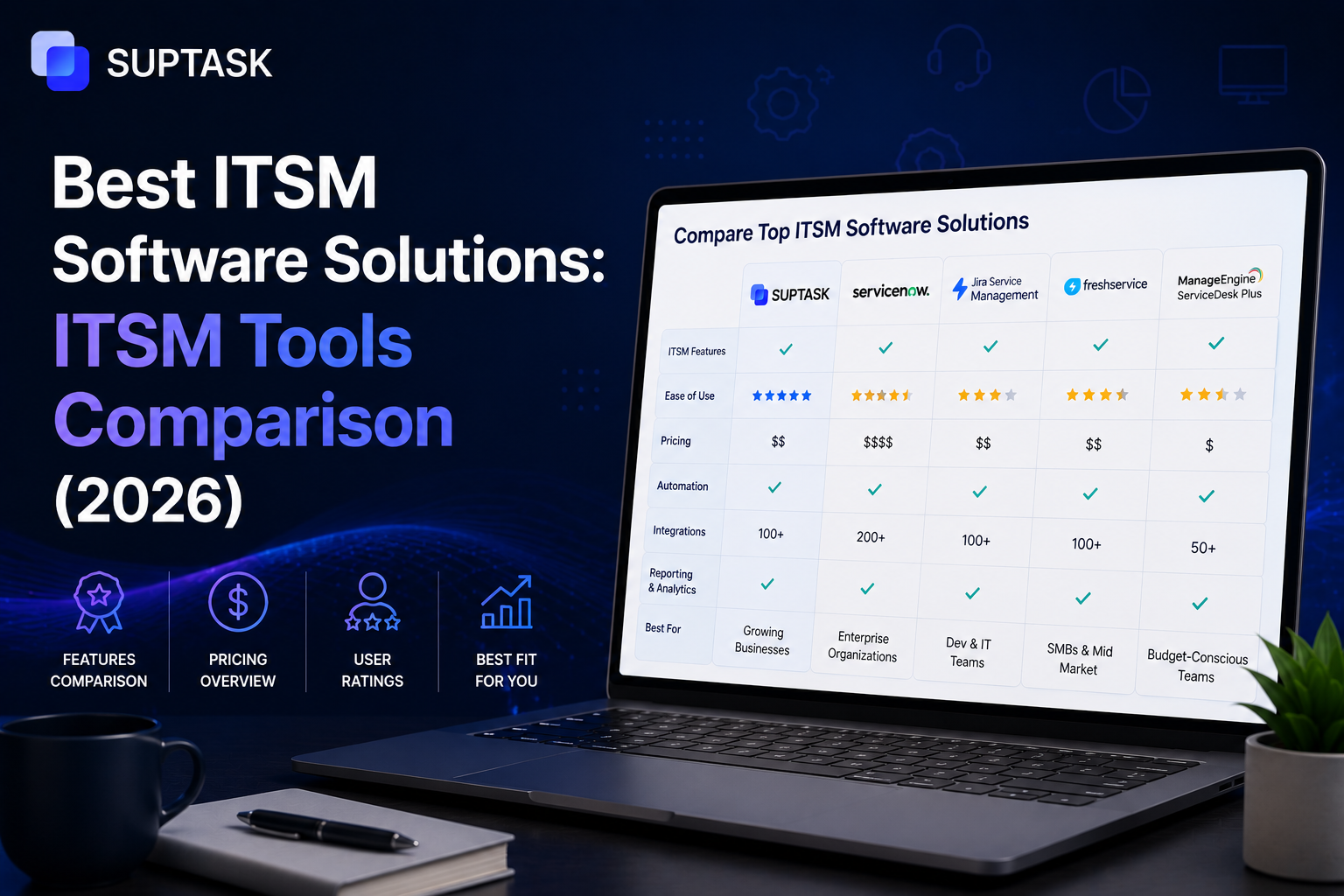
Quick comparison table
Here is the whole list at a glance before the details. Prices change often, and the enterprise platforms rarely publish them, so treat the figures as a guide and confirm with the vendor.
The leading ITSM platforms in 2026 (grouped by use case)
Best for large enterprises
ServiceNow IT Service Management: Best for large enterprises that want everything in one platform
ServiceNow has been the enterprise ITSM platform that was introduced in 2004, with ITSM as the core process. Later on, it matured into a complete, customizable platform built to run IT service management across a whole enterprise, which is also why it is expensive and slow to deploy.
Deployment and price: It has quote-based pricing tailored to your specific needs. The rollout usually takes 9 to 15 months.
ITIL coverage: It supports all 34 practices.
Key features:
- Full incident, problem, change, and request management.
- CMDB and asset management.
- Now Assist AI for routing, summaries, and agent help.
- Broad workflow automation across the IT estate.
- A very large integration and app ecosystem.
Pros: It has capabilities that enterprises might need, along with AI.
Cons: It is costly, the deployment is long, and you usually need consultants or dedicated admins to run it well.
Best for large, often regulated, enterprises with the budget and the time to do it properly.
BMC Helix ITSM: Best for enterprises that want heavy AI automation
BMC Helix is another enterprise alternative to ServiceNow, with a particular focus on AI and cognitive automation. It serves large organisations that need automation across IT operations and service management together.
Deployment and price: SaaS or hybrid, contact sales, enterprise-priced. Deployment usually runs six to twelve months.
ITIL coverage: Comprehensive.
Key features:
- Full ITIL practice coverage.
- AIOps and cognitive automation built in.
- Strong CMDB and discovery.
- Multi-cloud and hybrid support.
- Broad integrations.
Pros: Powerful automation, scales well, and is a ServiceNow competitor at the top end.
Cons: Enterprise pricing and complexity, and like ServiceNow, it is not affordable for small businesses.
It is the right choice for enterprises needed automation capabilities and are considering alternative for SerivceNow.
Ivanti Neurons for ITSM: Best for enterprises for assets and security
Ivanti Neurons for ITSM is an enterprise platform with features tailored around IT asset management and security, which fits Ivanti's background.
Deployment and price: SaaS, contact sales. Deployment is often quicker than ServiceNow, around three to nine months.
ITIL coverage: Broad.
Key features:
- ITIL practice coverage with ITAM.
- Security and patch management tie-ins.
- Automation and self-service.
- CMDB and discovery.
- Migration support from Cherwell.
Pros: Best choice for asset and security management, and a faster rollout.
Cons: It lacks capabilities when compared to ServiceNow, making it and the breadth can be more than mid-size teams need.
If you are looking for an IT asset and security management tool, then Ivanti could be the right choice for you to get started with.
Best for mid-market
Freshservice (Freshworks): Best for mid-market teams that want fast setup
Freshservice is a mid-market ITSM tool, known for being quick to set up and easy to use while still covering the core of ITIL. It is a good fit for teams that want an ITSM tool with the quickest rollout time.
Deployment and price: SaaS, from around $19/agent/mo. Deployment is measured in weeks, not months.
ITIL coverage: It offers support for core ITM practices.
Key features:
- Incident, problem, change, and request management.
- Freddy AI for triage and suggestions.
- Asset management.
- An intuitive self-service portal.
- Practical integrations.
Pros: fast to deploy, easy to use, and well priced for what it does.
Cons: Not as broad as ServiceNow, also cost may increase unexpectedly when you opt for higher tiers.
Freshservice is the best choice for mid-size enterprises with team sizes spanning from 200 to 2,000 employees, that want to have the quickest value out of their investment.
Jira Service Management (Atlassian): Best for Atlassian-stack organisations
Jira Service Management is often the preferred choice for teams that are already using the Atlassian stack, as it can be integrated with them easily.
Deployment and price: SaaS, free for up to 3 agents, then around $20/agent/mo. Deployment runs for weeks.
ITIL coverage: strong.
Key features:
- Incident, request, problem, and change management.
- Tight Jira and developer-tool integration.
- Slack and Teams intake.
- Built-in on-call.
- Atlassian Intelligence AI.
Pros: best choice for Atlassian users, bridges dev and ops, and is reasonably priced.
Cons: Most of the value depends on being in the Atlassian world, and it can get complex to configure well.
Best for mid-market and engineering-heavy organisations already on Jira.
SolarWinds Service Desk: Best for mid-market teams that want strong asset management
SolarWinds Service Desk is a solid mid-market ITSM tool with particularly good asset management, suiting teams that care about tracking their IT estate alongside their tickets.
Deployment and price: SaaS, roughly $19 to $99/agent/mo depending on tier. Deployment runs for weeks.
ITIL coverage: good on the core, with strong asset coverage.
Key features:
- Incident and request management.
- Strong asset and inventory management.
- AI-generated resolution summaries on higher tiers.
- A service catalogue and self-service.
- Integrations across common tools.
Pros: Good value, strong on assets, and quick to stand up.
Cons: Less comprehensive than the enterprise platforms, and the best AI features sit on the pricier tiers.
Best for mid-market teams that want ticketing and solid asset management together.
Best for DevOps-leaning IT teams
Two platforms stand out for engineering-heavy IT. Jira Service Management, covered above, is the natural choice if you live in the Atlassian stack and want IT and dev work side by side. The other comes at it from the incident angle.
PagerDuty Customer Service Ops: Best for incident-led IT operations
PagerDuty has been the right choice for service management by emphasizing incident and on-call management. Also, Customer Service Ops connects incident response to service operations, which suits teams whose IT work is dominated by uptime and incidents.
Deployment and price: SaaS, from around $21/user/mo. Deployment is fast, from days to weeks.
ITIL coverage: Partial, incident-focused rather than full ITIL.
Key features:
- Strong on-call and incident response.
- Alert correlation and AIOps add-ons.
- Integrations with monitoring and ops tools.
- Automation around incidents.
- Status and stakeholder comms.
Pros: Best-in-class incident handling and fast to deploy.
Cons: It is not a full ITSM platform, so you would pair it with one for the rest.
Best for DevOps-leaning teams where incidents, not service catalogues, are the centre of gravity.
Best for Slack and Teams-native operations
Suptask: Best for chat-first teams that want ITSM inside Slack
Suptask ITSM ticketing runs service management inside Slack itself, so tickets are created and worked on in the channels and threads where the team already is, with no separate portal. For chat-first organisations, that gives it the fastest time-to-value on this list.
Deployment and price: SaaS, from $15/agent/mo, with a free trial. Deployment is measured in days.
ITIL coverage: The core practices, mainly incident and request management, rather than the full 34.
Key features:
- Tickets created from Slack messages.
- Agents work in-thread.
- Routing and assignment.
- AI thread summaries and assisted replies.
- SLA tracking and integrations.
Pros: Almost no learning curve for a Slack-based team, very fast to adopt, and well-priced.
Cons: It is not a full enterprise ITSM platform, so a large regulated org would outgrow its scope, and it is built around Slack and Teams rather than a standalone portal.
Best for small-to-mid, chat-first teams that want service management without the weight of an enterprise platform.
Best for no-code / low-customisation needs
TeamDynamix ITSM: Best for teams that want no-code administration
TeamDynamix is built around codeless configuration, so IT teams can set up and change workflows without heavy consulting or developer help. It suits organisations that want a capable platform they can administer themselves.
Deployment and price: SaaS, contact sales. Deployment runs from weeks to a few months.
ITIL coverage: Broad.
Key features:
- Codeless workflow and form building.
- Incident, request, change, and problem management.
- Project portfolio management alongside ITSM.
- Self-service and automation.
- Integrations.
Pros: easy to administer without consultants, and it combines ITSM with project management.
Cons: smaller ecosystem than the big names, and pricing is sales-only.
Best for mid-size organisations that want to run and change the platform in-house, without a consulting dependency.
AI in ITSM: what's real and what's marketing in 2026
Every ITSM vendor now puts AI on the front of the box, so it is good to separate what the AI actually does from what is just a label.
- Auto-categorisation and routing: The common AI feature that almost every platform offers, which ensures that the ticket is routed to the right agent.
- Suggested resolutions and draft replies: The AI drafts an answer from past tickets and the knowledge base, which saves agents time.
- Predictive incident detection: Identifying anomalies and flagging a likely incident before it breaches an SLA.
- Conversational ITSM: Creating and querying tickets in plain language, instead of filling in a form.
- Post-incident summarisation: AI can turn a long thread into a first draft of the postmortem.
- Knowledge base auto-generation: Turning resolved tickets into reusable knowledge-base articles.
So, which platforms actually lead in AI right now? In 2026, the front-runners are ServiceNow with AI platform Freshservice with Freddy AI, and Jira Service Management with Atlassian Intelligence, along with some of the newer chat-native tools. A lot of the "AI ITSM" claims from smaller vendors are really a thin layer over old rules-based automation, so it pays to look past the label.
How to choose ITSM software for your organization?
The best practice to choose an ITSM software is to learn about your requirements and match them with the capabilities that a tool has to offer.
- Large enterprise, regulated, big budget: ServiceNow or BMC Helix, and plan for a 9 to 15-month deployment.
- Mid-market, 200 to 2,000 employees, modest budget, fast adoption needed: Freshservice or Jira Service Management.
- Already on the Atlassian stack: Jira Service Management is the obvious choice.
- Engineering-heavy, DevOps-aligned IT: Jira Service Management or PagerDuty Customer Service Ops.
- Slack-first or Teams-first: Suptask or a similar chat-native platform.
- Need to extend to ESM (HR, Finance, Facilities) soon: ServiceNow, Freshservice, and Jira Service Management all extend well, and TeamDynamix has a no-code advantage here.
- Microsoft-heavy stack: Microsoft has no native enterprise ITSM platform of its own, so the closest fit is usually ManageEngine ServiceDesk Plus.
- Regulated and need certifiable ITAM: ServiceNow with an ISO 19770-compliant module.
SaaS ITSM vs on-premise: what's changed in 2026
Nowadays, every ITSM tool available is working on a SaaS model. SaaS ITSM means the platform runs in the vendor's multi-tenant cloud, with the vendor managing the infrastructure, so you are not hosting or patching anything yourself.
SaaS has become a preferred choice for many reasons. It deploys faster, the pricing is predictable, updates land automatically without an upgrade project, and it connects far more easily to the other SaaS tools you already use. For most teams, that combination settled the question years ago.
On-premises ITSM tools are still being used by some of the companies across industries. For example, regulated industries still need it, parts of defence, government, and healthcare, along with organisations that have strict data residency rules or very specific customisation needs that the cloud version cannot meet. For them, keeping the platform in-house is a real requirement, not a preference.
Hybrid deployments sit in between and are increasingly rare. They mostly show up where an organisation is partway through moving off a legacy on-premise platform and is running both for a while.
For nearly every new ITSM deployment in 2026, though, SaaS is the default, and the real question is which SaaS platform, not whether to go SaaS at all.
Common pitfalls in ITSM tool selection
While making a selection of ITSM platforms, you should practice avoiding a few of the challenges, such as:
- Buying for features no one will use: Most platforms support all 34 ITIL practices, but most organisations only ever implement five to eight. Therefore, pay for what you will actually run, not the full list.
- Underestimating deployment time and consulting cost: At the enterprise end, the consulting often costs more than the licence, and a real rollout takes nine to fifteen months, not the three to six that vendors like to suggest.
- Choosing RFP scoring instead of actual workflows: A feature-by-feature RFP tells you what a platform can do, but not how well it fits the way your team actually works. Those are not the same thing.
- Ignoring where users file requests: Buying a portal-based platform when your team lives in chat is a reliable way to get low adoption. People use what is in front of them.
- No clear ESM roadmap: A lot of ITSM buyers end up extending to HR, Finance, and Facilities later. Check that the platform can do that without a major re-architecture before you commit.
- Picking the cheapest tier and growing into surprise costs: Entry pricing often leaves out the AI, the advanced workflows, and the audit features, which are exactly the things you need at scale. Read the whole pricing matrix.
- Trusting the demo AI: AI features that look brilliant in a demo often fall apart on real tickets. Test them on your own data before you believe the pitch.
Frequently asked questions
Does Microsoft have a native ITSM solution?
Not really. Microsoft does not sell a dedicated enterprise ITSM platform of its own. Teams on the Microsoft stack sometimes build something lighter on top of Power Platform and Dynamics, but for a full ITSM tool, they usually turn to a Microsoft-aligned third party. ManageEngine ServiceDesk Plus is the common choice, and most major ITSM platforms integrate with Microsoft Teams and Entra ID anyway.
What's the leading AI/ITSM platform in 2026?
There is no single winner, but the clear front-runners are ServiceNow with Now Assist, Freshservice with Freddy AI, and Jira Service Management with Atlassian Intelligence. The newer chat-native tools are moving fast, too such as Suptask. The more important point is to judge the AI on your own tickets, since a lot of "AI ITSM" is a thin layer over older rules-based automation.
How long does an ITSM platform implementation typically take?
It depends entirely on the platform. A lightweight or chat-native tool can be live in days, and a mid-market platform like Freshservice or Jira Service Management in a few weeks. A full enterprise rollout of ServiceNow or BMC Helix is a different scale, usually nine to fifteen months, once you account for configuration, integration, and the consulting around it.
What's the typical cost range for enterprise ITSM software?
Enterprise ITSM is rarely priced openly, so treat any number as a starting point. Mid-market tools tend to sit around $19 to $50 per agent a month. Enterprise platforms like ServiceNow usually start near $100 per user a month and climb from there, and the consulting to deploy them often costs more than the licences themselves.
Can ITSM software extend to non-IT departments (HR, Finance)?
Yes, and many organisations do exactly this. Extending service management beyond IT, into HR, Finance, Facilities, and others, is called Enterprise Service Management, or ESM. ServiceNow, Freshservice, and Jira Service Management all extend well. If this is on your roadmap, confirm the platform can do it without a major re-architecture before you buy.
What's the difference between ITIL v3's 5 stages and ITIL 4?
ITIL v3 described service management as a five-stage lifecycle: Strategy, Design, Transition, Operation, and Continual Service Improvement. ITIL 4, the current version, moved away from that fixed lifecycle to the Service Value System, which is built around the Service Value Chain and a set of management practices. The short answer is that the five stages are older v3 terminology, and ITIL 4 thinks in terms of value instead of a linear lifecycle.