


Microsoft Entra Slack Integration for IT Help Desks
Suptask’s Slack integration with Microsoft Entra ID lets your IT help desk handle Entra ID accounts from tickets in Slack, onboarding and offboarding included.
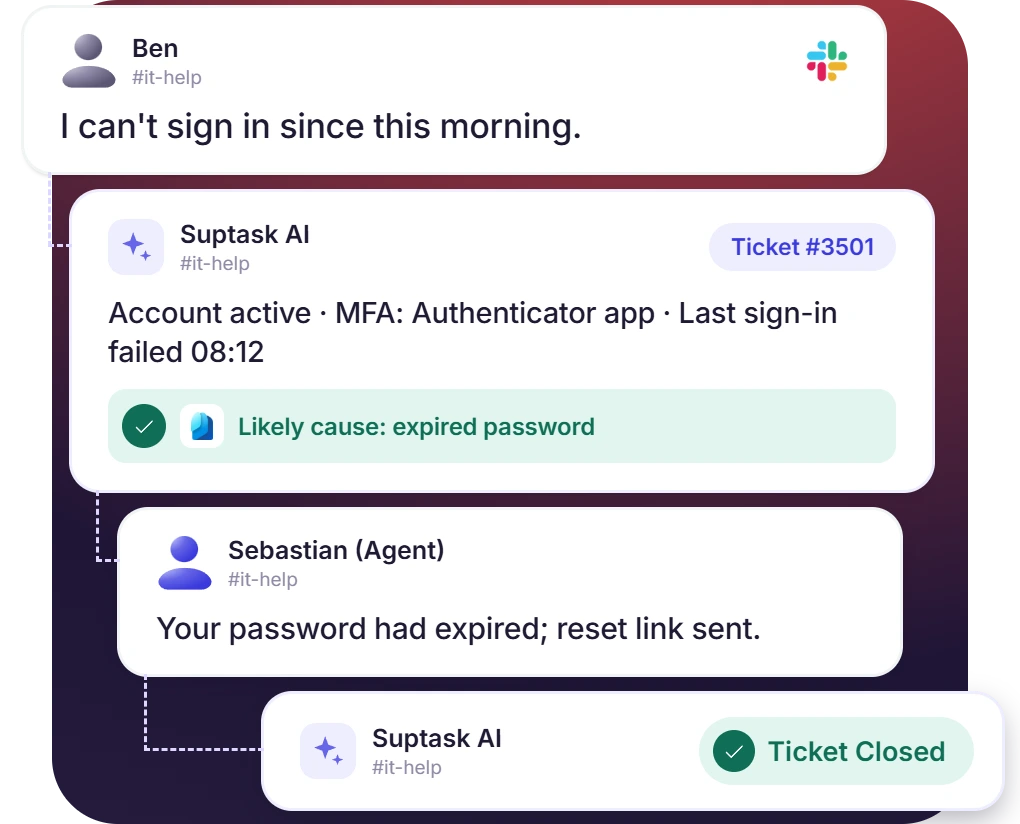











Know Who Is Asking Before Anyone Picks Up the Ticket
- Job title, department, group membership, read out of the account record in Entra ID
- The Assistant runs on a trigger like ticket created, and an agent can also call it with @Suptask on the ticket
- Account status, last sign-in, MFA methods, reported by the template, with unexpected locations flagged to an agent
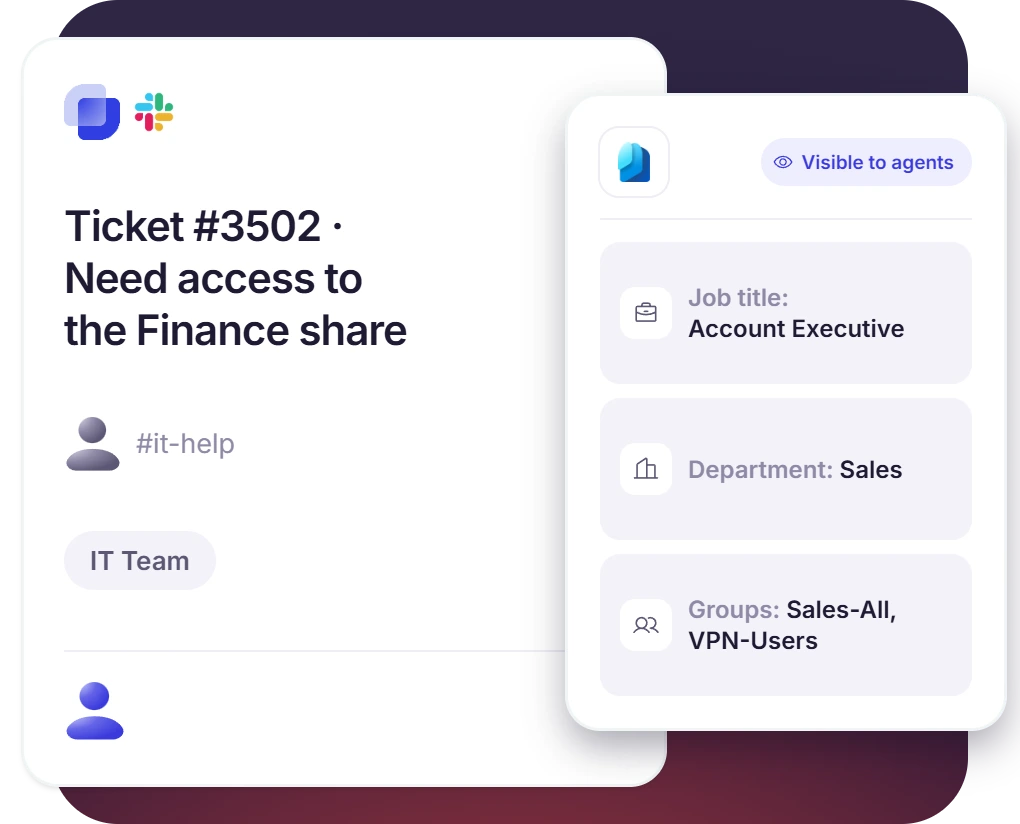
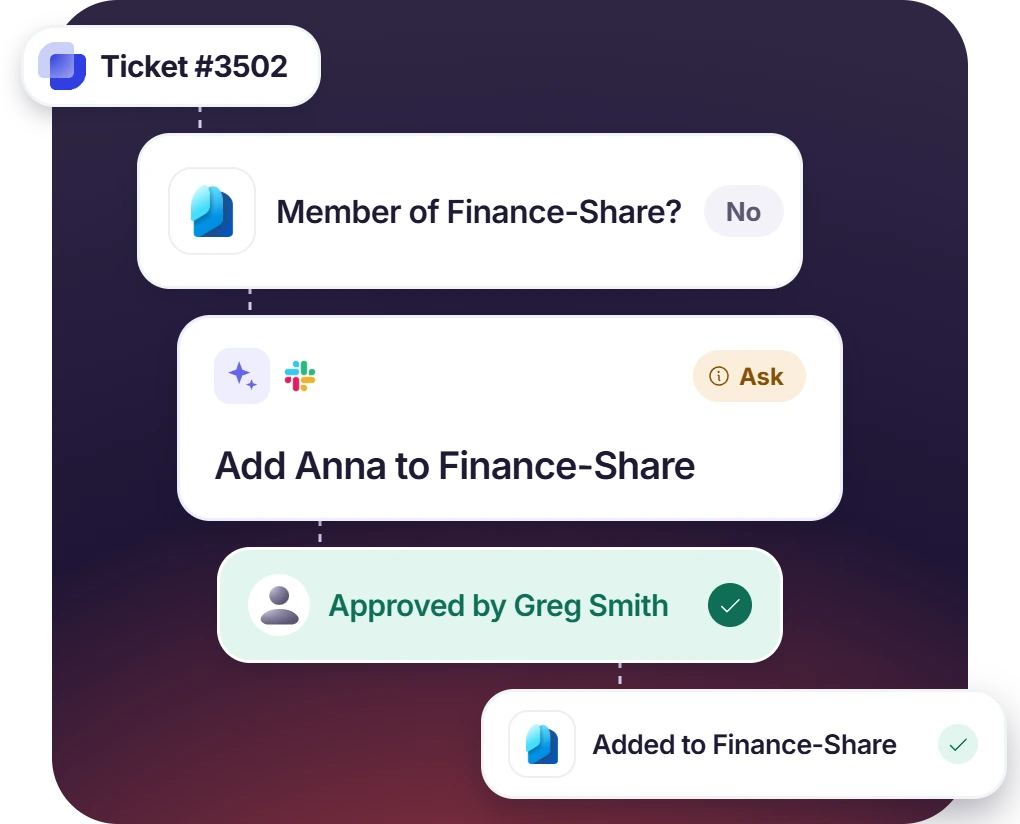
Assistant Checks a Request and Prepares the Change
- Assistant adds the user to the group named in the request, once the account details are confirmed
- Assistant adds the user to the group named in the request, once the account details are confirmed
- Approvals can be turned on for the requests that need a formal sign-off
When Someone Joins or Leaves, the Account Changes in Slack
- Assistant creates a new starter’s account and adds them to the right groups
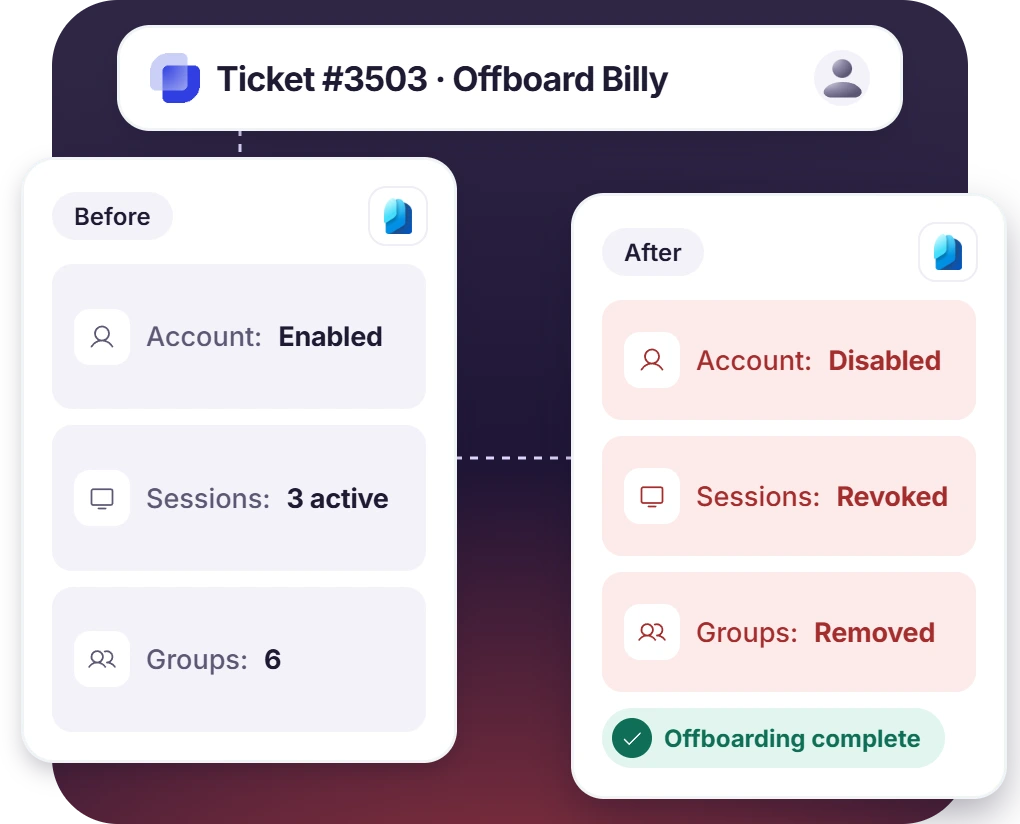
- A leaver’s account is disabled, with the sign-in sessions revoked and the memberships removed
- Multi-step work gets reported back on the ticket as the Assistant goes through it
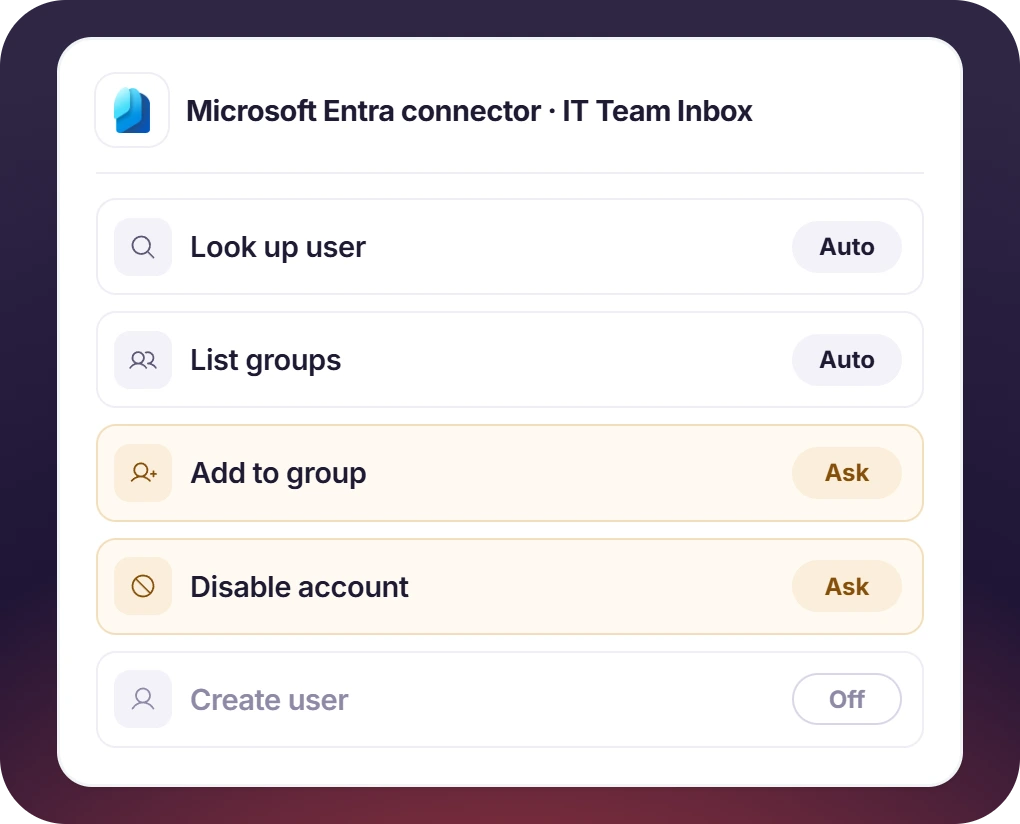
Directory Access Stays Within What the Admin Granted
- Application permissions, granted with admin consent, are what the connector runs on
- Every tool carries one of three settings, Auto, Ask, or Off
- Auto for lookups, Ask for anything that changes the directory
How Microsoft Entra Slack Integration Works
Setup
Ask
Resolve

What You Need to Connect Microsoft Entra ID to Slack Tickets

App registration
Register a single tenant app in Microsoft Entra admin center. No redirect URL is needed as Suptask authenticates as the app.

Client secret
Create the secret and copy the Value that appears, since the Secret ID is a different field. The connector stops when the secret expires.

Graph permissions with admin consent
Application permissions get added in Microsoft Graph, then admin consent is granted. Read-only is the safer start.

Suptask’s custom plan
The Microsoft Entra connector is part of AI Assistants, which are on the Custom plan. Additional cost may apply.
What IT teams on Microsoft Entra improve with Suptask
Built for Teams Who Manage Access in Entra ID
IT help desk

HR and people teams

Teams adopting AI safely

Already trusted by fast-moving support teams.



Turn Slack into a help desk connected to the tools you already use
Frequently asked Questions
How do I connect Microsoft Entra ID to Slack with Suptask?
An admin registers the application in the Microsoft Entra admin center, and it has to be registered as a single tenant. Then a client secret is created, and its value should be copied. The Microsoft Graph permissions are added as Application permissions, and admin consent is granted for them. After that, the Tenant ID, the Application ID, and the secret value are pasted into the Microsoft Entra connector, and you can choose which tools the Assistant is allowed to use.
No, it is not the same thing. The single sign-on of Slack with Entra ID is about how your people are signing in to Slack. Suptask’s Microsoft Entra Slack integration is used after that, and it helps your Slack help desk to look up the Entra ID accounts and manage them from the IT tickets. Signing in to Suptask’s own web app with SSO is a separate feature which is available on the Growth and the Custom plans.
It can read the users, the groups, and the group memberships. When write permissions are granted, it can also create and update the users, enable or disable the accounts, revoke the sign-in sessions, and manage the group memberships. Password reset and MFA change are not available in this connector.
Yes, there is a ready-made Assistant template for this. It reports the account status, the last successful sign-in, the registered MFA methods, and one fix is proposed by it. If the failed sign-ins are coming from unexpected locations, then no fix is proposed, and a possible security issue is flagged to an agent instead.
The Graph permissions you grant are the outer limit, as the connector cannot do anything which is outside of them. Each tool is also set to Off, Ask, or Auto for each Assistant separately. When the write tools are set to Ask, every change is reviewed by an agent before it is made in Entra ID.
It is the Custom plan. The directory connectors like Microsoft Entra are a part of AI Assistants, and AI Assistants are available on the Custom plan only, where an additional cost may apply. The Suptask pricing page has the details of the other plans. You can book a demo and get it scoped for your team.



