


HubSpot Slack Integration Brings Customer Context to Every Ticket
Suptask’s Slack HubSpot integration puts the customer’s company, deals, and owner on the ticket for agents. HubSpot can be updated from the conversation when you allow it.
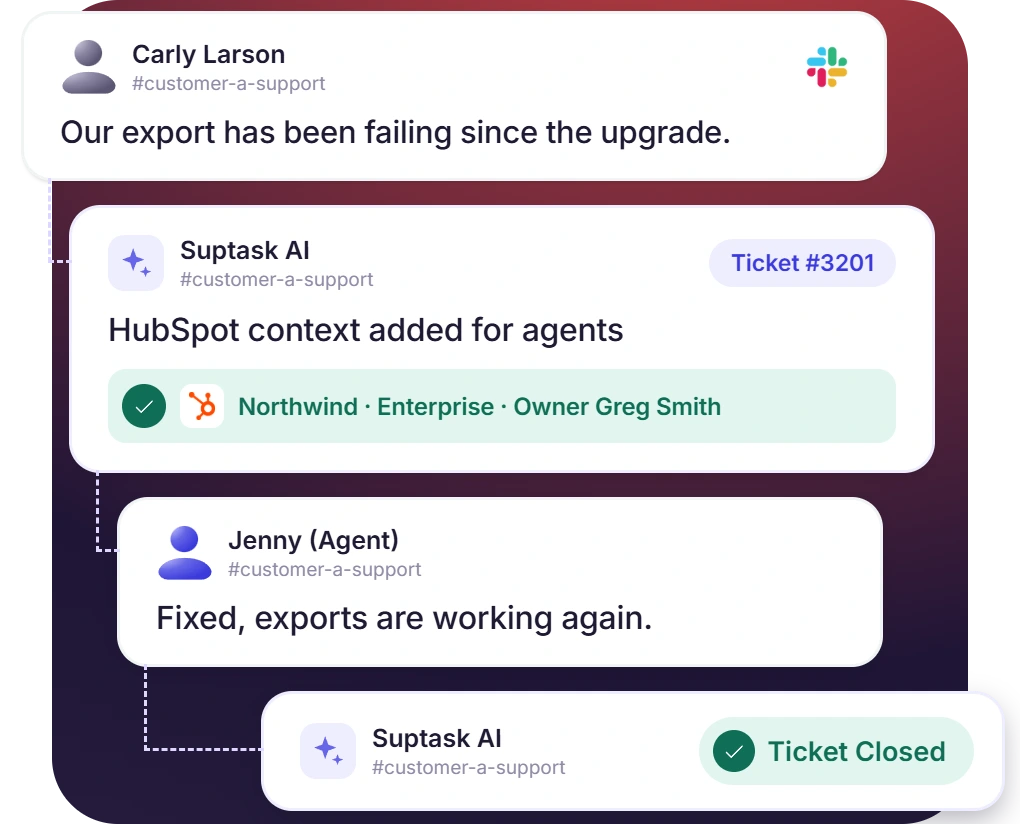











Slack Tickets With HubSpot Customer Context
- On a new ticket, the Assistant can look up the requester in HubSpot
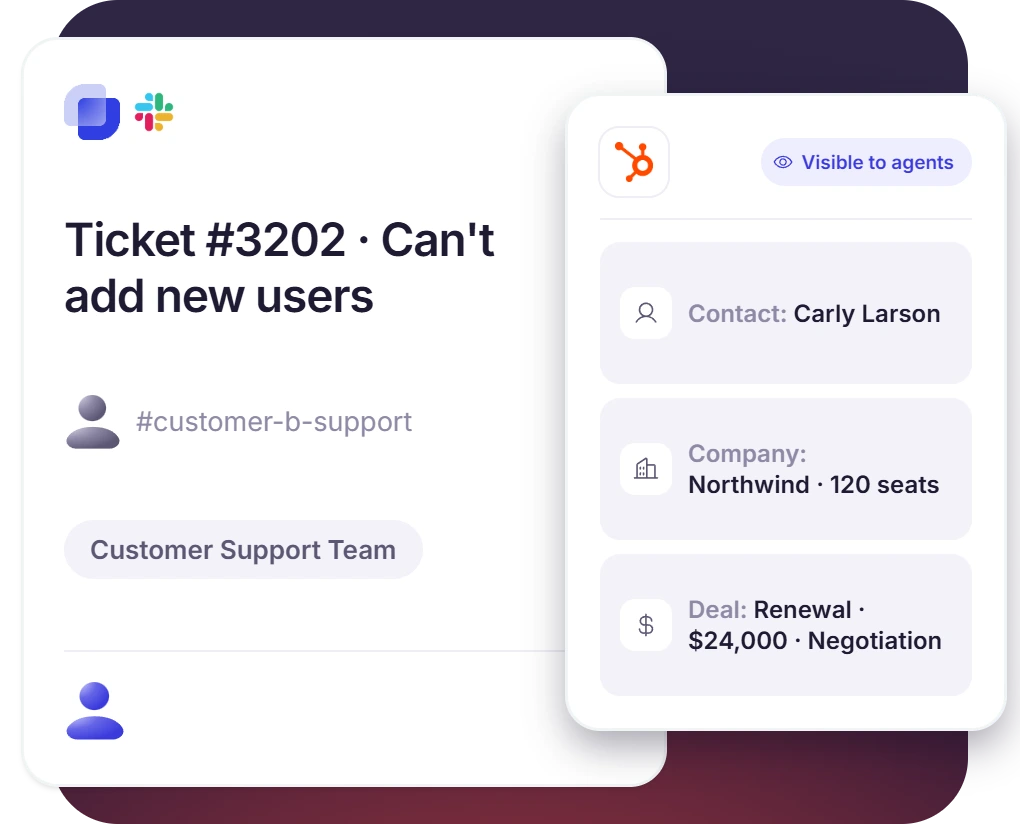
- The ticket gets the contact, company, and deals that are on that record
- Agents see the context by default
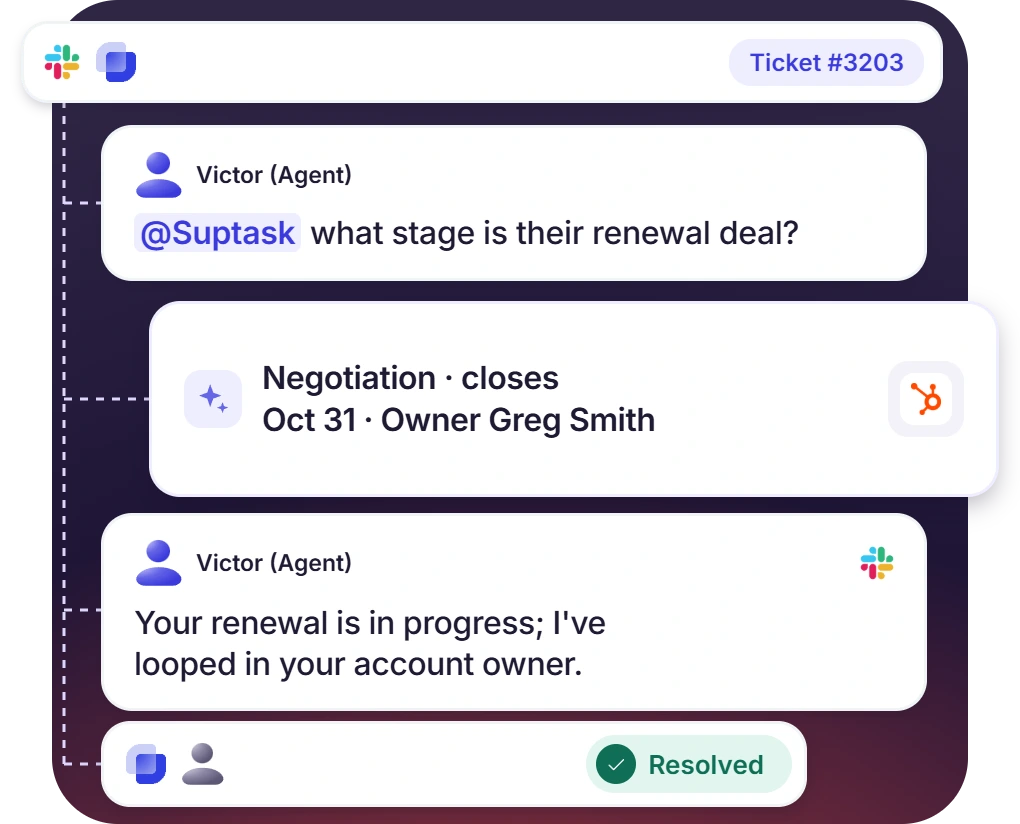
Customer Account Questions Answered in the Ticket Thread
- Agents mention @Suptask in the thread to ask about the plan or the renewal date
- Slack integration with HubSpot answers from the CRM in the ticket thread
- Sales and support work from the same HubSpot record
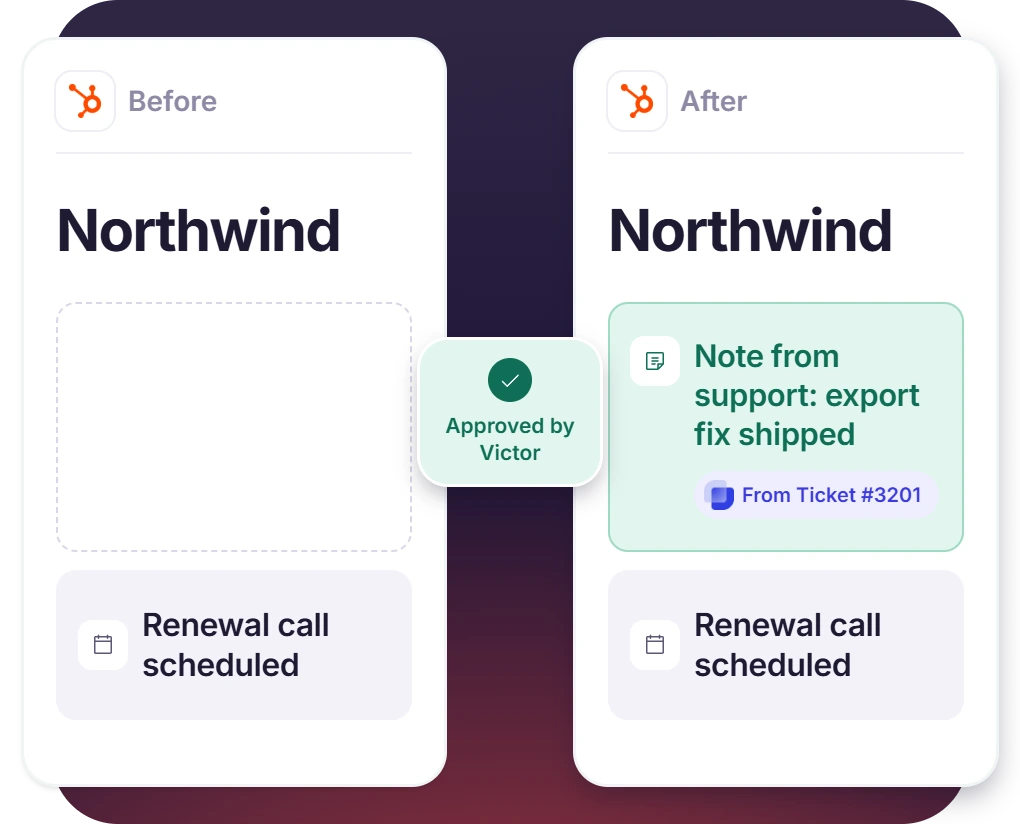
Agents Log the Outcome Back to HubSpot From the Ticket
- A note on the contact, property update, or follow-up, all written from the thread
- Slack conversations become HubSpot tickets, and updates sync both ways
- Each write tool can be left on Ask, which holds the change until an agent approves it
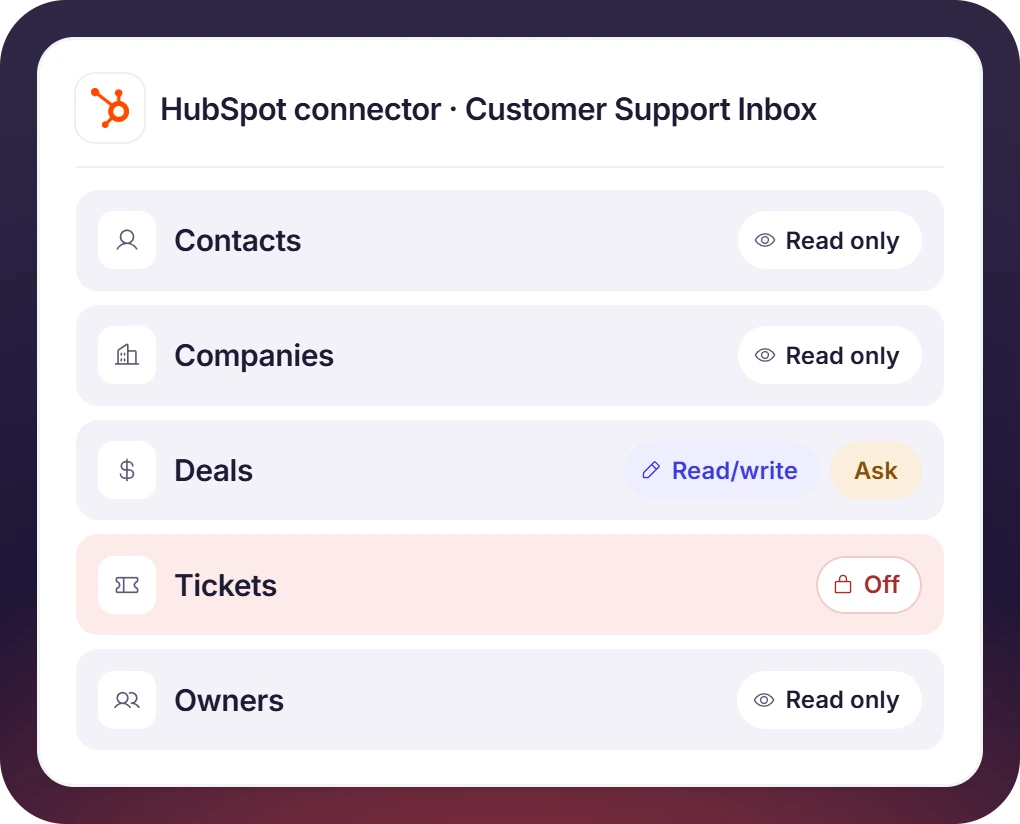
Control What Suptask Can Read and Change in HubSpot
- Contacts, companies, deals, and tickets can be read-only or read/write, with owners read-only
- Each inbox connector has its own permissions, so support can read while sales can update deals
- You can begin with read-only and can add write access later
How HubSpot Slack Integration Works
Setup
Ask
Resolve

What You Need to Connect HubSpot to Slack Tickets

Suptask admin
An admin in Suptask opens the inbox and adds HubSpot under the AI Assistant’s connectors.

HubSpot developer app
The OAuth app is created in the HubSpot developer account, with Suptask’s redirect URL added to it.

HubSpot Super Admin
HubSpot only lets Super Admins install an app, so your account’s Super Admin has to sign in to authorize the integration.

Suptask custom plan
Suptask’s custom plan covers CRM integrations, and each configured integration is priced on its own.
What support teams working from HubSpot improve with Suptask
Built for Teams Who Support HubSpot Customers
B2B customer support

SaaS customer success

Billing and finance

Already trusted by fast-moving support teams.




Turn Slack into a help desk connected to the tools you already use
Frequently asked Questions
How do I connect HubSpot to Slack with Suptask?
For this, you need an OAuth app, which is created in your own HubSpot developer account. On that app, you should add the redirect URL of Suptask and select the scopes. No webhook is needed here. The Client ID and the Client Secret are pasted into the HubSpot connector of an Inbox. Only a HubSpot Super Admin is able to authorize it, and the steps are given in the HubSpot connector documentation.
HubSpot has its own Slack app also, it is used for sending HubSpot notifications in Slack. The HubSpot Slack integration of Suptask does a different job, it brings the customer details on the ticket itself, inside your Slack ticketing system. Notifications in the channels are not a part of it.
The agents are able to see the contacts, the companies, the deals, the HubSpot tickets, and the record owners, it depends on the permission you have given on the connector. For the owners, it is always read-only. Questions like the plan of a customer or the stage of a deal can be asked from the ticket itself.
Only when the read/write permission is given on that object. After that, the Assistant can log a note on a contact, update a property, or create a follow-up task also. A HubSpot ticket can be created from a Slack conversation, with the updates kept in sync on both sides. Every tool has a mode, if it is set to Ask, then the agent has to approve the change.
Yes, that is possible. The HubSpot connector is added per Inbox, so one Inbox does not get the access of another one. A customer support Inbox may be given only the read access, and for a sales support Inbox you can allow the write on deals also. An internal Inbox can be kept without any connector.
The CRM integrations are a part of the Custom plan, and HubSpot is included in it also. The pricing is done per configured integration, so some additional cost may come. For your team the scoping is done in a demo, so you should book one.



