


The Google Workspace Slack Integration for IT Help Desks
Suptask's Slack Google Workspace integration connects your IT help desk to your Google directory. Look up accounts, handle access requests, and onboard or offboard people from the ticket in Slack.











Account Context From Your Google Directory
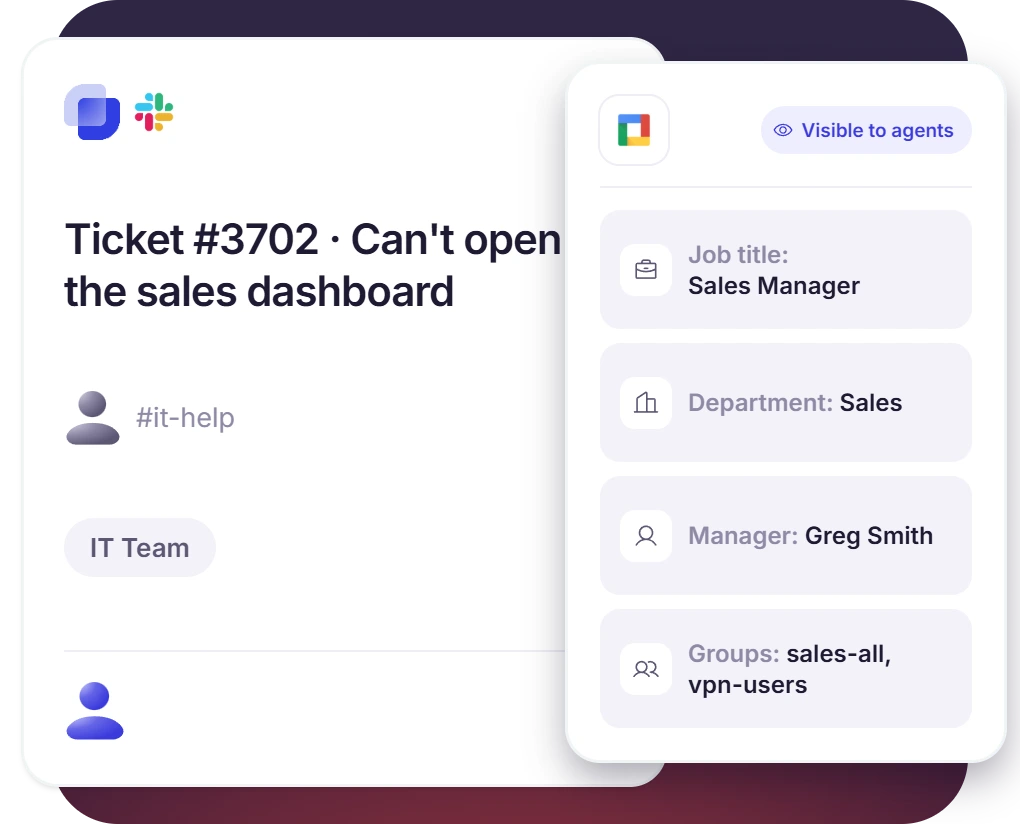
- The Assistant reads the requester's job title, department, manager, and groups
- The details are posted for agents before anyone picks up the ticket
- Add PDQ Connect to put the requester's device in the same summary
Access Requests for Groups and Shared Drives
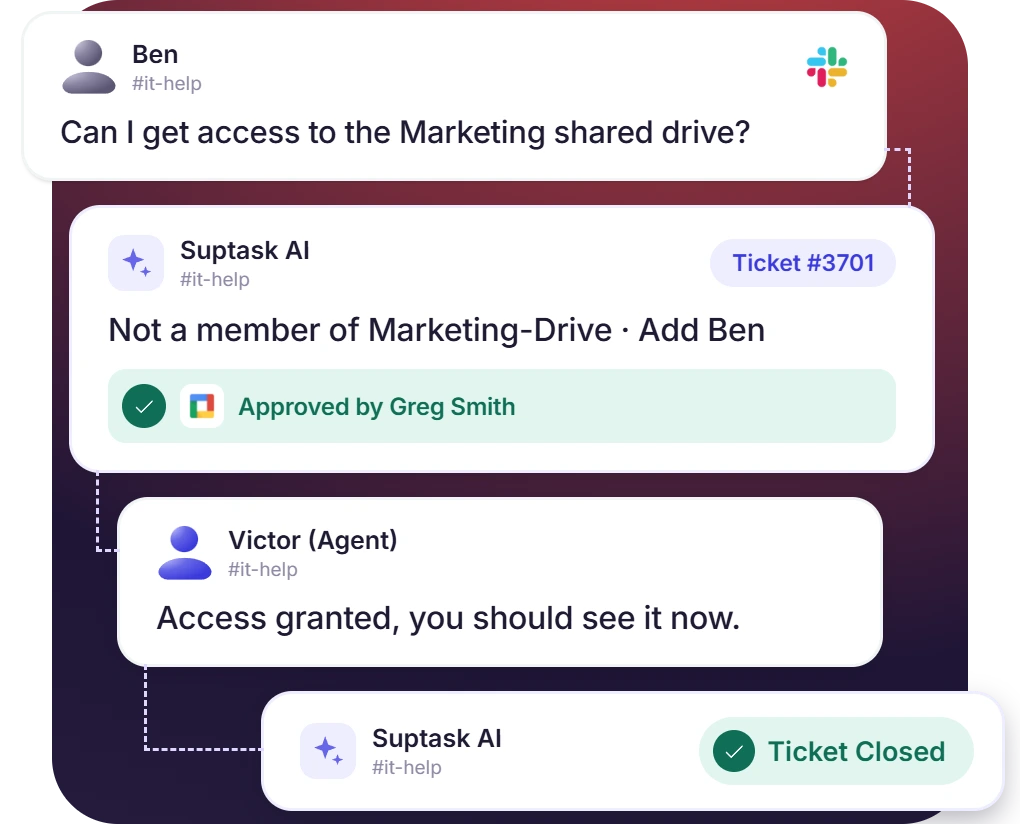
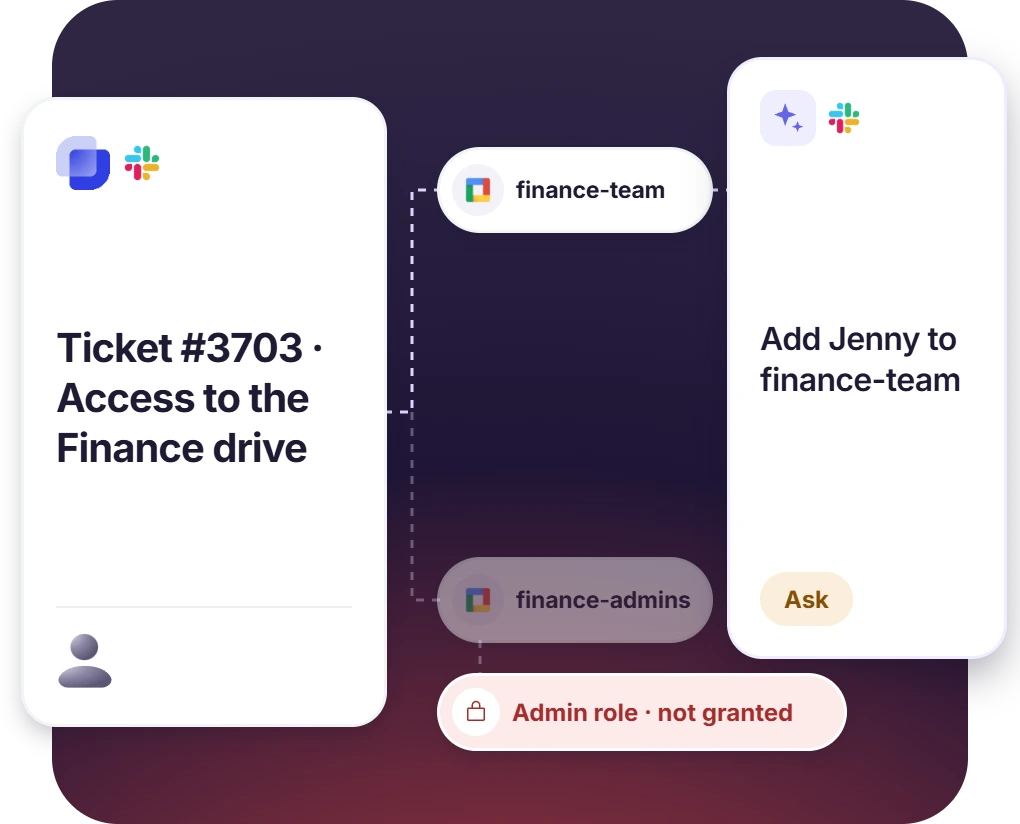
- Grant access to a shared drive, group, or other resource after confirming who's asking
- The ready-made template checks membership first and never grants admin or owner roles
- Combine with Approvals when access needs a manager's sign-off
Onboarding and Offboarding From the Ticket
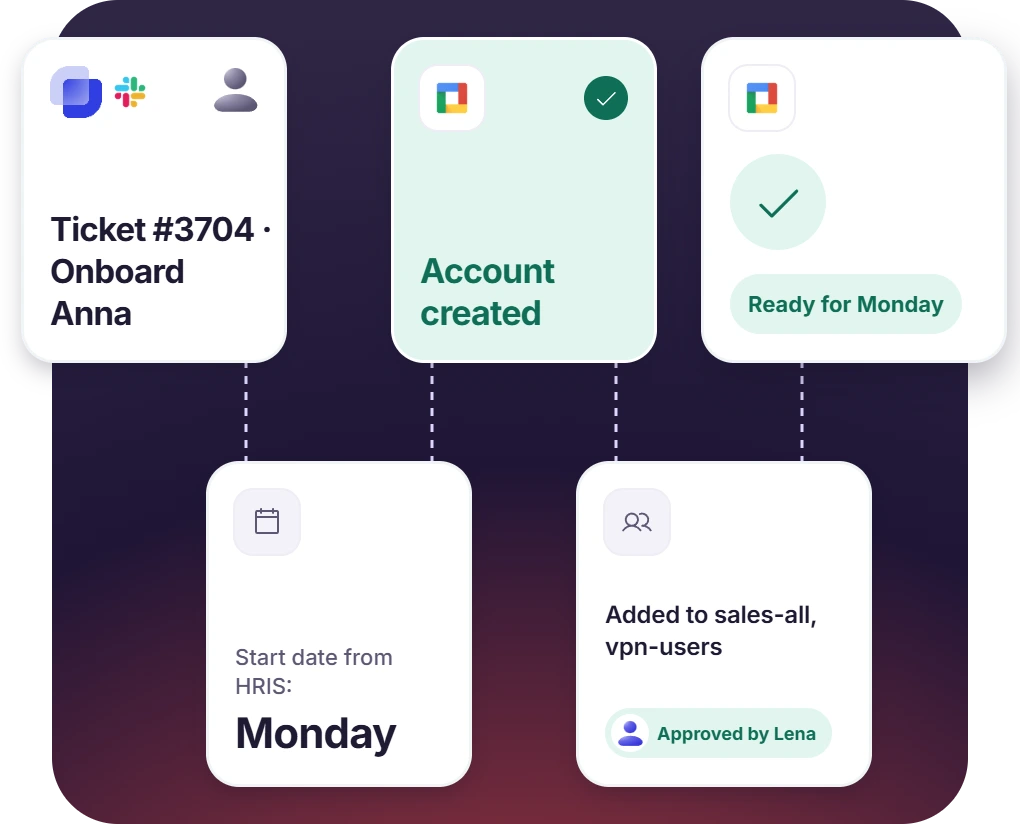
- Create a new starter's account and add them to the department's standard groups
- Suspend a leaver's account and revoke their access
- The offboarding template lists groups and owned resources, and flags what a person must handle
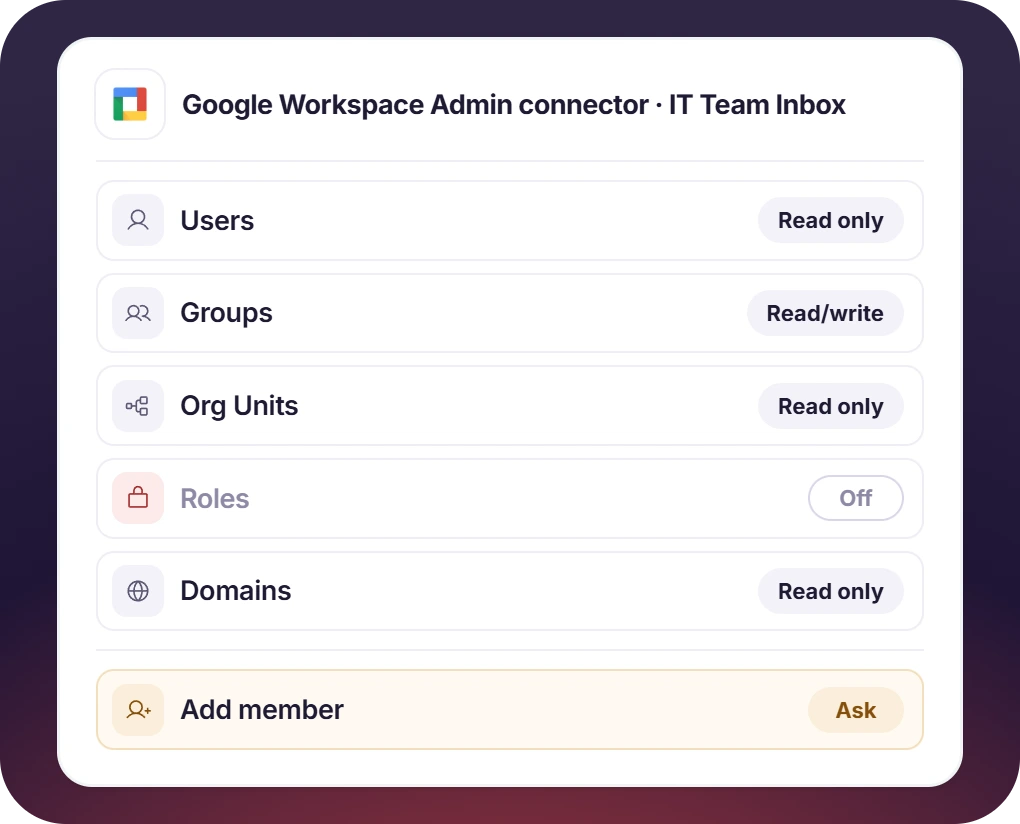
Control What Suptask Can Change
- Grant read-only or read/write access to users, groups, org units, and roles
- Each tool is set to Auto, Ask, or Off for each Assistant
- Start read-only, and grant write access later from the connector
How the Google Workspace Slack Integration Works
Setup
Ask
Resolve

What You Need to Connect Google Workspace to Slack Tickets

The Admin SDK API
Enable it in your Google Cloud project, because the connector reads your directory through it.

An Internal OAuth Client
Set the consent screen audience to Internal, create a Web application client, and copy its Client ID and Secret.

A Workspace Admin to Authorize
Sign in with a Google Workspace admin account that has the privileges for the data you choose to grant.

The Custom Plan
Directory connectors, including Google Workspace, are on the Custom plan. Additional cost may apply.
What IT teams on Google Workspace improve with Suptask
Built for Teams Who Run on Google Workspace
IT Help Desks

HR and People Teams

Small IT Teams

Already trusted by fast-moving support teams.



Turn Slack into a help desk connected to the tools you already use
Frequently asked Questions
How do I connect Google Workspace to Slack with Suptask?
Create an OAuth client in the Google Cloud Console with the Admin SDK API enabled. Then paste its Client ID and Client Secret into the Google Workspace Admin connector in Suptask. Choose the permissions to grant, and authorize with a Google Workspace admin account.
No. The Gmail integration turns emails to your support address into tickets. The Google Workspace Slack integration connects your Google directory instead. Your Slack help desk can then manage accounts, groups, and access from IT tickets.
No. Signing in to Slack with Google is set up in Slack and the Google Admin console. This integration lets Suptask read and manage directory accounts from tickets. Signing in to Suptask's own web app with SSO is a separate feature on the Growth plan.
With read access, it can view users, groups, memberships, org units, roles, and domains. With read/write access, it can create, update, suspend, or delete users and manage groups, memberships, org units, and roles.
Grant only the permissions your team needs, starting with read-only. Then set each tool to Off, Ask, or Auto for each Assistant. Setting changes to Ask means an agent approves each one before it's made.
Directory connectors, including Google Workspace, are on the Custom plan, and additional cost may apply. Book a demo to scope it for your team.



