DevOps Lifecycle Guide
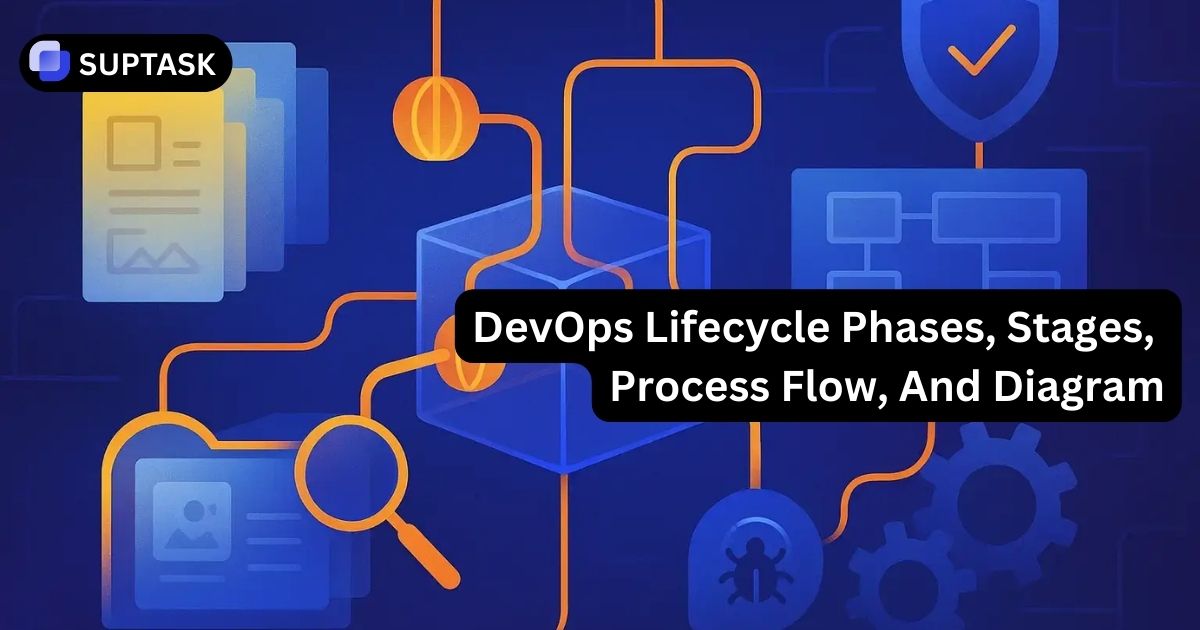
The DevOps lifecycle is a continuous loop that helps teams plan work, write code, build and test changes, release safely, deploy reliably, operate services, and learn from production.
8
Core Phases In The Common DevOps Lifecycle Model
1
Continuous Feedback Loop Back Into Planning
4
Lifecycle Threads, Collaboration, Automation, Security, Observability
24/7
Production Signals Feeding Better Decisions And Safer Releases
Quick List Of DevOps Lifecycle Stages
This is the fast version. If you only need the phase order for a diagram, training deck, or top-of-page list, these are the stages most teams recognize immediately.
01
Plan
Set priorities, define scope, and decide what the team should build next.
02
Code
Write application logic, tests, configuration changes, and infrastructure definitions.
03
Build
Turn source code into a repeatable artifact such as a package, image, or binary.
04
Test
Check functionality, reliability, security, and performance before promotion.
05
Release
Approve the version, package it, and define how exposure will be controlled.
06
Deploy
Roll the approved version into the target environment with rollback options ready.
07
Operate
Run the service, manage incidents, handle scale, and keep the environment healthy.
08
Monitor
Read logs, metrics, traces, and user impact, then feed that insight back into planning.
Some teams split discovery from planning, and some merge release with deploy. The names can shift, but the logic stays the same: move small changes through a repeatable loop, measure what happened in production, and start the next cycle with better information.
What The DevOps Lifecycle Actually Means
The DevOps lifecycle is the full path from idea to production and back again. It connects planning, coding, testing, delivery, operations, and feedback so teams can ship more often without treating production as an afterthought.
Why Teams Use A Lifecycle Model
Without a lifecycle, work gets stuck in handoffs. Development finishes code, operations inherits the risk, and the feedback arrives too late to help the next release. A real DevOps loop reduces wait time, shortens change size, and makes collaboration as intentional as technical delivery.
Why It Is Shown As A Loop Instead Of A Straight Line
The last stage is never the real end. Once a service is live, runtime signals, incidents, latency, customer feedback, and business outcomes all become inputs for the next planning cycle. That is why the DevOps lifecycle diagram is usually circular or infinity-shaped rather than linear.
DevOps Lifecycle Tools Used In Each Phase
Understanding the DevOps lifecycle is easier when you connect each stage to the tools that typically support it. While every organization uses a different stack, most DevOps pipelines rely on similar categories of tools that automate planning, coding, testing, deployment, and monitoring.
The goal is not to collect as many tools as possible. The goal is to build a workflow where each stage of the lifecycle passes information cleanly to the next stage.
Planning Tools
Planning tools organize work and help teams prioritize what should enter the lifecycle next.
Common capabilities include:
- backlog management
- sprint planning
- roadmap visibility
- collaboration between engineering and product teams
Many teams manage planning tasks inside issue tracking systems or Agile platforms so work items can move directly into development workflows.
Coding And Version Control Tools
The coding stage is supported by version control platforms that track every change to the system.
These platforms provide:
- branch management
- pull request reviews
- commit history
- collaboration between developers
Version control is critical because it allows teams to trace every change through the rest of the lifecycle.
Build And Continuous Integration Tools
Build systems and CI pipelines automate the process of turning source code into artifacts that can be tested and deployed.
Typical CI capabilities include:
- automated builds triggered by commits
- dependency resolution
- artifact generation
- automated testing pipelines
Continuous integration ensures every change is validated early rather than accumulating risk until release time.
Testing And Quality Tools
Testing tools verify that a change works as expected before it moves forward in the lifecycle.
These tools typically run:
- unit tests
- integration tests
- security scans
- performance validation
Automated testing is essential for maintaining release velocity without sacrificing reliability.
Deployment And Release Tools
Deployment tools automate the process of promoting code into environments such as staging or production.
Common capabilities include:
- environment configuration
- container orchestration
- rollout strategies such as blue-green or canary deployments
- rollback automation
Automated deployment pipelines reduce human error and make releases predictable.
Monitoring And Observability Tools
Monitoring tools track what happens after deployment so teams can detect issues quickly.
These tools collect:
- metrics
- logs
- traces
- performance signals
- user behavior data
Observability platforms turn these signals into alerts and dashboards that guide operational decisions.
When these tools are connected properly, the DevOps lifecycle becomes a continuous system instead of isolated tasks performed by different teams.
DevOps Lifecycle Maturity Levels
Not every organization runs the DevOps lifecycle the same way. Some teams only automate builds and deployments, while others operate fully automated pipelines with continuous monitoring and feedback.
DevOps maturity models describe how teams evolve from manual workflows to fully integrated lifecycle systems.
Level 1: Manual Delivery
At the earliest stage, development and operations work separately.
Typical characteristics include:
- manual builds
- manual deployments
- limited automation
- slow release cycles
Teams may still follow the lifecycle conceptually, but most steps require manual coordination.
Level 2: Continuous Integration
In the next stage, teams introduce continuous integration pipelines.
This usually means:
- automated builds triggered by commits
- automated unit testing
- version-controlled infrastructure
CI reduces integration problems and makes development safer.
Level 3: Continuous Delivery
Continuous delivery expands automation into release and deployment processes.
At this stage teams typically have:
- automated deployment pipelines
- repeatable environment provisioning
- consistent artifact management
Releases become more frequent and less risky because the delivery pipeline is standardized.
Level 4: Fully Automated DevOps
Highly mature DevOps environments automate most of the lifecycle.
Characteristics include:
- automated testing across multiple layers
- infrastructure as code
- automated scaling and recovery
- advanced observability
Teams monitor production signals constantly and use those signals to improve the next development cycle.
Level 5: Continuous Improvement And Learning
The most advanced organizations treat the DevOps lifecycle as a learning system.
They combine:
- operational data
- incident analysis
- user behavior metrics
- product analytics
These insights feed directly back into planning so each lifecycle iteration improves reliability, performance, and user experience.
This is where DevOps stops being just a delivery model and becomes an organizational operating system for building and running software.
DevOps Lifecycle Diagram
Read the outer steps in order. On larger screens the layout forms a loop around the center, which represents the practices that cut across every stage. On smaller screens it stacks cleanly without losing the phase order.
Stage 1
Plan
Choose the next work, define acceptance criteria, map risk, and align technical work to business outcomes.
Stage 2
Code
Create the change in version control, including app logic, tests, config, and infrastructure updates.
Stage 3
Build
Generate a stable artifact that can be promoted through environments without guesswork.
Stage 4
Test
Validate behavior, reliability, performance, and security before the change reaches production.
Stage 5
Release
Approve the candidate, define rollout strategy, and decide how quickly or widely exposure should happen.
Stage 6
Deploy
Push the approved version into staging or production with validation, rollback, and change safety controls.
Stage 7
Operate
Run the service, manage capacity, maintain uptime, respond to issues, and keep the platform healthy.
Stage 8
Monitor
Watch logs, metrics, traces, alerts, and user behavior so the next cycle starts with real evidence.
What Connects Every Stage
The lifecycle works when teams keep feedback fast, automate repetitive work, treat security as part of the flow, and share ownership all the way into production.
Automation
Shared Ownership
DevSecOps
Observability
Continuous Feedback
DevOps Process Flow In Plain English
One easy way to explain the full lifecycle is to group it into four practical movements. This keeps the model simple without flattening the logic of the loop.
01
Decide What To Change
Use goals, incidents, customer feedback, and technical debt to decide what belongs in the next cycle.
- StagePlan
- QuestionWhat should we build next, and why does it matter?
02
Create A Safe Artifact
Write the change, package it, and prove it behaves correctly before anyone talks about release timing.
- StagesCode, Build, Test
- QuestionCan this change move forward without avoidable risk?
03
Ship It With Control
Approve the version, choose the rollout pattern, and move it into the target environment with recovery paths ready.
- StagesRelease, Deploy
- QuestionHow do we put this live safely and predictably?
04
Learn From Production
Run the service, monitor what changed, and use that information to improve the next sprint, release, and design decision.
- StagesOperate, Monitor
- QuestionWhat happened after release, and what should change next?
Release and deploy are often blurred together in real teams. In a stricter model, release is the approval and exposure decision, while deploy is the technical act of moving code into an environment. Keeping that distinction clean makes runbooks, dashboards, and incident reviews easier to interpret.
DevOps Lifecycle Phases And Stages Explained
Each phase has a different job. The lifecycle gets stronger when every stage is clearly defined and no team assumes someone else owns the problem after handoff.
Stage 1
Plan
Planning turns strategy into deliverable work. In practice, this usually sits inside Agile project management, backlog grooming, sprint planning, and priority alignment.
- GoalDefine scope, acceptance criteria, dependencies, and risk.
- OutputReady backlog items the team can actually execute.
Stage 2
Code
Coding covers application changes, scripts, configuration, infrastructure as code, and the tests that travel with the change.
- GoalCreate the change in a reviewable, traceable way.
- OutputCommits, pull requests, and reviewed changes in version control.
Stage 3
Build
The build phase turns source code into a reproducible artifact such as a container image, package, or binary that can move through environments consistently.
- GoalCreate something versioned, repeatable, and promotion-ready.
- OutputArtifacts, metadata, and dependency visibility.
Stage 4
Test
Testing proves the change is good enough to move forward. That includes unit, integration, regression, performance, and security validation.
- GoalCatch issues early enough that fixing them stays cheap and fast.
- OutputPass and fail signals, quality gates, and confidence for release.
Stage 5
Release
Release is the packaging and approval layer. This is where teams decide which version is ready, what rollout pattern to use, and how exposure should be controlled.
- GoalPrepare a tested version for safe rollout with the right controls.
- OutputRelease candidate, release notes, and rollout intent.
Stage 6
Deploy
Deployment moves the approved release into staging or production using automation, environment rules, and rollback paths that reduce blast radius.
- GoalShip fast without turning every release into a high-stakes event.
- OutputLive code, rollout telemetry, and deployment status.
Stage 7
Operate
Operations keeps the service usable after deployment. That includes on-call response, capacity work, runbooks, and the incident management lifecycle needed to restore service when something breaks.
- GoalKeep the system reliable, scalable, and recoverable.
- OutputStable runtime behavior, restored incidents, and better operational playbooks.
Stage 8
Monitor
Monitoring turns runtime behavior into actionable evidence. Teams track logs, metrics, traces, alerts, and user-facing service health so they can tune the next release with real data.
- GoalSee what users feel and what systems are doing in real time.
- OutputDashboards, alerts, retrospective inputs, and sharper planning.
DevOps Lifecycle Stage Matrix
This table gives you a fast operating view of each phase, what it is supposed to achieve, and what usually breaks when that phase is weak.
| Stage |
Main Goal |
Typical Outputs |
What Breaks If It Is Weak |
| Plan |
Align work to business and technical priorities |
Backlog items, acceptance criteria, sprint scope |
Teams build the wrong thing, or build the right thing too late |
| Code |
Create the change in a traceable and reviewable way |
Commits, pull requests, config changes, tests |
Review quality drops and defects move downstream |
| Build |
Produce a reproducible artifact |
Packages, images, binaries, metadata |
Environment drift and unreliable promotion paths appear |
| Test |
Validate quality before release |
Pass and fail results, security findings, quality gates |
Late-stage surprises and fragile releases become normal |
| Release |
Approve and package the version with controls |
Release candidate, notes, feature flags, approvals |
Rollout confusion, poor change visibility, uncontrolled exposure |
| Deploy |
Move the change into the target environment safely |
Live version, rollout data, rollback status |
Manual steps, failed rollouts, longer recovery times |
| Operate |
Keep the service healthy after release |
Runbooks, restored incidents, capacity adjustments |
Slow incident response and unstable day-two operations |
| Monitor |
Convert runtime behavior into insight |
Dashboards, alerts, traces, backlog inputs |
Teams miss regressions and repeat the same mistakes |
Practices And Tools That Cut Across The Whole Lifecycle
The stage names matter, but the practices that run through every stage matter just as much. These are the threads that keep the lifecycle from breaking into disconnected teams and manual queues.
A
Automation And CI/CD
Teams use automation to remove repetitive work from build, test, release, deployment, and even operational recovery. The goal is not automation for its own sake. The goal is safer flow with fewer fragile manual steps.
B
DevSecOps
Security works best when it is baked into planning, coding, testing, release rules, and deployment policy instead of being pushed to the very end as a slow gate.
C
Observability And Reliability
Monitoring is more useful when teams define clear SLOs, know what signals matter, and tie alerts to user impact rather than dashboard vanity metrics.
D
Service Management Integration
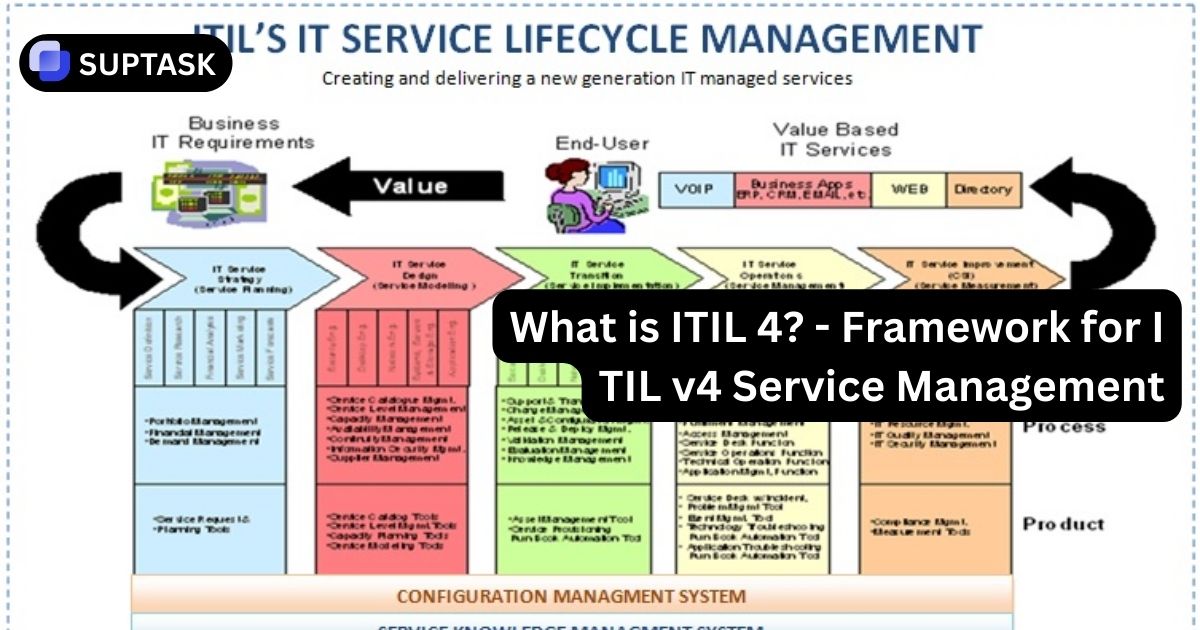
Mature teams often connect runtime issues to service desk software and broader ITSM frameworks so incidents, changes, approvals, and service requests stay visible in one operating model.
Where GitHub Actions Fits
A common example is using GitHub Actions to trigger builds, test jobs, deployment approvals, and status updates. It does not replace the whole lifecycle, but it is a strong delivery engine inside the lifecycle.
Where Collaboration Fits
Fast delivery depends on fast coordination. When design, engineering, QA, operations, and support work in separate islands, the loop slows down. Good collaboration shortens handoffs and makes context easier to preserve.
Common DevOps Lifecycle Bottlenecks
Most teams do not struggle because they lack phase names. They struggle because one or two weak stages slow down the whole loop and make every release feel bigger than it should.
Large Batch Changes
Big releases are harder to review, harder to test, harder to deploy safely, and harder to roll back. Smaller changes move faster and fail more gracefully.
Testing Too Late
If validation happens only near the end, defects travel farther and get more expensive to fix. Strong teams shift quality checks earlier in the loop.
Weak Runtime Feedback
When monitoring is shallow, teams cannot tell whether a deployment improved the user experience or quietly made it worse.
Manual Release And Deployment Steps
Every avoidable manual step becomes a reliability risk, especially during high-pressure changes, urgent fixes, and after-hours rollouts.
Environment Drift
If local, test, staging, and production behave differently, build confidence collapses and “works on my machine” becomes a normal excuse.
Operations Detached From Development
When production learning never reaches the backlog, the same issues repeat and the lifecycle becomes a release machine instead of an improvement loop.
DevOps Lifecycle FAQ
These are the questions readers usually have once they see the full loop laid out clearly.
What Are The 8 Phases Of The DevOps Lifecycle?
The most common eight-stage model is plan, code, build, test, release, deploy, operate, and monitor. The important detail is that monitoring feeds back into planning, so the process repeats as a loop.
Is The DevOps Lifecycle The Same As CI/CD?
No. CI/CD is a major part of the lifecycle, especially around build, test, release, and deploy. The full DevOps lifecycle also includes planning, collaboration, operations, observability, and feedback from production.
What Is The Difference Between Release And Deploy?
Release is usually the approval and exposure decision around a version, while deploy is the technical act of moving that version into an environment. Some teams combine them, but separating the terms makes runbooks and reporting cleaner.
Why Is Monitoring Part Of The Lifecycle Instead Of Just An Ops Task?
Because production is where teams learn whether the change actually improved the product. Monitoring closes the loop by feeding reliability signals, user impact, and incident data back into planning and prioritization.
Where Does DevSecOps Fit In The Lifecycle?
DevSecOps fits across every stage. Security is strongest when it shows up in planning, coding, building, testing, releasing, deploying, and monitoring instead of appearing only at the end.
Do All Teams Use The Same DevOps Lifecycle Diagram?
No. Some teams add discovery or feedback as explicit stages. Others merge release and deploy. The model varies slightly, but the continuous loop and cross-functional ownership remain the core idea.
Map Your Team Against The Full DevOps Loop
The strongest DevOps teams do not stop at a nice diagram. They use the lifecycle to find weak handoffs, shorten feedback loops, improve release quality, and make production learning visible enough to shape what gets built next.