


The Slack WhatsApp Integration for Customer-Facing Teams
Slack has no native integration with WhatsApp, but we do. Suptask creates one through the WhatsApp Business Platform, and every customer message becomes a ticket in Slack.
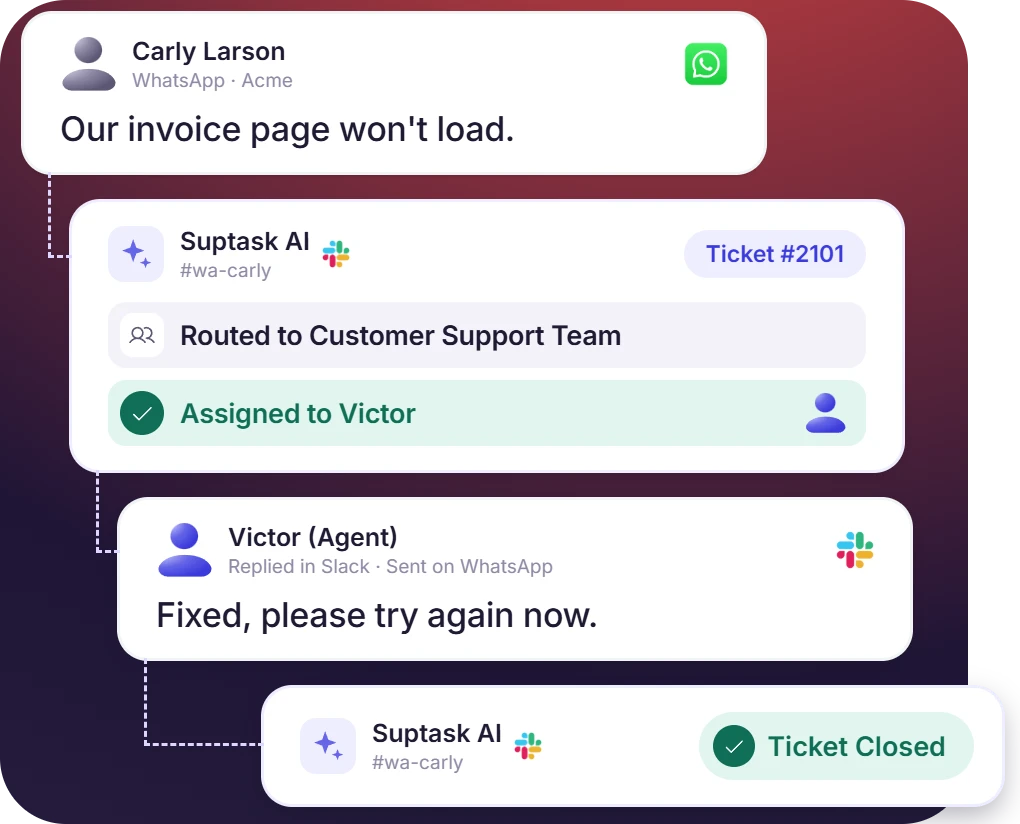











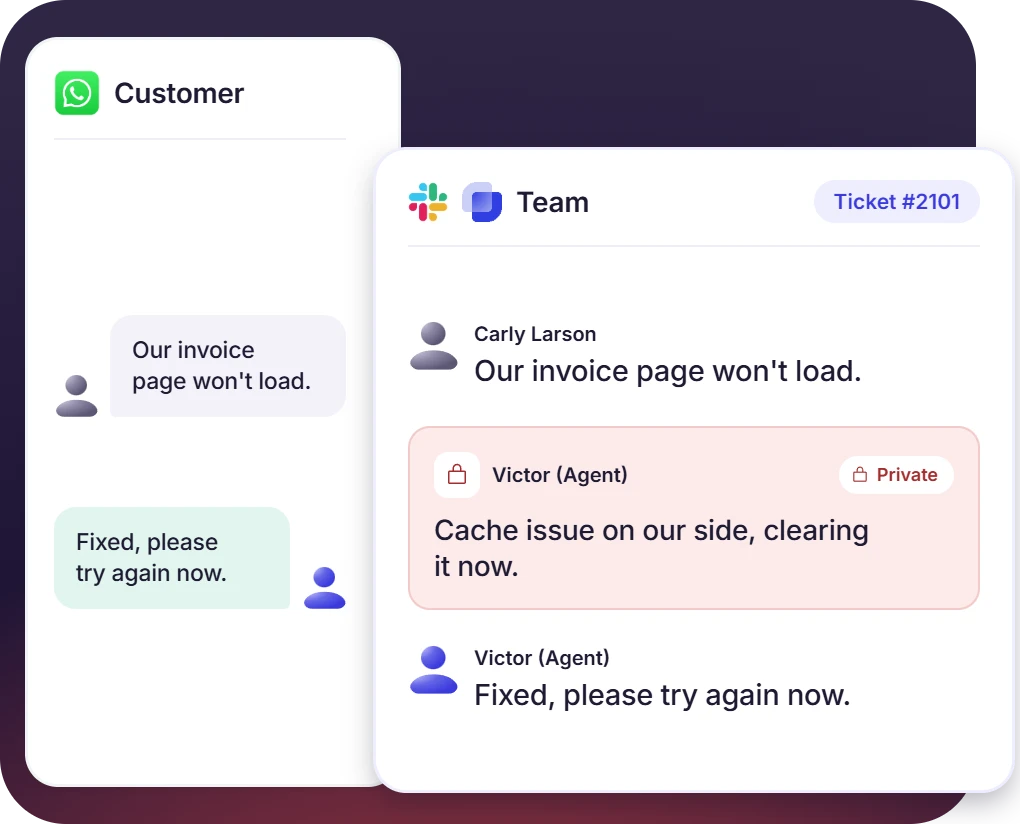
Reply to WhatsApp Messages Inside Your Slack Ticket Thread
- Customer messages and agent replies sync both ways between WhatsApp and Slack.
- Requester replies are routed by quoting the ticket's original message for context.
- Internal discussions stay private in Slack, and public replies reach customers on WhatsApp.
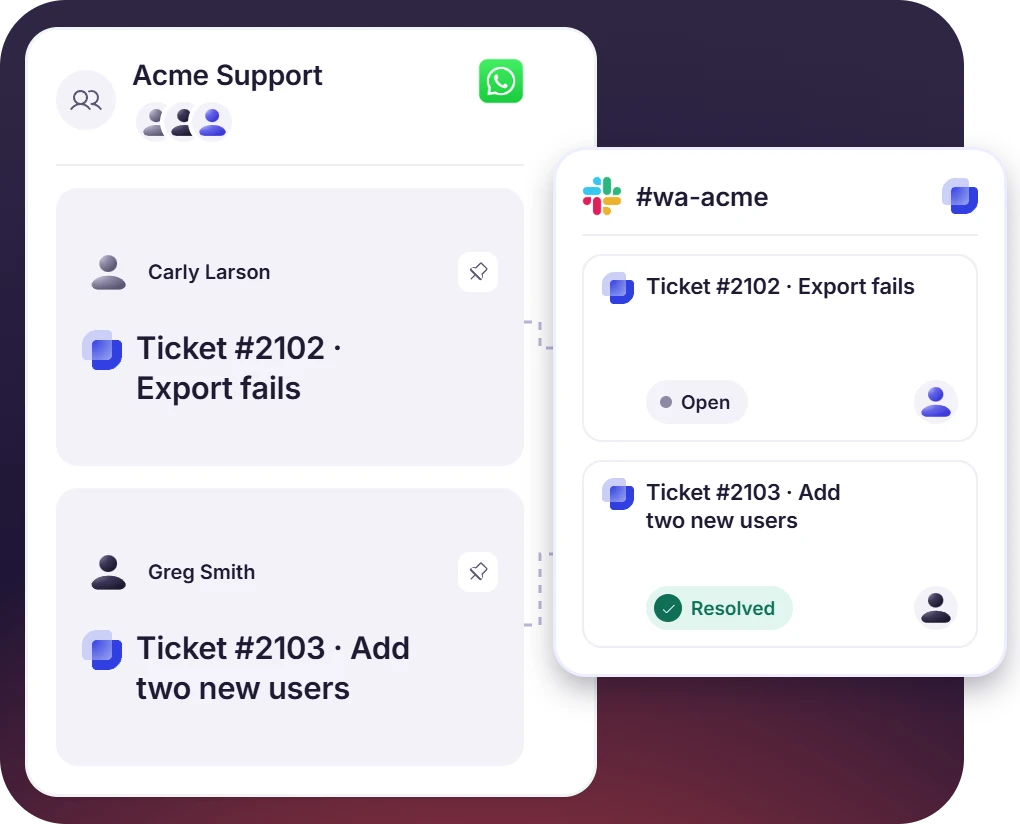
Turn WhatsApp Group Messages Into Slack Tickets
- One WhatsApp group per client, with requests turning into Slack tickets automatically.
- Several tickets run simultaneously, and new ones are auto-pinned to stay visible in the group.
- Mirror the whole conversation into a Slack channel for full team visibility.
Turn WhatsApp Chats and Groups Into Tickets by Your Own Rules
- Set rules for automatic ticket creation of WhatsApp chats into tickets in Slack.
- Add the ticket emoji to turn any single message into a ticket on demand.
- Apply your own automation rules to route, assign, and prioritise each new ticket.
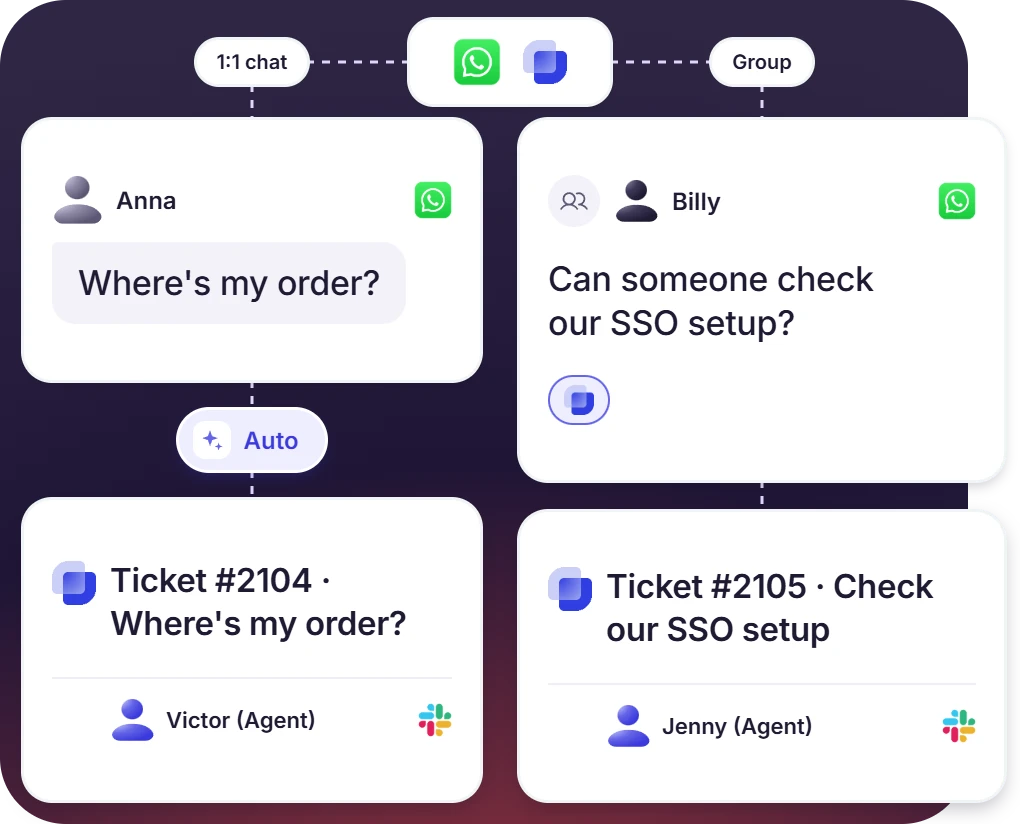
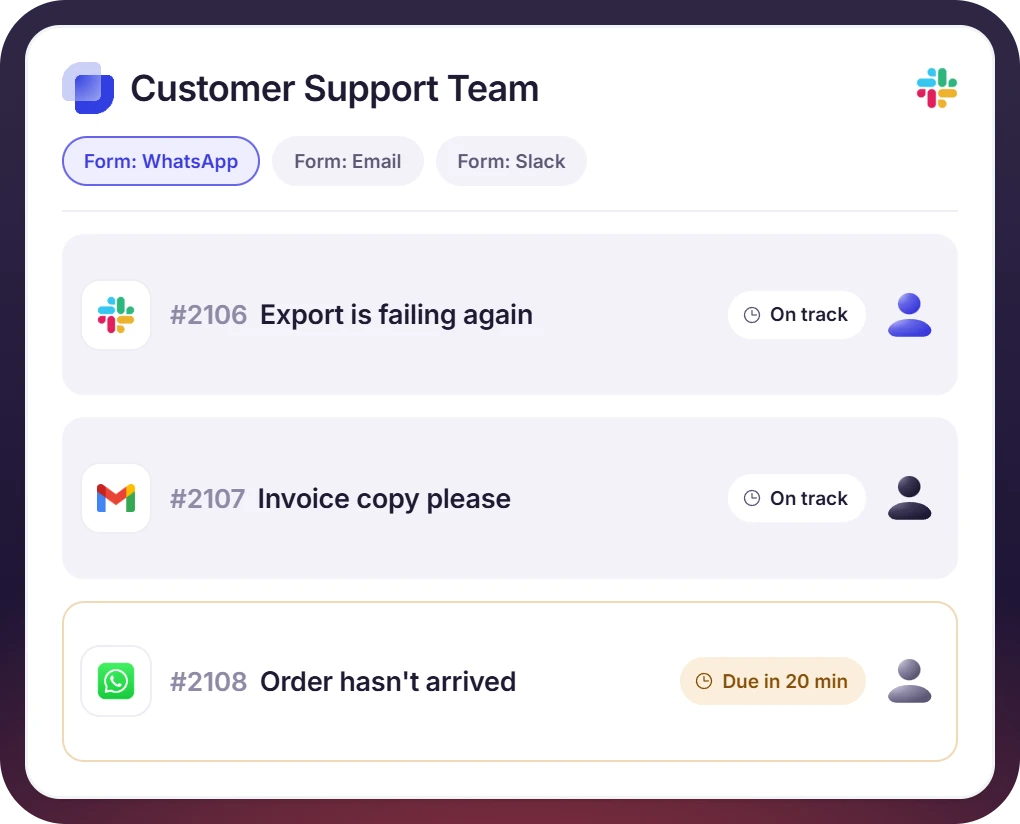
Routing, SLAs, and Reporting for Every WhatsApp Ticket in Slack
- Assign, tag, and status each WhatsApp ticket in the same service desk (web-view and Slack) as every other request.
- See WhatsApp as a ticket source in your analytics, next to Slack and email.
- Apply your automation rules to route and prioritise WhatsApp requests.
How the Slack WhatsApp Integration Works
1. Setup
2. Capture
3. Resolve

What You Need From Meta to Connect WhatsApp to Slack

Meta Business Account
You need admin access to your company's Business portfolio, since only an admin can authorize the connection. Your Suptask Integration Specialist shows the admin what to approve and where, so it is done right the first time.

Dedicated Phone Number
The number cannot already be active on WhatsApp, so you either free up an existing one or keep it through Meta's Coexistence feature. Suptask helps you pick the right number for how you plan to work, and flags early that Coexistence numbers cannot use group chats.

Business Verification and a Display Name
Verification affects how many people you can message and is not instant, so it is worth starting first, and Meta also reviews the display name your customers see. Suptask tells you what to prepare and when to begin, so the review clears before your planned go-live.

Templates For the 24-Hour Rule
You can reply freely for 24 hours after a customer messages you, and after that, reaching them needs a message template Meta has approved. Suptask helps you plan those templates and set them up ahead of time, so you are ready when the window closes.
What teams on WhatsApp improve with Suptask
Built for Teams That Handle WhatsApp in Slack
Customer Support Teams

Teams Supporting Client Groups

Teams in WhatsApp-First Markets

Already trusted by fast-moving support teams.



Turn Slack into a help desk connected to the tools you already use
Frequently asked Questions
How do I connect WhatsApp to Slack with Suptask?
Suptask uses a guided setup for connecting WhatsApp to Slack. The process begins with a discovery meeting. An Admin then configures the connection in the Suptask Web App, and Suptask integration specialists help them with it. Meta requires business verification and a dedicated phone number first, so the Specialist helps you prepare those before the connection goes live.
The WhatsApp Business app is made for a single small business running on one phone. The WhatsApp Business Platform is the official route that Meta provides for connecting WhatsApp to other software, including Suptask and Slack. A real WhatsApp to Slack connection runs on the Business Platform, which is why it needs business verification and a dedicated number.
The WhatsApp Slack integration is available on the Custom plan, and additional cost may apply. It is set up together with a Suptask Integration Specialist rather than enabled from a settings page. To check whether it fits your plan, you can book a demo and go through your setup with the team.
Setup time depends mostly on Meta. Business verification is not instant, and it also affects how many people you can message, so it helps to start it early. After your Meta requirements are in place, your Integration Specialist helps you finish the connection and go live.
No. WhatsApp groups used for support are created by your business, and people join them through an invite link. Suptask cannot be added to a group that a customer already created. The group stays as one normal conversation while your team handles each request as a separate ticket in Slack.
No. Messages sent through the WhatsApp Business Platform do not have the same end-to-end encryption that personal WhatsApp chats have. They pass through Meta's Business Platform and into Suptask, and they become tickets in Slack. For the exact details on how your data is handled, see the WhatsApp setup documentation and Suptask's security information.



