


Internal Ticketing System for IT, HR, and Facilities
IT, HR, facilities, and operations all handle internal requests in Slack. Suptask turns each message into a ticket and routes it to the team that owns it. Every ticket has an assignee, a priority, and a response target.


.webp)











Built for Every Team That Handles Internal Requests

IT support
IT teams runs its own queue for access, hardware, and software requests. Each ticket carries a priority and an SLA clock.

HR and people operations
Benefits questions, onboarding coordination, and policy inquiries reach HR through the same workspace. Sensitive requests are handled in a private ticket form.

Facilities and operations
Office managers and operations leads follow the tickets they need to track. Updates reach them in Slack as the ticket moves through its statuses.
Create an Internal Ticket From Any Slack Message, Thread, or DM
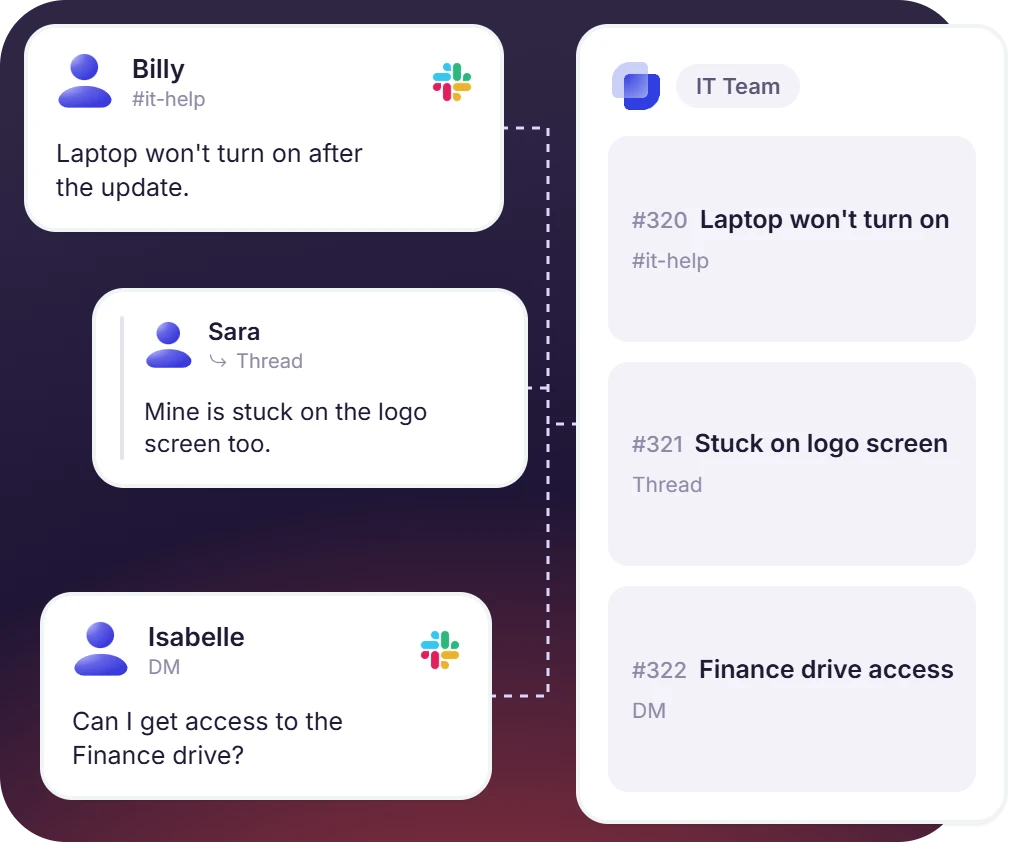
- Requests sent as a channel message, a thread reply, or a direct message are all captured
- Any message becomes a ticket with one click, a ticket emoji reaction, or automatic creation
- Each internal team has its own Inbox, with dedicated forms, routing rules, and a response queueinternal team has its own Inbox, with dedicated forms, routing rules, and a response queue
Route Each Internal Request to the Team That Owns It
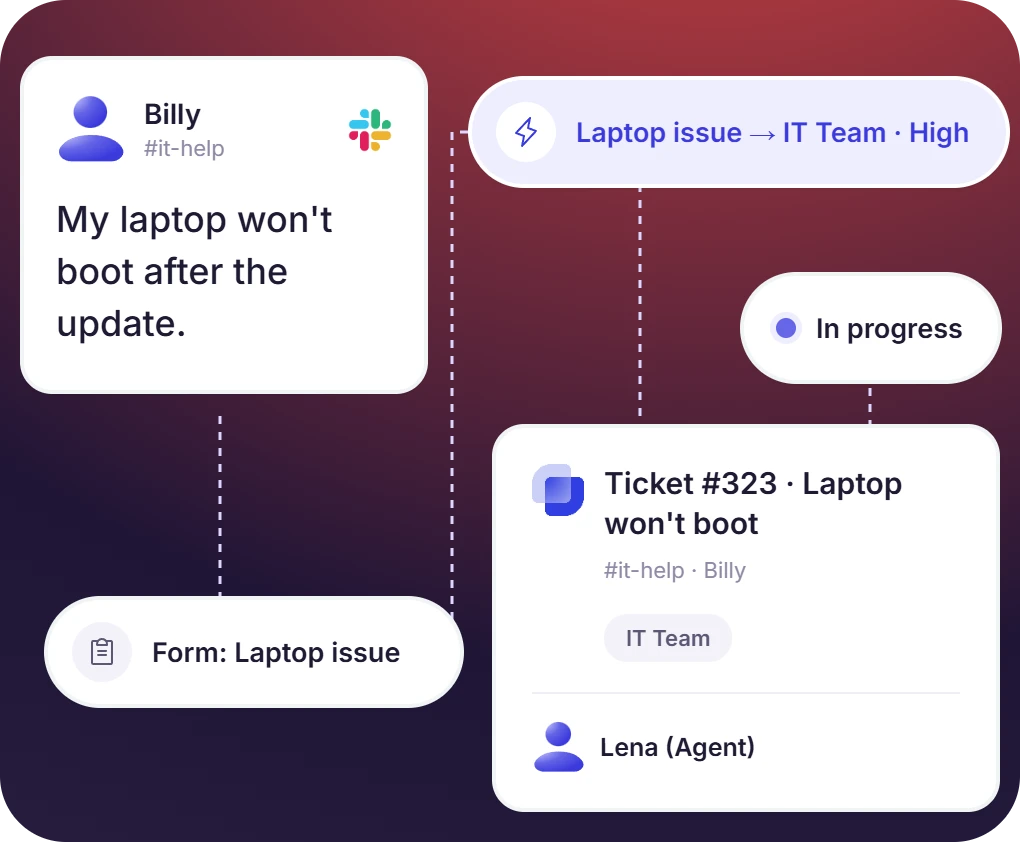
- Routing rules are configured on each Inbox and applied when the ticket is created
- Each internal team works only the tickets in its own queue
- Requests that need more than one team stay in one thread, where other agents are added as followers or the ticket moves to their Inbox
The numbers speak for themselves.
Keep Sensitive Internal Requests Private and Fully Logged
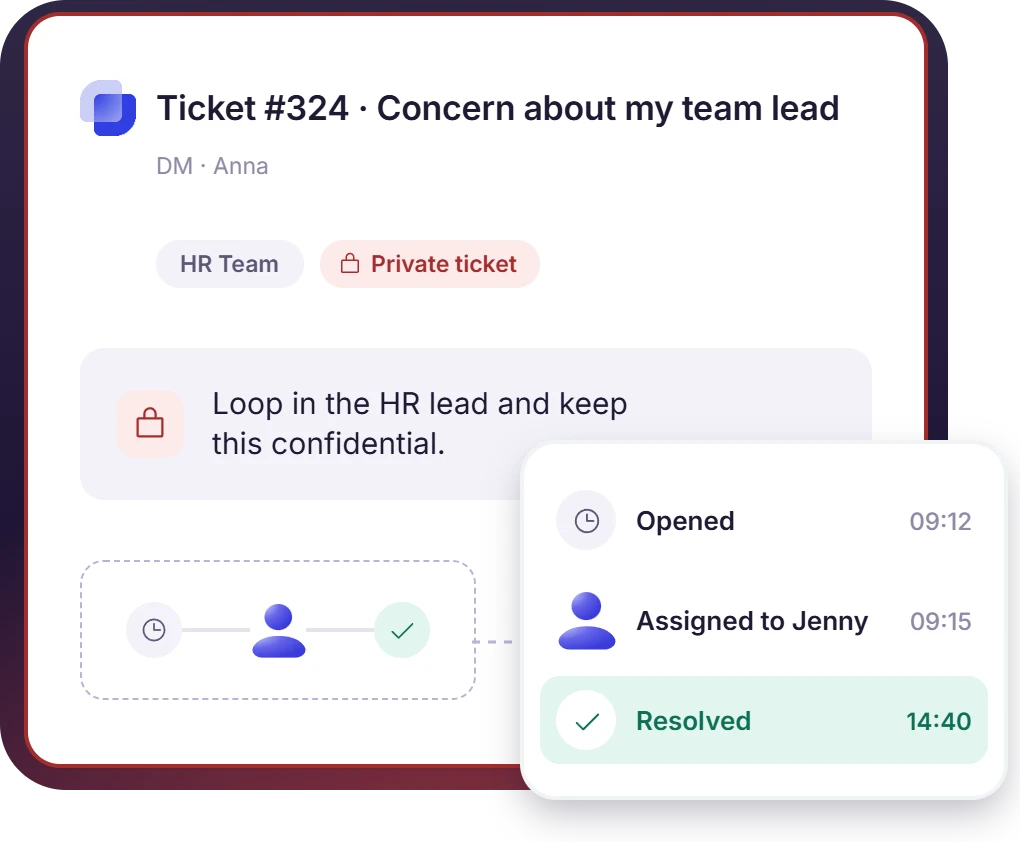
- Private tickets keep a confidential request between the employee and the assigned agent
- Internal notes are added to the ticket and visible to agents only
- Every ticket detail is logged, including the requester, the owner, the messages, and the resolution time, so the record holds up for compliance
Read Internal Ticket Data From Built-In Dashboards
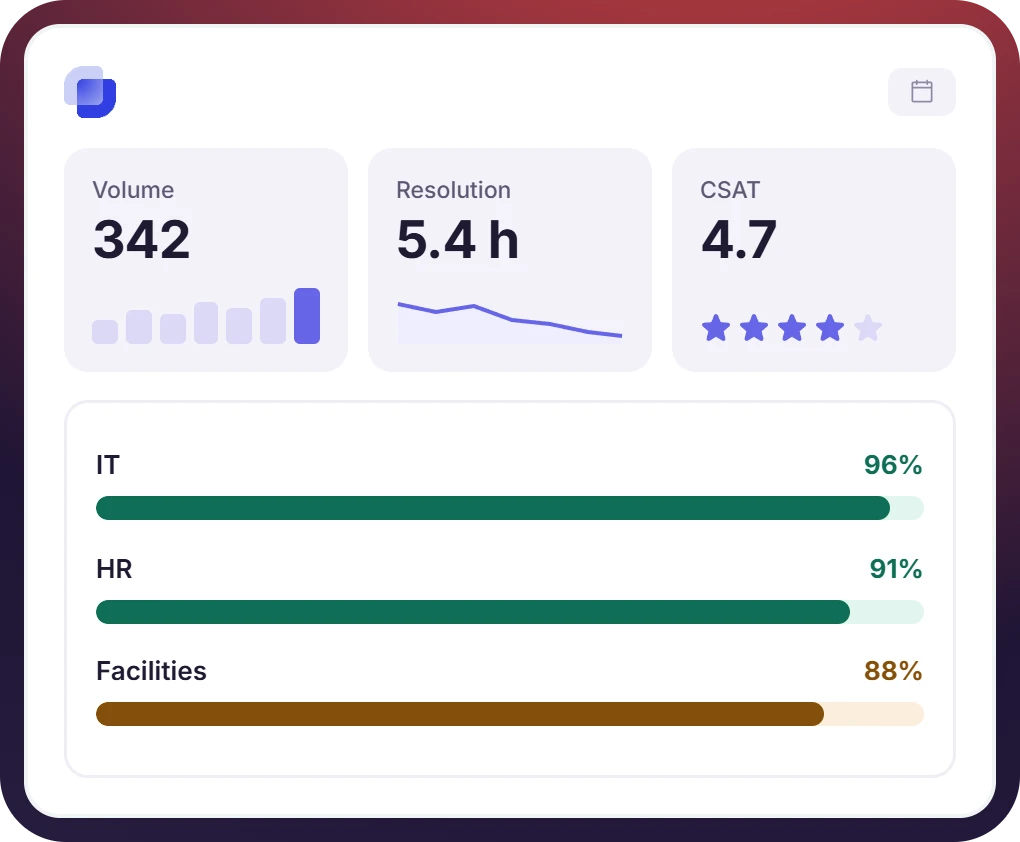
- Ticket volume, agent workload, and resolution time are tracked from one dashboard, along with the CSAT scores collected on internal tickets
- SLA compliance is tracked per team, per agent, and per Inbox
- Internal support performance is reported to leadership from the ticket record


What Suptask Changes About Internal Help Desk Software
How the Internal Ticketing System Works in Slack
Request
Track
Resolve
Connect Your Identity Provider and HRIS to the Internal Ticketing System
Frequently Asked Questions
What is an internal ticketing system?
An internal ticketing system is built for handling employee requests in a structured way. Every internal request, whether it is an IT issue, an HR question, or a facilities repair, is assigned an owner, a status, and a priority. The ticket is then handled by the right person, and its performance can be measured.
On its own, no. Slack does not give a message an owner, a status, or a report, so requests raised in a channel are not tracked anywhere. Suptask adds those functions inside Slack. Any message becomes a ticket, each team works its own queue, and the numbers reach leadership. Because the ticketing system runs where employees already ask, nothing new is rolled out to them.
An internal ticketing system can be used by any team that receives requests from employees. IT support is the most common one. HR, facilities, finance, legal, and operations teams also get internal requests that need tracking, an owner, and an SLA. In Suptask, each of these teams has its own queue, and all the queues stay inside one Slack workspace.
The most obvious difference between internal and customer support tools is the people they serve. Customer support tools handle requests from people outside the company, while an internal ticketing system handles requests from the company's own employees. Suptask runs both from the same Slack workspace, with customers in Slack Connect channels and employees in internal ones.
Yes. Each team’s Inbox has its own SLA, so an IT target never applies to HR. Reminders and escalations run as part of the ticketing workflow on that Inbox, and compliance is reported per team, per agent, and per Inbox. SLAs are on the Growth plan.
Suptask is internal ticketing software priced per agent per month, billed annually. One internal team can run its queue on Starter at $15. Running IT, HR, and facilities as separate queues needs Professional at $24, which is also where routing, approvals, and automations sit. SLA targets, AI answers from your knowledge base, and web forms for people outside Slack come with Growth at $38. Multiple Slack workspaces and Enterprise Grid are on the Custom plan. Employees who submit requests are free on every plan. The pricing page has the current details.
One place for employees to ask, one queue per team, in Slack



