Zoho Desk Alternative for Teams Working in Slack
Suptask is a Zoho Desk alternative built in Slack. It lets you run intake, replies, approvals, and AI in the same workspace.

Zoho Desk Compared With Suptask

Suptask
Zoho Desk
What Suptask Gives You That Zoho Desk Doesn’t
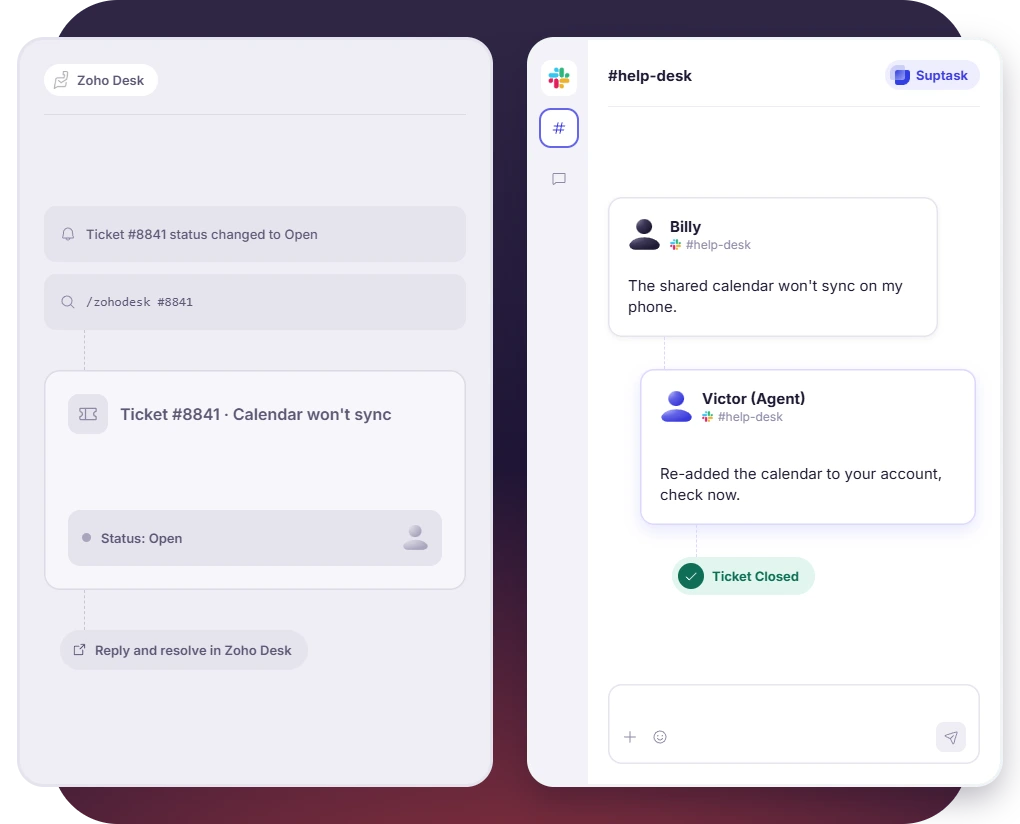
Agents Reply and Resolve in Slack
 Suptask opens a ticket from a channel message, DM, emoji reaction, or a form
- Agents assign, reply, update, and close a ticket from the same Slack thread
- Agents work the queue in table or card views, with custom filters
Handle IT and HR Requests in Slack
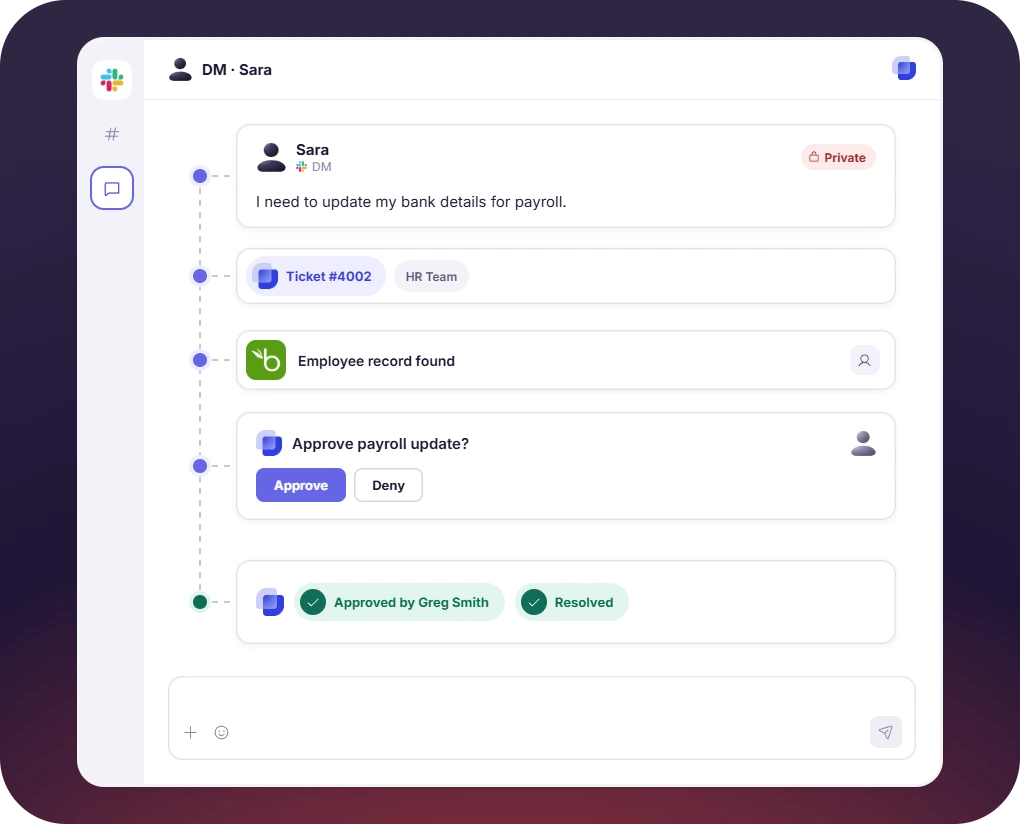
- Sensitive requests are kept in private DM tickets
- An approval happens in Slack before work starts
- Suptask connects to tools such as BambooHR, HiBob, Okta, and Microsoft Entra
Turn Slack into a help desk your team will actually use

Why Teams Move From Zoho Desk to Suptask

Tickets worked in Slack
Agents reply and resolve tickets in Slack without switching to another app.

AI that answers and acts
Suptask AI Assistants answer from knowledge documents and perform actions inside Slack.

Private tickets and approvals
Suptask holds internal requests in private DM tickets, with approvals handled in Slack.

Customers in Slack Connect
Suptask includes unlimited Slack Connect channels, where customers follow their tickets.
Pricing: Suptask vs Zoho Desk
Suptask
Suptask prices each plan per agent, starting at $15 per month on annual billing, with no agent minimum.
Free 14-day trial on the Growth plan with no credit card needed
Every plan has unlimited tickets, requesters, and Slack Connect channels
AI Assistants, SLA management, and SSO from $38, all working in Slack
Zoho Desk
Zoho Desk is free for up to 3 agents, with paid plans starting at $7 per agent per month, billed annually.

Zoho Desk charges $14 on Standard, $23 on Professional, and $40 on Enterprise, with Express capped at 5 agents
Zia AI starts on Professional, along with multi-department support and round-robin assignment
Every plan includes the same Slack app, which posts notifications and answers ticket lookups
Already trusted by fast-moving support teams.



Frequently asked Questions
What is a good Zoho Desk alternative for teams in Slack?
If your team is already working in Slack the whole day, then Suptask is the Zoho Desk alternative built inside Slack that you should be looking at. A request can come in a help channel, or somebody sends it in a DM, an emoji reaction on a message also creates one for those who prefer filling a form or who prefer to fill one in. Your agents are picking it up from there itself. They can assign it to someone, reply back, change the status, close it, all of this is done without leaving Slack. On the pricing side, Suptask starts at $15 per agent per month if you are paying annually. No agent minimum is kept on it, which helps the smaller IT and HR teams.
Zoho Desk pricing is calculated per agent, and it depends on which plan you are taking. The cheapest paid one is Express at $7 per agent per month on the yearly billing, but only 5 agents are allowed on it, so a bigger team cannot stay there. After Express, the plans are $14, then $23, and the top one is $40 per agent per month, again on annual billing. A free plan is also available for up to 3 agents, which some small teams start with. The final cost is decided by the agent count and the plan both.
On paper, yes. The Professional plan of Zoho Desk is $23 per agent per month, and the Growth plan of Suptask comes at $38. But the comparison is not only about the price. With Suptask, your intake is happening in Slack, the replies are also in Slack, approvals are done there, and an AI assistant is working in the same place. Zoho Desk will need a separate help desk portal for this, and your agents have to keep logging into it along with Slack.
Yes, it works, but what it does in Slack is limited to notifications and lookups. Ticket updates can be posted per department. If an agent is running a slash command, the ticket details come back to them, and that reply is shown only to the person who ran the command, nobody else in the channel is seeing it. Creating a ticket from a Slack message is not available. For doing that, you will have to put a separate tool in between, like Zoho Flow or Zapier.
Yes, free up to 3 agents. The moment you add the fourth agent, a paid plan has to be taken. Suptask does not keep a free plan at all. Instead there is a 14-day trial on the Growth plan, and for starting the trial no credit card is asked. Your team can use it in your own Slack workspace for those 14 days and then decide.
It depends on where the requests of your customers are coming from. If they are coming to Slack or in Slack Connect, then yes, Suptask can take the place of Zoho Desk. Phone, social media, and live chat are not supported in Suptask. A support team whose customers are calling on the phone or writing on social media will need Zoho Desk for those channels. For internal IT and HR requests, Suptask is enough. The B2B customers who are already in a shared Slack channel with you are also covered.