GitHub Slack Integration for Turning Support Tickets Into Issues
Sutask’s Slack GitHub integration creates or links an issue when a ticket needs engineering team expertise. Comments and status updates are synced between Slack and GitHub, so both have the same view of a ticket.
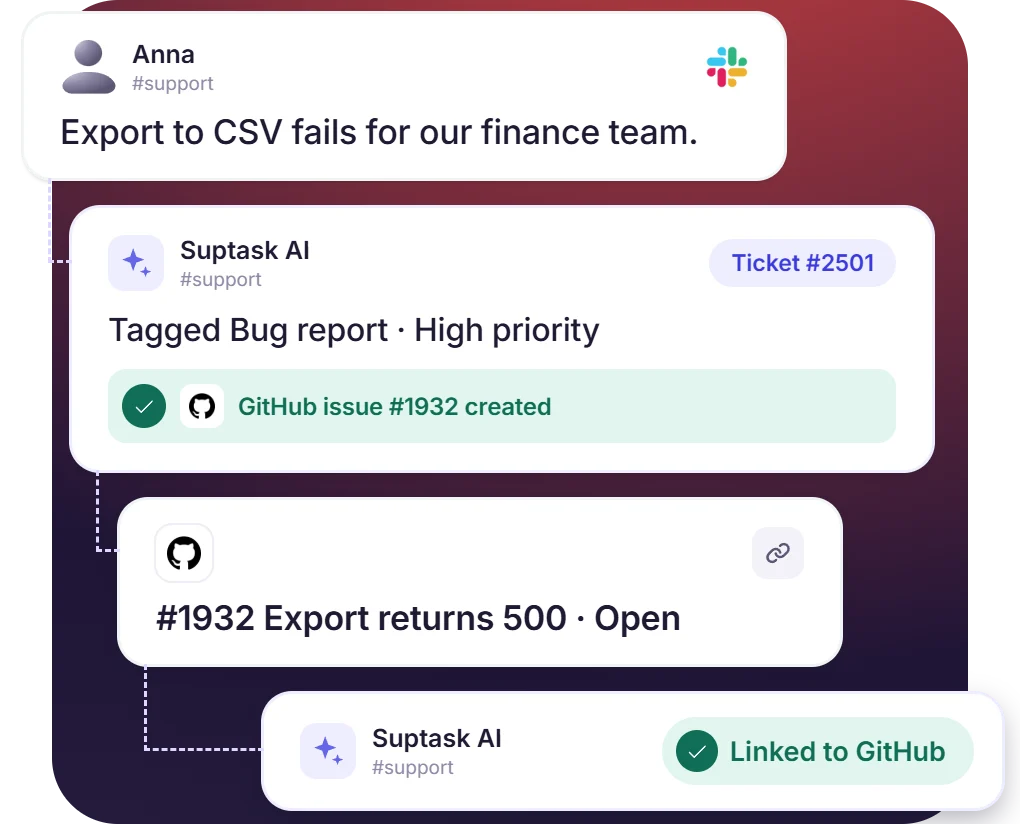











Turn Slack Tickets Into GitHub Issues
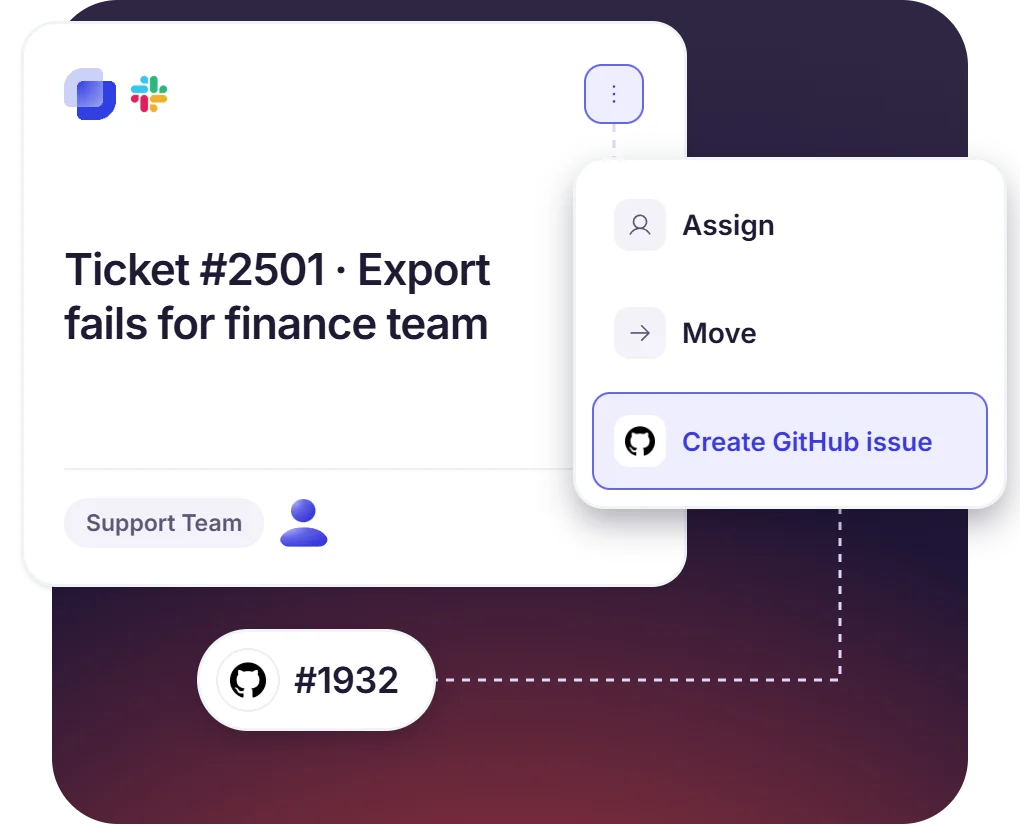
- Create a GitHub issue from Slack when a Suptask ticket needs development work
- The issue is linked to the ticket, so support and engineering can work on the same item
- You can select the repositories when integration is getting set up
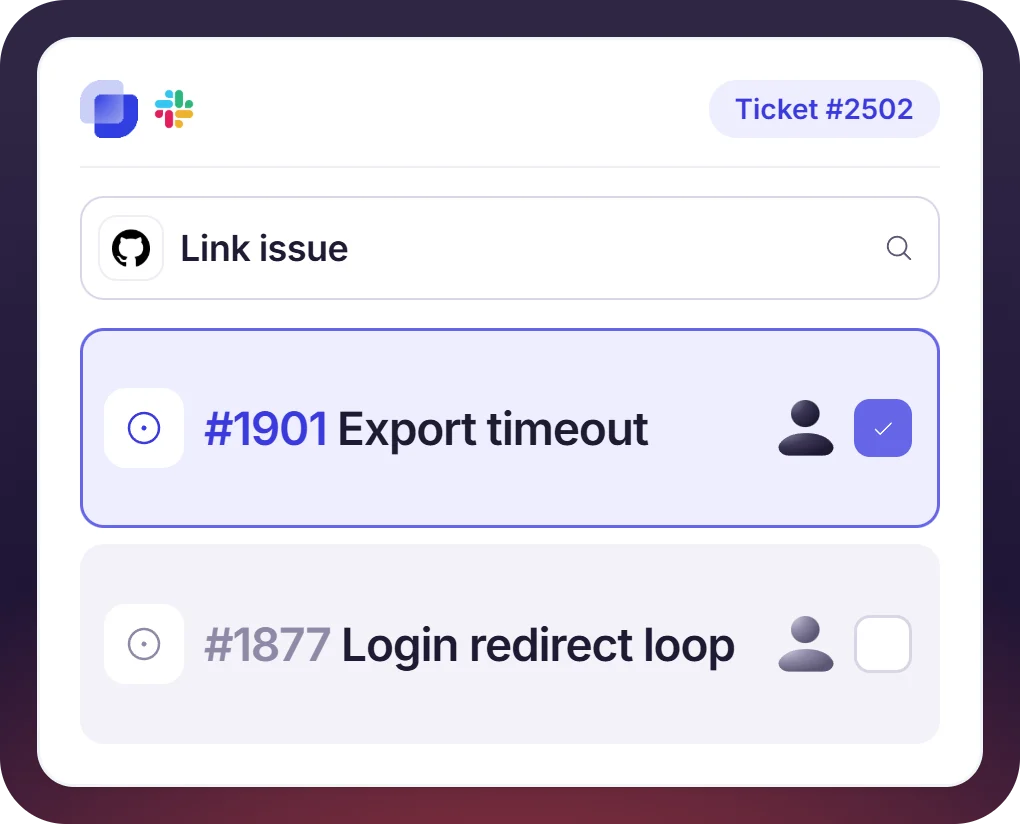
Link Tickets to GitHub Issues That Already Exist
- Existing GitHub issues can be linked to a Suptask ticket
- Status and comments from the linked GitHub issue remain visible on the ticket
- Slack GitHub issues integration adds issue and pull request details on the ticket
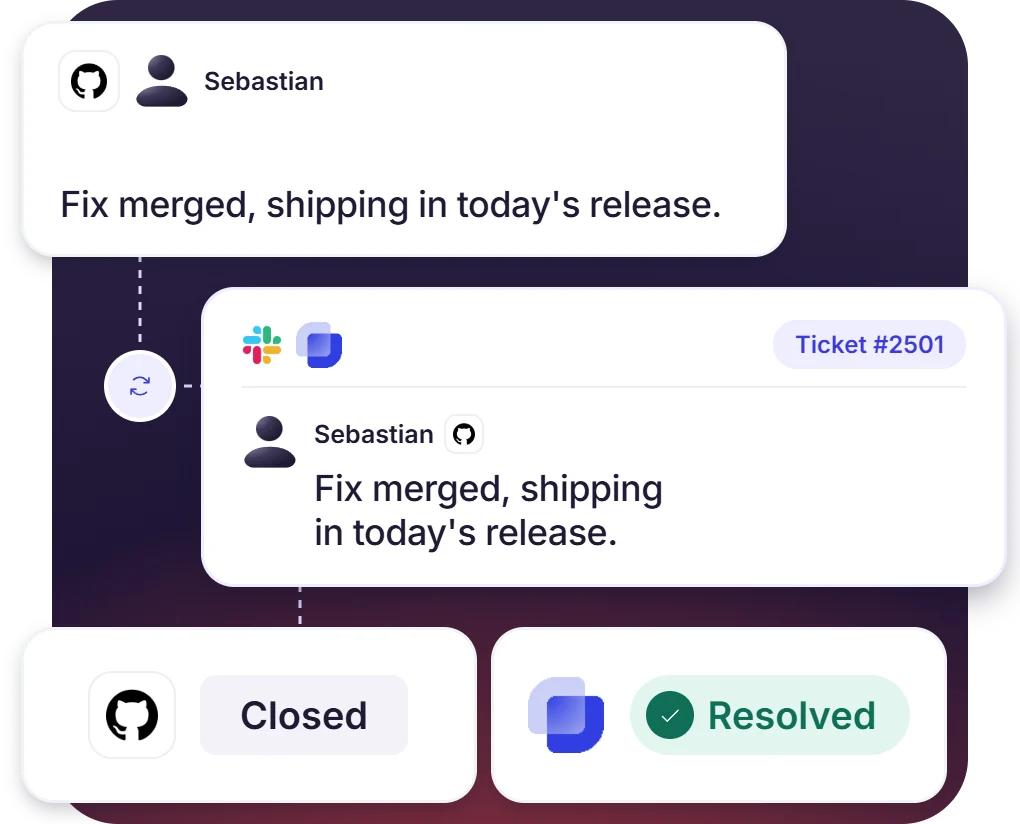
Comments and Status Sync Both Ways Between GitHub and Slack
- GitHub and Suptask hold the same comments and status
- GitHub and Suptask hold the same comments and status
- The requester follows progress in the Slack thread with no GitHub account needed
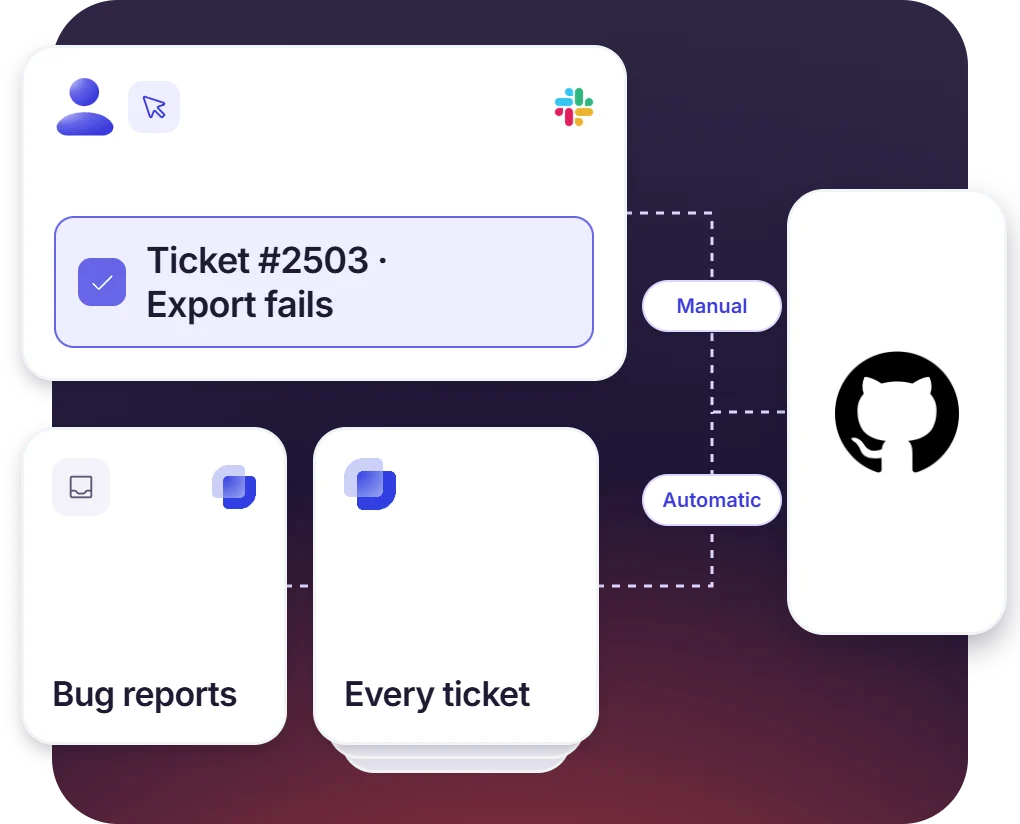
Send Tickets to GitHub Automatically, or Manually by an Agent
- An agent can pick the tickets manually that need a GitHub issue, one ticket at a time
- Every ticket created in a specific inbox is turned into a GitHub issue automatically
- The integration can be enabled for a whole inbox or for a single form
How the GitHub Slack Integration Works
Setup
Escalate
Resolve

What You Need to Connect GitHub to Slack Tickets

Repository access in GitHub
The token must be created by a GitHub user who has access to the repositories being connected, including the organization repositories.

Classic personal access token
Create the token under Developer settings with the repo and read:org scopes. A long expiry keeps the connection from lapsing.

Repository URLs
Share the repository URLs with Suptask, and name the inbox or form on which the integration will work.

Suptask’s custom plan
Suptask has four pricing plans, and the Slack GitHub integration is part of the Custom plan. A Suptask integration specialist sets up the integration, and additional cost may apply.
What support and engineering teams improve with Suptask
Built for Teams That Fix Problems in GitHub
Customer support teams

Engineering and DevOps teams

Incident responders

Already trusted by fast-moving support teams.



Turn Slack into a help desk connected to the tools you already use
Frequently asked Questions
How do I connect GitHub to Slack with Suptask?
The process is simple and handled by the Suptask support team. You can contact Suptask support, and our team will guide you throughout the process. Our team will work with a GitHub user with access to the repositories to create a personal access token. A Suptask integration specialist will connect the token to the inbox of the selected form.
The GitHub app for Slack is used for notifications that post pull requests, issues, and commit updates in channels. Additionally, you can subscribe to a repository. Suptask’s GitHub Slack integration works on customer support tickets that are connected with GitHub issues. The Slack ticketing system ensures the requester and agent work on the same ticket, while engineering resolves the ticket in GitHub.
Yes, an existing GitHub issue can be linked with a Suptask ticket by an agent. Additionally, you can also create new issues from a ticket.
Comments and status are synced between the GitHub issue and the Suptask ticket. The issue remains linked with the ticket, so updates sync both ways. Agents are able to reply from Slack, and the progress of the issue can be followed there.
Yes. One way is an agent creating the GitHub issue from a ticket. Automatic creation is also available for a specific Inbox. Every ticket created in that Inbox then gets a GitHub issue.
The GitHub integration is part of the Custom plan. The setup is done with Suptask’s integration specialists. Additional cost might apply. Book a demo to get it scoped for your team.