Trusted by 1700+ teams
Teste gratuito de 14 dias
Não é necessário cartão de crédito

Customer Support, Built on Slack Connect

Support your customers where they already work. Each gets their own Slack channel - manage all of them from a single place.

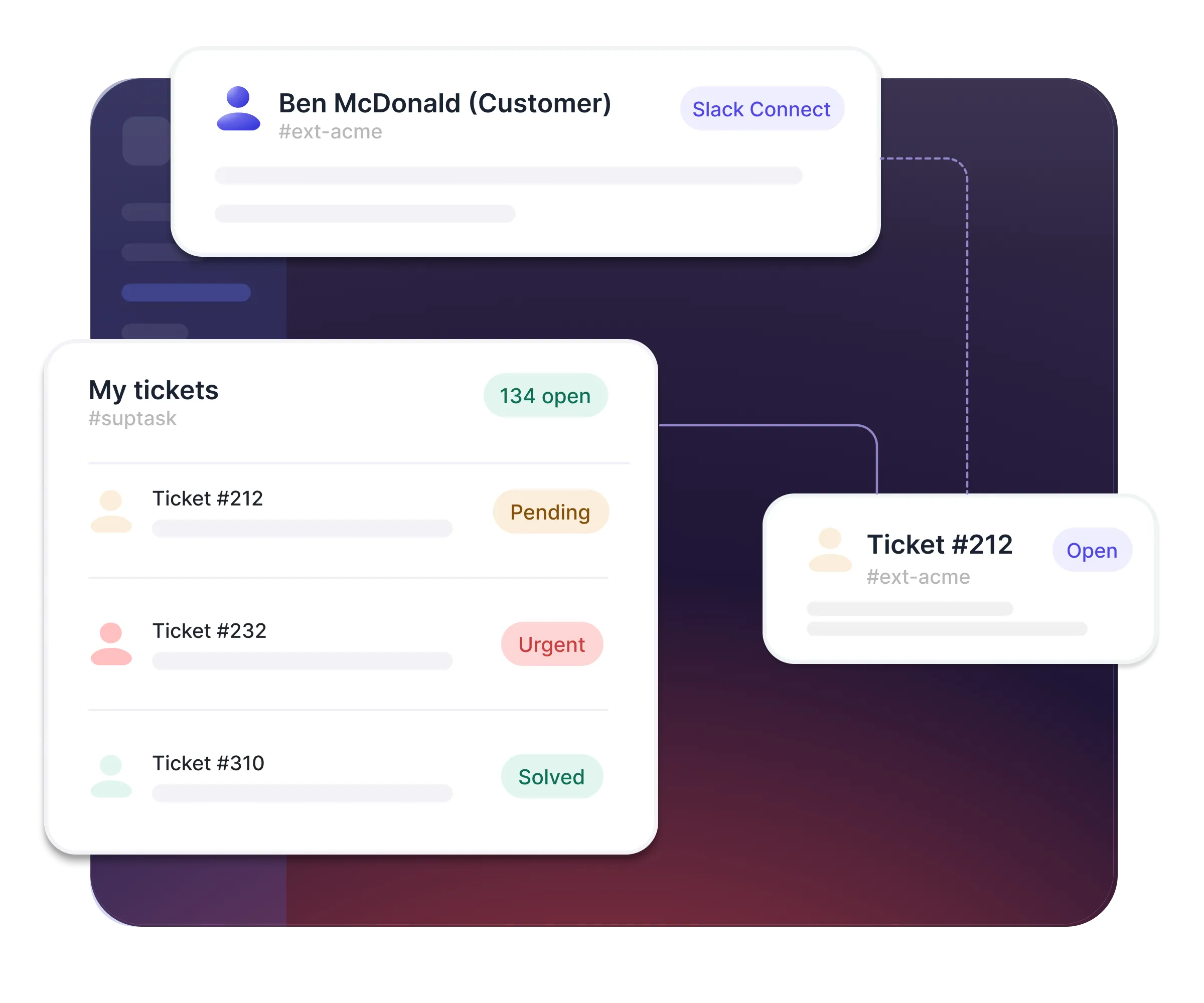
Give every customer their own support channel

  • Support each customer in their own shared Slack Connect channel
  • Customers track every ticket in Slack - nothing to install
  • Brand Suptask as your own so customers know where to get help
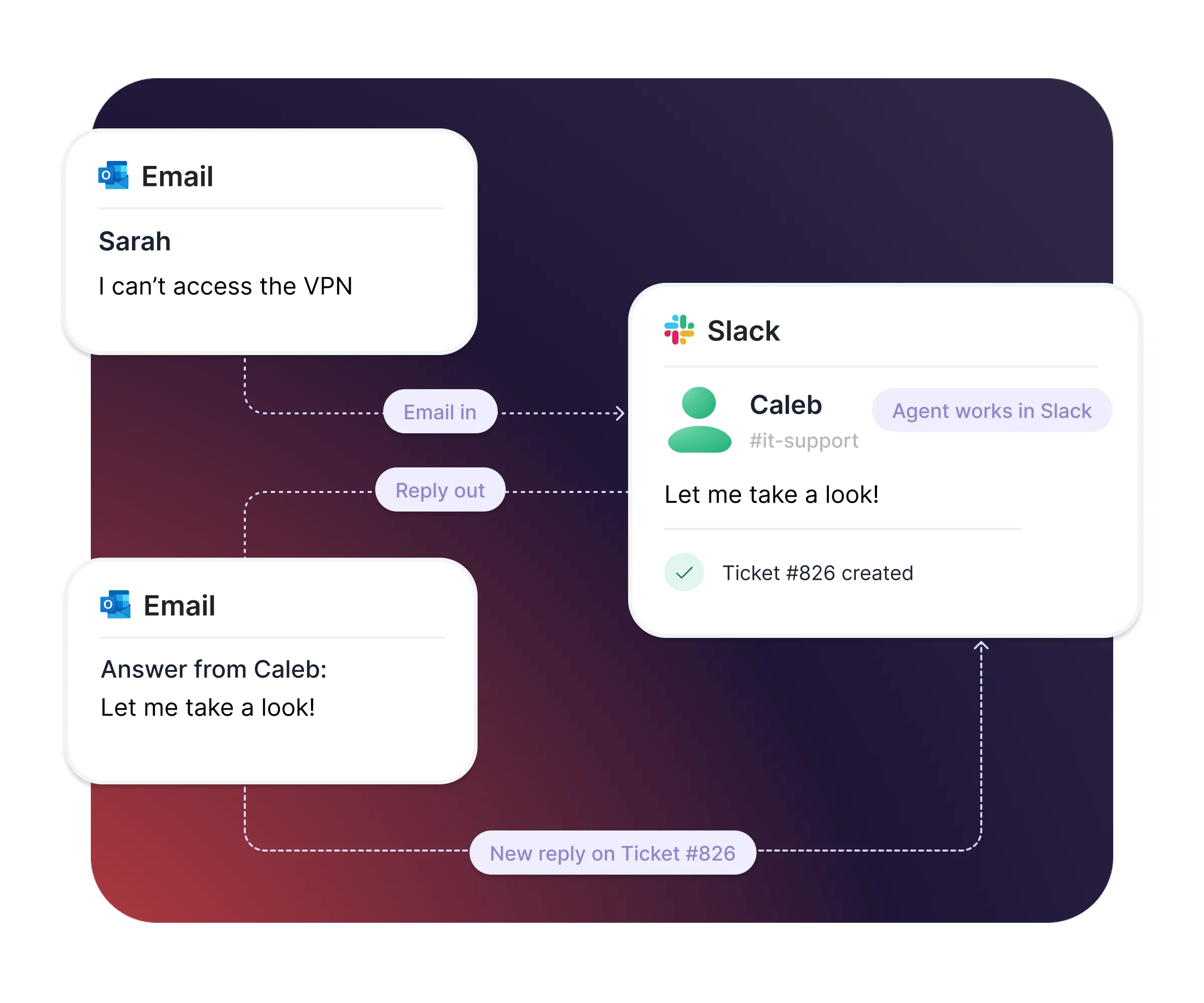
Support Slack and email customers in one place

  • Turn customer emails into Slack tickets automatically
  • Keep agents in Slack while customers reply by email as usual
  • Send every email under your own brand

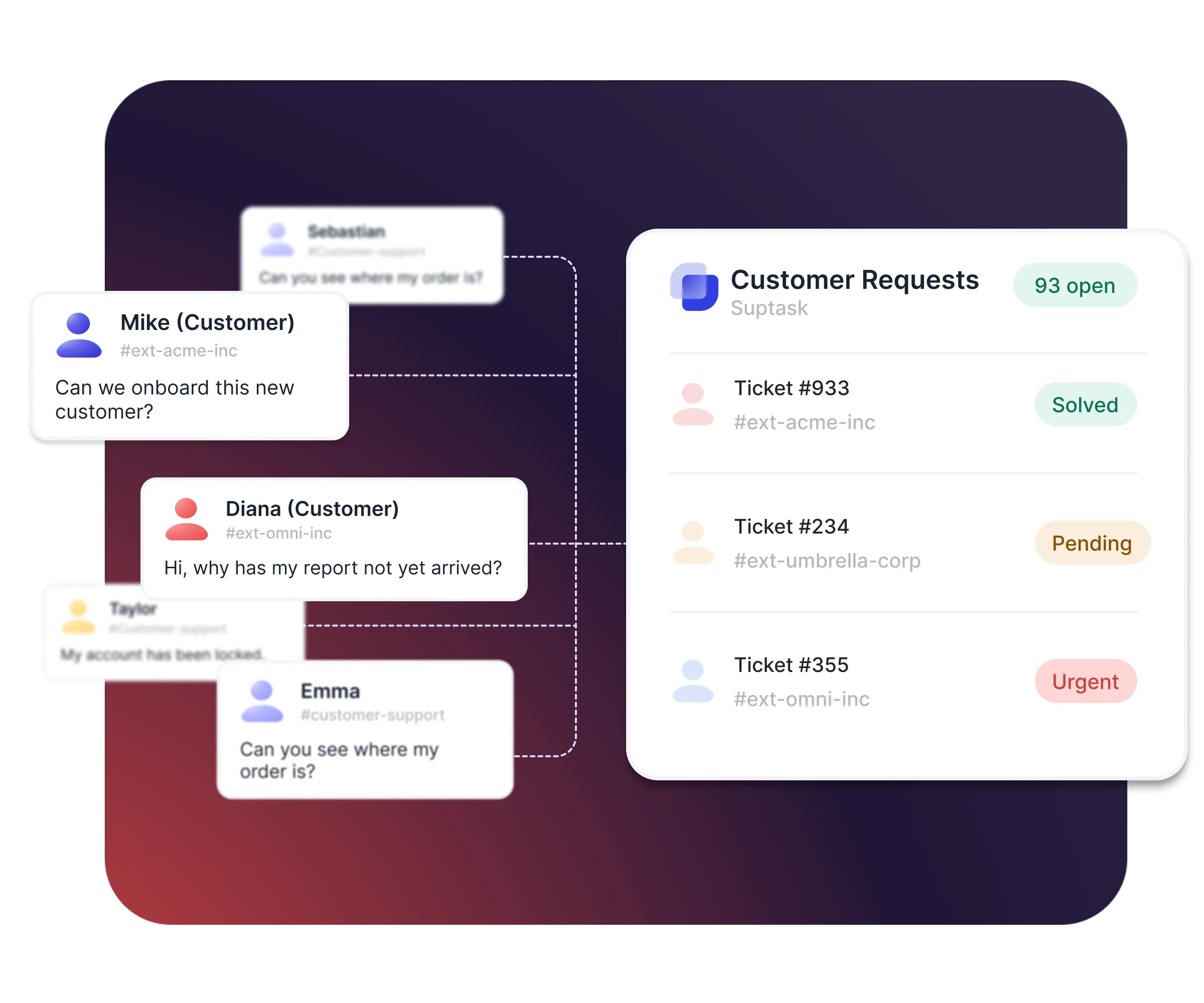
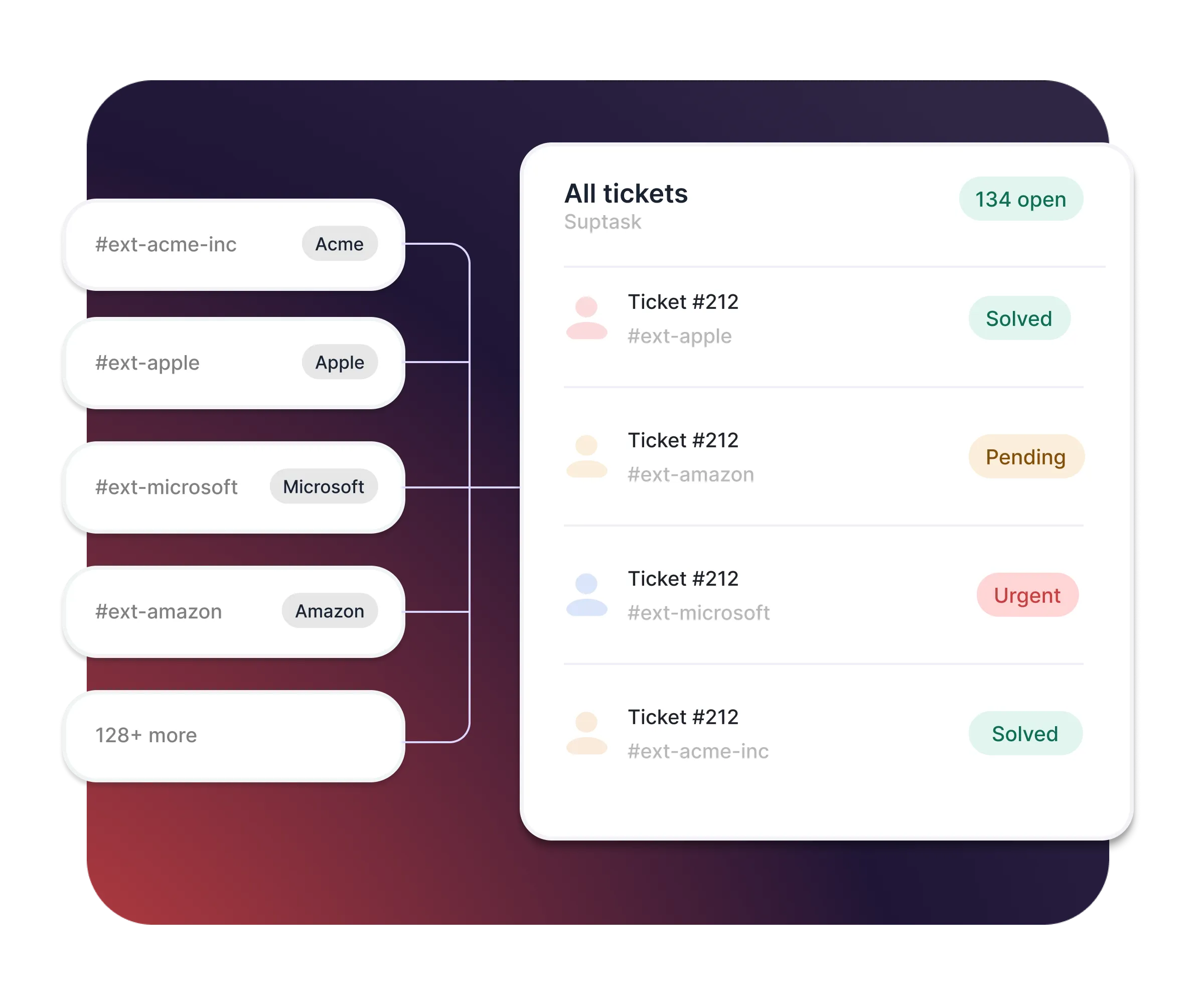
Run hundreds of channels from one overview

  • Catch every request across all your customer channels in one view
  • Turn any message into a ticket with the 🎫 emoji
  • Capture the right details upfront with guided form
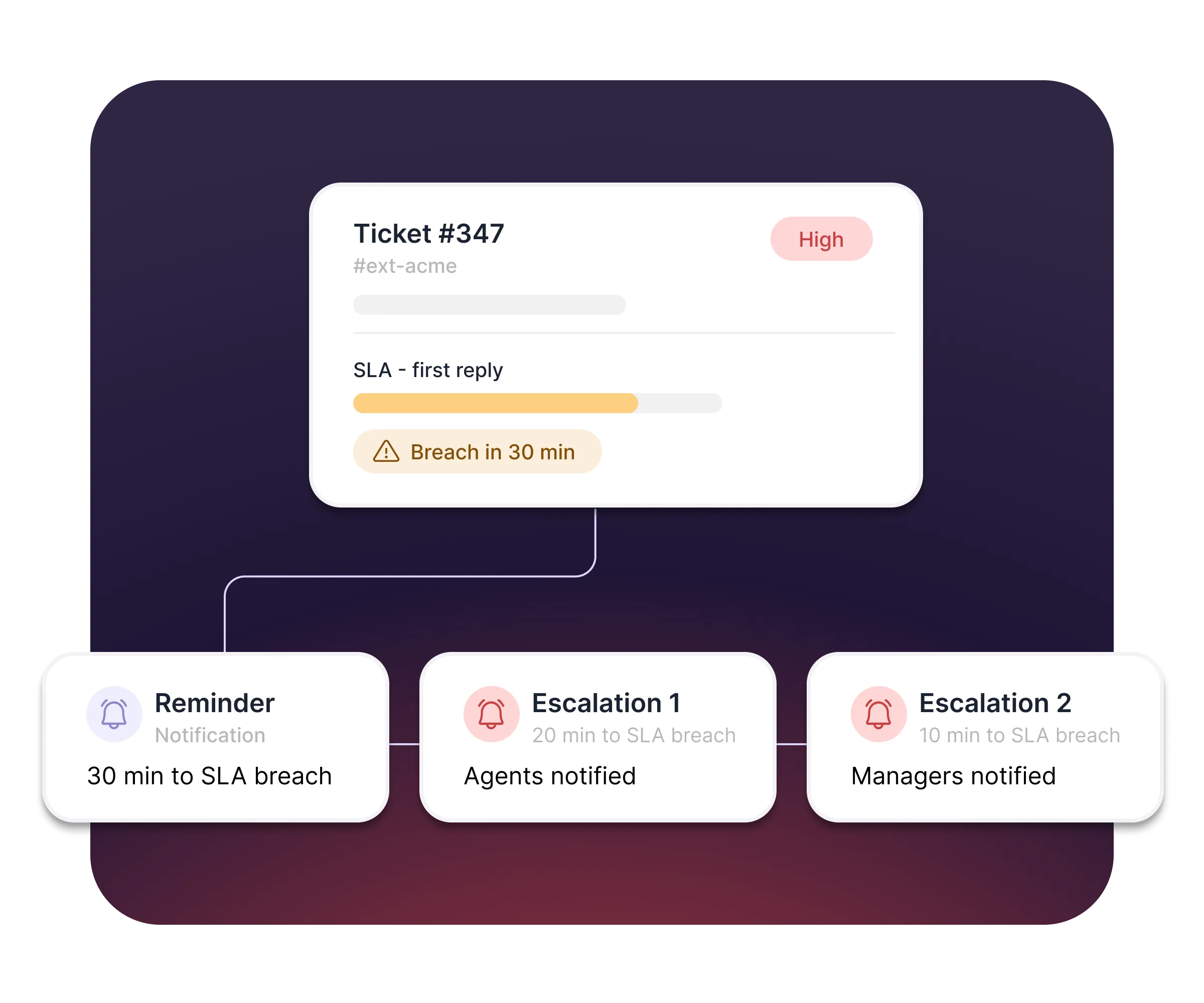
Hit every deadline with SLAs

  • Set reply and resolution targets by priority
  • Get alerted before a deadline is breached
  • Escalate breaches to managers automatically

How it works

From request to resolution, all inside Slack
[1] Connect
Invite each customer to their own shared Slack Connect channel. They don't install anything - Suptask appears in their Slack automatically and onboards them for you.
[2] Capture
Submit tickets with the 🎫 emoji or by email. Every request across every channel lands in one overview, categorized and ready to work.
[3] Resolve
Triage with your team, reply from Slack, and escalate to second-line teams when a ticket needs deeper help. SLAs and Suptask AI keep responses fast, with built-in dashboards tracking response times and CSAT.

What your customers gets with Suptask

A support experience that feels effortless - right where they already work.
Support without leaving Slack

Customers raise requests in the channel they already use with you. No new portal, no login, no email thread.

Everything in one place

They track every ticket in the Suptask app inside Slack - no need to leave for a web portal or another interface.

Never left wondering

Automatic summary notifications keep customers updated on their open tickets.

Faster answers

Automation rules and Suptask AI optimizes your replies so customers wait less.

What teams improve with Suptask

76%
Tempos de resposta mais rápidos
3x
Increase in User Satisfaction
4.9/5
Average CSAT Score

Built for different teams

See how Suptask works for your support organization

For Support teams

Manage frontline customer requests at scale, with SLAs and automations keeping every channel on track.
Explore solution

For Customer Success

Stay close to your accounts in their own channels, and never lose a request in a busy thread.
Explore solution

For Technical & Engineering

Pick up second-line escalations, linked to Jira and GitHub, without leaving Slack.
Explore solution

Já confiado por em movimento rápido equipes de suporte.

“A Suptask nos ajudou a criar a melhor e perfeita experiência de emissão de ingressos para nossos usuários finais. Ao se integrar a vários espaços de trabalho, ele simplificou nossos fluxos de trabalho e capacitou toda a nossa organização.”
Chris Tucker
Diretor de Tecnologia Estratégica
“O Suptask se tornou parte integrante de vários departamentos de nossa organização, e o impacto foi transformador.
A plataforma simplificou nosso fluxo de trabalho de emissão de ingressos, gerando ganhos significativos de eficiência e economizando centenas de horas para nossas equipes por mês”
Prathamesh Borkar
Diretor of Operations
"With Suptask, Product Managers and Engineers work hand-in-hand in Slack. By keeping everything in Slack, Engineers and Product Managers can easily collaborate on tickets while maintaining private threads for technical discussions. It’s boosted our overall responsiveness against our clients."
Simona Cossidente
Head of Product & Process
"Suptask transformed the way we manage support by bringing full ticketing workflows into Slack. With its powerful AI features, we handle requests faster, stay organized effortlessly, and deliver a smoother experience for both our team and our customers. It’s truly made support feel natural and efficient on Slack."
Charles Mellin
Chief Operations Officer
"The biggest impact Suptask has made on our team is that we now have an organized way to process questions and requests from our employees. All communication for a request stays within Slack and the Suptask ticket - which was an impossible feat in the past."
Jean
People Enablement Coordinator

Bring your Customer Support into Slack

Frequently asked Questions

O que é um sistema de emissão de tíquetes do Slack?

A Slack ticketing system is help desk and service desk software that integrates with Slack. Any department, from IT and HR to finance, can submit, track, and resolve internal requests without ever leaving their main workspace. Using Slack as your help desk, your messages can turn into tickets, so you never have to leave Slack to manage your tickets.

O Slack pode ser usado como um sistema de emissão de tíquetes?

Sim, o Slack pode ser usado como um sistema de emissão de tíquetes integrando aplicativos dedicados, como o Suptask, ao Slack. Isso permite que as equipes criem, rastreie e gerencie solicitações tudo em um só lugar.

Para quais equipes o Suptask foi criado?

Suptask is built as a solution that works for any team.

We have proven examples across many organizations where teams such as IT (ITSM), Product, Engineering, Finance / Billing, Revenue Operations, Sales Operations, and HR are using Suptask to improve their ticketing experience on Slack.

Como faço para usar um suporte técnico no Slack?

To use Slack as a help desk using Suptask, Sign up and install Suptask, then simply ask for help in a designated channel (e.g., #support) or add a ticket emoji to any message.

Como automatizar o gerenciamento de tickets diretamente no Slack?

Você pode controlar os tickets sem sair do Slack. A configuração não requer conhecimento de codificação. Aqui está o procedimento.

  • Se alguma mensagem nova for tratada automaticamente como ticket nos canais do Slack, automatize a criação de tickets. Os usuários podem transformar mensagens anteriores do Slack em tickets usando um emoji específico (por exemplo, "🎫 “).
  • Automatize a atribuição de tíquetes usando regras. Os ingressos devem ser atribuídos às pessoas ou grupos apropriados. O Suptask oferece atribuição direta, a regra do menor número de tickets abertos e roteamento baseado em palavras-chave.
  • Automatize atualizações/notificações notificando automaticamente os solicitantes sobre seus tickets, novas tarefas para agentes e respondendo em tópicos para que haja total transparência sobre mudanças de status e processos de resolução, etc.

Como criar ingressos a partir do Slack?

Você pode criar tickets do Slack a partir de qualquer conversa com vários métodos:

  • Publique em um canal de solicitação: Envie uma nota para um canal chamado #it -support. O Suptask o transformará em um tíquete.
  • Use uma reação de emoji: Reaja com um emoji de tíquete (como 🎫). O Suptask transformará essa mensagem em um ticket.
  • Use um comando Slash: Escreva /suptask ou /helpdesk para criar um ticket em qualquer lugar no Slack.
  • Atalho de mensagem: Em qualquer mensagem, selecione a abreviatura “Criar um ticket” do Suptask para transformá-la em um ticket.