


Facility Requests Built Into Slack
Let anyone report an issue the moment they spot it, and never lose track of a request again.

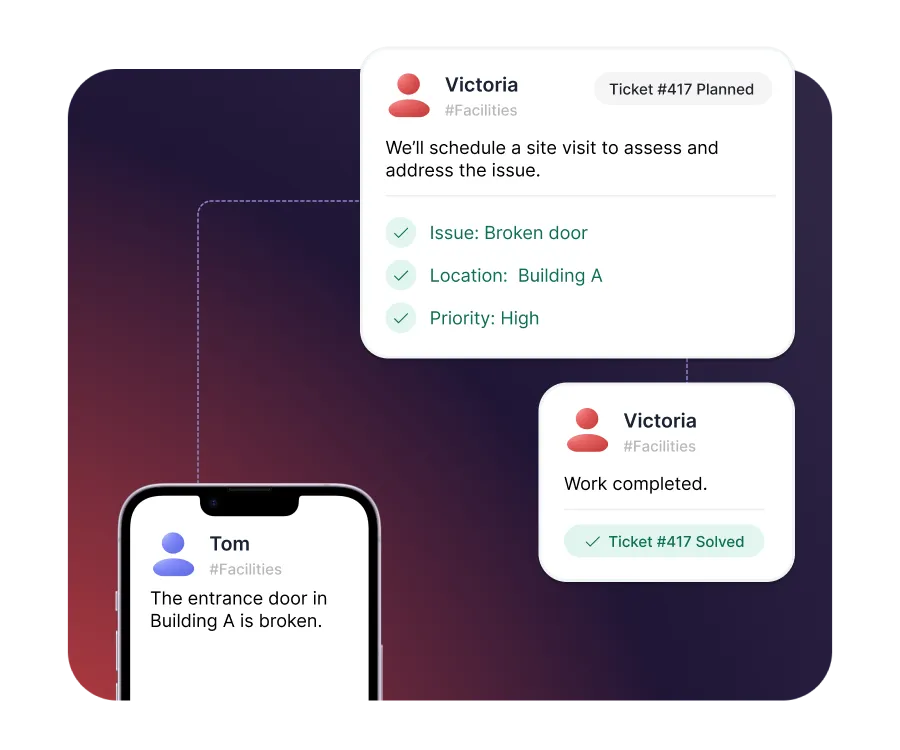








Structured facility management, built directly into Slack

Report it on the spot
Employees report issues from their phone in Slack, the moment they see them - no portal, no app to download.

Control for facilities teams
Every issue arrives structured, prioritized, and assigned, so your team knows what to fix first.

Nothing falls through
Requests are tracked from reported to resolved, so no issue is forgotten in a busy channel.
Report issues on the spot, from anywhere
- Report any issue from Slack on desktop or mobile
- Turn a message and a photo into a tracked request
- Capture the right details upfront with guided forms
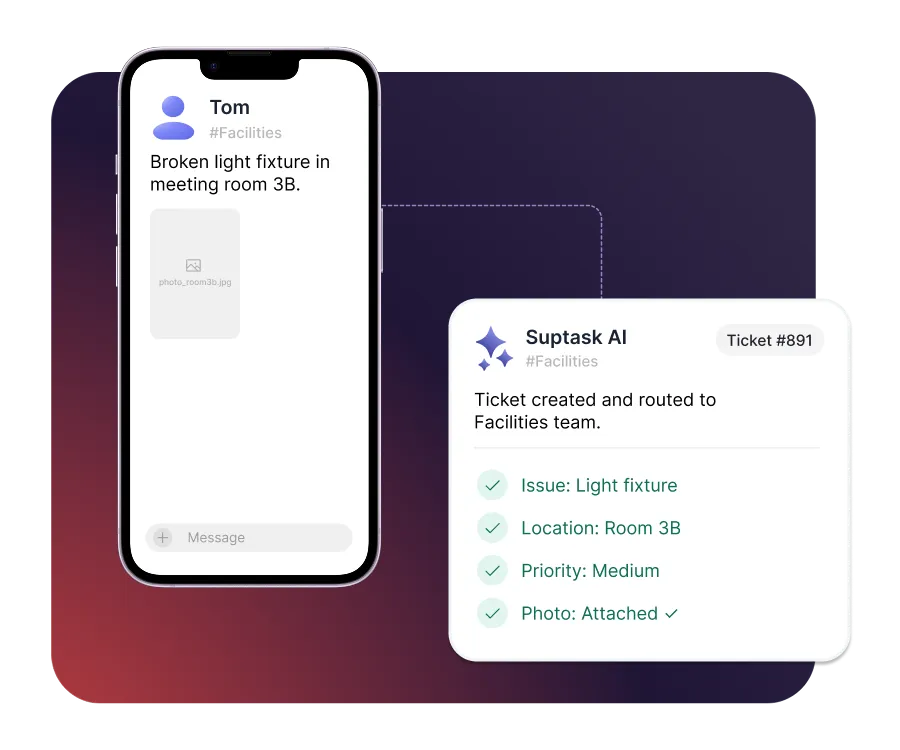
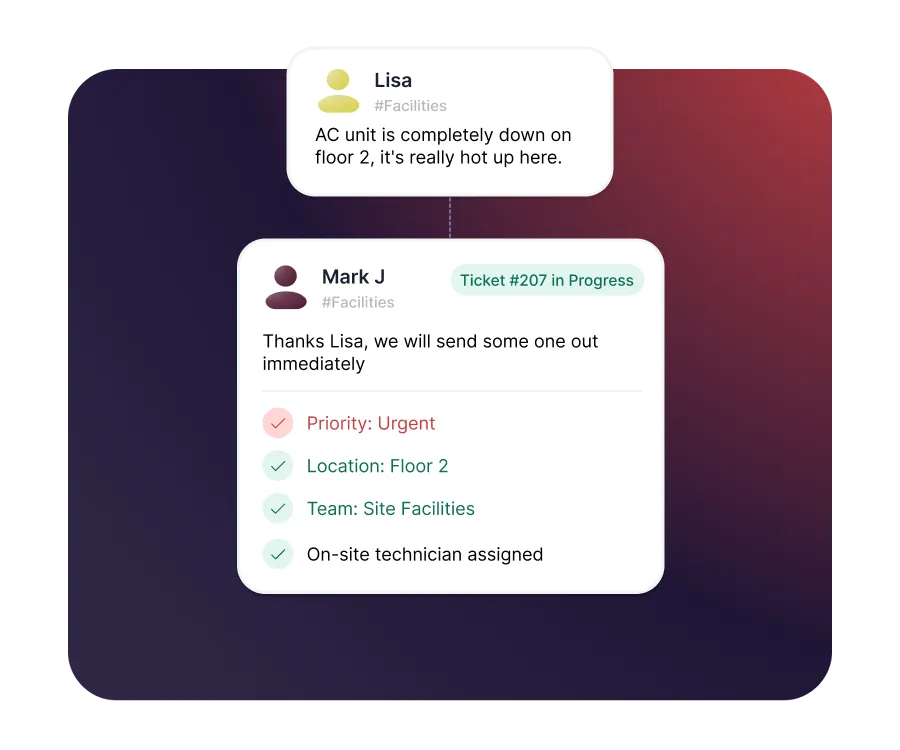
Assign and prioritize every request
- Route requests by site, building, or request type
- Prioritize urgent issues so critical work goes first
- Assign work to on-site staff, right on their phone
Automate the work that repeats
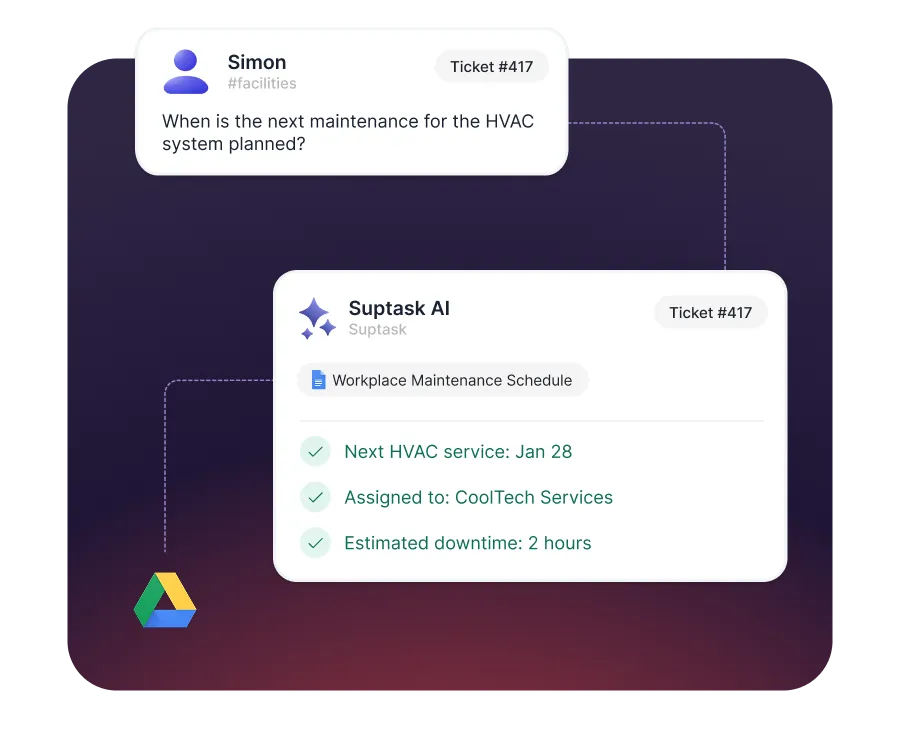
- Answer common questions automatically with AI
- Run recurring workflows like desk setups and access requests
- Automate approvals for purchases and repairs
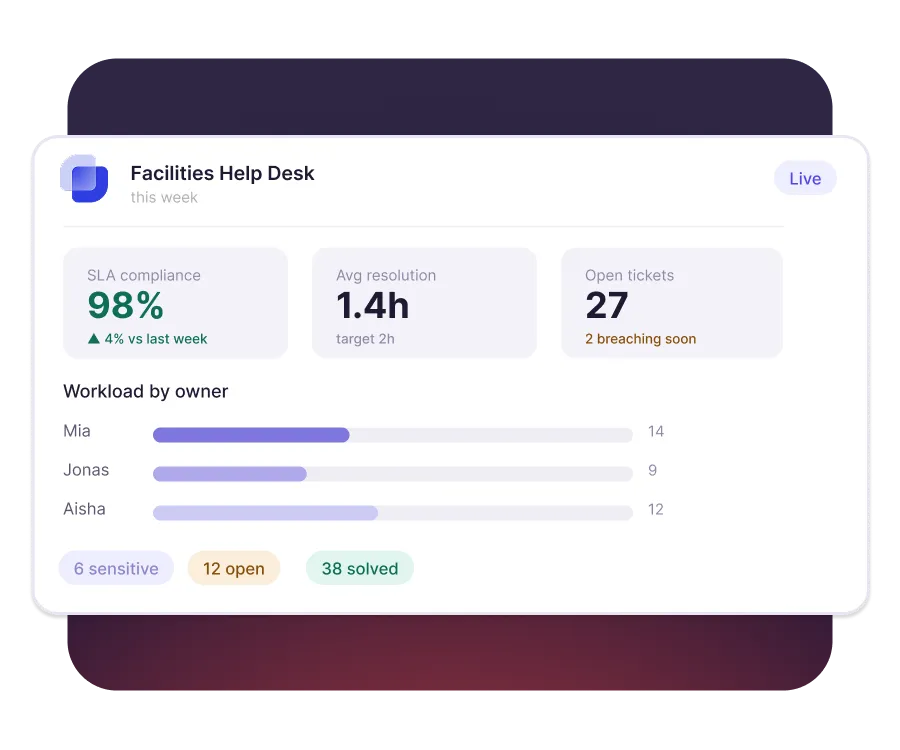
Reporting and SLA visibility
- Set SLAs so urgent issues are never left waiting
- See open work, ownership, and status at a glance
- Spot the issues that keep coming back


Built for different teams
For IT teams


For Finance teams

Transforme o Slack em um suporte técnico que sua equipe fará realmente use
Frequently asked Questions
O que é um sistema de emissão de tíquetes do Slack?
A Slack ticketing system is help desk and service desk software that integrates with Slack. Any department, from IT and HR to finance, can submit, track, and resolve internal requests without ever leaving their main workspace. Using Slack as your help desk, your messages can turn into tickets, so you never have to leave Slack to manage your tickets.
Sim, o Slack pode ser usado como um sistema de emissão de tíquetes integrando aplicativos dedicados, como o Suptask, ao Slack. Isso permite que as equipes criem, rastreie e gerencie solicitações tudo em um só lugar.
Suptask is built as a solution that works for any team.
We have proven examples across many organizations where teams such as IT (ITSM), Product, Engineering, Finance / Billing, Revenue Operations, Sales Operations, and HR are using Suptask to improve their ticketing experience on Slack.
To use Slack as a help desk using Suptask, Sign up and install Suptask, then simply ask for help in a designated channel (e.g., #support) or add a ticket emoji to any message.
Você pode controlar os tickets sem sair do Slack. A configuração não requer conhecimento de codificação. Aqui está o procedimento.
- Se alguma mensagem nova for tratada automaticamente como ticket nos canais do Slack, automatize a criação de tickets. Os usuários podem transformar mensagens anteriores do Slack em tickets usando um emoji específico (por exemplo, "🎫 “).
- Automatize a atribuição de tíquetes usando regras. Os ingressos devem ser atribuídos às pessoas ou grupos apropriados. O Suptask oferece atribuição direta, a regra do menor número de tickets abertos e roteamento baseado em palavras-chave.
- Automatize atualizações/notificações notificando automaticamente os solicitantes sobre seus tickets, novas tarefas para agentes e respondendo em tópicos para que haja total transparência sobre mudanças de status e processos de resolução, etc.
Você pode criar tickets do Slack a partir de qualquer conversa com vários métodos:
- Publique em um canal de solicitação: Envie uma nota para um canal chamado #it -support. O Suptask o transformará em um tíquete.
- Use uma reação de emoji: Reaja com um emoji de tíquete (como 🎫). O Suptask transformará essa mensagem em um ticket.
- Use um comando Slash: Escreva /suptask ou /helpdesk para criar um ticket em qualquer lugar no Slack.
- Atalho de mensagem: Em qualquer mensagem, selecione a abreviatura “Criar um ticket” do Suptask para transformá-la em um ticket.



